
Evisort Contract Intelligence MCP. Audit compliance, track provisions, and manage contract risk from chat.
 Gemini
 Works with every AI agent you already use
…and any MCP-compatible client









Just plug in your AI agents and start using Vinkius.
Evisort Contract Intelligence manages your entire legal document lifecycle. Connect your AI agent to track provisions, monitor approvals, and audit contracts.
Use it to list documents, check expiration dates, or get high-level legal health summaries directly through chat.
What your AI agents can do
Get document detailed intelligence
Pulls specific AI-extracted data, settings, and detailed intelligence for one single contract document.
Get evisort account metadata
Retrieves operational metadata and usage limits for your Evisort account.
List contract documents
Lists every contract document stored in your Evisort account library.
Your agent pulls specific details, party names, and AI-extracted data from any contract you point it toward.
Your agent lists all documents in your library or filters them by criteria, like high monetary value or recent expiration dates.
Your agent lists and summarizes all AI-extracted provisions and clauses associated with a specific contract.
Your agent tracks the progress of a contract through its approval workflow, telling you the current step and who owns it.
Your agent runs quick audits to give you a high-level summary of your entire contract portfolio, including alerts and volume metrics.
Ask AI about this MCP
Supported MCP Clients
Gemini Waiting for input…
Evisort Contract Intelligence: 10 Tools for Legal Auditing
These tools allow your AI client to interact with Evisort to list documents, track provisions, monitor workflows, and audit the status of your entire contract library.
019d7594get document detailed intelligence
Pulls specific AI-extracted data, settings, and detailed intelligence for one single contract document.
019d7594get evisort account metadata
Retrieves operational metadata and usage limits for your Evisort account.
019d7594list contract documents
Lists every contract document stored in your Evisort account library.
019d7594list contract provisions
Lists all AI-extracted provisions and clauses found within a specified contract.
019d7594list contract workflows
Lists all current contract approval and review workflows in your account.
019d7594list document library folders
Lists the folder structure and directories within your contract document library.
019d7594list high monetary value contracts
Identifies contracts whose monetary value exceeds a specific dollar threshold.
019d7594list previously expired contracts
Finds a list of contracts that have already passed their expiration date.
019d7594list upcoming contract expirations
Retrieves a list of contracts approaching their expiration date soon.
019d7594quick contract portfolio audit
Generates a high-level summary covering documents, workflows, and immediate alerts across the entire contract portfolio.
Choose How to Get Started
Build a custom MCP for your own tools, or connect a ready-made integration from our catalog.
Build Your Own
Turn any API into an MCP. Import a spec, define Agent Skills, or deploy with MCPFusion.
- Import from OpenAPI, Swagger, or YAML specs
- Create Agent Skills with progressive disclosure
- Deploy to edge with MCPFusion framework
- Built in DLP, auth, and compliance on every call
- Real time usage dashboard and cost metering
- Publish to catalog or keep private
Make Your AI Do More
Start with Evisort Contract Intelligence, then connect any of our 4,700+ other servers whenever your AI needs more. One click, no limits.
- Use this MCP plus 4,700+ others, all in one place
- Add new capabilities to your AI anytime you want
- Every connection is secured and compliant automatically
- Track usage and costs across all your servers
- Works with Claude, ChatGPT, Cursor, and more
- New servers added to the catalog every week
What you can do with this MCP connector
Evisort Contract Intelligence lets your agent manage your entire legal document lifecycle. You can connect your AI agent to track specific provisions, monitor approvals, and audit contracts using natural language conversation.
Discover Document Details: Your agent pulls specific details, party names, and AI-extracted data for any single contract you point it toward using get_document_detailed_intelligence. List and Categorize Contracts: It lists every contract document in your library via list_contract_documents, lets you view the folder structure with list_document_library_folders, and finds contracts based on criteria like high monetary value using list_high_monetary_value_contracts or those that expired previously with list_previously_expired_contracts.
You can also check for contracts expiring soon using list_upcoming_contract_expirations. Track Contract Clauses: It lists and summarizes all AI-extracted provisions and clauses for a specific contract using list_contract_provisions. Monitor Approval Status: Your agent tracks a contract's progress through its approval workflow, telling you the current step and who owns it, by listing all workflows with list_contract_workflows. Audit Portfolio Health: It runs quick audits to give you a high-level summary of your entire contract portfolio, including alerts and volume metrics, with quick_contract_portfolio_audit.
You can also check your account's operational metadata and usage limits using get_evisort_account_metadata.
Here's the deal: you don't have to jump between apps. Your agent does all this—from pulling deep contract intelligence to checking expiration dates—right in the chat window. You'll keep your legal team focused on the actual law, not on managing documents.
How Evisort Contract Intelligence MCP Works
- 1 Connect the Evisort integration to your AI client.
- 2 Authorize the connection using your Evisort REST API Key (found in your account settings).
- 3 Tell your agent what you need—e.g., 'List all contracts expiring in 30 days.'—and it runs the necessary tools.
The bottom line is, you talk to your agent, and it runs the right Evisort tools to give you a consolidated answer.
Who Is Evisort Contract Intelligence MCP For?
Legal Counsel and Compliance Officers who manage thousands of contracts and can't afford a single missed expiration date. Procurement and Sales Ops teams who need to reference contract terms instantly during a deal negotiation. If you spend time manually checking document status or hunting for governing law clauses, this is for you.
Checks contract expiration dates and verifies specific provision details across the portfolio on the fly.
Monitors organizational contract metadata, reviews audit logs, and tracks overall legal health metrics.
Researches active contract terms and approval statuses during vendor negotiations or contract renewals.
What Changes When You Connect
- Track expiration dates and provisions instantly. Instead of opening 50 PDFs to find a renewal clause, ask your agent to run
list_upcoming_contract_expirationsand get the key terms immediately. - Audit the whole legal stack at a glance. Use
quick_contract_portfolio_auditto get a single, high-level summary of all alerts, workflows, and document volumes without running multiple reports. - Deep dive into specific clauses. If you need to know the governing law for a deal, use
list_contract_provisionsto pull out specific provisions and clauses, avoiding manual text searches. - Manage the deal flow. Your agent tracks approvals using
list_contract_workflows. You don't have to check the workflow dashboard—you just ask, 'What's the status of the MSA?' - Filter by risk. Need to know which deals are high-risk? Use
list_high_monetary_value_contractsto pull a list of contracts above a specific monetary threshold.
Real-World Use Cases
The Deal Negotiation Block
A Sales Ops manager is negotiating a new vendor agreement. Instead of digging through email threads and multiple folders, they ask their agent to run list_contract_documents and get_document_detailed_intelligence. The agent pulls up the specific governing law and term length for the master agreement, allowing them to keep the conversation moving.
The Compliance Checkup
A Compliance Officer needs to report on the firm's overall legal health. They run quick_contract_portfolio_audit and the agent instantly returns metrics on contract volume, total alerts, and pending workflows, skipping weeks of manual reporting.
Finding the Ghost Expiration
A Legal Counsel knows a contract is due for renewal but can't remember which one. They run list_upcoming_contract_expirations. The agent provides a list, including the document name and the renewal provisions, letting them act proactively.
Checking the Workflow Status
A Project Manager needs to know if the Master Services Agreement has been approved by Finance. They ask the agent to check list_contract_workflows. The agent reports the current step, who is assigned, and how long it's been pending.
The Tradeoffs
Manual Cross-Referencing
Jumping between the document library, the expiration dashboard, and the provisions report to build a risk summary. This is slow, error-prone, and you always miss a step.
→
Start with quick_contract_portfolio_audit to get the macro view. Then, drill down using list_upcoming_contract_expirations to isolate risk, and finally use get_document_detailed_intelligence for the precise clauses.
Forgetting Metadata
Only listing documents via list_contract_documents and assuming that list contains all necessary metadata, like the current owner or expiration date.
→
Always follow up document listing with get_evisort_account_metadata to ensure you have the full context and understand the system's operational limits.
Ignoring the Workflow State
Assuming a contract is active just because it exists in the library. You might miss that it's stuck in a review queue.
→
Check list_contract_workflows first. This tells you if the contract is sitting at 'Legal Review' or if it's already marked 'Expired' using list_previously_expired_contracts.
When It Fits, When It Doesn't
Use this if your core problem is synthesizing intelligence from a massive, disparate collection of legal documents—you need to know what a clause means, when it expires, and who approved it. Don't use it if you simply need to manage files or perform basic data entry; those tasks are for dedicated Document Management Systems. If you only need to check a single, simple field (like a single name), you might only need list_contract_documents. But if you need to cross-reference that name with an expiration date and an approval status, this suite is what you need.
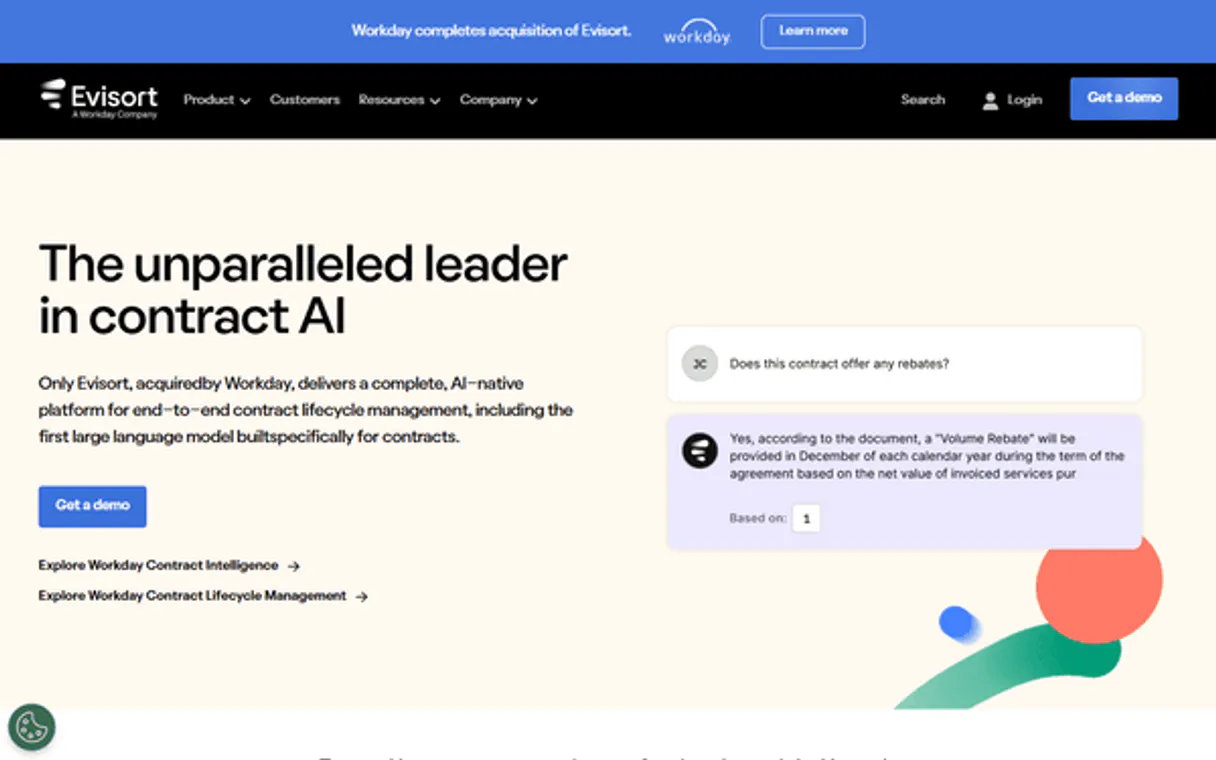
Independent Platform Disclaimer: Vinkius is an independent platform and is not affiliated with, endorsed by, sponsored by, verified by, or otherwise authorized by Evisort Contract Intelligence. All third-party trademarks, logos, and brand names are the property of their respective owners. Their use on this website is strictly for informational purposes to identify service compatibility and interoperability.
VINKIUS INFRASTRUCTURE
Cloud Hosted
Managed infra
V8 Isolated
Sandboxed per request
Zero-Trust Proxy
No stored credentials
DLP Enforced
Policy on every call
GDPR Compliant
EU data residency
Token Compression
~60% cost reduction
Works with Claude, ChatGPT, Cursor, and more
The Model Context Protocol standardizes how applications expose capabilities to LLMs. Instead of operating in isolation, your AI gains direct access to external platforms, live data, and real-world actions through secure, standardized connections.
This server provides 10 capabilities that interface natively with Claude, ChatGPT, Cursor, and any MCP client. No middleware. No custom integration required.
Available Capabilities
Contract oversight shouldn't require jumping between five different dashboards.
Today, reviewing a contract portfolio means logging into the main document system, pulling the list, then opening the expiration tab to check dates, and finally, jumping to a separate 'Provisions' report to see if the boilerplate clauses are updated. You spend hours copy-pasting IDs and cross-referencing statuses just to build a basic risk summary.
With this MCP server, you tell your agent, 'Audit the portfolio for risks.' It runs `quick_contract_portfolio_audit` and returns a single, structured summary that consolidates document status, pending workflows, and critical alerts. It's all in one conversation.
Evisort Contract Intelligence MCP Server: Track everything you need.
Manual checks for contract terms are painful. You have to search the raw text for 'indemnification' or 'governing law' and then manually check the date stamps to see when the clause was last reviewed. This process is slow and requires multiple human checks.
Now, you ask your agent to run `list_contract_provisions` on a document ID. It doesn't just give you text; it gives you a structured list of provisions, their section numbers, and their extracted meaning. It's actionable data, not just raw text.
Common Questions About Evisort Contract Intelligence MCP
How do I use the `list_upcoming_contract_expirations` tool? +
The agent runs this tool and returns a list of contracts approaching expiration. You can then ask the agent to get the detailed intelligence for those specific documents, combining the list and the details in one flow.
What is the difference between `list_contract_documents` and `list_document_library_folders`? +
The list_document_library_folders tool shows you the folder structure—the container. list_contract_documents shows the actual files inside those folders.
Can I use `list_high_monetary_value_contracts` to find compliance risks? +
It identifies contracts over a certain monetary threshold. This helps compliance by flagging high-value deals that need extra attention, regardless of their expiration status.
How does `list_contract_workflows` help with contract approvals? +
It shows the current state of any approval process, including which step it's on, who is assigned, and how long it's been pending.
How do I use the `get_document_detailed_intelligence` tool? +
This tool gives you detailed settings and AI-extracted data for one specific contract. You pass the document ID, and the agent returns structured information like key dates, parties, and provisions.
What is the purpose of `list_contract_provisions`? +
It lists all the AI-extracted clauses and provisions for a given document. Use it when you need to check specific legal terms, like 'Indemnification' or 'Governing Law', without reading the whole contract.
What if I need to find contracts that are already expired? Do I use `list_previously_expired_contracts`? +
Yes, list_previously_expired_contracts identifies contracts that have already passed their expiration date. This helps compliance teams audit past risks or track historical agreements.
Is there a way to see the overall health of my contract portfolio? Can I use `quick_contract_portfolio_audit`? +
This tool retrieves a high-level summary of your entire contract portfolio. It bundles data on documents, active workflows, and pending alerts, giving you a quick snapshot of legal health.
How do I get an Evisort API Key? +
Log in to your Evisort account, navigate to Settings > API, and you can generate or retrieve your unique REST API Key from there. Ensure your user profile has the 'Admin' or 'API Access' permission enabled.
Does the integration show specific clauses? +
Yes, you can use the list_contract_provisions tool to retrieve AI-extracted snippets for common clauses like Limitation of Liability, Indemnification, and Termination for any document.
Can the agent upload new contracts? +
This integration currently focuses on listing and auditing existing contracts and intelligence. Uploading new PDF or Word documents for AI processing should be managed via the Evisort web application or automated ingestion folders.
Multi-server workflows that include Evisort Contract Intelligence MCP
Use it with your favorite AI tools
Connect this server to Cursor, Claude, VS Code, and more.
More in this category
Botsonic
Train custom AI chatbots on your own data to deliver instant, accurate support that learns from your knowledge base.

NLP Cloud
High-performance NLP API for text summarization, entity extraction, classification, sentiment analysis, ASR, and translation.

Azure AI Search
Execute RAG queries against Azure AI Search natively — search vectors, full-text documents, and audit cloud indexes directly from your AI agent.
You might also like

commercetools
commercetools is a flexible, cloud-native e-commerce platform that provides a headless API for composable commerce. This MCP server allows you to manage products, orders, and customer data programmatically.

ConnectAndSell
Empower your conversational AI to interact with and review metrics from ConnectAndSell's B2B sales acceleration dialer.

JustCall
Make and receive business calls from any device with a cloud phone system that logs every interaction in your CRM automatically.