
Evvnt Marketing & Distribution MCP. Track event reach, status, and distribution reports instantly.
 Gemini
 Works with every AI agent you already use
…and any MCP-compatible client









Just plug in your AI agents and start using Vinkius.
Evvnt Marketing & Distribution MCP Server connects your AI agent directly to the Evvnt platform. Use it to manage event listings, pull real-time syndication reports, and track site reach across your partner network.
Your agent can list all events, check saved venues, and pull high-level account metadata using natural language commands.
What your AI agents can do
Get event detailed data
Gets the specific settings and distribution details for one event.
Get event distribution reports
Pulls performance reports, showing how many sites were reached and how many clicks were generated for a specific event.
Get evvnt account metadata
Retrieves usage limits and general metadata for your Evvnt account.
Retrieves all settings and distribution details for one specific event.
Pulls detailed distribution and performance reports for a chosen event.
Retrieves metadata and usage limits for your entire Evvnt account.
Identifies all marketing events that are currently in a 'Draft' or 'Pending' status.
Returns a list of all event categories supported by Evvnt.
Lists every event currently tracked in your Evvnt account.
Lists every venue and location you have saved in your profile.
Ask AI about this MCP
Supported MCP Clients
Gemini Waiting for input…
019d7594get event detailed data
Gets the specific settings and distribution details for one event.
019d7594get event distribution reports
Pulls performance reports, showing how many sites were reached and how many clicks were generated for a specific event.
019d7594get evvnt account metadata
Retrieves usage limits and general metadata for your Evvnt account.
019d7594list draft marketing events
Lists all events that are currently marked as 'Draft' or 'Pending' status.
019d7594list event categories
Lists every category type Evvnt supports for event listings.
019d7594list marketing events
Lists all events currently managed in your Evvnt account.
019d7594list saved venues
Lists all physical venues and locations saved in your profile.
019d7594list successfully distributed events
Identifies events that have been successfully sent out to the partner network.
019d7594list syndication partners
Lists all partner sites and sites that receive event listings from Evvnt.
019d7594quick event marketing audit
Provides a high-level summary of your total event volume and distribution reach.
Choose How to Get Started
Build a custom MCP for your own tools, or connect a ready-made integration from our catalog.
Build Your Own
Turn any API into an MCP. Import a spec, define Agent Skills, or deploy with MCPFusion.
- Import from OpenAPI, Swagger, or YAML specs
- Create Agent Skills with progressive disclosure
- Deploy to edge with MCPFusion framework
- Built in DLP, auth, and compliance on every call
- Real time usage dashboard and cost metering
- Publish to catalog or keep private
Make Your AI Do More
Start with Evvnt Marketing & Distribution, then connect any of our 4,700+ other servers whenever your AI needs more. One click, no limits.
- Use this MCP plus 4,700+ others, all in one place
- Add new capabilities to your AI anytime you want
- Every connection is secured and compliant automatically
- Track usage and costs across all your servers
- Works with Claude, ChatGPT, Cursor, and more
- New servers added to the catalog every week
What you can do with this MCP connector
Evvnt Marketing & Distribution MCP Server connects your AI agent right to the Evvnt platform. You can use it to manage event listings, pull real-time syndication reports, and track site reach across your partner network. Your agent can list all events, check saved venues, and pull high-level account metadata just by talking to it. list_marketing_events lets your agent list every event currently managed in your Evvnt account. get_event_detailed_data pulls all the specific settings and distribution details for one event.
You can find out which events are sitting in 'Draft' or 'Pending' status with list_draft_marketing_events. list_event_categories returns a list of every category type Evvnt supports for event listings. list_saved_venues lets your agent view every venue and location you've saved in your profile. list_successfully_distributed_events identifies which events have been successfully sent out to the partner network.
You can pull performance reports showing how many sites were reached and how many clicks were generated for a specific event using get_event_distribution_reports. quick_event_marketing_audit gives a quick, high-level summary of your total event volume and distribution reach. list_syndication_partners lists all partner sites that receive event listings from Evvnt. get_evvnt_account_metadata retrieves usage limits and general metadata for your entire Evvnt account.
How Evvnt Marketing & Distribution MCP Works
- 1 Connect the Evvnt integration to your AI client and authorize it with your Partner API Key.
- 2 Instruct your agent using natural language (e.g., 'Show the distribution report for Event ID 456').
- 3 The agent executes the appropriate tool(s) and delivers the structured data and summary report.
The bottom line is, you talk to your agent, and it runs the Evvnt API tools to get you the data you need.
Who Is Evvnt Marketing & Distribution MCP For?
Event Marketers, Marketing Operations Managers, and Venue Managers. If your job involves tracking where event listings appear, monitoring campaign reach, or keeping track of active/pending event assets, you need this. It lets you prove ROI without leaving your chat window.
Checks distribution reports and site reach quickly on the go, proving the campaign's immediate impact.
Monitors syndication activity, checks account metadata, and ensures all event assets are properly published or scheduled.
Researches saved venue details and checks the status of event listings against known locations via chat.
What Changes When You Connect
- See real-time reach data. Use
get_event_distribution_reportsto pull performance metrics like total sites reached and clicks generated for any event. - Know your asset status. Run
list_draft_marketing_eventsto immediately pull up all events that need review or are still pending publication. - Map your network. Use
list_syndication_partnersto get a clean list of every site that receives your event listings, letting you audit your reach. - Audit your account health.
quick_event_marketing_auditgives you a high-level summary of event volume and distribution success without needing multiple tool calls. - Manage physical locations.
list_saved_venuespulls up every saved location, so you don't have to search through separate venue management dashboards. - Maintain control.
get_evvnt_account_metadatashows your current usage limits and account status, preventing unexpected service slowdowns.
Real-World Use Cases
Need to prove ROI for a specific campaign.
A marketing manager needs to show a client the performance of the 'Summer Jazz Festival.' They ask their agent to run get_event_distribution_reports for the specific event ID. The agent returns the total sites reached and clicks, providing the necessary proof instantly.
Cleaning up stale or unapproved event listings.
The operations team discovers they have several event listings that were never finalized. They ask the agent to run list_draft_marketing_events. This tool surfaces all 'Draft' or 'Pending' events, allowing them to archive or finish the listings in bulk.
Checking if a new venue is already cataloged.
A venue manager is setting up a new partner. Before adding it, they ask the agent to run list_saved_venues. This quickly confirms if the location is already in the system, saving time and preventing duplicate entries.
Understanding overall platform health.
The marketing director wants a quick snapshot of the entire portfolio. They prompt the agent with a general request, triggering quick_event_marketing_audit, which returns a summary of total event volume and distribution success across the board.
The Tradeoffs
Manually compiling reports from different screens
Opening the main event dashboard, pulling the report, switching to the venue tab to check locations, and then opening the audit page to check overall stats. This takes 10-15 minutes of clicking and copy-pasting.
→
Ask your agent to run quick_event_marketing_audit for the high-level overview, then run get_event_distribution_reports for the deep dive. It does it in chat.
Forgetting to check event status.
Assuming an event is live because the marketing team started the listing. The event might be stuck in 'Pending' status, meaning no distribution is happening. This leads to missed marketing opportunities.
→
Run list_draft_marketing_events to check the status of any event. It confirms if the listing is actively published or if it's stuck in draft mode.
Guessing the network scope.
Thinking an event is distributed everywhere because it was published. In reality, the event might only be visible to a few specific partner sites, leaving major audiences untouched.
→
Use list_syndication_partners to see exactly which sites receive the listing, and then use get_event_detailed_data to check the specific distribution settings.
When It Fits, When It Doesn't
Use this server if your primary need is tracking event distribution, syndication reach, or managing the event lifecycle within Evvnt. You need to know where your events are appearing and how they are performing. Don't use this if you need to manage ticketing payments or update the event descriptions directly on the Evvnt website—you'll need a separate CRM or website tool for that. If you just need a list of event names, list_marketing_events works, but if you need performance metrics, you must use get_event_distribution_reports or quick_event_marketing_audit.
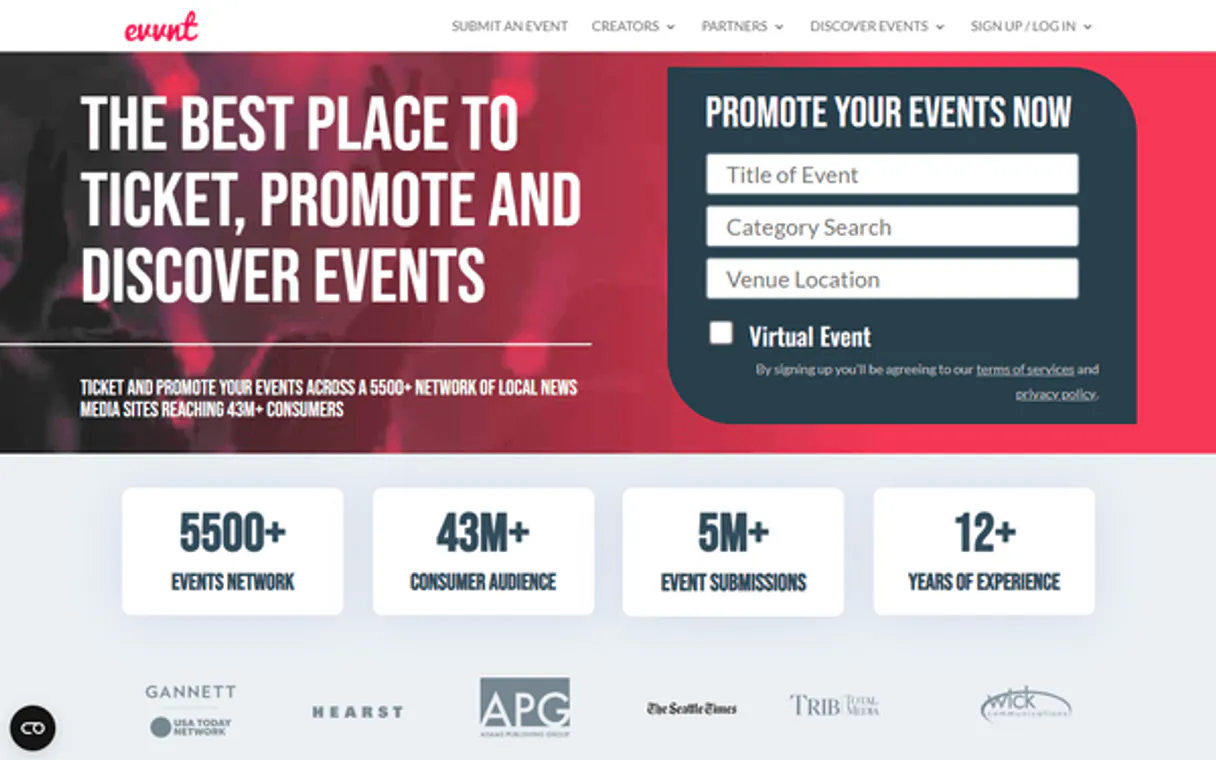
Independent Platform Disclaimer: Vinkius is an independent platform and is not affiliated with, endorsed by, sponsored by, verified by, or otherwise authorized by Evvnt Marketing & Distribution. All third-party trademarks, logos, and brand names are the property of their respective owners. Their use on this website is strictly for informational purposes to identify service compatibility and interoperability.
VINKIUS INFRASTRUCTURE
Cloud Hosted
Managed infra
V8 Isolated
Sandboxed per request
Zero-Trust Proxy
No stored credentials
DLP Enforced
Policy on every call
GDPR Compliant
EU data residency
Token Compression
~60% cost reduction
Works with Claude, ChatGPT, Cursor, and more
The Model Context Protocol standardizes how applications expose capabilities to LLMs. Instead of operating in isolation, your AI gains direct access to external platforms, live data, and real-world actions through secure, standardized connections.
This server provides 10 capabilities that interface natively with Claude, ChatGPT, Cursor, and any MCP client. No middleware. No custom integration required.
Available Capabilities
Sifting through event dashboards and reports is a huge time sink.
Before this, checking on event performance meant jumping between the main dashboard, the reporting tab, and the venue management section. You'd manually pull a summary, copy the numbers, paste them into a spreadsheet, and then switch tabs just to check the overall account status. It's a lot of clicking.
Now, you ask your agent for the data. It runs the required tools and gives you the report—total sites reached, clicks, and event status—all in one conversation. The whole thing takes seconds.
The Evvnt Marketing & Distribution MCP Server gives you full visibility.
You no longer have to wait for weekly reports. You can ask the agent to run `quick_event_marketing_audit` to get an instant, high-level summary of event volume and distribution success. You can also use `list_saved_venues` to quickly check if a location is already in your system.
The difference is that you don't compile reports; you talk to the data. You get immediate, structured answers on demand.
Common Questions About Evvnt Marketing & Distribution MCP
How do I check the distribution report for a single event using get_event_distribution_reports? +
You simply ask your agent for the report, providing the specific event ID or name. The agent retrieves the report, showing total sites reached and clicks generated.
What does list_draft_marketing_events do? +
This tool finds and lists any marketing events that are currently marked as 'Draft' or 'Pending.' This lets you quickly identify events that need final review or publishing.
Can I use quick_event_marketing_audit to see all my events? +
Yes, quick_event_marketing_audit gives you a high-level summary of your event volume and distribution success. It's a quick way to get an overall health check.
Does list_syndication_partners show all my contacts? +
No, it lists the partner sites and sites that receive event listings from Evvnt. It defines your distribution network, not your client contacts.
How do I use list_event_categories to find out what types of events Evvnt supports? +
It lists every supported event category. This helps you filter or check if a specific event type is recognized by the platform.
What is the purpose of list_saved_venues, and what data does it provide? +
It retrieves all saved venues and locations linked to your account. You get the profiles and basic status for each location you've recorded.
When should I use get_evvnt_account_metadata, and what key information does it provide? +
Use this tool to check your overall account health and API limits. It gives you metadata and rate limits for the Evvnt platform.
How does list_successfully_distributed_events help track my campaign success? +
It lists only the events that finished distributing successfully. This confirms which campaigns reached the partner network without errors.
How do I get an Evvnt API Key? +
Log in to your Evvnt partner dashboard, navigate to Account > API, and you can generate or retrieve your unique Partner API Token from there. API access is typically provided to authorized partners.
Does the integration show clicks per site? +
Yes, you can use the get_event_distribution_reports tool to retrieve detailed telemetry, including total site count and engagement metrics for specific events.
Can the agent submit new events? +
This integration currently focuses on listing and auditing promoted events and reports. Submitting new events for syndication should be managed via the Evvnt submission interface or automated ingestion partner tools.
Use it with your favorite AI tools
Connect this server to Cursor, Claude, VS Code, and more.
More in this category

FindThatLead
Uncover business email addresses from domain names and LinkedIn profiles to fuel your outbound prospecting pipeline.

Kitetags
Generate optimized hashtags for Instagram and TikTok posts with AI that analyzes trending tags and maximizes reach.
AT&T Messaging
CPaaS Messaging -- Send SMS/MMS, manage shortcodes, track delivery status, and run bulk campaigns via AT&T Messaging API.
You might also like

ActiveCampaign
Marketing automation and CRM — manage contacts, deals, lists, and automations via AI.

Firecrawl Alternative
Scrape and crawl the web — audit website content and maps via AI.

Pexels
Retrieve free high-quality stock media via Pexels — search photos, track videos natively, and explore curated visual collections entirely through AI constraints.