
Facturama (SAT) MCP. Automate Mexican Tax Invoices (CFDI) via AI.
 Gemini
 Works with every AI agent you already use
…and any MCP-compatible client









Just plug in your AI agents and start using Vinkius.
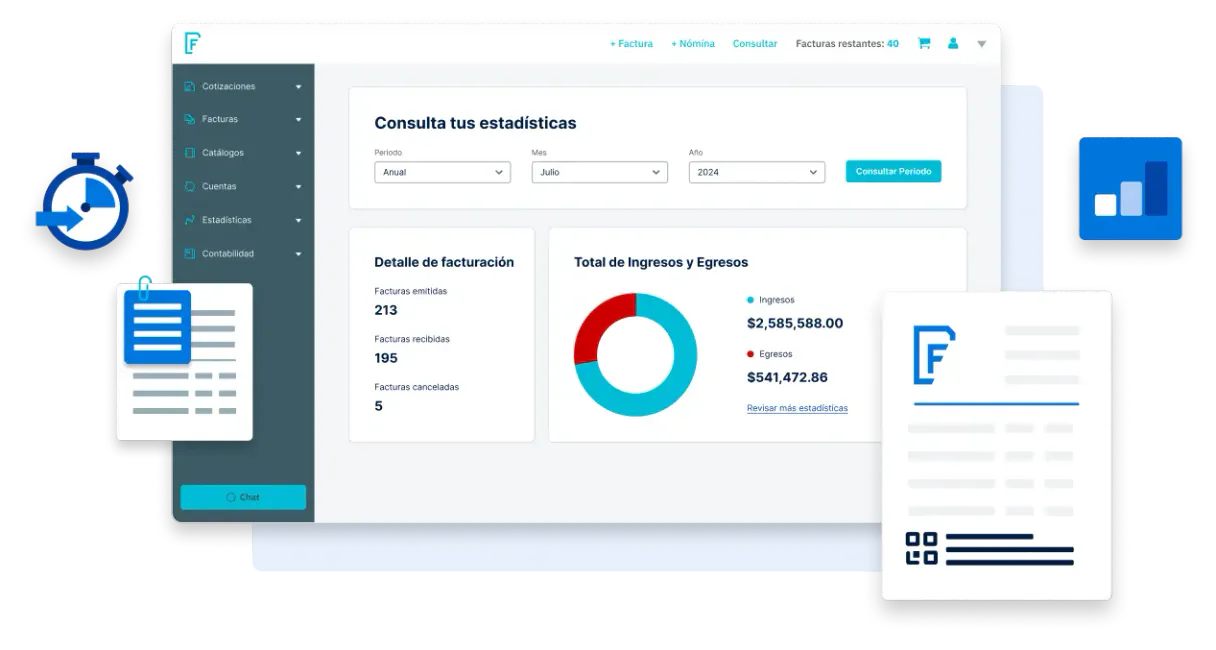
Facturama (SAT) is an MCP Server for handling Mexican corporate tax compliance. It lets your AI client emit, track, and manage formal digital tax invoices (CFDI 4.0) directly against the official SAT system.
You can list client profiles, fetch product codes, check invoice statuses, and cancel receipts, all without manual UI interaction.
What your AI agents can do
Cancel invoice
Cancels a specific digital tax invoice (CFDI) that was previously issued.
Create client
Registers a new client profile for B2B invoicing purposes.
Create invoice
Generates and issues a legally compliant digital tax invoice (CFDI).
Issue a formal digital tax invoice (CFDI) or cancel an already issued CFDI using the relevant tools.
Register new B2B clients, retrieve existing fiscal profiles, or remove client context using their tax IDs.
Fetch specific, SAT-validated product details or scan the full list of standard tax codes.
Pull a list of all issued CFDIs, check specific invoice files, or list tax profiles to validate compliance.
Read the client's current tax status against SAT rules or list internal tax schema profiles for compliance checks.
Send the final, generated invoice directly to the client via an email push.
Ask AI about this MCP
Supported MCP Clients
Gemini Waiting for input…
Facturama (SAT) MCP Server: 14 Tools for Mexican Tax Compliance
These tools allow your AI agent to manage every step of the Mexican tax lifecycle: from listing client profiles to generating and sending compliant digital invoices.
019d8438cancel invoice
Cancels a specific digital tax invoice (CFDI) that was previously issued.
019d8438create client
Registers a new client profile for B2B invoicing purposes.
019d8438create invoice
Generates and issues a legally compliant digital tax invoice (CFDI).
019d8438delete client
Removes a client's recorded context from the system.
019d8438get client
Retrieves a specific client's validated fiscal profile based on their ID.
019d8438get invoice file
Extracts a graphical representation of an invoice, returning it as a Base64 file.
019d8438get product
Fetches specific product details, including required SAT tax codes.
019d8438get tax status
Reads the client's current compliance tax status directly from the SAT system.
019d8438list catalog
Scans and returns the full list of standard SAT government product codes.
019d8438list clients
Lists all registered clients, including their necessary tax details and RFC numbers.
019d8438list invoices
Retrieves a list of all issued digital tax invoices (CFDIs) and their statuses.
019d8438list products
Lists all tax-mapped, registered products available for invoicing.
019d8438list taxes
Reads the internal schema and profiles for various tax rates and rules.
019d8438send invoice email
Pushes the final, generated invoice directly to the client's email address.
Choose How to Get Started
Build a custom MCP for your own tools, or connect a ready-made integration from our catalog.
Build Your Own
Turn any API into an MCP. Import a spec, define Agent Skills, or deploy with MCPFusion.
- Import from OpenAPI, Swagger, or YAML specs
- Create Agent Skills with progressive disclosure
- Deploy to edge with MCPFusion framework
- Built in DLP, auth, and compliance on every call
- Real time usage dashboard and cost metering
- Publish to catalog or keep private
Make Your AI Do More
Start with Facturama (SAT), then connect any of our 4,700+ other servers whenever your AI needs more. One click, no limits.
- Use this MCP plus 4,700+ others, all in one place
- Add new capabilities to your AI anytime you want
- Every connection is secured and compliant automatically
- Track usage and costs across all your servers
- Works with Claude, ChatGPT, Cursor, and more
- New servers added to the catalog every week
What you can do with this MCP connector
Facturama (SAT) lets your AI client handle Mexican corporate tax compliance. You can emit, track, and manage formal digital tax invoices (CFDI 4.0) right against the official SAT system. You don't need to touch any UI. Generate and Cancel Invoices: You can use create_invoice to issue a legally compliant digital tax invoice (CFDI).
If an invoice gets messed up, cancel_invoice lets you cancel a specific CFDI. Manage Client Tax Profiles: You've got create_client to register a new B2B client profile. If you need to pull an existing client's fiscal details, get_client retrieves that validated profile using their tax ID. You can also clean up by calling delete_client to remove a client's context. Retrieve Official Product Data: To pull specific product details, including required SAT tax codes, use get_product.
You can also fetch the full list of standard SAT government product codes by running list_catalog, or see all registered tax-mapped products with list_products. List and Check Invoice History: list_invoices pulls a list of all issued CFDIs and their current statuses. You can check a specific invoice's file using get_invoice_file, and you can list all tax profiles and rules with list_taxes to validate compliance. Validate Tax and Client Status: You'll check the client's current compliance tax status directly from the SAT system using get_tax_status.
To see all your registered clients and their RFC numbers, run list_clients. Automated Data Delivery: After you generate an invoice, send_invoice_email pushes the final, generated document straight to the client's email. List and Check Invoice History: You can also run list_invoices to get a comprehensive list of all issued digital tax invoices (CFDIs) and their statuses.
How Facturama (SAT) MCP Works
- 1 Append this tax-heavy integration logic to your agent stack.
- 2 Add your traditional basic auth API configuration, binding credentials in the Private base64 stream.
- 3 Your agent processes accounting loops using pure natural chat commands.
The bottom line is: you run complex, multi-step tax operations purely through conversation, without touching a UI.
Who Is Facturama (SAT) MCP For?
Anyone dealing with B2B commerce in Mexico needs this. This is for regional accounting leads who hate manual UI work, e-commerce operators needing continuous status monitoring, and developers building complex LATAM payment flows. It handles the tax compliance burden.
Uses the agent to pull and verify invoice statuses (using list_invoices) or to generate missing receipts for reconciliation.
Sets up automated checks to continuously monitor invoice status for high-volume sales, using list_invoices and get_invoice_file.
Probes specific Mexican tax APIs to validate client RFCs and product codes before writing transaction logic, calling get_product or get_tax_status.
What Changes When You Connect
- Issue invoices with
create_invoice: Generate legally valid digital tax receipts (CFDI) by supplying the exact client and product details, eliminating manual form filling. - Check status with
list_invoices: Don't guess if a payment went through. Uselist_invoicesto pull a list of all issued CFDIs and verify their official SAT status. - Validate data with
get_tax_status: Before billing, runget_tax_statusto confirm the client's compliance status. This prevents sending invoices that the SAT will reject. - Manage records with
list_clients: Quickly see who you've billed before.list_clientsgives you a comprehensive list of registered clients and their associated tax IDs (RFC). - Recover files with
get_invoice_file: Lost a PDF or need the raw XML?get_invoice_fileextracts the invoice as a Base64 file, giving you the full record for archiving. - Complete the cycle with
send_invoice_email: After generating the invoice, usesend_invoice_emailto automatically push the receipt to the client, completing the workflow without opening a mail client.
Real-World Use Cases
Reconciling a week's worth of sales
The accounting team needs to confirm which invoices were actually received and processed. They ask the agent to run list_invoices and list_products. The agent pulls the list of all CFDIs, cross-referencing them with the latest product codes to ensure all entries are valid and ready for reconciliation.
Onboarding a new corporate client
A new B2B client needs to be billed immediately. The agent first calls get_tax_status to confirm the client's standing, then uses create_client to register their profile. Finally, it uses create_invoice to generate the first formal receipt.
Fixing a lost or corrupt invoice
A customer claims they never received the official invoice. The agent runs get_invoice_file for the specific folio number. This extracts the invoice as a Base64 file, giving the user a verifiable, official digital copy to send.
Batch processing expired records
The system needs to clean up old, unfinalized client records. The agent uses list_clients to pull the list of all profiles, then systematically calls delete_client on records that meet the deletion criteria.
The Tradeoffs
Manual API calls for status checks
A developer writes a simple script that hits the tax API endpoint repeatedly, failing to handle rate limits or connection pool exhaustion. The script crashes after 50 calls.
→
Use list_invoices to get a batch status check, and rely on the agent to manage the retry logic. For bulk validation, call list_clients first to ensure all necessary tax data is present before attempting any transaction.
Forgetting product validation
A developer hardcodes product IDs into the invoice creation call, risking using an outdated or non-existent SAT code. The invoice fails validation.
→
Always run list_products or get_product first. Use the returned data to ensure the product ID and tax code are current before calling create_invoice.
Assuming client existence
The agent tries to create an invoice for a client ID that hasn't been properly registered, causing the entire transaction to fail immediately.
→
Always call get_client or list_clients first. This confirms the fiscal profile is valid and ready for transactions before running create_invoice.
When It Fits, When It Doesn't
Use this server if your primary pain point is Mexican tax compliance (CFDI 4.0) and you need to automate the entire lifecycle of invoicing—from client setup to final email delivery. You need a system that speaks the language of the SAT.
Don't use this if you only need to track basic sales data or handle non-tax related receipts. If your core need is simply listing names and emails without tax validation, a basic CRM tool will suffice. If you only need to check one specific field, use a simple API wrapper instead of the full MCP server. This server is for full transactional compliance.
Independent Platform Disclaimer: Vinkius is an independent platform and is not affiliated with, endorsed by, sponsored by, verified by, or otherwise authorized by Facturama (SAT Mexico). All third-party trademarks, logos, and brand names are the property of their respective owners. Their use on this website is strictly for informational purposes to identify service compatibility and interoperability.
VINKIUS INFRASTRUCTURE
Cloud Hosted
Managed infra
V8 Isolated
Sandboxed per request
Zero-Trust Proxy
No stored credentials
DLP Enforced
Policy on every call
GDPR Compliant
EU data residency
Token Compression
~60% cost reduction
Works with Claude, ChatGPT, Cursor, and more
The Model Context Protocol standardizes how applications expose capabilities to LLMs. Instead of operating in isolation, your AI gains direct access to external platforms, live data, and real-world actions through secure, standardized connections.
This server provides 14 capabilities that interface natively with Claude, ChatGPT, Cursor, and any MCP client. No middleware. No custom integration required.
Available Capabilities
Manually handling Mexican tax invoices is a nightmare.
Right now, generating a single digital invoice requires navigating a complex web UI. You have to manually enter the client's RFC, select the correct product code, verify the tax status, and then hit 'submit.' If anything is wrong—a missing decimal, an outdated tax code—the whole thing fails, and you spend minutes copying, pasting, and correcting data across multiple screens.
With this MCP server, you tell your agent, 'Invoice Client X for Product Y.' The agent handles the whole process: it calls `get_client` for validation, checks `get_product` for codes, and runs `create_invoice`. You get a fully stamped, compliant CFDI ready in seconds.
Facturama (SAT) MCP Server: Get the full tax lifecycle via AI.
Manual workflows force you to juggle separate tasks: first, checking the client's status with one API call; second, pulling the product catalog with another; and third, finally, calling the invoicing endpoint. This sequence is brittle and requires precise, human-directed timing.
Now, your agent manages the state. It runs the necessary checks (`get_tax_status` -> `get_client` -> `create_invoice`) autonomously. It builds the complete, compliant payload and executes the transaction, leaving you only with the final result.
Common Questions About Facturama (SAT) MCP
How do I check the tax status using the Facturama (SAT) MCP Server? +
You run get_tax_status to read the client's current compliance tax status directly from the SAT. This confirms if the client is legally ready to receive an invoice.
Can I use the create_invoice tool to send the receipt via email? +
No. create_invoice only issues the digital record. To send it, you must run send_invoice_email afterwards. This completes the full, compliant workflow.
What is the difference between list_invoices and list_clients? +
They track different things. list_clients shows all registered people you've billed. list_invoices shows all the actual invoices (CFDIs) that were issued, along with their status.
Does the Facturama (SAT) MCP Server handle product catalog updates? +
Yes. You can use list_products or list_catalog to fetch the most current list of tax-mapped products and standard SAT codes before creating an invoice.
How do I use the `get_invoice_file` tool to retrieve a digital tax invoice? +
This tool extracts the invoice as a Base64 file, giving you the graphic representation. You send the invoice ID and retrieve the file, which is useful for archiving or manual review.
What is the purpose of the `cancel_invoice` tool? +
The cancel_invoice tool cancels an issued CFDI/Invoice. You use it when a transaction needs to be voided, ensuring the record is officially marked as canceled within the SAT system.
Can the `get_client` tool list all registered B2B receivers? +
No, the list_clients tool lists all registered clients with their tax details (RFC). The get_client tool only fetches the specific fiscal profile for a single, known client ID.
How do I manage or update product details using `list_products`? +
The list_products tool fetches a list of tax-mapped registered products. You use the get_product tool to fetch specific, targeted product SAT specifics for validation before invoicing.
Can I bulk cancel tax invoices directly on the Mexican IRS bypassing visual interfaces? +
Yes. Utilize the cancel_invoice target tool carefully giving it the unique CFDI ID alongside the formal SAT motive parameter representing your reasoning, and it actively invalidates the fiscal stamp instantly at source.
How securely does the Basic Authentication hold within Vurb handling the Mexican invoices? +
The variables act as deep protected MCP credentials. You input them once securely mapping directly to fields labeled with generic sensitive: true. They transform cleanly into masked Base64 encodings locally and disappear off visual UI radar guaranteeing no accidental token logging into public clouds.
Can I retrieve a raw representation like PDF base64 of an older CFDI directly via Claude text generation? +
Absolutely. Deploy get_invoice_file referencing the exact entity ID while choosing between XML or PDF format outputs, granting heavy duty tracking across any calendar timeline seamlessly.
Use it with your favorite AI tools
Connect this server to Cursor, Claude, VS Code, and more.
More in this category

HigherGov
Find and track government contracts, grants, and procurement opportunities with intelligence built for public sector vendors.

AirVisual
Monitor global air quality and weather data via AirVisual — access real-time AQI, pollution levels, and meteorological data from any AI agent.

Cuiabá Transparency
Access real-time municipal transparency data for Cuiabá — query expenses, revenues, public personnel, and contracts directly via AI.
You might also like

Agendor
CRM for sales teams — manage leads, organizations, and pipelines via AI.

TopOn / Mobvista
Ad mediation and monetization platform for mobile games — monitor revenue, manage waterfalls, and optimize eCPM via AI.

KlickTipp
Grow your German-speaking audience with tag-based email marketing that segments subscribers by behavior and interest.