
Agendor MCP. Manage your CRM and sales pipeline from chat.
 Gemini
 Works with every AI agent you already use
…and any MCP-compatible client









Just plug in your AI agents and start using Vinkius.
Agendor MCP Server manages your entire sales lifecycle. Use your AI client to create new leads, update organization records, track deal stages, and manage team tasks directly from chat.
It gives you a single point of access to your CRM data, letting you audit pipelines and keep client records current without leaving your conversation window.
What your AI agents can do
Create organization
Adds a new company record to Agendor.
Create person
Adds a new person profile to Agendor, optionally linking them to a company.
List deals
Retrieves all active sales opportunities and negotiation pipelines in Agendor.
Instantly creates a new organization record in Agendor.
Creates a new person profile in Agendor, with the option to link it to an existing company.
Retrieves a list of active sales opportunities and negotiation pipelines tracked in Agendor.
Retrieves a directory of all institutional organizations, companies, and business entities in the CRM.
Retrieves a complete directory of all person profiles registered in your Agendor CRM.
Retrieves the chronological queue of upcoming activities and follow-ups scheduled for the team.
Ask AI about this MCP
Supported MCP Clients
Gemini Waiting for input…
Agendor MCP Server: 6 Tools for CRM & Pipeline Management
Use these tools to manage your entire sales process—from creating new leads to auditing deal pipelines and managing team tasks.
019d7549create organization
Adds a new company record to Agendor.
019d7549create person
Adds a new person profile to Agendor, optionally linking them to a company.
019d7549list deals
Retrieves all active sales opportunities and negotiation pipelines in Agendor.
019d7549list organizations
Retrieves a directory of all companies and business entities in Agendor.
019d7549list people
Retrieves a directory of all person profiles registered in Agendor.
019d7549list tasks
Retrieves the team's scheduled tasks and follow-ups in Agendor.
Choose How to Get Started
Build a custom MCP for your own tools, or connect a ready-made integration from our catalog.
Build Your Own
Turn any API into an MCP. Import a spec, define Agent Skills, or deploy with MCPFusion.
- Import from OpenAPI, Swagger, or YAML specs
- Create Agent Skills with progressive disclosure
- Deploy to edge with MCPFusion framework
- Built in DLP, auth, and compliance on every call
- Real time usage dashboard and cost metering
- Publish to catalog or keep private
Make Your AI Do More
Start with Agendor, then connect any of our 4,700+ other servers whenever your AI needs more. One click, no limits.
- Use this MCP plus 4,700+ others, all in one place
- Add new capabilities to your AI anytime you want
- Every connection is secured and compliant automatically
- Track usage and costs across all your servers
- Works with Claude, ChatGPT, Cursor, and more
- New servers added to the catalog every week
What you can do with this MCP connector
Agendor MCP Server lets your AI client manage your entire sales cycle. You'll use it to create new leads, update company records, track deals, and handle team tasks—all from your chat window. It gives you one spot to access all your CRM data, so you can audit pipelines and keep client records current without bouncing between tabs. create_organization adds a new company record to Agendor. create_person adds a new person profile to Agendor, and you can link it to a company while you're at it. list_organizations pulls up a directory of every company and business entity in Agendor. list_people pulls up a complete directory of every person profile in your Agendor CRM. list_deals retrieves all active sales opportunities and negotiation pipelines in Agendor. list_tasks pulls up the team's scheduled tasks and follow-ups in Agendor.
How Agendor MCP Works
- 1 Subscribe to the Agendor server and enter your API Token.
- 2 Ask your AI client to perform a sales action (e.g., 'Show deals in the Qualified stage').
- 3 The agent runs the necessary tool calls, gets the data, and presents a structured summary in the chat.
The bottom line is, your AI agent acts as a wrapper around your CRM, letting you interact with complex sales data using natural conversation.
Who Is Agendor MCP For?
This is for sales managers who need a real-time view of pipeline health, and account executives who need to update client status on the fly. It’s for anyone whose job involves tracking contacts, monitoring deals, or managing follow-ups across multiple systems.
Looks up client history or updates a deal's status without opening the full CRM application.
Researches new leads and adds them to the CRM directly from the chat interface.
Monitors team pipeline health and runs reports on team productivity using simple commands.
Retrieves high-level sales summaries and identifies bottlenecks in the revenue process.
What Changes When You Connect
- Centralized Data: Stop switching between CRM tabs. Your agent handles all data—creating new people (
create_person), logging organizations (create_organization), and listing deals (list_deals)—all in one chat window. - Proactive Management: Don't just list data. You can use
list_tasksto check the team's follow-up queue, ensuring no critical deadline slips through the cracks. - Deep Pipeline Visibility: Get a quick snapshot of your sales funnel. Running
list_dealslets you monitor active opportunities and see potential revenue without navigating complex reports. - Instant Contact Lookup: Need to know who works at a client?
list_peoplegives you a full directory, andlist_organizationshelps you scope the company they belong to. - Data Cleanup: When you create a record, the system checks for duplicates using email or CNPJ. This keeps your CRM clean and reliable, saving manual clean-up time.
- Actionable Insights: Instead of manually reviewing dashboards, you ask for 'overdue deals' or 'high-value opportunities' and the agent finds the answer instantly.
Real-World Use Cases
Onboarding a New Client
A Business Owner needs to track a major new client. They ask the agent to 'Create a new organization named Acme Corp and add Jane Doe as the primary contact.' The agent runs create_organization and create_person in sequence, setting up the client record in two steps without the user needing to open the CRM.
Auditing a Stalled Deal
An Account Executive sees a deal stuck in 'Negotiation.' They ask the agent to 'List deals for Acme Corp and show tasks due next week.' The agent runs list_deals and then list_tasks, giving the AE the full status report and next steps in a single response.
Lead Qualification on the Go
An SDR is at a conference. They get a business card and ask the agent to 'Add this person and their company to the CRM.' The agent runs create_person and create_organization, saving the lead immediately without needing a laptop or desk.
Pre-meeting Prep
A Sales Manager needs to prep for a meeting with a large account. They ask the agent to 'List all people at Tech Innovations and show the last five tasks assigned.' The agent uses list_people and list_tasks to synthesize the necessary background info for the meeting.
The Tradeoffs
Manual Data Entry
Manually opening Agendor, navigating to the 'People' tab, and typing in every detail for a new contact, only to find a duplicate record later.
→
Use create_person or create_organization. The agent handles the data entry and prevents duplicates using unique identifiers like email or CNPJ.
Forgetting Follow-ups
A team member relying on scattered spreadsheets or memory to track follow-up dates, meaning critical tasks are missed until it's too late.
→
Use list_tasks. The agent pulls the chronological queue of activities, ensuring your team stays on track and hits every deadline.
Partial View of Pipeline
Only looking at the deal status tab and missing the related people or tasks that explain why the deal is stuck.
→
Run list_deals and then immediately follow up with list_people and list_tasks. This gives you the full context needed to move a deal forward.
When It Fits, When It Doesn't
Use this if your job requires constant context switching between sales data—moving from leads to people, to organizations, to deals, and finally to tasks. You need a single, natural conversation interface to manage the entire client lifecycle. Don't use this if you just need to view a static report or if your team operates on a highly specialized, siloed workflow that doesn't involve core CRM entities. If you only need to run a simple, isolated query (e.g., 'What is the total revenue?'), the native CRM reporting dashboard might be faster. But if you need to act on the data (create, update, list, or calculate), the Agendor MCP Server is the tool you need.
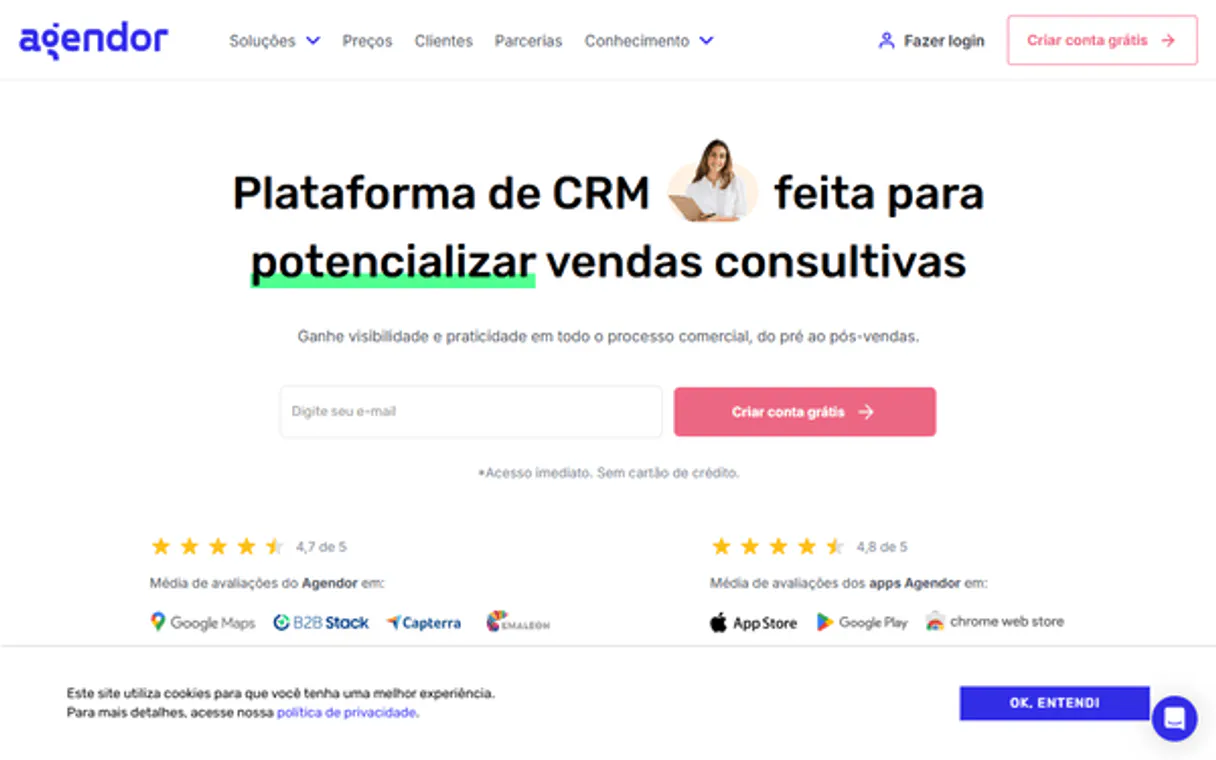
Independent Platform Disclaimer: Vinkius is an independent platform and is not affiliated with, endorsed by, sponsored by, verified by, or otherwise authorized by Agendor. All third-party trademarks, logos, and brand names are the property of their respective owners. Their use on this website is strictly for informational purposes to identify service compatibility and interoperability.
VINKIUS INFRASTRUCTURE
Cloud Hosted
Managed infra
V8 Isolated
Sandboxed per request
Zero-Trust Proxy
No stored credentials
DLP Enforced
Policy on every call
GDPR Compliant
EU data residency
Token Compression
~60% cost reduction
Works with Claude, ChatGPT, Cursor, and more
The Model Context Protocol standardizes how applications expose capabilities to LLMs. Instead of operating in isolation, your AI gains direct access to external platforms, live data, and real-world actions through secure, standardized connections.
This server provides 6 capabilities that interface natively with Claude, ChatGPT, Cursor, and any MCP client. No middleware. No custom integration required.
Available Capabilities
Jumping between tabs to manage client data is a massive time sink.
Today, updating a client record means opening the CRM, navigating to the People tab, finding the right company, checking the deal status, and then manually creating a follow-up task in a different module. You're constantly copying IDs and switching context just to keep the record straight.
With the Agendor MCP Server, you just talk to your agent. You tell it, 'Update John Smith's deal status and schedule a follow-up task.' The agent runs the necessary calls—updating the deal, then calling `list_tasks` to confirm the new follow-up—and gives you the confirmation in one response. It’s all in the chat.
Agendor MCP Server: List People, List Deals, and List Tasks
You used to have to run five separate reports to get a full picture: one for organizations, one for people, one for deals, and two for tasks and leads. You’d then manually cross-reference dates and IDs in a spreadsheet to find the actual bottlenecks.
Now, you ask the agent to 'Show me the full status of Acme Corp.' The agent coordinates `list_organizations`, `list_people`, `list_deals`, and `list_tasks` to synthesize one report. The data flows automatically, giving you immediate, actionable context without the manual cross-referencing.
Common Questions About Agendor MCP
How do I use the `create_organization` tool with Agendor MCP Server? +
You tell the agent to create the organization name and domain. The agent runs the tool, and you get the confirmation and the new organization ID back in the chat. You'll need your Agendor API token to make this work.
Can I list all contacts using the `list_people` tool? +
Yes. The agent runs list_people and retrieves a complete directory of all person profiles in your CRM. It presents the list right away so you can see who's in your network.
What is the difference between `list_deals` and `list_organizations`? +
list_deals shows active sales opportunities and the negotiation pipeline. list_organizations just gives you a directory of companies—it doesn't include deal status or people.
Do I need to use `list_tasks` every time I manage a deal? +
No. You can list tasks independently to check the team's schedule, or you can ask the agent to combine them. If you ask the agent to check the deal status, it can pull in task reminders too.
How do I use the `list_organizations` tool to find a specific company? +
You provide the company name or CNPJ as input to list_organizations. This filters the directory instantly, so you don't have to scroll through all records.
What happens if I try to create a duplicate record using `create_person`? +
The create_person tool handles duplicates. If you provide an existing email or CNPJ, it won't create a new record; it will update the existing one instead.
Can I use `list_deals` to check the total potential revenue across a certain stage? +
Yes, list_deals allows filtering by deal stage. It returns both the count of deals and the sum of their potential revenue, letting you see the total value at a glance.
Which tool should I use to ensure I capture all necessary follow-up actions? Should I use `list_tasks` or `list_people`? +
You should use list_tasks. While list_people gives you contact history, list_tasks specifically retrieves the chronological queue of upcoming activities and deadlines.
Where do I find my Agendor API Token? +
Log in to Agendor, navigate to Menu > Integrações (Integrations) > Token da API. You can generate and copy your unique token from there. It will be used in the Authorization header as Token your-token.
What is an 'Upsert' in Agendor? +
An Upsert is a combination of Update and Insert. It allows you to send contact data, and Agendor will either create a new record or update an existing one if the email or CNPJ already exists, preventing duplicates.
Can I see my team's tasks via the agent? +
Yes! Use the list_tasks tool to retrieve upcoming or pending tasks for any user or organization in your CRM.
Use it with your favorite AI tools
Connect this server to Cursor, Claude, VS Code, and more.
More in this category

Text Diff Engine
Exact character-by-character string comparison. Stop relying on LLM summaries and get absolute text diffs for code and contracts.

PDFMonkey
Generate dynamic PDF documents from JSON data and HTML templates with an API built for high-volume document automation.

HubSpot CRM
Search, create, and manage HubSpot contacts, companies, notes, tasks, and associations through natural conversation.
You might also like

Evoliz Invoicing & Management
Equip your AI agent to manage sales invoices, track CRM clients, and monitor quotes via the Evoliz API.
REST Countries
Manage your global research — audit country records, currencies, and languages via AI.

Unbounce
Build high-converting landing pages with AI-powered optimization that tests headlines, copies, and layouts automatically.