
FastGPT MCP. Manage your data lifecycle and run RAG pipelines.
 Gemini
 Works with every AI agent you already use
…and any MCP-compatible client









Just plug in your AI agents and start using Vinkius.
FastGPT MCP Server manages your entire RAG (Retrieval-Augmented Generation) pipeline. Use this server to automate knowledge base creation, ingest documentation, and run advanced semantic searches directly from your AI agent.
It provides 12 tools for full lifecycle management of datasets and AI applications, making your internal data instantly usable by LLMs.
What your AI agents can do
Chat completions
Sends a message to a FastGPT application, supporting context tracking, streaming, and detailed intermediate steps.
Create dataset
Creates a brand new, isolated knowledge base dataset.
Delete dataset data
Removes specific data records from an existing dataset.
The agent can build new datasets using create_dataset and modify existing ones with update_dataset_data.
Push raw text or document chunks to any dataset using push_dataset_data, which triggers automatic indexing and vectorization.
Execute semantic searches against a specific dataset using search_dataset_data to pull the most relevant information for the agent.
Get full details on any AI application (get_app_detail) or dataset (get_dataset_detail) to check its status and linked data.
Create vector representations of text using get_embeddings, which is useful for advanced semantic search outside the standard FastGPT flow.
Run a chat session via chat_completions that uses the knowledge base for answers and tracks the entire conversation history.
Ask AI about this MCP
Supported MCP Clients
Gemini Waiting for input…
FastGPT MCP Server: 12 Tools for Knowledge Base Management
These tools let your AI agent manage every aspect of your knowledge base, from creating the dataset to running the final semantic search query.
019d8439chat completions
Sends a message to a FastGPT application, supporting context tracking, streaming, and detailed intermediate steps.
019d8439create dataset
Creates a brand new, isolated knowledge base dataset.
019d8439delete dataset data
Removes specific data records from an existing dataset.
019d8439get app detail
Retrieves full details for a specific AI application within FastGPT.
019d8439get dataset detail
Fetches metadata and configuration details for a specific knowledge base dataset.
019d8439get embeddings
Generates vector embeddings for any given text, useful for semantic search outside the standard FastGPT flow.
019d8439list apps
Retrieves a list of all AI applications managed by FastGPT.
019d8439list dataset data
Lists all data items contained within a specified dataset.
019d8439list datasets
Lists all available knowledge base datasets, optionally filtering by parent ID or keyword.
019d8439push dataset data
Adds new data or updates existing records within a specified dataset.
019d8439search dataset data
Performs a semantic search query against a dataset to find relevant pieces of knowledge.
019d8439update dataset data
Modifies the content of existing data records within a dataset.
Choose How to Get Started
Build a custom MCP for your own tools, or connect a ready-made integration from our catalog.
Build Your Own
Turn any API into an MCP. Import a spec, define Agent Skills, or deploy with MCPFusion.
- Import from OpenAPI, Swagger, or YAML specs
- Create Agent Skills with progressive disclosure
- Deploy to edge with MCPFusion framework
- Built in DLP, auth, and compliance on every call
- Real time usage dashboard and cost metering
- Publish to catalog or keep private
Make Your AI Do More
Start with FastGPT, then connect any of our 4,700+ other servers whenever your AI needs more. One click, no limits.
- Use this MCP plus 4,700+ others, all in one place
- Add new capabilities to your AI anytime you want
- Every connection is secured and compliant automatically
- Track usage and costs across all your servers
- Works with Claude, ChatGPT, Cursor, and more
- New servers added to the catalog every week
What you can do with this MCP connector
The FastGPT MCP Server manages your entire Retrieval-Augmented Generation (RAG) pipeline. Your AI agent uses this server to build, index, and query knowledge bases. You'll use these tools to automate data ingestion, run semantic searches, and manage the full lifecycle of your AI applications.
To get started, your agent can list all available knowledge base datasets using list_datasets, or it can build a brand new, isolated dataset with create_dataset.
When it's time to feed the system data, your agent pushes raw text or document chunks to a dataset using push_dataset_data, which triggers automatic indexing and vectorization. It can also modify existing records with update_dataset_data, or remove specific data records using delete_dataset_data.
For running searches, your agent performs a semantic query against a specific dataset using search_dataset_data, or it can generate vector embeddings for any text outside the standard FastGPT flow with get_embeddings.
To talk to the system, your agent sends a message to a FastGPT application using chat_completions, which supports context tracking, streaming, and shows detailed intermediate steps. You can also list all existing AI applications with list_apps, and check the full details of a specific AI application with get_app_detail or a dataset with get_dataset_detail.
Need to know what's in the system? Your agent can list all data items contained within a specified dataset using list_dataset_data.
How FastGPT MCP Works
- 1 Subscribe to the server and set up your FastGPT instance (cloud or self-hosted).
- 2 Generate an API Key and identify your Base URL within the App settings.
- 3 Input the API Key and Base URL into the connection fields to start managing your RAG pipelines.
The bottom line is: you plug in your credentials, and your AI agent gains access to 12 tools that let it manage your data and run complex knowledge retrieval tasks.
Who Is FastGPT MCP For?
This server is for Knowledge Engineers and RAG Developers. If your job involves taking scattered documentation—internal wikis, policy PDFs, etc.—and making it accessible, reliable knowledge for an AI, this is for you. It cuts out the manual steps of data preparation, allowing your agent to focus on answering questions, not on indexing data.
Automates the ingestion of documentation across multiple datasets, ensuring every piece of company policy gets indexed correctly.
Debugs semantic search results and optimizes chunking strategies programmatically, testing the limits of the knowledge base before production.
Builds complex, multi-step AI workflows that require dynamic knowledge base management, like 'First, check the policy, then summarize it.'
What Changes When You Connect
- Manage data flow without manual scripting. Tools like
create_datasetandlist_datasetslet your agent programmatically set up and monitor the exact knowledge bases it needs. - Improve knowledge accuracy by controlling data inputs. Instead of vague text, you push specific chunks using
push_dataset_data, ensuring only verified information hits the RAG model. - Debug RAG performance easily. Use
search_dataset_datato test semantic relevance before deploying the app. You can measure the quality of your knowledge retrieval. - Track and manage applications.
list_appsandget_app_detaillet your agent see which AI applications exist, so it knows exactly which knowledge source to query. - Full context chat. The
chat_completionstool provides conversational history and intermediate steps, which is crucial for debugging complex, multi-turn conversations. - Flexibility in search. If you need to search for embeddings outside the main RAG flow,
get_embeddingsgives you a standalone tool for generating vectors.
Real-World Use Cases
Onboarding new policy documents.
A new HR policy drops 50 pages of PDFs. Instead of manually dumping them, the agent first uses list_datasets to check for an existing 'HR' knowledge base. Then, it uses push_dataset_data to ingest all the new text, updating the dataset so the AI can answer questions immediately.
Validating search quality for a product launch.
Before launch, the product team wants to know if the AI can find details on 'return policy X.' The agent runs search_dataset_data against the 'Returns' dataset. It then uses get_dataset_detail to confirm the dataset is configured correctly for the search, ensuring the AI doesn't miss anything.
Building a multi-stage data pipeline.
A workflow needs to first list all active apps (list_apps), then grab the details of the target app (get_app_detail), and finally use that app's ID to push a new, critical dataset (push_dataset_data). The agent coordinates these three steps automatically.
Fixing a broken conversation thread.
The AI gave a bad answer. The agent uses chat_completions to re-run the conversation, specifically checking the intermediate steps to see which piece of knowledge was retrieved. It might then use delete_dataset_data to remove the bad source material.
The Tradeoffs
Treating the knowledge base as a simple database.
Asking the agent to just 'read the data' without specifying the dataset. The agent might try to pull from every source, leading to irrelevant, messy, or incomplete answers.
→
Always use list_datasets first to identify the correct dataset ID. Then, use search_dataset_data with that specific ID. This scopes the search and guarantees the agent pulls from the intended knowledge source.
Manually updating data in chunks.
The developer has to write separate code blocks for every single update, checking if the data exists first, then writing a get_dataset_detail call, followed by an update_dataset_data call. This is tedious and error-prone.
→
Use the update_dataset_data tool directly. You pass the record ID and the new content. The tool handles the check and the update in one step, simplifying your workflow.
Assuming fresh data is always available.
Relying on the agent to answer questions about a policy update that hasn't been ingested yet. The agent will fail gracefully but provide no path to the user.
→
Before querying, use list_datasets and then get_dataset_detail to confirm the dataset exists. If it's new, use push_dataset_data to ingest the data first. Always verify the source before the search.
When It Fits, When It Doesn't
Use this server if your application needs the AI to answer questions based on a controlled, evolving body of internal knowledge. You need the agent to manage the data lifecycle: create the knowledge source, feed it content, and then query it. Don't use this if you only need to chat with a single, static document or if your data comes from a non-structured stream (like live sensor feeds). If your problem is 'How do I get the AI to find information in my 300-page manual?', this is the tool. If your problem is 'I need to call a payment API to process a transaction,' then you need a completely different financial tool.
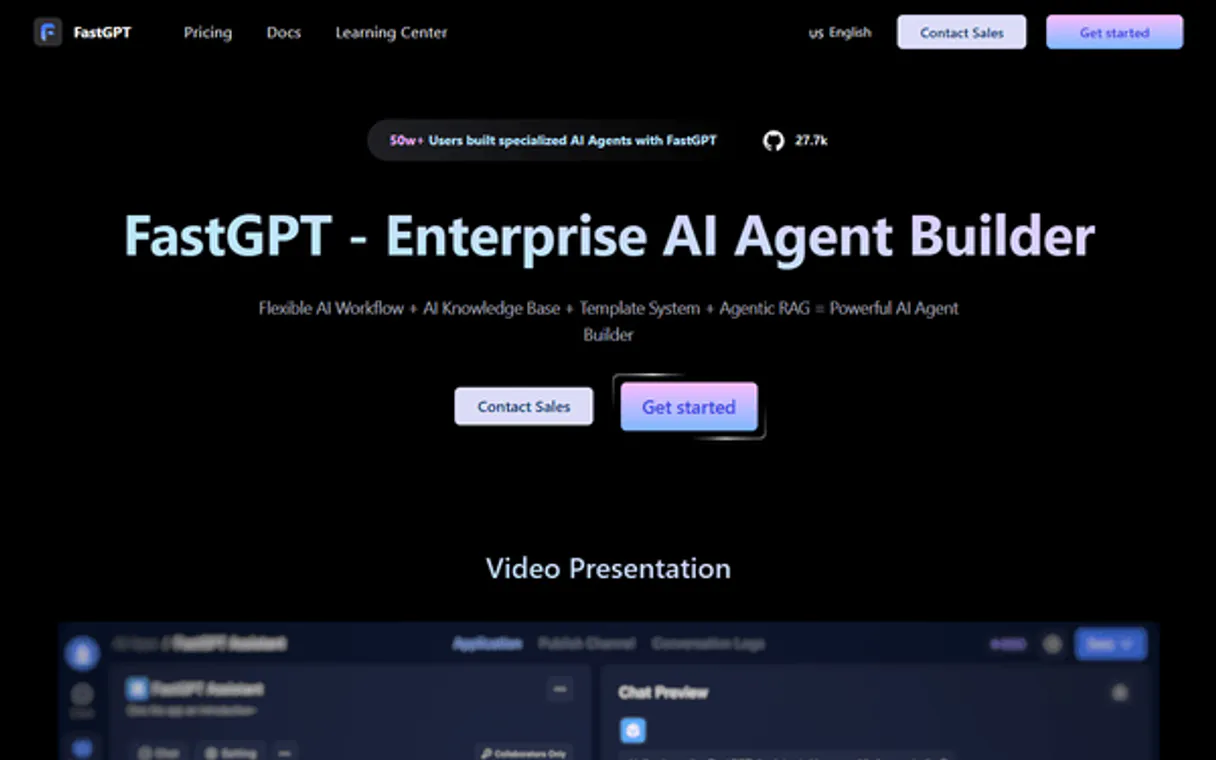
Independent Platform Disclaimer: Vinkius is an independent platform and is not affiliated with, endorsed by, sponsored by, verified by, or otherwise authorized by FastGPT. All third-party trademarks, logos, and brand names are the property of their respective owners. Their use on this website is strictly for informational purposes to identify service compatibility and interoperability.
VINKIUS INFRASTRUCTURE
Cloud Hosted
Managed infra
V8 Isolated
Sandboxed per request
Zero-Trust Proxy
No stored credentials
DLP Enforced
Policy on every call
GDPR Compliant
EU data residency
Token Compression
~60% cost reduction
Works with Claude, ChatGPT, Cursor, and more
The Model Context Protocol standardizes how applications expose capabilities to LLMs. Instead of operating in isolation, your AI gains direct access to external platforms, live data, and real-world actions through secure, standardized connections.
This server provides 12 capabilities that interface natively with Claude, ChatGPT, Cursor, and any MCP client. No middleware. No custom integration required.
Available Capabilities
Building an internal knowledge base shouldn't feel like a full-time job.
Today, getting an AI to read your company policy means a developer has to write boilerplate code: first, they have to list all the documents, then they have to read them, then they have to chunk them, and finally, they have to send them to an indexing service. It's a multi-step, brittle process that takes hours just to set up.
With this MCP, your agent handles the whole mess. You tell it to ingest the 'HR Handbook' dataset. It handles the document chunking, the indexing, and the vectorization. You just get the fully managed knowledge source ready for questions.
FastGPT MCP Server: Run RAG pipelines with 12 tools.
You no longer need to write three separate calls—one to create the dataset, one to push the data, and a third to run the search. The agent can chain `create_dataset`, `push_dataset_data`, and `search_dataset_data` together into a single, coherent workflow, giving you full control over the entire pipeline.
What's different now is that the process is fully programmable. You don't just 'hope' the data is indexed; you instruct the agent to manage the data from creation to final retrieval.
Common Questions About FastGPT MCP
How do I use the `chat_completions` tool with my knowledge base? +
The agent sends a message to the FastGPT application ID. The tool manages the conversation history, ensures the answer comes from the correct context, and provides intermediate steps so you can see exactly what the AI was reading.
Can I list all my datasets using the `list_datasets` tool? +
Yes, list_datasets shows all knowledge base datasets. You can also narrow the list down by passing a parent ID or a search keyword to filter the results.
What is the difference between `push_dataset_data` and `update_dataset_data`? +
Use push_dataset_data to add completely new data records to a dataset. Use update_dataset_data when the record already exists, and you just need to change some of its content.
Do I need to call `get_embeddings` before running a search? +
No. You use search_dataset_data for standard searches. You only call get_embeddings when you need to generate vector representations of text for a comparison or search that falls outside the standard FastGPT search flow.
Which tool do I use to check if a dataset was created? +
First, use list_datasets to confirm the dataset ID. Then, use get_dataset_detail to retrieve the full configuration and metadata of that specific dataset.
How do I list all the data items in a dataset using the `list_dataset_data` tool? +
The list_dataset_data tool retrieves all data items within a specified knowledge base. You can filter the results by a parent ID or by a keyword search term to narrow down the returned results.
What is the difference between `search_dataset_data` and `get_embeddings`? +
Use search_dataset_data to perform a full semantic search directly against a dataset. get_embeddings generates raw vector embeddings for text, allowing you to perform semantic searches outside of the FastGPT system.
Which tool should I use to get the details of an AI application? +
Use the get_app_detail tool. It fetches comprehensive details for a specific AI application, letting you check its configuration and associated datasets.
Can I use this with my self-hosted FastGPT instance? +
Yes! Simply provide your custom domain in the Base URL field (e.g., https://fastgpt.mycompany.com). The MCP will route all requests to your specific instance.
How do I add new data to an existing dataset? +
Use the push_dataset_data tool. You can send a JSON array of objects containing the text content to be indexed. FastGPT will handle the chunking and embedding automatically.
What is the 'goods_sign' used for in Pinduoduo tools? +
Wait, this is the FastGPT FAQ. For FastGPT, you mostly need Dataset IDs and App IDs. The 'goods_sign' is specific to the Pinduoduo MCP. Always check you are using the correct tools for the specific platform.
Use it with your favorite AI tools
Connect this server to Cursor, Claude, VS Code, and more.
More in this category

Regex Toolkit
Equip your AI with strict Regular Expressions. Deterministically extract, validate, and redact Emails, URLs, and Phones without hallucinations.
RudderStack
Connect your AI assistant natively to RudderStack to effortlessly monitor global data sources, trace routing connections, and audit enterprise marketing audiences via structured text commands.

Jiandaoyun
Cloud-based zero-code data management platform — manage forms, records, and workflows via AI.
You might also like

Vimeo Alternative
Manage your Vimeo video library, search for content, and update video metadata directly from your AI agent.
Freshsales
Close deals faster with AI-powered lead scoring, visual deal pipelines, and built-in phone and email in one sales CRM.

EPA Computational Toxicology
Access the US EPA's CompTox Chemicals Dashboard data — search for chemicals, properties, hazard summaries, and exposure data.