
Fixably MCP Server for AutoGen 12 tools — connect in under 2 minutes
Microsoft AutoGen enables multi-agent conversations where agents negotiate, delegate, and execute tasks collaboratively. Add Fixably as an MCP tool provider through Vinkius and every agent in the group can access live data and take action.
ASK AI ABOUT THIS MCP SERVER
Vinkius supports streamable HTTP and SSE.
import asyncio
from autogen_agentchat.agents import AssistantAgent
from autogen_ext.tools.mcp import McpWorkbench

async def main():
    # Your Vinkius token. get it at cloud.vinkius.com
    async with McpWorkbench(
        server_params={"url": "https://edge.vinkius.com/[YOUR_TOKEN_HERE]/mcp"},
        transport="streamable_http",
    ) as workbench:
        tools = await workbench.list_tools()
        agent = AssistantAgent(
            name="fixably_agent",
            tools=tools,
            system_message=(
                "You help users with Fixably. "
                "12 tools available."
            ),
        )
        print(f"Agent ready with {len(tools)} tools")

asyncio.run(main())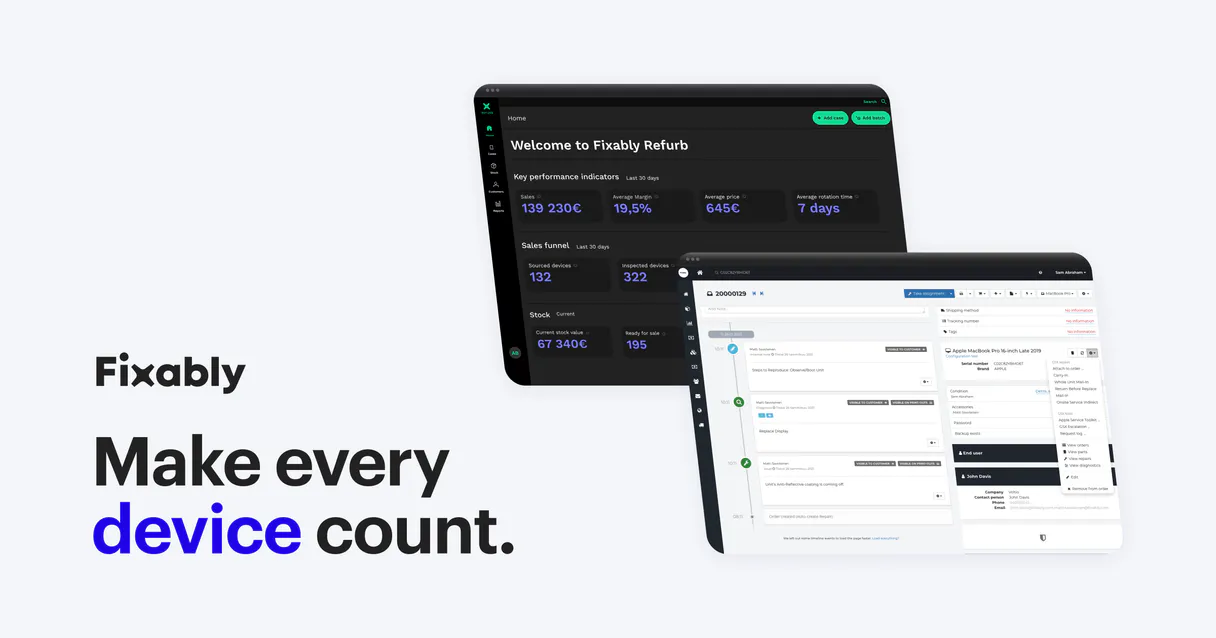
* Every MCP server runs on Vinkius-managed infrastructure inside AWS - a purpose-built runtime with per-request V8 isolates, Ed25519 signed audit chains, and sub-40ms cold starts optimized for native MCP execution. See our infrastructure
About Fixably MCP Server
Connect your Fixably instance to any AI agent and automate your repair management workflows through the Model Context Protocol (MCP). Fixably provides a comprehensive platform for handling the entire repair lifecycle, from initial order creation to final dispatch. Now, you can manage your service center operations directly through natural conversation.
AutoGen enables multi-agent conversations where agents negotiate, delegate, and collaboratively use Fixably tools. Connect 12 tools through Vinkius and assign role-based access. a data analyst queries while a reviewer validates, with optional human-in-the-loop approval for sensitive operations.
What you can do
- Order Management — List all repair orders, fetch detailed order metadata, and create or update orders instantly.
- Customer Oversight — Access your customer database, retrieve specific profiles, and search for accounts by name or email.
- Inventory Tracking — List all stock locations and monitor product availability at specific inventory sites.
- Operational Updates — Post internal notes to orders and update the internal location of devices (e.g., from SERVICE to STORE).
- Document Access — List all files and attachments associated with a repair order for quick reference.
- Real-time Monitoring — Fetch specific order statuses or device locations to keep your service team and customers informed.
The Fixably MCP Server exposes 12 tools through the Vinkius. Connect it to AutoGen in under two minutes — no API keys to rotate, no infrastructure to provision, no vendor lock-in. Your configuration, your data, your control.
How to Connect Fixably to AutoGen via MCP
Follow these steps to integrate the Fixably MCP Server with AutoGen.
Install AutoGen
Run pip install "autogen-ext[mcp]"
Replace the token
Replace [YOUR_TOKEN_HERE] with your Vinkius token
Integrate into workflow
Use the agent in your AutoGen multi-agent orchestration
Explore tools
The workbench discovers 12 tools from Fixably automatically
Why Use AutoGen with the Fixably MCP Server
AutoGen provides unique advantages when paired with Fixably through the Model Context Protocol.
Multi-agent conversations: multiple AutoGen agents discuss, delegate, and collaboratively use Fixably tools to solve complex tasks
Role-based architecture lets you assign Fixably tool access to specific agents. a data analyst queries while a reviewer validates
Human-in-the-loop support: agents can pause for human approval before executing sensitive Fixably tool calls
Code execution sandbox: AutoGen agents can write and run code that processes Fixably tool responses in an isolated environment
Fixably + AutoGen Use Cases
Practical scenarios where AutoGen combined with the Fixably MCP Server delivers measurable value.
Collaborative analysis: one agent queries Fixably while another validates results and a third generates the final report
Automated review pipelines: a researcher agent fetches data from Fixably, a critic agent evaluates quality, and a writer produces the output
Interactive planning: agents negotiate task allocation using Fixably data to make informed decisions about resource distribution
Code generation with live data: an AutoGen coder agent writes scripts that process Fixably responses in a sandboxed execution environment
Fixably MCP Tools for AutoGen (12)
These 12 tools become available when you connect Fixably to AutoGen via MCP:
add_order_note
Add note to order
change_internal_location
g. SERVICE, STORE). Change device location
create_order
Create a new order
get_customer
Get customer details
get_order
Get order details
get_stock
Get stock details
list_customers
List customers
list_order_files
List files for order
list_orders
List repair orders
list_stock_products
List products in stock
list_stocks
List inventory locations
update_order
Update an order
Example Prompts for Fixably in AutoGen
Ready-to-use prompts you can give your AutoGen agent to start working with Fixably immediately.
"List all active repair orders in Fixably."
"Add a note to order '123': 'Diagnostic complete, waiting for replacement screen'."
"Check the available stock at inventory location 'stock_abc'."
Troubleshooting Fixably MCP Server with AutoGen
Common issues when connecting Fixably to AutoGen through the Vinkius, and how to resolve them.
McpWorkbench not found
pip install "autogen-ext[mcp]"Fixably + AutoGen FAQ
Common questions about integrating Fixably MCP Server with AutoGen.
How does AutoGen connect to MCP servers?
Can different agents have different MCP tool access?
Does AutoGen support human approval for tool calls?
Connect Fixably with your favorite client
Step-by-step setup guides for every MCP-compatible client and framework:
Anthropic's native desktop app for Claude with built-in MCP support.
AI-first code editor with integrated LLM-powered coding assistance.
GitHub Copilot in VS Code with Agent mode and MCP support.
Purpose-built IDE for agentic AI coding workflows.
Autonomous AI coding agent that runs inside VS Code.
Anthropic's agentic CLI for terminal-first development.
Python SDK for building production-grade OpenAI agent workflows.
Google's framework for building production AI agents.
Type-safe agent development for Python with first-class MCP support.
TypeScript toolkit for building AI-powered web applications.
TypeScript-native agent framework for modern web stacks.
Python framework for orchestrating collaborative AI agent crews.
Leading Python framework for composable LLM applications.
Data-aware AI agent framework for structured and unstructured sources.
Microsoft's framework for multi-agent collaborative conversations.
Connect Fixably to AutoGen
Get your token, paste the configuration, and start using 12 tools in under 2 minutes. No API key management needed.