
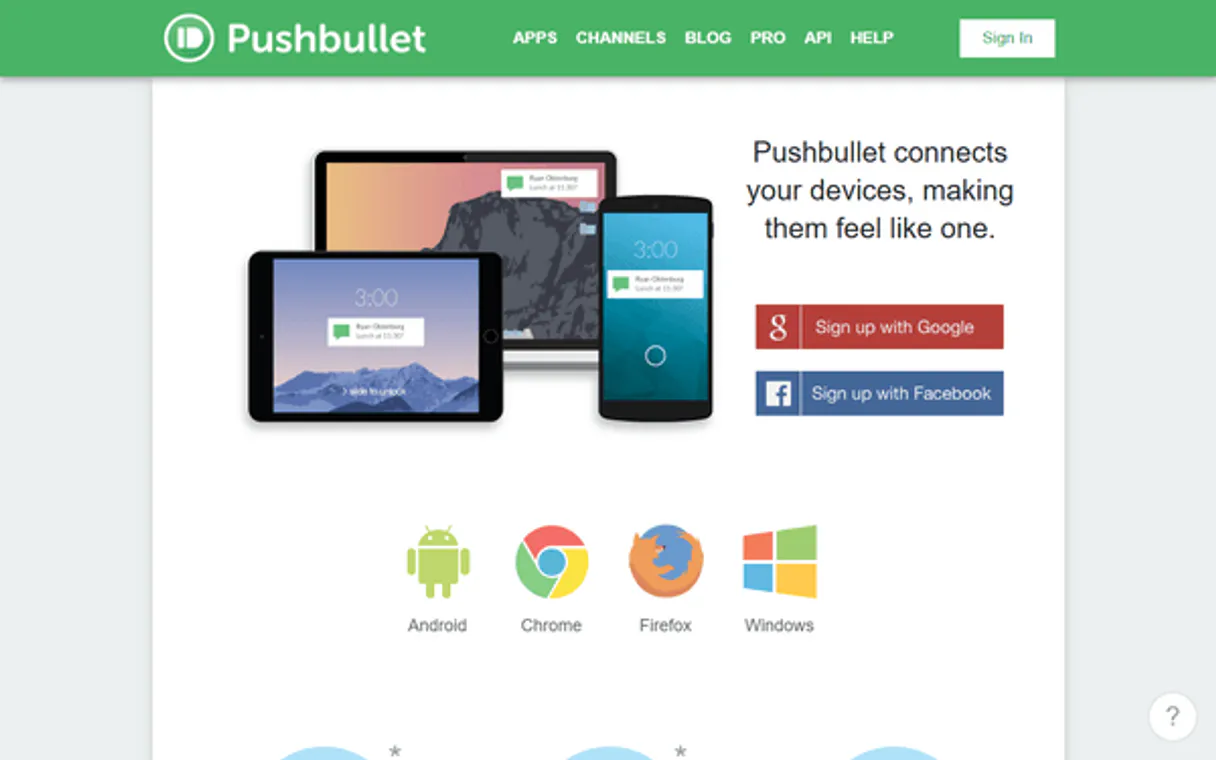
Pushbullet MCP. Sync files and alerts across all devices instantly.
 Gemini
 Works with every AI agent you already use
…and any MCP-compatible client









Just plug in your AI agents and start using Vinkius.
Pushbullet MCP Server: Control your cross-device workflow by syncing files, links, and notifications across all hardware. This server connects your AI client directly to Pushbullet's API, letting you manage notes, shared content, and system alerts from a single chat interface.
Use it to send an address snippet instantly to your phone while keeping the link history visible in your development terminal.
What your AI agents can do
Get api status
Checks the server connection status of your Pushbullet account.
List channel subscriptions
Retrieves a list of public channels you are currently following for updates.
List connected devices
Displays all hardware devices linked to your Pushbullet account.
The AI pushes links, notes, addresses, or full text payloads to selected devices or all connected hardware.
Retrieves a list of all associated devices (phones, computers, etc.) and allows the agent to create new device records.
The AI sends messages or files directly to specific contact profiles within your Pushbullet network.
Retrieves a history of all recent pushes and system records, letting you audit who received what.
The AI allows you to list or follow specific public channels, ensuring your team stays updated on relevant feeds.
Ask AI about this MCP
Supported MCP Clients
OAuth 2.0 Compatible Gemini Waiting for input…
Pushbullet MCP Server: 12 Tools for Cross-Device Syncing
Manage your hardware, contacts, and data streams. These tools let you list devices, send alerts, and monitor history across all connected Pushbullet endpoints.
Make your AI actually useful.
Add this MCP to Claude, Cursor, or Windsurf and your AI stops guessing. It gets real tools to look things up, take action, and handle the stuff you keep doing by hand.
Start using Pushbullet on Vinkius019dd144get api status
Checks the server connection status of your Pushbullet account.
019dd144list channel subscriptions
Retrieves a list of public channels you are currently following for updates.
019dd144list connected devices
Displays all hardware devices linked to your Pushbullet account.
019dd144list push contacts
Lists the contact profiles and user names in your network.
019dd144list recent pushes
Retrieves a history of recently sent push notifications across all devices.
019dd144register new device
Adds a new hardware device to your Pushbullet account so you can send it notifications.
019dd144remove device
Deletes a specific hardware device from your connected list.
019dd144remove push record
Allows you to delete a specific, historical push record.
019dd144send push notification
Sends data (links, text) to one or more specified devices in your network.
019dd144subscribe to channel
Adds a public channel feed to your list of monitored channels.
019dd144test pushbullet auth
Verifies that the connection and credentials provided are working correctly.
019dd144unsubscribe from channel
Removes a followed channel from your subscription feed.
Choose How to Get Started
Build a custom MCP for your own tools, or connect a ready-made integration from our catalog.
Build Your Own
Turn any API into an MCP. Import a spec, define Agent Skills, or deploy with MCPFusion.
- Import from OpenAPI, Swagger, or YAML specs
- Create Agent Skills with progressive disclosure
- Deploy to edge with MCPFusion framework
- Built in DLP, auth, and compliance on every call
- Real time usage dashboard and cost metering
- Publish to catalog or keep private
Make Your AI Do More
Start with Pushbullet, then connect any of our 4,800+ other servers whenever your AI needs more. One click, no limits.
- Use this MCP plus 4,800+ others, all in one place
- Add new capabilities to your AI anytime you want
- Every connection is secured and compliant automatically
- Track usage and costs across all your servers
- Works with Claude, ChatGPT, Cursor, and more
- New servers added to the catalog every week
Independent Platform Disclaimer: Vinkius is an independent platform and is not affiliated with, endorsed by, sponsored by, verified by, or otherwise authorized by Pushbullet. All third-party trademarks, logos, and brand names are the property of their respective owners. Their use on this website is strictly for informational purposes to identify service compatibility and interoperability.
VINKIUS INFRASTRUCTURE
Cloud Hosted
Managed infra
V8 Isolated
Sandboxed per request
Zero-Trust Proxy
No stored credentials
DLP Enforced
Policy on every call
GDPR Compliant
EU data residency
Token Compression
~60% cost reduction
Works with Claude, ChatGPT, Cursor, and more
The Model Context Protocol standardizes how applications expose capabilities to LLMs. Instead of operating in isolation, your AI gains direct access to external platforms, live data, and real-world actions through secure, standardized connections.
This server provides 12 capabilities that interface natively with Claude, ChatGPT, Cursor, and any MCP client. No middleware. No custom integration required.
Passing notes between devices shouldn't feel like a multi-step process.
Right now, if you need to send a quick link from your desktop monitor to your phone screen, it’s a tedious routine. You copy the URL, switch apps, open Pushbullet, paste it, hit send—and hope the recipient sees it in time.
With this MCP server, you just ask your agent: 'Push this link to my iPhone and my laptop.' The AI executes `send_push_notification` and handles the delivery across all targeted hardware. Done.
The Pushbullet MCP Server gives you full control over alerts.
Without this tool, if a critical system alert comes up, you're stuck with email chains or manual Slack messages that might get ignored. You have to rely on the notification path of whatever application generated the alert.
With Pushbullet MCP, your AI client acts as a dedicated device coordinator. It uses `send_push_notification` to blast an alert simultaneously across every connected device, guaranteeing visibility.
What you can do with this MCP connector
Forget copying and pasting stuff between your phone, laptop, and tablet. This server hooks up your AI client directly to Pushbullet's API so you can treat cross-device syncing like a simple chat command. You manage notes, links, and system alerts from one place—your development terminal or chat window. It's built for speed when you need data on multiple screens at once.
Getting Set Up
First, y'gotta make sure the connection is solid. Use test_pushbullet_auth to verify your credentials and confirm that everything works right out of the gate. You can also run get_api_status to check the current server status of your Pushbullet account. When you’re ready to manage hardware, you gotta know what y'got connected; list_connected_devices gives you a rundown of every phone and computer linked to your account.
If you grab a new gadget or need to ditch an old one, you can use register_new_device to add it to the network, or run remove_device if it's been retired.
Sending Stuff Everywhere
The core function is sending data. With send_push_notification, your AI client pushes text, links, notes, addresses—whatever payload you give it—to one specific device, a group of devices, or even the whole connected network. Wanna send an alert to a specific coworker? You first use list_push_contacts to pull up their profile and user name, then you blast them with a message using the notification tool.
This lets your agent act like it's sending direct system alerts straight into your contact list.
Managing Feeds and Channels
You can keep your team in the loop on external stuff without ever opening a browser. Use list_channel_subscriptions to see which public feeds you're already tracking updates from. If y'all need to start monitoring another source, run subscribe_to_channel right there in chat. When that feed isn't relevant anymore, just use unsubscribe_from_channel to pull it off your monitored list.
Tracking and Cleanup
Need to know who got what? You can audit past communication activity with list_recent_pushes, which pulls a history of all the push notifications sent across every device. If you ever gotta clean up old spam or sensitive data from that log, run remove_push_record and specify the historical record you want gone.
To keep tabs on your network's status, you can also check out what channels you’re following by calling list_channel_subscriptions, ensuring y'all stay updated on relevant feeds without manual checks.
This whole setup lets you treat cross-device communication like a single conversation thread, making it way faster than jumping between apps.
019dd144-2ea6-73c5-a5bf-7738c7ac0bf6 
How Pushbullet MCP Works
- 1 Subscribe to the server and provide your Pushbullet Access Token from your account settings.
- 2 Use natural language commands (e.g., 'Send this link to my iPad').
- 3 The AI client executes the necessary tool calls, sending data across all specified devices.
The bottom line is: you manage device and file transfers without ever leaving your chat interface.
Who Is Pushbullet MCP For?
This server is for developers who need to share code snippets between their terminal and mobile phone, and operations teams that must send system alerts instantly to multiple team members' devices. If you get tired of manually switching apps or copy-pasting data across hardware types, this is what you need.
Uses the AI client to quickly push URLs and code snippets from their workstation terminal directly to their personal phone for review.
Automates system alerts. Instead of emailing a whole team, they tell the agent to send an alert notification across all 10 connected devices simultaneously.
Checks device metadata and contact records via natural language queries to ensure multiple agents have current contact information for urgent client support.
What Changes When You Connect
- Instantly share content: Stop manually switching between your laptop and phone. You can push a URL or a code snippet to every device with one command, using
send_push_notification. - Audit communications: Need to know if an alert went out? Use
list_recent_pushesto get full history records, letting you track exactly what was sent and when. - Manage hardware from chat: Don't waste time logging into the website. The AI can use
list_connected_devicesorregister_new_deviceto update your device roster on the fly. - Automate alerts: For Ops teams, you don't need complex scripting for simple broadcasts. Tell the agent to notify 10 people; it handles the multi-target delivery via
send_push_notification. - Centralize comms: You can use
list_push_contactsandsend_push_notificationtogether. Send a specific message to a colleague without leaving your chat window.
Real-World Use Cases
Sharing code between machine types
A developer writes a quick fix on their workstation but needs the mobile version for testing. Instead of zipping and emailing, they ask the agent: 'Push this file to my iPhone.' The agent runs send_push_notification, delivering the snippet immediately across the required hardware.
Broadcasting a system outage alert
An Ops Engineer detects an issue and needs every member of the team (phones, desktops) to know right now. They command: 'Send high priority alert about database downtime.' The agent uses send_push_notification to hit all 15 connected devices instantly.
Onboarding a new remote worker
A coordinator needs to ensure the new hire's device is recognized in the system. They run list_connected_devices, see the gap, and instruct the agent to use register_new_device with the new hardware profile.
Monitoring team channels
A manager needs to ensure they don't miss important industry updates. They ask the agent to check channels: 'List my tech news subscriptions.' The agent executes list_channel_subscriptions and reports back on active feeds.
The Tradeoffs
Treating it like a simple cloud storage link
Just pasting a Google Drive link into the chat assumes everyone can open it, but you don't know if they are logged in or on the right device.
→
Use send_push_notification to deliver the link. This ensures the notification hits their phone and your computer, making sure the alert is seen regardless of current application state.
Forgetting to check credentials
Running a complex command like send_push_notification and getting a generic 'Error 401' without knowing why.
→
Always run test_pushbullet_auth first. This confirms your token is valid before you try running any high-stakes operations.
Trying to modify device settings manually
Going into the Pushbullet website and clicking through menus just to add a new tablet that was recently purchased.
→
Use list_connected_devices to check existing hardware, then use register_new_device. The AI handles adding the profile for you.
When It Fits, When It Doesn't
Use this server if your primary pain point is cross-device communication and notification delivery. If you need to reliably send a single file or link to multiple endpoints (phone, desktop, tablet) without manual intervention—this is it. It's built for alerts and syncing, not just simple data storage.
Don't use this if you only need to store documents long-term; that's where dedicated cloud storage services are better. Don't use this if your communication needs involve deep integration with a CRM or accounting system; those require different API types. If the core task is 'getting information from Device A to Device B,' and Device B needs an alert, then send_push_notification is your best tool.
Common Questions About Pushbullet MCP
How do I check if my credentials are working with Pushbullet MCP Server? +
Run the test_pushbullet_auth tool. This immediately verifies your token and connection status without needing to send any actual pushes or files.
Can I add a new device using the Pushbullet MCP Server? +
Yep. Use the register_new_device tool. You just tell the agent what the hardware is, and it handles adding the profile to your account.
What's the difference between listing devices and getting push history with Pushbullet MCP Server? +
Listing connected devices (list_connected_devices) shows what hardware you own. Getting recent pushes (list_recent_pushes) shows what data was sent to that hardware.
Does the Pushbullet MCP Server let me send data to a specific contact? +
Yes, you can target individuals using send_push_notification. You just specify the recipient's name or ID when writing your prompt.
What is the difference between using `list_channel_subscriptions` and `subscribe_to_channel` with Pushbullet MCP Server? +
Listing shows what you currently follow. To change your feed status, you must use subscribe_to_channel. This tool executes a state change, adding or removing a specific channel feed from your account.
If I retire a device, how do I safely delete it using the `remove_device` tool in Pushbullet MCP Server? +
The remove_device tool permanently deletes the target hardware profile. You simply pass the device ID to the function; no manual confirmation is needed from your end.
Can I delete old data using the `remove_push_record` tool in Pushbullet MCP Server? +
Yes, you can manually purge records. You must provide the unique push ID to this function. This deletes a specific notification entry from your history entirely.
How do I stop receiving updates from a source using `unsubscribe_from_channel` with Pushbullet MCP Server? +
Running unsubscribe_from_channel immediately stops the feed. You pass the channel name or ID, and the server removes that stream of notifications from your active subscriptions.
Can my AI automatically send a link to my phone from my computer? +
Yes! Use the create_push tool with type 'link'. Provide the URL and optionally a device_iden (or leave blank to push to all), and your agent will deliver the link instantly.
How do I find the identifier (iden) for a specific device? +
Simply ask the agent to run the list_devices action. It will retrieve the full list of your associated phones, tablets, and browsers along with their unique iden codes.
How do I find my Pushbullet Access Token? +
Log in to your Pushbullet account on the web, navigate to the Settings page, and click 'Create Access Token' under the Account section.
Use it with your favorite AI tools
Connect this server to Cursor, Claude, VS Code, and more.