
GitScrum ClientFlow MCP. Manage billing, time, and clients from a single chat.
 Gemini
 Works with every AI agent you already use
…and any MCP-compatible client









Just plug in your AI agents and start using Vinkius.
GitScrum ClientFlow. Manage client records, invoices, and project budgets directly from your AI client. Use this MCP Server to create clients, draft proposals, track billable time, and generate accurate invoices—all without switching between CRMs, billing software, and project trackers.
It gives your agent a single pane of glass for the entire client lifecycle.
What your AI agents can do
Clientflow dashboard
Pulls the overall ClientFlow dashboard overview.
Create client
Adds a new client record to the system.
Create invoice
Generates and submits an invoice for an existing client.
Gets a high-level dashboard overview of revenue, pending invoices, and budget consumption.
Creates new client accounts or retrieves detailed information for existing ones.
Creates a formal invoice for a client, specifying line items and total amounts.
Retrieves detailed information and current approval status for client proposals.
Retrieves a list of all active client accounts.
Lists all logged time entries or logs new time against a specific task.
Retrieves the current consumption and remaining budget for a specific project.
Ask AI about this MCP
Supported MCP Clients
Gemini Waiting for input…
GitScrum ClientFlow MCP Server: 12 Tools for Client Finance
Use these 12 tools to interact with GitScrum, allowing your agent to handle everything from creating client profiles to logging time and generating invoices.
019d8440clientflow dashboard
Pulls the overall ClientFlow dashboard overview.
019d8440create client
Adds a new client record to the system.
019d8440create invoice
Generates and submits an invoice for an existing client.
019d8440get client
Retrieves detailed information about a specific client.
019d8440get invoice
Gets specific details for an invoice ID.
019d8440get proposal
Retrieves full details on a client proposal.
019d8440list clients
Returns a list of all clients managed in GitScrum.
019d8440list invoices
Lists all invoices created across all clients.
019d8440list proposals
Returns a list of all proposals and their statuses.
019d8440list time entries
Lists all historical time tracking entries.
019d8440log time
Records new time spent on a specific project task.
019d8440project budget
Checks the current budget consumption and remaining allocation for a project.
Choose How to Get Started
Build a custom MCP for your own tools, or connect a ready-made integration from our catalog.
Build Your Own
Turn any API into an MCP. Import a spec, define Agent Skills, or deploy with MCPFusion.
- Import from OpenAPI, Swagger, or YAML specs
- Create Agent Skills with progressive disclosure
- Deploy to edge with MCPFusion framework
- Built in DLP, auth, and compliance on every call
- Real time usage dashboard and cost metering
- Publish to catalog or keep private
Make Your AI Do More
Start with GitScrum ClientFlow, then connect any of our 4,700+ other servers whenever your AI needs more. One click, no limits.
- Use this MCP plus 4,700+ others, all in one place
- Add new capabilities to your AI anytime you want
- Every connection is secured and compliant automatically
- Track usage and costs across all your servers
- Works with Claude, ChatGPT, Cursor, and more
- New servers added to the catalog every week
What you can do with this MCP connector
You've got GitScrum ClientFlow right there. Your AI client handles everything from client setup to billing and tracking, so you don't gotta jump between your CRM, billing software, and project tracker. You'll manage the whole client life cycle with one toolset.
clientflow_dashboard gives you a high-level overview of revenue, pending invoices, and how much budget you've burned. You can list_clients to pull a list of all the clients you handle. Need to get details on one client? get_client pulls all the info for a specific client. If you gotta add a new client, create_client gets a new record into the system.
When it comes to money, you can list_invoices to see every invoice created across all your clients. If you need specifics on one, get_invoice pulls the full details using an invoice ID. You can create_invoice to generate and submit a formal invoice for an existing client. You also can get_proposal to pull full details on a client proposal, and list_proposals gives you a rundown of all proposals and what stage they're in.
To keep tabs on your time and budgets, you can list_time_entries to see all historical time logs. Use log_time to record new time spent on a specific task. You can also project_budget to check how much budget you've used up and what's left for a project.
How GitScrum ClientFlow MCP Works
- 1 Subscribe to the GitScrum ClientFlow integration and enter your GitScrum API token and company slug.
- 2 Ask your agent to perform an action (e.g., 'List all clients who have pending invoices').
- 3 Your agent calls the relevant tools, gathers the data, and presents the final answer to you.
The bottom line is your AI agent handles the whole process, eliminating the need to switch between different project management and billing tools.
Who Is GitScrum ClientFlow MCP For?
Agency owners who manage dozens of clients and need a single view of revenue and budget health. Project managers who spend time logging hours and generating invoices. Finance teams that need to review proposals and invoices in natural language. If your job involves moving data between billing software, CRM, and time trackers, this is for you.
Monitors all client budgets and revenue from one conversational interface.
Tracks billable hours and generates invoices without leaving the workflow.
Reviews proposals, invoices, and budget consumption using plain language queries.
What Changes When You Connect
- Stop switching apps. Use the
get_clientandcreate_invoicetools together. You can manage a client's entire financial history—from profile to payment—without leaving your agent window. - Know your spending limits instantly. The
project_budgettool checks real-time budget consumption, so you never overspend before generating an invoice. - Draft and track quotes easily. The
list_proposalsandget_proposaltools let you check approval status and details before you commit to billing. - Audit hours in minutes. Instead of manually checking spreadsheets, use
list_time_entriesandlog_timeto track billable hours and see exactly what needs invoicing. - See the big picture. Running
clientflow_dashboardgives you a consolidated view of total revenue, pending invoices, and which clients need attention. - Build client records instantly. Use
create_clientto onboard a new client and immediately follow up by asking the agent toget_clientdetails.
Real-World Use Cases
Onboarding a New Agency Client
A new client needs setting up. Instead of logging into the CRM and then the billing system, you tell your agent: 'Create a client for Acme Corp and check their initial budget.' The agent uses create_client and then project_budget to get you started.
Generating a Quarterly Invoice
It's time to bill. You tell your agent: 'Generate the Q3 invoice for Design Studio.' The agent uses get_client to confirm details, runs list_time_entries to gather hours, and finally executes create_invoice.
Finding Out Why a Project is Over Budget
The client is complaining about costs. You ask your agent to 'Check the budget for Project Alpha.' The agent runs project_budget and reports the remaining allocation, instantly telling you if the issue is overspending.
Reviewing Past Work and Proposals
You need to confirm if a deal was ever proposed. You ask your agent to 'Show me all proposals for TechCorp.' The agent uses list_proposals and get_proposal to provide the history and current status.
The Tradeoffs
Mixing Up Time Tracking and Billing
Logging time in one tool and then manually calculating the invoice amount in a spreadsheet. This forces you to cross-reference multiple systems and risks using old time entries.
→
Use list_time_entries to pull all necessary hours, then tell your agent to create_invoice using that data. The process stays contained in the MCP server.
Ignoring Client Status When Billing
Drafting an invoice for a client that hasn't approved a proposal. This wastes time and creates confusion later.
→
Before billing, check the status using list_proposals and get_proposal. Only proceed to create_invoice if the proposal status is 'Approved'.
Forgetting the Big Picture
Only looking at one client's data without seeing total company revenue or budget health. You miss critical warnings.
→
Start by calling clientflow_dashboard to get a quick, high-level view of total revenue and pending invoices across the entire company.
When It Fits, When It Doesn't
Use this if your primary bottleneck is coordinating multiple client data points—specifically, connecting time logs to budgets, proposals to invoices, and clients to dashboards. You need a single source of truth for financial operations. Don't use this if you just need a simple CRM (use a dedicated CRM tool) or if your only task is pure time tracking (use a specialized time logging app). The power is in the connections: running get_client followed by project_budget and then create_invoice in sequence.

Independent Platform Disclaimer: Vinkius is an independent platform and is not affiliated with, endorsed by, sponsored by, verified by, or otherwise authorized by GitScrum. All third-party trademarks, logos, and brand names are the property of their respective owners. Their use on this website is strictly for informational purposes to identify service compatibility and interoperability.
VINKIUS INFRASTRUCTURE
Cloud Hosted
Managed infra
V8 Isolated
Sandboxed per request
Zero-Trust Proxy
No stored credentials
DLP Enforced
Policy on every call
GDPR Compliant
EU data residency
Token Compression
~60% cost reduction
Works with Claude, ChatGPT, Cursor, and more
The Model Context Protocol standardizes how applications expose capabilities to LLMs. Instead of operating in isolation, your AI gains direct access to external platforms, live data, and real-world actions through secure, standardized connections.
This server provides 12 capabilities that interface natively with Claude, ChatGPT, Cursor, and any MCP client. No middleware. No custom integration required.
Available Capabilities
Tracking client finances shouldn't require opening three different tabs.
Right now, checking a client's status means jumping from the CRM to see their contact info, then opening the project management tool to check the budget, and finally going to the billing portal to see if an invoice was sent. You spend 15 minutes just gathering the data before you can even start writing the email.
With GitScrum ClientFlow, your agent handles the handoffs. You ask, 'What's the status of TechCorp?' and it uses `get_client`, then `project_budget`, and compiles a single, coherent answer. You get the answer without the clicks.
ClientFlow Dashboard MCP Server: See total revenue in one chat.
Manually pulling together total revenue, pending invoices, and budget warnings requires running reports in three separate systems and manually aggregating the numbers in a spreadsheet. It's slow and always introduces human error.
Now, just ask the agent to 'Show me the dashboard overview.' It runs `clientflow_dashboard` and gives you the full picture instantly. The data flow is seamless.
Common Questions About GitScrum ClientFlow MCP
How do I use the `create_invoice` tool with GitScrum ClientFlow? +
You ask your agent to create the invoice. You don't call the tool directly. You just say, 'Create an invoice for TechCorp for the services rendered in Q3.' Your agent handles the necessary parameters for create_invoice.
Can I check a client's budget using the `project_budget` tool? +
Yes, you can. You tell your agent which project to check, and it runs project_budget to report the remaining allocation and current consumption.
What is the best way to onboard a new client using the `create_client` tool? +
Just tell your agent the details. For example, 'Create a new client named Acme Corp with billing at billing@acme.com.' The agent uses create_client and handles the necessary data structure.
How do I get a list of all my invoices with `list_invoices`? +
You ask your agent to list them. The agent runs list_invoices and presents the aggregated list. You don't need to know the API endpoint or the JSON structure.
How do I use `list_time_entries` to see all logged hours for a client? +
The list_time_entries tool retrieves all time tracking records. You can filter the list by client ID or date range to narrow down the results.
What should I do if the `get_client` tool returns an error? +
If get_client fails, check the client UUID and ensure the client is active in your GitScrum account. API tokens can also expire, so verify your credentials.
Does the `create_invoice` tool require specific JSON fields? +
Yes, create_invoice requires detailed JSON input. The tool needs line items, associated client IDs, and total amounts to successfully generate an invoice.
How do I check proposal status using the `get_proposal` tool? +
get_proposal returns the current status, including 'Draft,' 'Sent,' and 'Approved.' This lets you know exactly where the client is in the sign-off process.
Can the agent create an invoice for a specific client? +
Yes! Use create_invoice with the client UUID and line item details. The agent creates the invoice linked to the client account, including amounts, descriptions, and due dates. Use list_clients first to find the correct client UUID.
Can I monitor project budget health conversationally? +
Absolutely. Use project_budget to get real-time budget consumption data, including remaining allocation and burn rate. Combine with clientflow_dashboard for the full revenue picture across all clients and projects.
What billing data can the agent access? +
The agent can list and create clients, manage invoices (list and create), browse proposals, track time entries on tasks, and access the consolidated ClientFlow dashboard. All operations respect your GitScrum account permissions and organizational role.
Use it with your favorite AI tools
Connect this server to Cursor, Claude, VS Code, and more.
More in this category

Monday.com
Manage any workflow visually with customizable boards, automations, and dashboards that adapt to how your team actually works.

Memo Meister
Create and organize smart notes with AI-powered tagging, search, and knowledge connections that make your ideas retrievable.
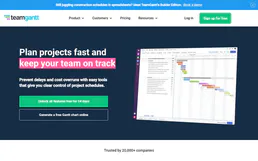
TeamGantt
Plan projects with intuitive Gantt charts that show deadlines, dependencies, and team workloads in one visual timeline.
You might also like

Printify
Automate your print-on-demand business — manage shops, create products, and track orders directly from any AI agent.

Imgur
Manage Imgur content — upload images, organize albums, and browse the gallery directly from your AI agent.

MyHR
Simplify employee management in New Zealand and Australia with leave tracking, timesheets, and HR compliance tools.