
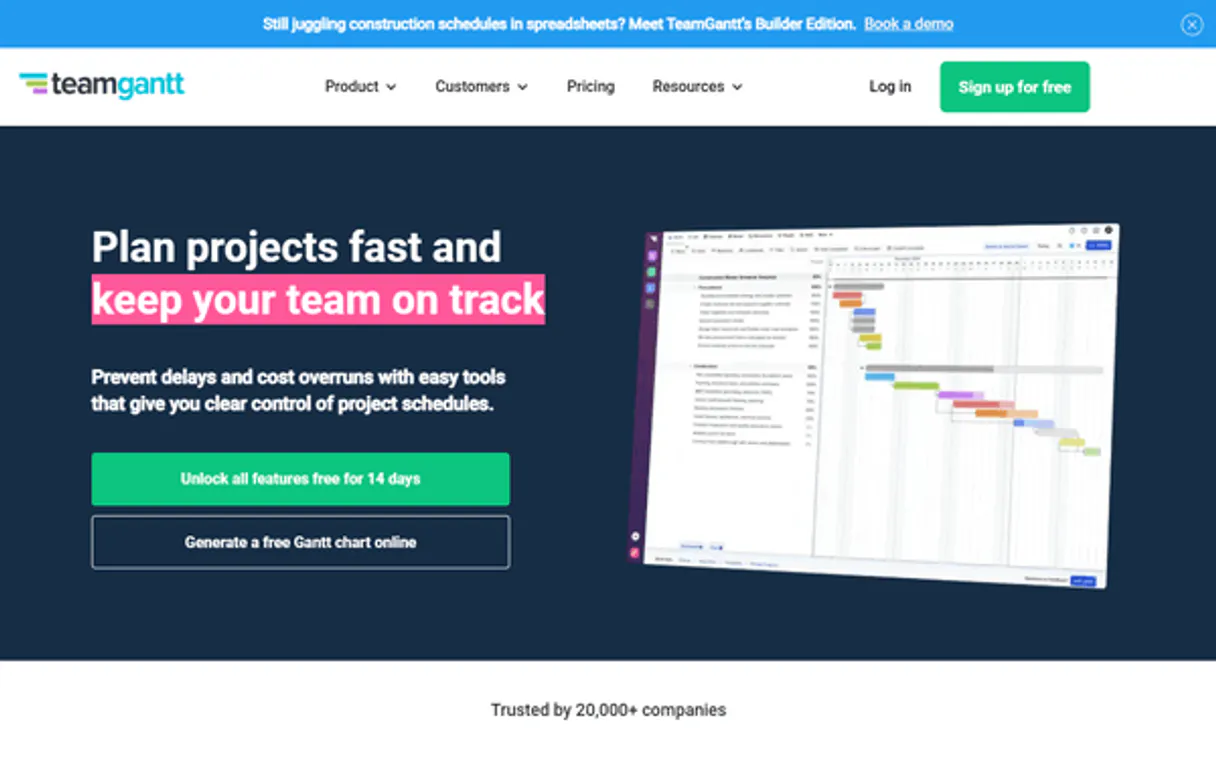
TeamGantt MCP Server with 12 Tools Ready for AI Agents
 GDPR Free for Subscribers
Plan projects with intuitive Gantt charts that show deadlines, dependencies, and team workloads in one visual timeline. Unlock 12 tools ready out of the box. Connect this App Connector to instantly empower AI agents like Claude Code, Cursor, or any MCP-compatible client with advanced capabilities.
Ask AI about this App Connector
Vinkius delivers Streamable HTTP and SSE to any MCP client
* Every MCP server runs on Vinkius-managed infrastructure inside AWS - a purpose-built runtime with per-request V8 isolates, Ed25519 signed audit chains, and sub-40ms cold starts optimized for native MCP execution. See our infrastructure
What is the TeamGantt MCP Server?
The TeamGantt MCP Server gives AI agents like Claude, ChatGPT, and Cursor direct access to TeamGantt via 12 tools. Plan projects with intuitive Gantt charts that show deadlines, dependencies, and team workloads in one visual timeline. Powered by the Vinkius - no API keys, no infrastructure, connect in under 2 minutes.
Built-in capabilities (12)
Tools for your AI Agents to operate TeamGantt
Ask your AI agent "List all active projects in my TeamGantt account." and get the answer without opening a single dashboard. With 12 tools connected to real TeamGantt data, your agents reason over live information, cross-reference it with other MCP servers, and deliver insights you would spend hours assembling manually.
Works with Claude, ChatGPT, Cursor, and any MCP-compatible client. Powered by the Vinkius - your credentials never touch the AI model, every request is auditable. Connect in under two minutes.
Why teams choose Vinkius
One subscription gives you access to thousands of MCP servers - and you can deploy your own to the Vinkius Edge. Your AI agents only access the data you authorize, with DLP that blocks sensitive information from ever reaching the model, kill switch for instant shutdown, and up to 60% token savings. Enterprise-grade infrastructure and security, zero maintenance.
Build your own MCP Server with our secure development framework →The TeamGantt App Connector works with every AI agent you already use
…and any MCP-compatible client









Use all 12 TeamGantt tools with your AI agents right now
Empower your AI agents to connect to TeamGantt and securely perform advanced actions on Vinkius infrastructure. Beyond a simple connection, you gain an advanced AI Gateway that provides complete visibility into agent activity, ensuring maximum governance and optimized token usage.
Add task to project
Get user info
Get project info
List sub-tasks
Get task details
g. Task A must finish before Task B starts). Create Gantt link
List users and labels
List major goals
List tasks in project
List TeamGantt projects
Delete task
). Update task status/dates
What the TeamGantt MCP Server unlocks
Connect your TeamGantt account to any AI agent and simplify how you manage your project timelines, task assignments, and team resources through natural conversation.
What you can do
- Project Oversight — List all projects in your account and retrieve detailed metadata and configuration for specific Gantt charts.
- Task Management — Create, update, and delete tasks with full control over start/end dates and completion percentages.
- Timeline Coordination — Create dependencies between tasks to ensure your project logic remains sound and automated.
- Resource Tracking — List available resources (people and equipment) to optimize team allocation across projects.
- Milestone Planning — List and query major project goals (milestones) and sub-task checklists.
- Account Visibility — Fetch your user profile and verify account configurations directly from the agent.
How it works
1. Subscribe to this server
2. Enter your TeamGantt API Token (found in your account settings under API)
3. Start managing your timelines from Claude, Cursor, or any MCP-compatible client
Who is this for?
- Project Managers — quickly check task progress and update project timelines via simple AI commands.
- Operations Teams — coordinate resource assignments and verify dependencies directly from the workspace.
- Engineering Leads — monitor milestones and update task completion percentages via the AI assistant.
Frequently asked questions about the TeamGantt MCP Server
Can I see all the tasks in a project via AI?
Yes! Use the list_project_tasks tool and provide the Project ID. Your agent will retrieve all tasks, milestones, and groups for that specific Gantt chart.
How do I update the progress of a task using the agent?
Use the update_task_fields action. Provide the Task ID and the percentComplete value (0-100) to update the task's status instantly.
Is it possible to link two tasks with a dependency via AI?
Absolutely. Use the link_tasks_dependency tool. Provide the ID of the predecessor and the successor tasks to create a Gantt link between them.
More in this category

Craft (Docs & Notes)
10 toolsManage collaborative docs via Craft.do — list documents, handle blocks, track tasks, and retrieve daily notes directly from any AI agent.
EventTemple
9 toolsFill your venue calendar with event bookings, catering orders, and banquet management tools made for hospitality sales teams.

Corpay One
7 toolsSimplify business payments with automated AP processing, virtual cards, and vendor management that saves your finance team hours.
You might also like
Oxylabs SERP
10 toolsExtract structured search engine results via Oxylabs — scrape Google, Bing, Yandex, Baidu, and YouTube rankings directly from your AI agent.
Freshdesk
12 toolsManage customer support via Freshdesk — track tickets, handle contacts, and oversee agent groups via AI agents.

Flock
10 toolsManage team collaboration via Flock — send rich messages with FlockML, handle public channels and private groups, and search rosters directly from any AI agent.