
GlassFrog MCP. Manage roles, circles, and projects via chat.
 Gemini
 Works with every AI agent you already use
…and any MCP-compatible client









Just plug in your AI agents and start using Vinkius.
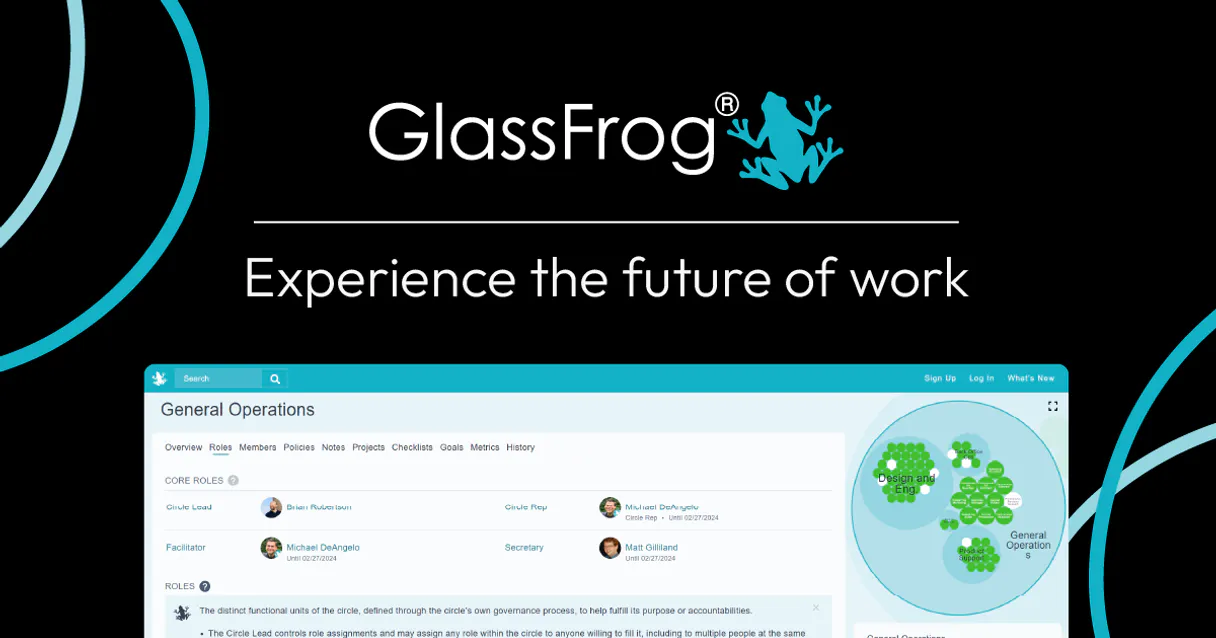
GlassFrog. Connect your organization's entire Holacracy governance structure to your AI client. This MCP Server lets you manage circles, roles, and projects using natural conversation.
You can list all circles, check specific role accountabilities, and even programmatically create new tactical projects right from your chat window.
It keeps your self-management data current without forcing you to leave your agent workspace.
What your AI agents can do
Create new project
Adds a new tactical project within a specified circle.
Find member by email
Searches for and retrieves details on an organization member using their email address.
Get circle summary
Retrieves a high-level overview of a specified circle.
The agent lists every circle and role definition in the organization, providing structural overviews.
The agent retrieves detailed purposes and accountabilities for a specific role within a circle.
The agent lists all tactical projects and can programmatically create new projects within a chosen circle.
The agent lists defined metrics and checklist items to track operational health and progress.
The agent lists all members and searches by email to verify their current role assignments.
The agent retrieves the specific policies and governance records for any given circle.
Ask AI about this MCP
Supported MCP Clients
Gemini Waiting for input…
GlassFrog MCP Server: 12 Tools for Governance & Roles
These tools let your AI agent interact with every part of your Holacracy structure. Use them to list roles, create projects, search people, and check metrics.
019d75a6create new project
Adds a new tactical project within a specified circle.
019d75a6find member by email
Searches for and retrieves details on an organization member using their email address.
019d75a6get circle summary
Retrieves a high-level overview of a specified circle.
019d75a6list checklist items
Lists defined checklist items for a circle to track specific tasks.
019d75a6list circle metrics
Retrieves the defined operational metrics for a circle, showing current status and history.
019d75a6list circle policies
Lists all policies and governance rules that apply to a specific circle.
019d75a6list holacracy circles
Lists every circle defined in the entire organization.
019d75a6list holacracy roles
Lists all defined roles across the organization.
019d75a6list org members
Lists every person currently registered as a member of the organization.
019d75a6list role assignments
Shows who holds which role in which circle.
019d75a6list tactical projects
Lists every active and completed project in the organization.
019d75a6verify api connection
Checks the connection status and credentials for the GlassFrog API.
Choose How to Get Started
Build a custom MCP for your own tools, or connect a ready-made integration from our catalog.
Build Your Own
Turn any API into an MCP. Import a spec, define Agent Skills, or deploy with MCPFusion.
- Import from OpenAPI, Swagger, or YAML specs
- Create Agent Skills with progressive disclosure
- Deploy to edge with MCPFusion framework
- Built in DLP, auth, and compliance on every call
- Real time usage dashboard and cost metering
- Publish to catalog or keep private
Make Your AI Do More
Start with GlassFrog, then connect any of our 4,700+ other servers whenever your AI needs more. One click, no limits.
- Use this MCP plus 4,700+ others, all in one place
- Add new capabilities to your AI anytime you want
- Every connection is secured and compliant automatically
- Track usage and costs across all your servers
- Works with Claude, ChatGPT, Cursor, and more
- New servers added to the catalog every week
What you can do with this MCP connector
You're connecting your whole GlassFrog setup—circles, roles, and projects—to your AI client. This MCP Server lets you manage your Holacracy governance and tackle tactical stuff just by chatting with your agent. It pulls live data, so your AI client acts like a built-in co-pilot for your organization.
Listing Structure and Roles
Your agent can list every circle and every role definition in the organization. It can also pull the detailed purpose and accountabilities for any specific role inside a circle. You can see who holds which role in which circle by checking the role assignments, and you can list all defined roles across the organization, and list every person registered as a member.
To find a specific person, your agent searches for members using their email address. It also lets you list every circle defined across the whole company, and list every active or completed project in the organization.
Project Management and Health Tracking
Your agent handles projects by listing every tactical project, and you can programmatically create a new one inside a specific circle. For operational health, it lets you list the defined operational metrics for a circle, showing you the current status and history, and it can list the defined checklist items a circle uses to track specific tasks.
You can also pull a high-level overview of a specified circle, and it retrieves all the policies and governance rules that apply to that circle. You can run a check to verify the connection status and credentials for the GlassFrog API.
People and Governance Details
When you need to check on the people, your agent can list all organizational members, and it can search for details on a member using their email. You can review the specific policies and governance records for any given circle. The agent keeps your self-management data current, so you don't have to leave your agent workspace to do it.
How GlassFrog MCP Works
- 1 Subscribe to the server on Vinkius and input your GlassFrog API Key.
- 2 Your AI client connects using the MCP protocol, authenticating with your organizational data.
- 3 You ask the agent to perform an action (e.g., 'List all circles'). The agent calls the appropriate tool and returns the live data.
The bottom line is you manage your entire Holacracy structure using simple chat commands, without opening the GlassFrog dashboard.
Who Is GlassFrog MCP For?
This is for Operations Managers and Lead Links who need a real-time view of organizational health and structure. If you're tired of switching between the GlassFrog dashboard, your spreadsheet, and your team chat to figure out who owns what, this saves you time. It lets you track structural changes and next actions instantly.
Uses the tool to get a real-time overview of organizational metrics and policies via simple AI commands, tracking structural decay.
Uses the tool to quickly check circle accountabilities or list tactical projects without having to navigate the manual dashboard structure.
Uses the tool to automate the tracking of next actions and project statuses, keeping the team tactically aligned in chat.
What Changes When You Connect
- See all circles and roles instantly. Instead of clicking through multiple dashboard tabs to understand your structure, use
list_holacracy_circlesandlist_holacracy_rolesto get a full map of your organization's governance model. - Track organizational health without leaving your chat. When you need to know the latest metrics,
list_circle_metricspulls that data directly, so you don't have to manually navigate to the reporting section. - Automate project creation. Need a new initiative? Don't open the project management module. Use
create_new_projectto launch a new tactical project within the correct circle, all from your agent chat. - Verify roles on demand. Instead of guessing who owns a task, use
list_role_assignmentsorfind_member_by_emailto confirm a person's exact role and accountabilities immediately. - Understand the rules. Before making a change, check the governance. Running
list_circle_policiesshows you the rules, so you don't accidentally violate a circle's constraints. - Streamline team coordination. You can list all members (
list_org_members) and check who is assigned to which role, keeping everyone on the same page without manual data exports.
Real-World Use Cases
Diagnosing a missing role accountability
A Lead Link needs to know who is responsible for 'Product Strategy' but the dashboard is unclear. They ask their agent, who runs list_role_assignments. The agent responds with a clear list, identifying the owner, allowing the Lead Link to immediately schedule a clarification meeting.
Kicking off a new tactical initiative
The Operations Manager identifies a gap in the 'Marketing' circle. Instead of manually building a project record, they ask the agent to run create_new_project. The agent confirms the project is live and assigned to the correct circle, moving the initiative forward instantly.
Quickly auditing team membership
A manager needs to confirm if a contractor, John Doe, has been assigned the 'Content Creator' role. They use find_member_by_email. The agent verifies the email and returns the role assignment, confirming John can start work immediately.
Getting an organizational health snapshot
A team needs to review their goals. They ask the agent to run list_circle_metrics for the 'Engineering' circle. The agent pulls metrics like 'Monthly Active Users' and 'Ad Spend Efficiency' directly into the chat, giving a current, actionable snapshot.
The Tradeoffs
Manual Dashboard Navigation
A user has to click through the 'Governance' tab, then select the 'Circle' dropdown, and finally hit 'View Policies' just to check the rules. It takes five clicks and requires remembering the exact path.
→
Just ask your agent. Running list_circle_policies retrieves the governance rules in a single chat response, bypassing the entire manual navigation process.
Copying Role Data to Spreadsheets
The team needs to track role changes for quarterly reviews. They export the role assignments list, paste it into a spreadsheet, and then manually clean up the formatting and merge data from multiple tabs.
→
Use list_role_assignments to get the data directly in the chat. This preserves the structural context and lets your agent format the output for immediate use or further processing.
Ignoring API Connection Status
A user assumes the system is working because they logged in, but the underlying data connection is stale or broken, leading to incorrect operational decisions based on bad data.
→
Before starting, run verify_api_connection. This checks the connection status immediately, ensuring that every data point you pull is accurate and the server is online.
When It Fits, When It Doesn't
Use this if your primary bottleneck is understanding structural relationships. If you need to know who owns what (roles, accountabilities) or how the organization is structured (circles, policies), this server is essential. It turns complex, multi-tab dashboards into simple, conversational queries.
Don't use this if your goal is simple content storage or document drafting. If you just need to write a memo or brainstorm, your AI client's core functions are enough. If you need to manage external systems like ticketing or payroll, use a dedicated messaging or HR tool. This server is purely for organizational governance and structure.
Independent Platform Disclaimer: Vinkius is an independent platform and is not affiliated with, endorsed by, sponsored by, verified by, or otherwise authorized by GlassFrog. All third-party trademarks, logos, and brand names are the property of their respective owners. Their use on this website is strictly for informational purposes to identify service compatibility and interoperability.
VINKIUS INFRASTRUCTURE
Cloud Hosted
Managed infra
V8 Isolated
Sandboxed per request
Zero-Trust Proxy
No stored credentials
DLP Enforced
Policy on every call
GDPR Compliant
EU data residency
Token Compression
~60% cost reduction
Works with Claude, ChatGPT, Cursor, and more
The Model Context Protocol standardizes how applications expose capabilities to LLMs. Instead of operating in isolation, your AI gains direct access to external platforms, live data, and real-world actions through secure, standardized connections.
This server provides 12 capabilities that interface natively with Claude, ChatGPT, Cursor, and any MCP client. No middleware. No custom integration required.
Available Capabilities
Figuring out who owns what shouldn't require five clicks.
Currently, understanding a role's full accountabilities requires jumping between the 'Circles' view, the 'Roles' definition tab, and the 'Policies' document. You have to cross-reference which circle the role belongs to, what its primary purpose is, and what the governing rules are. It's a painful, multi-step manual process.
With the GlassFrog MCP Server, you just ask your agent. For example, 'What are the accountabilities for the Product Manager role?' The agent runs the tool and gives you the complete answer immediately in the chat. No clicking, no searching, just the full context.
GlassFrog MCP Server: Manage roles, circles, and projects
The manual steps that vanish are cross-referencing role assignments and manually creating new projects. You used to list roles, then open a separate project module, then manually tie the project to the correct circle. It was a multi-step mess.
Now, you tell your agent to 'Create a new project for the Marketing circle.' The agent handles the assignment and creation in one go. It's a massive simplification of governance tasks.
Common Questions About GlassFrog MCP
How do I list all active circles using the GlassFrog MCP Server? +
Run the list_holacracy_circles tool. This command pulls a complete, current list of every circle in your organization, including their IDs and names.
Can I find a person's role using the GlassFrog MCP Server? +
Yes. Use find_member_by_email to search for a person by their email. It will confirm their existence and list all current role assignments for them.
Does GlassFrog MCP Server support creating new projects? +
Yes, use the create_new_project tool. You specify the project name and the target circle, and the agent handles the creation process.
What data does `list_circle_metrics` provide? +
This tool provides defined operational metrics and checklist items for a circle. It shows metrics like 'Monthly Active Users' and when that data was last updated.
Is the GlassFrog MCP Server reliable for governance data? +
Yes. It uses the Model Context Protocol to connect directly to GlassFrog, ensuring the data is live and accurate for decision-making.
How do I use `list_holacracy_roles` to check role accountabilities? +
The list_holacracy_roles tool retrieves every defined role in your organization. You get a list of roles, along with detailed accountabilities and their associated circles.
What is the process for creating a project using the `create_new_project` tool? +
You must specify the target circle and project name when calling create_new_project. The tool handles the creation and returns the new project's unique ID immediately.
Does `find_member_by_email` handle multiple searches or bulk lookups? +
The find_member_by_email tool searches for a single member using their email address. It returns the person's full profile details and current role assignments.
How do I get an API Key for GlassFrog? +
Log in to your GlassFrog account, click on your profile avatar, go to 'Settings', and then 'API Keys' to generate or copy your token.
What is a Circle in GlassFrog? +
A Circle is an organizational unit in Holacracy that groups together related roles and responsibilities to achieve a specific purpose.
Can I create new projects via the agent? +
Yes! Use the 'create_new_project' tool. You will need to provide a description and the ID of the Circle where the project should be added.
How do I find a Circle ID? +
Use the 'list_holacracy_circles' tool. The agent will return all available circles along with their unique IDs and names.
Use it with your favorite AI tools
Connect this server to Cursor, Claude, VS Code, and more.
More in this category

Officevibe
Manage employee engagement via Officevibe — track pulse survey scores, feedback, and NPS directly from your AI agent.

Didacte
Equip your AI agent to manage LMS courses, track learner progress, and monitor enrollments via the Didacte (Workleap) API.
Ashby
Manage your recruiting pipeline with Ashby — track jobs, candidates, and applications via AI.
You might also like

Watershed Climate
Automate carbon measurement and reporting via Watershed — manage inventories, upload emissions data, and track reduction targets directly from any AI agent.
bluebarry.ai
Optimize your website accessibility compliance with automated WCAG audits, issue detection, and remediation tracking.
Stark Bank
Equip your AI with Brazil's enterprise Developer Bank. Automate corporate virtual cards, Boletos, Outbound Pix (Transfers), and statements inside chats.