
Glow Loyalty MCP. Manage points and rewards without leaving your chat.
 Gemini
 Works with every AI agent you already use
…and any MCP-compatible client









Just plug in your AI agents and start using Vinkius.
Glow Loyalty MCP Server manages your entire customer rewards program. Use it to list all members, check current point balances, adjust points manually, and redeem rewards directly through conversation.
It connects your Shopify store's loyalty data to your AI agent, letting you handle customer service and retention tasks without leaving your chat interface.
What your AI agents can do
Adjust member points
Adds or removes points from a member's account. Use a positive number to add, and a negative number to subtract.
Find loyalty member
Searches for a member's profile using provided identifying details.
Get member balance
Checks and returns the current point balance and status for a specified member.
Retrieves a member's current point balance, tier status, and basic metadata.
Adds or removes points from a member's account using a positive or negative number.
Initiates a reward redemption, deducting points and generating a unique discount code for the customer.
Searches for and retrieves details on a single member using identifying information.
Retrieves paginated lists of all enrolled members or only the latest signups.
Lists all available rewards configured in the system, showing point costs and requirements.
Ask AI about this MCP
Supported MCP Clients
Gemini Waiting for input…
Glow Loyalty MCP Server: 12 Tools for Loyalty Management
These tools let your agent manage everything from point adjustments to reward redemptions, giving you full control over your customer loyalty program.
019d75a6adjust member points
Adds or removes points from a member's account. Use a positive number to add, and a negative number to subtract.
019d75a6find loyalty member
Searches for a member's profile using provided identifying details.
019d75a6get member balance
Checks and returns the current point balance and status for a specified member.
019d75a6get program details
Retrieves general account information about the connected Glow loyalty program.
019d75a6get reward spec
Checks the point cost and requirements for a specific reward option.
019d75a6gift points to member
Manually grants bonus points to a member's account.
019d75a6list available rewards
Lists all rewards configured in the system, including point costs and eligibility rules.
019d75a6list loyalty members
Retrieves a complete list of all enrolled loyalty members.
019d75a6list members by page
Retrieves members in batches, useful for processing large customer lists.
019d75a6list new members
Lists the most recently signed up members in the program.
019d75a6redeem loyalty reward
Processes a reward redemption for a member, deducting points and generating a discount code.
019d75a6verify api connection
Tests the connection between your AI client and the Glow loyalty platform.
Choose How to Get Started
Build a custom MCP for your own tools, or connect a ready-made integration from our catalog.
Build Your Own
Turn any API into an MCP. Import a spec, define Agent Skills, or deploy with MCPFusion.
- Import from OpenAPI, Swagger, or YAML specs
- Create Agent Skills with progressive disclosure
- Deploy to edge with MCPFusion framework
- Built in DLP, auth, and compliance on every call
- Real time usage dashboard and cost metering
- Publish to catalog or keep private
Make Your AI Do More
Start with Glow Loyalty, then connect any of our 4,700+ other servers whenever your AI needs more. One click, no limits.
- Use this MCP plus 4,700+ others, all in one place
- Add new capabilities to your AI anytime you want
- Every connection is secured and compliant automatically
- Track usage and costs across all your servers
- Works with Claude, ChatGPT, Cursor, and more
- New servers added to the catalog every week
What you can do with this MCP connector
Glow Loyalty MCP Server lets your AI client handle your entire customer rewards program. You can manage points, check balances, and redeem rewards right in your chat window. It hooks up your Shopify store's loyalty data to your agent, so you don't have to jump between dashboards to handle customer service or keep people coming back.
Finding and Checking Members
You can search for a single member using find_loyalty_member to pull up their profile details. Need to check what points they've got? get_member_balance returns their current point balance and status. If you're dealing with a bunch of people, you've got list_loyalty_members to get a full list, or you can use list_members_by_page to process huge customer lists in batches.
You can also pull up the newest sign-ups with list_new_members.
Adjusting and Giving Points
You've got total control over points. Use adjust_member_points to either add or take points from a member's account; just use a positive number to add, or a negative number to subtract. If you wanna give out some bonus points, you can manually grant them using gift_points_to_member. These tools let you manage member accounts on the fly.
Managing Rewards and Programs
Want to see what rewards are available? list_available_rewards pulls up all the rewards set up in the system, including their point costs and what's required to get them. You can check the specific cost and rules for any single reward using get_reward_spec. When a customer is ready to cash in, redeem_loyalty_reward handles the whole thing: it takes the points and generates a discount code for the customer.
You can also check out the general setup of your loyalty program with get_program_details.
Setup and Testing
Before you start, you gotta make sure the connection's good. Run verify_api_connection to test the link between your AI client and the Glow platform. You'll also have to know your API Key and API Secret to get this running.
How Glow Loyalty MCP Works
- 1 Subscribe to the Glow Loyalty MCP Server on the Vinkius Marketplace and provide your Glow API credentials.
- 2 Your AI client uses a tool (like
get_member_balance) to query the server with a specific customer identifier. - 3 The server executes the API call, returning the member's current point balance, tier status, and available rewards directly to your AI client.
The bottom line is, your AI agent handles the data retrieval and action, so you never have to manually navigate the Shopify dashboard to check points or redeem rewards.
Who Is Glow Loyalty MCP For?
This is for Shopify store owners and customer support leads who manage high-volume customer interactions. If your team spends time clicking through dashboards to check balances or apply rewards, this server saves that time. It lets you handle customer retention and point adjustments right from your chat window.
Responds to 'How many points do I have?' questions by running get_member_balance and then uses redeem_loyalty_reward when the customer asks for a discount.
Runs list_loyalty_members to pull lists of top-tier customers for targeted outreach or uses gift_points_to_member for bonus campaigns.
Checks member eligibility and current point totals using get_member_balance, and then uses adjust_member_points to manually award points for referrals.
What Changes When You Connect
- Check a customer's status instantly. Instead of asking a team member to log into the Shopify dashboard, your agent runs
get_member_balanceto pull the point total and tier status immediately. - Automate point gifting. Use
gift_points_to_memberto award bonus points for social shares or referrals. This action is logged and executed instantly via conversation, not manual entry. - Process redemptions on the fly. When a customer asks for a discount, your agent executes
redeem_loyalty_reward, automatically deducting points and creating a usable discount code. - Audit point changes. Need to manually correct a balance? Run
adjust_member_pointsin chat. This is faster and provides a clear, auditable record of the point adjustment. - Understand the program. Use
list_available_rewardsto quickly list all active offers and their point costs, so your agent can advise the customer on redemption options. - Manage large groups. Use
list_loyalty_membersorlist_members_by_pageto pull full rosters of members for quarterly reports or mass communication.
Real-World Use Cases
A customer calls about a lost discount.
The support agent uses get_member_balance to confirm the customer's point total and tier. They then use list_available_rewards to show which rewards they qualify for. Finally, they run redeem_loyalty_reward to instantly apply the discount and solve the issue.
Running a referral campaign.
The marketing manager asks the agent to run list_new_members to see the latest signups. They then use gift_points_to_member to award 200 bonus points to every new member found, automating the point distribution process.
Auditing a member's history.
A specialist needs to verify why a member has a specific balance. They run get_member_balance and then find_loyalty_member to pull all associated metadata, confirming the point history and current tier status.
Generating a member list for an email blast.
The operations lead asks the agent to run list_loyalty_members and filter by tier status. This gets a clean, structured list of target customers that can be used for a targeted retention campaign.
The Tradeoffs
Using manual point spreadsheets
Trying to track points and balances in Excel. You have to manually update every spreadsheet when a customer redeems a reward, and data always gets out of sync.
→
Use get_member_balance to check the current total, and redeem_loyalty_reward to execute the change. The change happens instantly in the source system, keeping your data reliable.
Calling separate APIs for every data point
Running one API call to get the member ID, another to check the balance, and a third to find the tier status. This adds latency and makes the workflow messy.
→
Use get_member_balance when possible, as it returns the balance and tier status in one go. If you need a specific member, start with find_loyalty_member.
Ignoring API connection checks
Assuming the loyalty system is online during a peak sales period. The agent fails silently, and you waste time debugging why the points aren't updating.
→
Always start by calling verify_api_connection to confirm the connection is stable before running any critical point adjustments or redemptions.
When It Fits, When It Doesn't
Use this server if your core problem is executing transactional actions on the loyalty program—giving points, checking balances, or fulfilling rewards. It's for doing things. Don't use it if you just need historical reports or complex data visualization (e.g., 'Which members bought the most last year?'). For those read-only reports, you'll need a separate analytics data warehouse connection. This server is for real-time, operational customer service and marketing actions.
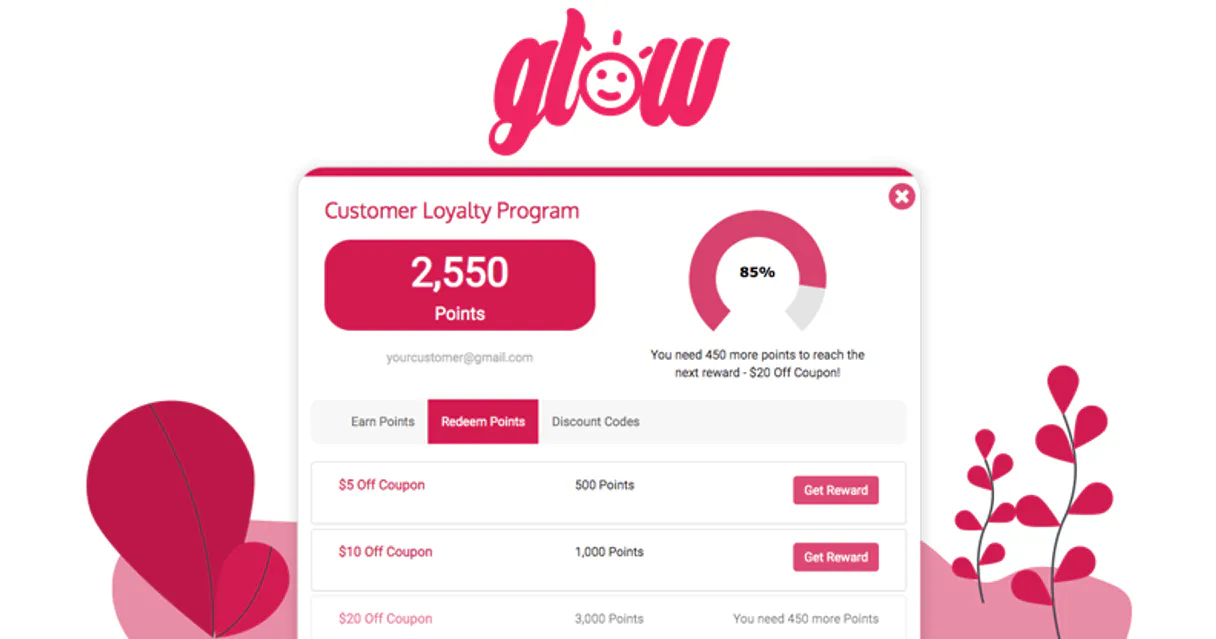
Independent Platform Disclaimer: Vinkius is an independent platform and is not affiliated with, endorsed by, sponsored by, verified by, or otherwise authorized by Glow Loyalty. All third-party trademarks, logos, and brand names are the property of their respective owners. Their use on this website is strictly for informational purposes to identify service compatibility and interoperability.
VINKIUS INFRASTRUCTURE
Cloud Hosted
Managed infra
V8 Isolated
Sandboxed per request
Zero-Trust Proxy
No stored credentials
DLP Enforced
Policy on every call
GDPR Compliant
EU data residency
Token Compression
~60% cost reduction
Works with Claude, ChatGPT, Cursor, and more
The Model Context Protocol standardizes how applications expose capabilities to LLMs. Instead of operating in isolation, your AI gains direct access to external platforms, live data, and real-world actions through secure, standardized connections.
This server provides 12 capabilities that interface natively with Claude, ChatGPT, Cursor, and any MCP client. No middleware. No custom integration required.
Available Capabilities
Checking a customer's point balance shouldn't require 5 clicks.
Right now, if a customer asks about points, you open the Shopify admin, navigate to the customer profile, click the loyalty tab, find the point balance, and then manually tell the customer what it is. If you're in a live chat, this process kills momentum and requires switching contexts.
With the Glow Loyalty MCP Server, you just ask your agent: 'What's the balance for John Doe?' The agent runs `get_member_balance`, fetches the data, and delivers the full status, including tier and available rewards, in a single message. It keeps the conversation flowing.
Redeeming rewards with the Glow Loyalty MCP Server
You used to have to write down the member ID, find the reward code, manually check if they had enough points, and then copy-paste the discount code onto the order. It's slow and error-prone.
Now, you tell your agent: 'Redeem the $5 Off reward for John Doe.' The agent runs `redeem_loyalty_reward`, handling the point deduction, code generation, and fulfillment steps automatically. It's one command, one definitive action.
Common Questions About Glow Loyalty MCP
How do I get an API Key for Glow Loyalty? +
Log in to your Glow dashboard, navigate to Settings > API Key, and you can generate your API Key and API Secret there.
Can I subtract points from a member's balance? +
Yes! Use the 'adjust_member_points' tool and provide a negative number (e.g., -100) to deduct points from their total balance.
How do I find a Reward ID for redemption? +
Use the 'list_available_rewards' tool. The agent will return all configured rewards along with their unique numerical IDs.
Does this work with flexible point redemptions? +
The 'redeem_loyalty_reward' tool triggers redemptions based on your pre-configured fixed or flexible reward rules in the Glow dashboard.
How do I use the `list_loyalty_members` tool to find a specific customer? +
You must use the find_loyalty_member tool first. list_loyalty_members provides a list of all enrolled members, which you then filter to locate the specific user you need.
What happens if I try to `adjust_member_points` with an invalid member ID? +
The system returns an error detailing the invalid ID or member status. You'll need to verify the member's account ID and try the adjustment again.
Can the `get_member_balance` tool handle members in different loyalty tiers? +
Yes, it pulls the current point total regardless of the member's tier. The balance is always reported accurately against their current status.
How do I check the overall health of my account using `get_program_details`? +
This tool fetches high-level metadata about your connected Glow account. It confirms connectivity and provides general account health metrics.
Use it with your favorite AI tools
Connect this server to Cursor, Claude, VS Code, and more.
More in this category
Webflow
Equip your AI agent with direct access to Webflow — manage CMS collections, publish sites, and query site analytics without opening the Webflow designer.

EasyPost
Equip your AI agent to manage shipments, track packages, and monitor carrier accounts via the EasyPost API.

Drip
Automate e-commerce marketing via Drip — manage subscribers, trigger workflows, track custom events, and audit campaigns directly from any AI agent.
You might also like

NetEase Cloud Gaming
Manage NetEase Cloud Gaming sessions — orchestrate server instances, monitor user quotas, and scaling capacity directly from any AI agent.

LunarCrush (Social Intelligence for Crypto Assets)
Access real-time social intelligence for crypto assets — track Galaxy Scores, AltRank, and market sentiment directly from your AI agent.

3Scribe
Automated audio and video transcription — create jobs, monitor progress, and retrieve text via AI.