
Guesty MCP. Manage your entire rental portfolio from chat.
 Gemini
 Works with every AI agent you already use
…and any MCP-compatible client









Just plug in your AI agents and start using Vinkius.
Guesty MCP Server connects your property management system to any AI agent. You can manage reservations, listings, guests, and full financials for your vacation rentals—all from a natural conversation.
List all bookings, check pricing for specific dates, track owner revenue, and monitor cleaning tasks without leaving your AI client.
What your AI agents can do
Get accounting stats
Gets a business-level summary of accounting stats.
Get calendar
Gets the availability and pricing calendar for a specific listing.
Get listing
Gets detailed information for one specific property listing.
Run get_calendar to see if a listing is available and what the average nightly rate is for a specific date range.
Use get_reservation to pull up all information on a single reservation, including check-in and guest names.
Call get_owner_revenue to get a clear breakdown of gross revenue, commissions, and your final net payout for a given period.
Execute get_listing_stats to pull performance metrics for a specific property listing, helping you spot trends.
List all properties (list_listings) or get deep details on one specific listing (get_listing).
Call list_tasks to check which cleaning or maintenance jobs are pending or completed.
Ask AI about this MCP
Supported MCP Clients
Gemini Waiting for input…
Guesty MCP Server: 11 Tools for Property Operations
Orchestrate everything from booking details and listing information to financial reports and guest lists using all 11 tools.
019d75acget accounting stats
Gets a business-level summary of accounting stats.
019d75acget calendar
Gets the availability and pricing calendar for a specific listing.
019d75acget listing
Gets detailed information for one specific property listing.
019d75acget listing stats
Gets performance statistics for one specific property listing.
019d75acget owner revenue
Returns an owner statement showing gross revenue, expenses, commissions, and net payout.
019d75acget reservation
Gets all details for a specific booking.
019d75aclist guests
Lists all guests or searches for them by name or email.
019d75aclist listings
Lists all property listings managed in Guesty.
019d75aclist messages
Lists communication messages or chats, optionally filtered by a guest's ID.
019d75aclist reservations
Lists bookings, letting you filter by status like confirmed, stayed, or cancelled.
019d75aclist tasks
Lists all cleaning and operational tasks assigned to properties.
Choose How to Get Started
Build a custom MCP for your own tools, or connect a ready-made integration from our catalog.
Build Your Own
Turn any API into an MCP. Import a spec, define Agent Skills, or deploy with MCPFusion.
- Import from OpenAPI, Swagger, or YAML specs
- Create Agent Skills with progressive disclosure
- Deploy to edge with MCPFusion framework
- Built in DLP, auth, and compliance on every call
- Real time usage dashboard and cost metering
- Publish to catalog or keep private
Make Your AI Do More
Start with Guesty, then connect any of our 4,700+ other servers whenever your AI needs more. One click, no limits.
- Use this MCP plus 4,700+ others, all in one place
- Add new capabilities to your AI anytime you want
- Every connection is secured and compliant automatically
- Track usage and costs across all your servers
- Works with Claude, ChatGPT, Cursor, and more
- New servers added to the catalog every week
What you can do with this MCP connector
Guesty MCP Server connects your Guesty PMS to any AI agent. You'll manage everything—bookings, listings, guests, and financials—just by talking to your agent. You don't have to leave your AI client to check bookings, see pricing, track owner revenue, or monitor cleaning tasks. You'll get full control over your vacation rental business.
Managing Property Inventory and Details
To see all the places you manage, run list_listings. For deep dives on a specific spot, use get_listing. You can also pull performance stats for a property with get_listing_stats.
Checking Availability and Bookings
Need to check if a place is open and what it costs? Run get_calendar to see a listing's availability and average nightly rates for specific dates. To pull up all the details on one booking, call get_reservation, which gives you the check-in date and guest names. You can also list all current bookings using list_reservations, filtering by status like confirmed, stayed, or cancelled.
Handling Guests and Communication
To find guests, use list_guests; you can search by name or email. If you need to check on communications, list_messages shows all chats, and you can filter those chats by a specific guest's ID.
Handling Operations and Finance
To see what needs doing, list_tasks lists all cleaning and maintenance jobs assigned to properties. For the money side of things, you can run get_owner_revenue to get an owner statement detailing gross revenue, expenses, commissions, and your final net payout. You can also check the big picture with get_accounting_stats for a business-level summary.
Finally, you can list all bookings with list_tasks.
How Guesty MCP Works
- 1 First, subscribe to the Guesty server and provide your Client ID and Client Secret.
- 2 Next, tell your AI agent what you need—for example, 'List all confirmed reservations for next week.'
- 3 The agent calls the correct tool (like
list_reservations), and you get the structured data back instantly.
The bottom line is you manage your rental business by talking to your agent, not by exporting data into spreadsheets.
Who Is Guesty MCP For?
Property Managers who spend hours manually cross-referencing booking sheets and operational checklists. Operations Leads who need to automate task verification and calendar checks. Short-term Rental Owners who need a single source of truth for revenue reporting and guest history.
Retrieves reservation details and listing statuses during busy check-in periods, eliminating manual data lookups.
Automates checking task completion via list_tasks and verifies calendar availability using get_calendar.
Monitors overall revenue performance and guest satisfaction trends by calling get_owner_revenue.
What Changes When You Connect
- See your total earnings breakdown instantly. Use
get_owner_revenueto get a precise statement of gross revenue, commissions, and your net payout, eliminating manual financial reports. - Stop guessing about availability. Run
get_calendarto check pricing and availability for any listing across a date range before confirming a booking. - Get a full picture of your properties. Use
list_listingsto see every property you manage, andget_listingto pull specific details on any one of them. - Know your operational status instantly. Call
list_tasksto check if the cleaners finished their jobs or if maintenance is due, keeping your properties running smoothly. - Keep track of guest interactions.
list_messageslets you search through a guest's entire chat history, so you never miss a communication detail. - Track revenue trends. Running
get_listing_statsgives you performance numbers for specific properties, helping you decide where to focus your marketing efforts.
Real-World Use Cases
Handling a last-minute booking inquiry
A potential guest asks about dates next month. Instead of checking the booking engine and then the calendar, you ask your agent to run get_calendar for the property ID. The agent gives you immediate availability and pricing, and you confirm the rate right away.
Auditing a property's financials
You need to reconcile last month's payouts. You ask your agent to run get_owner_revenue. It spits out the exact gross revenue, commission totals, and the final net payout, allowing you to verify the numbers against your accounting software.
Checking operational readiness for a check-in
It's check-in day. You ask your agent to run list_tasks and list_reservations. The agent confirms the guest's booking details and checks the task list to make sure cleaning and maintenance are marked complete.
Searching for a specific guest's history
A guest has a complaint about a previous stay. You ask your agent to run list_messages and list_guests using the guest's name. The agent pulls up the communication history so you can address the issue with the right context.
The Tradeoffs
Manually Cross-referencing Data
Opening the Guesty portal, downloading the reservations list to Excel, switching to the calendar view to check dates, and then opening a separate report to find the owner's payout statement.
→
Ask your agent to run list_reservations and get_owner_revenue sequentially. The agent handles the data flow between tools, giving you the answer in a single chat interaction.
Forgetting to Filter Data
Running list_listings and getting a massive, undifferentiated list of every property you own, making it hard to find the one you need to check stats on.
→
If you know the property ID, run get_listing or get_listing_stats directly. If you need a list, always use the filters available in list_listings.
Trying to Predict Without Data
Guessing if a property needs maintenance because it has been booked a lot, instead of knowing if the last maintenance was done or if the usage is too high.
→
Run get_listing_stats to see the usage pattern and compare that to the status from list_tasks. This gives you a data-backed decision.
When It Fits, When It Doesn't
Use this server if your job involves managing multiple data points across different functions: bookings, finance, and operations. You need to know why a property performed a certain way (e.g., low revenue due to lack of maintenance tasks). Don't use it if you only need one piece of information, like just a list of guest names (use a simple contact database tool instead). If your workflow requires connecting financial data (get_owner_revenue) to operational status (list_tasks), this is the right tool.
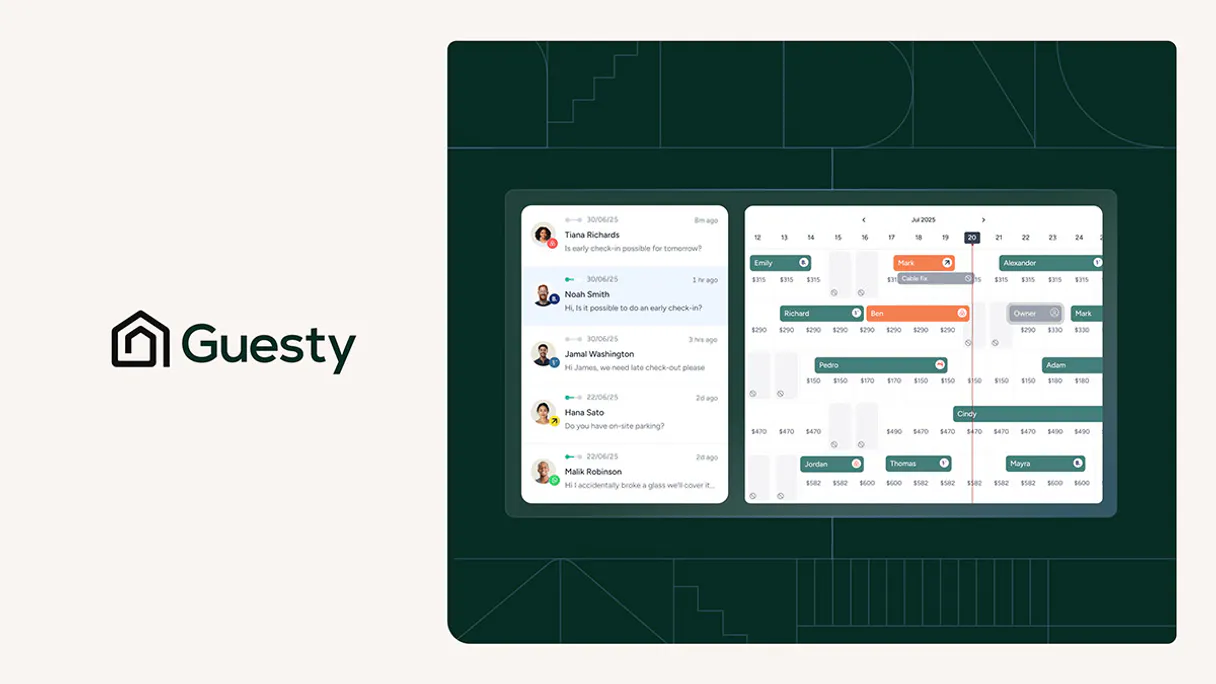
Independent Platform Disclaimer: Vinkius is an independent platform and is not affiliated with, endorsed by, sponsored by, verified by, or otherwise authorized by Guesty. All third-party trademarks, logos, and brand names are the property of their respective owners. Their use on this website is strictly for informational purposes to identify service compatibility and interoperability.
VINKIUS INFRASTRUCTURE
Cloud Hosted
Managed infra
V8 Isolated
Sandboxed per request
Zero-Trust Proxy
No stored credentials
DLP Enforced
Policy on every call
GDPR Compliant
EU data residency
Token Compression
~60% cost reduction
Works with Claude, ChatGPT, Cursor, and more
The Model Context Protocol standardizes how applications expose capabilities to LLMs. Instead of operating in isolation, your AI gains direct access to external platforms, live data, and real-world actions through secure, standardized connections.
This server provides 11 capabilities that interface natively with Claude, ChatGPT, Cursor, and any MCP client. No middleware. No custom integration required.
Available Capabilities
Managing rental properties means juggling a dozen different tabs and data sets.
Today, checking a property's status means opening the booking portal, navigating to the calendar, checking the reservations tab, and then opening the finance dashboard—all just to see if a guest is coming and if the cleaning crew is scheduled. You copy data between these separate screens constantly.
With the Guesty MCP Server, you just ask your agent. 'What's the status for the beachfront villa next Tuesday?' You get the reservation details, the calendar availability, and even the associated cleaning tasks, all in one chat reply. No clicking, no copy-pasting.
Guesty MCP Server: Get financial and operational data instantly.
You no longer have to manually pull reports. You simply ask, 'Show me the gross revenue and net payout for Q2.' The agent runs `get_owner_revenue` and returns the precise figures, saving you the headache of running multiple reports and reconciling them.
This changes the game. You move from being a data aggregator to a decision-maker. You get actionable financial insight, not just raw data.
Common Questions About Guesty MCP
How do I use the get_owner_revenue tool? +
You ask your agent to run get_owner_revenue and provide the required time frame. It returns a detailed owner statement with gross revenue, expenses, commissions, and the net payout for that period.
Can I list all reservations using list_reservations? +
Yes, you can run list_reservations and specify filters like 'confirmed' or 'cancelled.' This gives you a clean list of bookings based on the status you need.
What is the difference between get_listing and get_listing_stats? +
get_listing provides basic, static information about a property (like its address or name). get_listing_stats gives you performance data, like average daily rate or occupancy rates, so you can track its performance.
How do I check if a property is available for a specific date? +
Use the get_calendar tool. You just need to tell your agent the listing ID and the start and end dates, and it checks availability and the average nightly rate.
Can I search for guests using list_guests? +
Yes, list_guests lets you search by name or email. You can pull up the guest profile and then use list_messages to view their communication history.
How do I get cleaning and maintenance tasks using list_tasks? +
list_tasks retrieves all cleaning and operational tasks. You can check the status of maintenance items and ensure properties stay in top condition.
Can I list all properties managed by list_listings? +
list_listings returns a comprehensive list of all your property listings. This lets you see every property managed within Guesty, regardless of its current status.
How do I check the communication history for a guest using list_messages? +
list_messages retrieves all communication records. You can optionally filter these chats by a specific guest ID to review the full history.
How do I get my Guesty API credentials? +
Log in to your Guesty account, navigate to Integrations > API & Webhooks, and create a new set of API credentials to obtain your Client ID and Client Secret.
Can I check availability for specific dates? +
Yes! Use the get_calendar tool by providing the listing ID and a date range (start and end dates). The agent will return availability and pricing data for that period.
How do I find an owner's revenue information? +
Use the get_owner_revenue tool with the specific owner ID. The agent will retrieve recent statements including gross revenue, expenses, and net payouts.
Is the integration secure for managing my rental data? +
Yes, the integration uses OAuth 2.0 with Client Credentials. Your credentials are encrypted and stored securely within the Vinkius Cloud infrastructure.
Use it with your favorite AI tools
Connect this server to Cursor, Claude, VS Code, and more.
More in this category
Odoo eCommerce
List shop products, manage eCommerce orders, browse categories and customers — Odoo Website & eCommerce through natural conversation.

Contractor+
Run your contracting business with job estimates, invoicing, client management, and field crew tracking in one mobile platform.

Limble CMMS
Keep your equipment running with preventive maintenance scheduling, work order management, and asset tracking for facility teams.
You might also like

EODHD Financial
Access real-time and historical stock market data — prices, fundamentals, dividends, splits and more for global exchanges.

PeerTube (YouTube Alternative)
Interact with decentralized PeerTube instances — manage video feeds, download content, and handle user registration via AI.

SQL Syntax Validator
Audit SQL queries for syntax errors before executing them. Prevent DB crashes and deadlocks with local AST parsing.