
Gutendex MCP. Search 70,000+ public domain ebooks by metadata.
 Gemini
 Works with every AI agent you already use
…and any MCP-compatible client









Just plug in your AI agents and start using Vinkius.
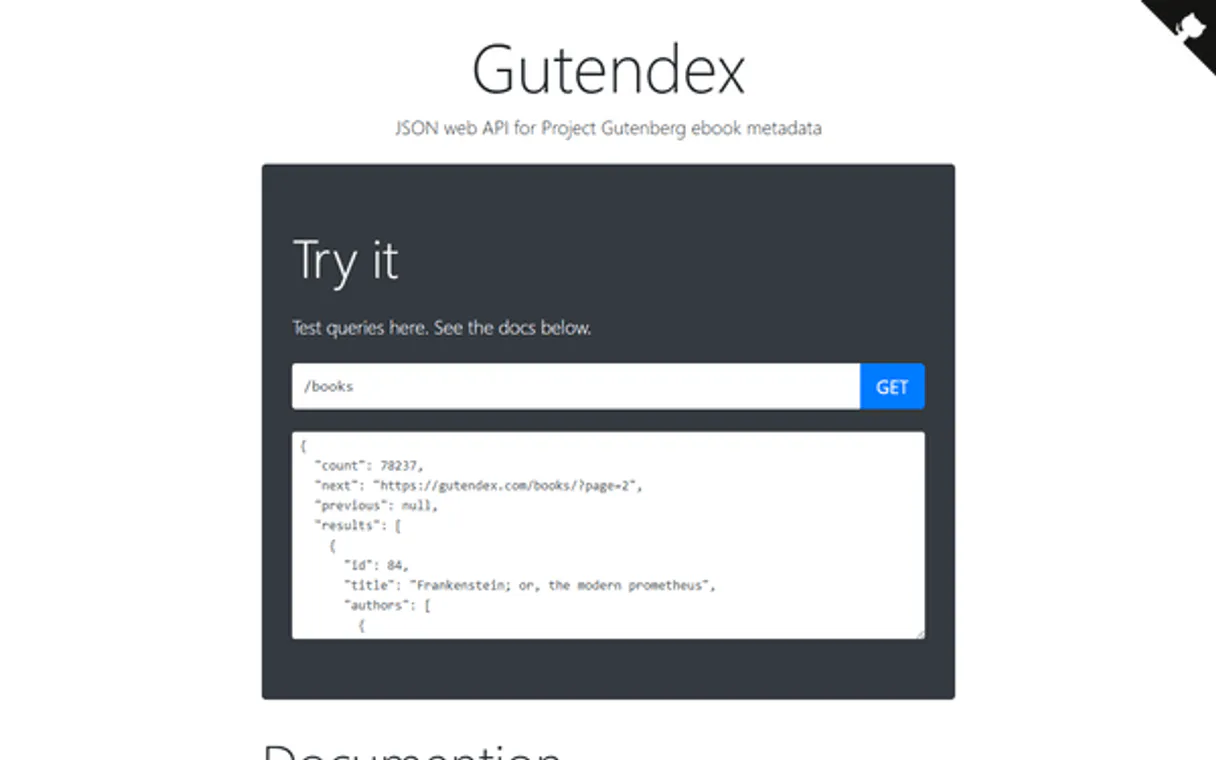
Gutendex connects to Project Gutenberg, letting your AI client search and get metadata for over 70,000 public domain ebooks. Use it to find books by title, author, subject, or filter by format like PDF or EPUB.
No API key is needed to access this massive literary archive.
What your AI agents can do
Get book
Get detailed info for a specific Gutenberg book using its ID or title.
Get books by url
Get book info directly from a provided Gutenberg URL.
List books
Search Project Gutenberg ebooks using title, author, subject, and language filters.
You search 70,000+ ebooks using criteria like title, author, or subject, and get a list of available books.
You input a book ID or URL and receive a structured dump of its details, including all formats and download counts.
You restrict the search results by language (e.g., Spanish, French), author's lifespan, or file type (e.g., PDF).
You retrieve the download count for a book, indicating its popularity within the public domain.
You filter the search results to ensure the book is in the public domain before attempting to download.
Ask AI about this MCP
Supported MCP Clients
Gemini Waiting for input…
Gutendex MCP Server: 3 Tools for Book Metadata Search
Use these three tools to search, filter, and retrieve structured metadata for Project Gutenberg ebooks.
019d8444get book
Get detailed info for a specific Gutenberg book using its ID or title.
019d8444get books by url
Get book info directly from a provided Gutenberg URL.
019d8444list books
Search Project Gutenberg ebooks using title, author, subject, and language filters.
Choose How to Get Started
Build a custom MCP for your own tools, or connect a ready-made integration from our catalog.
Build Your Own
Turn any API into an MCP. Import a spec, define Agent Skills, or deploy with MCPFusion.
- Import from OpenAPI, Swagger, or YAML specs
- Create Agent Skills with progressive disclosure
- Deploy to edge with MCPFusion framework
- Built in DLP, auth, and compliance on every call
- Real time usage dashboard and cost metering
- Publish to catalog or keep private
Make Your AI Do More
Start with Gutendex, then connect any of our 4,700+ other servers whenever your AI needs more. One click, no limits.
- Use this MCP plus 4,700+ others, all in one place
- Add new capabilities to your AI anytime you want
- Every connection is secured and compliant automatically
- Track usage and costs across all your servers
- Works with Claude, ChatGPT, Cursor, and more
- New servers added to the catalog every week
What you can do with this MCP connector
Gutendex hooks your AI client up to Project Gutenberg, letting you search and grab the metadata for over 70,000 public domain ebooks. You don't need an API key to use this massive literary archive. You can use list_books to search the whole catalog, filtering by title, author, subject, and language.
You can also narrow down the search results using author's lifespan or file type. If you're looking for a book by a specific title or author, you can check for it using list_books. To get full details on a single book, use get_book with its ID or title. This tool gives you a structured dump of all the book's details, including all formats and download counts.
You can check download statistics for a book to see how popular it is in the public domain. If you've got a specific Gutenberg URL, get_books_by_url gets the book info directly from that link. You can filter results to make sure the book is in the public domain before you download it.
How Gutendex MCP Works
- 1 Subscribe to the Gutendex server and connect your AI client.
- 2 Ask your agent to search for books using specific criteria (e.g., 'French literature by Victor Hugo').
- 3 The agent runs the relevant tool, and you get a list of titles, authors, and download counts.
The bottom line is, you get direct, filterable access to a massive library of public domain book metadata without needing any keys or accounts.
Who Is Gutendex MCP For?
This is for academics, content researchers, and digital librarians. If your job involves finding structured data on literature, tracking historical texts, or building educational resources, this server cuts out the manual searching. It lets you query millions of data points about books—not just find a file.
You use the Gutendex server to systematically query large batches of books, filtering by subject or language to build a structured inventory of public domain content.
You use the server to compare metadata across different languages or to find works by authors with specific birth/death year ranges for a literature survey.
You use the server to quickly check book availability and download counts to recommend popular, copyright-free reading material for a client's project.
What Changes When You Connect
- You get detailed book records for free. The
get_booktool provides authors' lifespans, subjects, and all download formats (PDF, EPUB, Kindle, etc.) for a single title. - Filter your research results fast. The
list_bookstool lets you narrow down searches by language (using ISO codes), author year range, or specific MIME type, skipping manual web navigation. - Access books from any source. If you have a Gutenberg URL,
get_books_by_urlhandles it. You don't need to guess the ID or format. - Build a content inventory. You can use
list_booksto search by subject and get titles, authors, and download counts for an entire category of books. - Verify content status instantly. You filter by copyright status to ensure you only find genuinely public domain works, avoiding legal headaches.
- Process metadata in bulk. The combination of tools lets you gather structured data about multiple books, far beyond what a simple web search delivers.
Real-World Use Cases
Curating a multi-lingual reading list
A book club needs recommendations for classic literature in Spanish and French. They ask their agent to run list_books, filtering by language ('es' and 'fr') and topic. The agent returns a list of relevant titles and their authors, solving the research phase instantly.
Checking a specific book's formats
A student needs to know if 'Moby Dick' is available as an audiobook or Kindle file. They use get_book with the known ID. The tool returns all available formats and download links, so they don't have to check multiple download pages.
Indexing content from a web link
A developer finds a Gutenberg page URL and needs its metadata for a database. They hand the URL to get_books_by_url. The tool pulls all the book details, saving the developer from manual data extraction.
Researching a specific author's bibliography
A researcher needs to find all books by an author who lived between 1700 and 1800. They run list_books, applying the author year range filter. The agent returns a paginated list of titles and links, narrowing the search dramatically.
The Tradeoffs
Searching for a book by name only
Asking the agent, 'Find the book about love.' The request is too vague and doesn't specify enough criteria for the system to run any tool.
→
Use list_books and specify filters. For example, 'Find books with subject: Love stories and language: English.' This narrows the search enough for the tool to work.
Using the wrong input for a book ID
Providing a full URL to get_book or passing a search query to get_books_by_url. The tool expects a specific type of input, and the call will fail.
→
If you have a URL, use get_books_by_url. If you only have the book ID (like 1342), use get_book. Stick to the tool's required input type.
Assuming the tool searches the live web
Asking the agent to 'Find a new book published this month.' The Gutendex server only indexes public domain works and cannot search for current commercial titles.
→
The server only searches the Project Gutenberg archive. Use list_books to search by established criteria like subject, language, or author year range.
When It Fits, When It Doesn't
Use this server if your goal is structured data retrieval from the Project Gutenberg archive. You need metadata (authors, subjects, formats, download counts), not just a list of links.
Use list_books if: You need to browse or find a group of books. You have filters like language ('pt', 'en'), topic, or author year ranges.
Use get_book if: You know the specific book ID (e.g., 1342) and need its complete, detailed metadata in one call.
Use get_books_by_url if: You are handed a specific Gutenberg URL and need the data without manually extracting the ID or clean title.
Don't use this if: You are looking for books published recently, or if you just want a general, non-filtered search result. For those cases, you'll need a different, live-web search tool.
Independent Platform Disclaimer: Vinkius is an independent platform and is not affiliated with, endorsed by, sponsored by, verified by, or otherwise authorized by Gutendex. All third-party trademarks, logos, and brand names are the property of their respective owners. Their use on this website is strictly for informational purposes to identify service compatibility and interoperability.
VINKIUS INFRASTRUCTURE
Cloud Hosted
Managed infra
V8 Isolated
Sandboxed per request
Zero-Trust Proxy
No stored credentials
DLP Enforced
Policy on every call
GDPR Compliant
EU data residency
Token Compression
~60% cost reduction
Works with Claude, ChatGPT, Cursor, and more
The Model Context Protocol standardizes how applications expose capabilities to LLMs. Instead of operating in isolation, your AI gains direct access to external platforms, live data, and real-world actions through secure, standardized connections.
This server provides 3 capabilities that interface natively with Claude, ChatGPT, Cursor, and any MCP client. No middleware. No custom integration required.
Available Capabilities
Finding literary data shouldn't require opening 15 different tabs.
Manually researching a classic novel means jumping between the Gutenberg website, checking the author's bio for dates, and then finding the correct download link for EPUB vs. PDF. You spend time copying IDs, checking formats, and cross-referencing metadata that should be grouped.
With Gutendex, you ask your agent to search. The agent runs `list_books` and returns structured results—titles, authors, subjects, and download counts—all in one go. You get the data you need without clicking anything.
Get book details with `get_book`.
You used a search tool and found a book ID, but you need to know if it's available in Kindle format and how many times it's been downloaded. Before Gutendex, you'd have to visit the book's detail page and manually read the metadata block.
Now, you just run `get_book` with the ID. You get a clean, structured object containing the download count, every subject, and a list of all available formats. It's that simple.
Common Questions About Gutendex MCP
Do I need an API key? +
No! Gutendex is completely free and requires no authentication. Just subscribe and start searching. There's no sign-up or registration needed.
What books are available? +
Gutendex indexes 70,000+ ebooks from Project Gutenberg, the world's oldest digital library. This includes classics like Pride and Prejudice, Frankenstein, Moby Dick, Romeo and Juliet, Alice's Adventures in Wonderland and thousands of other public domain works in many languages.
Can I filter by language? +
Yes! Use the languages parameter with ISO 2-letter codes: "en" for English, "pt" for Portuguese, "fr" for French, "es" for Spanish, "de" for German, etc. You can also combine multiple languages: "en,fr" for English and French books.
Can I download the books? +
Yes! Each book includes download URLs in multiple formats: HTML, EPUB, Kindle (MOBI), plain text, PDF and sometimes audio. The download links go directly to Project Gutenberg's servers. All books are in the public domain in the United States.
How do I use the `list_books` tool to filter by author's birth/death years? +
You specify the author's date range directly in the query. For example, you can search for authors active between 1700 and 1800. This allows you to narrow results based on specific historical periods.
What happens if I provide a bad URL to the `get_books_by_url` tool? +
The tool returns an error message specifying the issue with the URL structure. You'll need to check the URL format against the standard Gutenberg structure to get book details.
Which book IDs are best for the `get_book` tool? +
The get_book tool accepts specific Gutenberg IDs, like 1342 for 'Pride and Prejudice' or 84 for 'Frankenstein'. Use these IDs for the quickest and most detailed information retrieval.
Does the `list_books` tool support pagination for large searches? +
Yes, the list_books tool supports pagination. This lets you fetch results in manageable batches, ensuring you can review massive collections of search results.
Use it with your favorite AI tools
Connect this server to Cursor, Claude, VS Code, and more.
More in this category

Zingtree
Analyze decision trees, workflows, and user session data via the Zingtree API.

CHATFLY
Manage AI chatbots and knowledge bases via CHATFLY — train bots on custom data and track conversations directly from any AI agent.

Quotable API
Access thousands of quotes — audit authors and tags via AI.
You might also like

Pointr
Grant your AI access to precision indoor mapping. Navigate buildings, track BLE beacons, and find POIs.

An API of Ice And Fire
Explore the world of A Song of Ice and Fire — query books, characters, and noble houses of Westeros directly from any AI agent.
Gerrit
Manage code reviews via Gerrit — query changes and patch sets, handle reviewers and approvals, and audit project branches directly from any AI agent.