
Zingtree MCP. Map user paths and extract workflow data.
 Gemini
 Works with every AI agent you already use
…and any MCP-compatible client









Just plug in your AI agents and start using Vinkius.
Zingtree lets your AI client analyze decision trees, workflows, and user session paths from natural language prompts. You can list all interactive trees using `list_trees`, dig into specific node structures with `get_tree_structure`, or pull detailed form data for any given session ID using `get_session_form_data`.
This server turns raw interaction logs into actionable insights about how users move through complex content.
What your AI agents can do
Get clean session path
Outputs the simple, linear sequence of nodes a user went through during one session.
Get session details
Retrieves comprehensive data about a single session, including browser and device info.
Get session form data
Pulls all key-value pairs of form entries submitted during a specific user session.
Retrieves the full hierarchy and node layout of any single decision tree.
Generates a clean, sequential path showing exactly how a user progressed through a workflow.
Pulls all data fields and values that users submitted during a specific session.
Searches for text or keywords across every node in your entire Zingtree content library.
Lists sessions that occurred within a specified date range, helping track performance over time.
Ask AI about this MCP
Supported MCP Clients
Gemini Waiting for input…
Zingtree: 8 Tools for Workflow & Session Analysis
Use these eight tools to query your entire content library, from listing all available trees to extracting specific form data points from any user session.
019d7628get clean session path
Outputs the simple, linear sequence of nodes a user went through during one session.
019d7628get session details
Retrieves comprehensive data about a single session, including browser and device info.
019d7628get session form data
Pulls all key-value pairs of form entries submitted during a specific user session.
019d7628get tree structure
Returns the complete, nested architecture diagram for one defined decision tree.
019d7628list tree sessions
Retrieves a list of session records for any specific tree within an adjustable date range.
019d7628list tree variables
Shows all the variables (custom fields) used across a given decision tree.
019d7628list trees
Returns an inventory of every interactive workflow currently set up in your account.
019d7628search all trees
Finds any text, keyword, or label matching a query across all trees and nodes.
Choose How to Get Started
Build a custom MCP for your own tools, or connect a ready-made integration from our catalog.
Build Your Own
Turn any API into an MCP. Import a spec, define Agent Skills, or deploy with MCPFusion.
- Import from OpenAPI, Swagger, or YAML specs
- Create Agent Skills with progressive disclosure
- Deploy to edge with MCPFusion framework
- Built in DLP, auth, and compliance on every call
- Real time usage dashboard and cost metering
- Publish to catalog or keep private
Make Your AI Do More
Start with Zingtree, then connect any of our 4,700+ other servers whenever your AI needs more. One click, no limits.
- Use this MCP plus 4,700+ others, all in one place
- Add new capabilities to your AI anytime you want
- Every connection is secured and compliant automatically
- Track usage and costs across all your servers
- Works with Claude, ChatGPT, Cursor, and more
- New servers added to the catalog every week
What you can do with this MCP connector
Listen, when you connect your AI client to this Zingtree MCP Server, it gives your agent direct access to the guts of your interactive workflows and decision trees. Forget clicking through dashboards just to pull metrics; your client gets the raw data and structure instantly. You'll use your agent to analyze everything from user paths to form inputs using simple natural language prompts.
If you need an inventory, list_trees returns a list of every interactive workflow set up in your account. To see what custom fields are available across any given decision tree, run list_tree_variables. Then, if you want the full blueprint for one specific flow, get_tree_structure hands back the complete, nested architecture diagram.
It maps out how all the nodes connect.
To track actual usage, your agent can first pull a list of session records using list_tree_sessions, letting you define an adjustable date range to monitor performance over time. For any single recorded session, get_session_details retrieves deep metadata—you'll get browser information and the device used by the person who ran through it.
It’s all there.
To figure out exactly how a user progressed, you use get_clean_session_path. This tool outputs the simple, linear sequence of nodes that one user hit during their visit. For deep data extraction, get_session_form_data pulls every key-value pair from all the form entries submitted by a client during a specific session ID.
If you're trying to find content across your whole library, don't waste time clicking around; just run search_all_trees. This finds any text, keyword, or label matching your query across every single node in all your Zingtree workflows. These tools let your agent treat workflow analysis like querying a database—you just ask for it in plain English.
How Zingtree MCP Works
- 1 Subscribe to the Zingtree server and enter your API key.
- 2 Your AI client sends a request (e.g., 'List all trees') that triggers a specific tool function.
- 3 The server executes the tool, pulls data from Zingtree, and returns the structured results directly to your agent.
The bottom line is: you tell your agent what data you need; it calls the right tool and brings back the answer instantly.
Who Is Zingtree MCP For?
This is for Product Owners who can't afford to wait for analytics reports, or Support Managers drowning in tickets trying to understand user behavior. If your job involves mapping out complex content flows or auditing customer interaction paths, you need this.
Uses list_trees and get_tree_structure to quickly validate if a new workflow variable exists or if the overall tree architecture supports planned changes.
Runs get_session_form_data on specific session IDs provided by support tickets, instantly seeing exactly what information the customer entered before failing.
Uses list_tree_sessions and get_clean_session_path to audit user compliance or measure how often users skip critical sections of a workflow over a given month.
What Changes When You Connect
- Instantly map the full flow path. Instead of digging through logs,
get_clean_session_pathgives you a single, sequential list of nodes used by the customer. - Audit form inputs quickly. With
get_session_form_data, your agent pulls every answer submitted in one call, eliminating manual data collection from multiple tabs. - See the full picture. Use
get_session_detailsto gather not just the path, but also the user's browser and device info—crucial context for debugging poor conversion rates. - Validate workflows on the fly. Run
list_treesfirst to get an inventory of all available content, then useget_tree_structureto see the internal connections without opening the designer. - Pinpoint friction points. By running
search_all_trees, you can search for a specific keyword (like 'Billing') across every single node in your entire library, regardless of which tree it lives in.
Real-World Use Cases
Debugging low conversion paths
A support manager sees an error on a complex workflow. Instead of asking the customer for screenshots and session IDs, they ask their agent to run get_session_details and then get_clean_session_path. They instantly get the precise journey (e.g., Start -> Step 2 -> Exit) that failed, allowing them to pinpoint exactly which node needs fixing.
Auditing content variables
A Product Owner suspects a workflow is missing input capability for a new product line. They use list_trees to identify the target tree, then call list_tree_variables. If the required variable isn't listed, they know exactly where the gap is without needing developer assistance.
Analyzing quarterly performance
The operations team needs a usage report for Q3. They run list_tree_sessions specifying the date range and tree ID. This gives them a list of every session that happened, allowing them to count total volume and analyze peak traffic times.
Gathering detailed customer intake data
A sales team needs to know what information customers provided during a failed demo booking attempt. They use get_session_form_data on the specific session ID, which immediately returns structured fields like 'Company Size' and 'Budget Range,' saving hours of manual review.
The Tradeoffs
Assuming a single function gets everything
Calling only get_session_details and thinking you have the full context. You get device info, but not what the user actually typed into the fields.
→
You need to combine calls. First, run get_session_details for metadata, then immediately follow up with get_session_form_data using the same session ID. This gives you both context and data.
Searching manually across workflows
Wanting to find where 'VAT' is mentioned in a workflow but having to open 15 different trees one by one.
→
Use the search_all_trees tool. It searches for that keyword ('VAT') across your entire organization's content library in one go.
Confusing variables with nodes
Trying to guess what inputs are available by just looking at the tree map, which is often confusing.
→
First, run list_tree_variables on the specific tree. This gives you a definitive list of all recognized input fields and custom data points.
When It Fits, When It Doesn't
Use this server if your core problem involves analyzing user behavior after they interact with structured, decision-based content (i.e., interactive forms or knowledge flows). You need to know: 1) What nodes were hit? (get_clean_session_path) 2) What data did the user submit? (get_session_form_data) 3) How is the system built? (get_tree_structure).
Don't use this if you are simply managing simple, linear forms or collecting contact information outside of a defined workflow. For general content searches across unstructured documents (like PDFs), look at document indexing tools. If your goal is just to list all available workflows, list_trees handles that perfectly, but for deep analysis, this server is necessary.

Independent Platform Disclaimer: Vinkius is an independent platform and is not affiliated with, endorsed by, sponsored by, verified by, or otherwise authorized by Zingtree. All third-party trademarks, logos, and brand names are the property of their respective owners. Their use on this website is strictly for informational purposes to identify service compatibility and interoperability.
VINKIUS INFRASTRUCTURE
Cloud Hosted
Managed infra
V8 Isolated
Sandboxed per request
Zero-Trust Proxy
No stored credentials
DLP Enforced
Policy on every call
GDPR Compliant
EU data residency
Token Compression
~60% cost reduction
Works with Claude, ChatGPT, Cursor, and more
The Model Context Protocol standardizes how applications expose capabilities to LLMs. Instead of operating in isolation, your AI gains direct access to external platforms, live data, and real-world actions through secure, standardized connections.
This server provides 8 capabilities that interface natively with Claude, ChatGPT, Cursor, and any MCP client. No middleware. No custom integration required.
Available Capabilities
Figuring out why a user dropped off in the middle of a multi-step process shouldn't require logging into four different tabs.
Today, finding the reason a customer left your workflow means juggling analytics dashboards, session recording tools, and raw database logs. You copy the session ID from one place, paste it into another to get path data, then manually jump to the form submission table—it's a painful process of cross-referencing.
With Zingtree MCP, you ask your agent for the full picture. It runs `get_session_details` and `get_clean_session_path` simultaneously. You don't just get that they dropped off; you get the exact step they were on, what device they used, and precisely where in the flow they stalled.
Zingtree MCP Server: Pulling Form Data with `get_session_form_data`
Before this server, extracting form data meant running separate queries for every single input field (Name, Email, Issue Type, etc.) and hoping the timestamps matched up. It was a fragile, multi-step process prone to missing key pieces of information.
Now, you run one call to `get_session_form_data`. The agent returns all submitted values—structured data for every single field used in that session ID. That's it. You get the complete record instantly.
Common Questions About Zingtree MCP
How do I find out what workflows exist? Using list_trees? +
You run list_trees. This tool immediately provides a full inventory of every interactive workflow in your Zingtree account. You get the names and IDs, so you know exactly what content is available to analyze.
What does get_session_form_data do? Can it pull all my user inputs? +
Yes, get_session_form_data pulls every key-value pair of information a user submitted during one session. It structures the data so you don't have to piece together individual form fields.
How do I check the architecture of my content? Do I need get_tree_structure? +
You use get_tree_structure. This tool maps out the full, nested diagram for a single tree. It shows every node and how they connect, letting you verify the logic without entering the designer.
I need to see user paths over time. Should I use list_tree_sessions? +
Use list_tree_sessions. You pass it a specific tree ID and a date range, and it returns all session records for that period, letting you track usage trends.
Can search_all_trees find text in multiple workflows? +
Yes. search_all_trees searches for keywords or labels across your entire library of decision trees. It's a global content search, not limited to one workflow.
How does using `get_clean_session_path` help me trace a user's journey? +
It provides a single, linear flow of interactions. This function strips out irrelevant clicks or minor bounces, giving you the core sequence of steps needed to understand the true path a user took.
What information do I get from `list_tree_variables`? +
This tool lists every variable used across all your decision trees. It's essential for identifying what specific data points—like source system or unique ID—can be tracked and included in reports.
If I need technical context, what does `get_session_details` provide? +
It fetches detailed metadata about a session. You get the browser info, interaction history, and full path data, which is crucial for debugging complex user issues beyond just form answers.
How do I find my Zingtree API Key? +
Log in to Zingtree and go to Account > Organizations and Billing to find your unique API Key.
Can I see the path a specific user took in a tree? +
Yes, the get_session_details or get_clean_session_path tools provide the exact sequence of nodes visited by a user during their session.
Is it possible to retrieve answers entered in forms? +
Absolutely. Use the get_session_form_data tool with a session ID to extract all field values submitted by the user.
Use it with your favorite AI tools
Connect this server to Cursor, Claude, VS Code, and more.
More in this category

Kit (ConvertKit)
Enable your AI agent to manage email subscribers, organize tags, and monitor broadcast campaigns via the Kit API.

Ghost
Manage blog posts, track authors, and oversee static pages via AI agents with Ghost CMS.
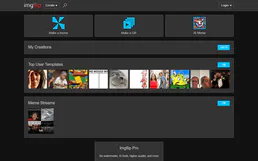
Meme Generator
Universal meme engine — generate custom memes using popular templates via AI.
You might also like

Later (Social Media Management)
Manage social media via Later — schedule posts, access your media library, and analyze profile performance.

GetYourGuide
Search and book tours, activities, and travel experiences via AI agents with GetYourGuide.

ElevenLabs
Generate lifelike speech from text with neural voice synthesis that clones voices and supports dozens of languages naturally.