
HireVue MCP. Manage the entire candidate lifecycle from chat.
 Gemini
 Works with every AI agent you already use
…and any MCP-compatible client









Just plug in your AI agents and start using Vinkius.
HireVue. Manage your entire hiring pipeline directly from your AI agent. This server lets you create, read, update, and delete candidate profiles, schedule interviews, and check job positions—all through natural conversation.
Stop switching tabs and start moving candidates through the funnel without leaving your chat client.
What your AI agents can do
Cancel interview
Cancels a scheduled interview using a specific ID.
Create candidate
Generates a brand new candidate profile record.
Create interview
Schedules a new interview invitation for a candidate.
Create new candidate profiles, retrieve existing data, or modify a candidate's details using dedicated tools.
Book new interview invitations, check the current status of a scheduled interview, or cancel an appointment.
List all available job positions or fetch detailed metadata for a specific job role.
Modify specific fields on a candidate profile, such as adding notes or changing their application status.
Execute a sequence of hiring steps—like creating a candidate, then scheduling an interview—without manual intervention.
Ask AI about this MCP
Supported MCP Clients
Gemini Waiting for input…
HireVue MCP Server: 8 Tools for Recruitment Workflows
These tools let your AI agent manage the full candidate lifecycle—from initial profile creation to final interview scheduling—using natural conversation.
019e5d23cancel interview
Cancels a scheduled interview using a specific ID.
019e5d23create candidate
Generates a brand new candidate profile record.
019e5d23create interview
Schedules a new interview invitation for a candidate.
019e5d23get candidate
Retrieves all details for an existing candidate profile.
019e5d23get interview
Checks the current status and details of an interview invitation.
019e5d23get position
Fetches full details about a specific job opening.
019e5d23list positions
Lists all currently open job positions in the system.
019e5d23update candidate
Modifies specific fields on an already created candidate record.
Choose How to Get Started
Build a custom MCP for your own tools, or connect a ready-made integration from our catalog.
Build Your Own
Turn any API into an MCP. Import a spec, define Agent Skills, or deploy with MCPFusion.
- Import from OpenAPI, Swagger, or YAML specs
- Create Agent Skills with progressive disclosure
- Deploy to edge with MCPFusion framework
- Built in DLP, auth, and compliance on every call
- Real time usage dashboard and cost metering
- Publish to catalog or keep private
Make Your AI Do More
Start with HireVue, then connect any of our 4,700+ other servers whenever your AI needs more. One click, no limits.
- Use this MCP plus 4,700+ others, all in one place
- Add new capabilities to your AI anytime you want
- Every connection is secured and compliant automatically
- Track usage and costs across all your servers
- Works with Claude, ChatGPT, Cursor, and more
- New servers added to the catalog every week
What you can do with this MCP connector
You'll hook up your HireVue account to your AI agent and run your whole hiring process straight through chat. You can handle candidates, interviews, and job roles without ever leaving your chat window.
Managing Candidates
You can use create_candidate to generate a brand-new candidate profile record. You'll grab all the details for an existing person with get_candidate, or you can change specific stuff on a profile that's already there using update_candidate.
Scheduling Interviews
You'll book a new interview invitation for a candidate with create_interview. If you need to check the status or details of an interview that's already set, you can use get_interview. If plans fall through, you can cancel the appointment using cancel_interview.
Tracking Job Openings
To see every job that's open, you'll run list_positions. If you need deep details on a specific job opening, you'll use get_position.
Workflow Automation
Your AI agent can run these hiring steps in sequence. You can create a candidate profile and then schedule an interview for them—all in one chat. You can modify a candidate's status and check the job details, too. You'll manage the whole pipeline without jumping between your Applicant Tracking System, your calendar, and your internal tools.
How HireVue MCP Works
- 1 Subscribe to the server and provide your HireVue API Key and Base URL.
- 2 Your AI client sends a natural language request (e.g., 'Schedule an interview for Jane Smith').
- 3 The server identifies the necessary tools (
create_candidate,create_interview, etc.) and executes the sequence, returning the final status or data directly to your chat.
The bottom line is, you manage the entire candidate lifecycle from one conversation window.
Who Is HireVue MCP For?
Recruiters and Hiring Managers who spend too much time clicking between the ATS, calendar, and job board. If you're tired of manually updating candidate statuses or juggling interview invites across three different tabs, this is for you. It lets you run the entire funnel process right where you are.
Checks candidate status and schedules interviews immediately. They use get_candidate and create_interview to keep the pipeline moving without leaving their main task.
Quickly reviews detailed position info using get_position and checks candidate profiles via get_candidate to make faster, data-backed decisions.
Automates the creation of new candidate records (create_candidate) and bulk interview invitations for the whole organization.
What Changes When You Connect
- See candidate statuses instantly. Instead of navigating to a separate ATS dashboard, use
get_candidateto pull a person's history and status directly in your chat window. - Book and manage interviews in one flow. Use
create_interviewandcancel_interviewto schedule and adjust invites without ever leaving your AI client. - Know what jobs are open. Run
list_positionsto get a list of all available roles, and useget_positionto deep-dive into a specific job's requirements. - Keep data clean. When a candidate changes roles or needs notes added, use
update_candidateto modify their profile directly, ensuring the record is always current. - Reduce friction across tools. You can chain actions—like calling
create_candidatethencreate_interview—in one prompt, keeping your focus on the conversation, not the workflow. - Save time on basic checks. Need to know if an interview is confirmed? Just run
get_interviewand get the status right away.
Real-World Use Cases
New Candidate Intake
A recruiter gets a promising lead's contact info. Instead of manually opening the ATS and filling out a form, they prompt their agent: 'Create a candidate for John Doe: john@example.com.' The agent runs create_candidate and gives them the new ID, letting them immediately move to the next step.
Rescheduling an Interview
A hiring manager needs to move a final round interview. They tell their agent: 'Cancel the interview for candidate ID 789 and reschedule it for next Tuesday.' The agent uses cancel_interview and then create_interview to handle the entire change in sequence.
Reviewing a Job Opening
An HR Operations specialist needs to see all open roles. They ask the agent to list_positions. The agent returns the list, and the specialist then uses get_position to grab the full requirements for the 'Senior Developer' role.
Updating Candidate Records
The recruiter finds a discrepancy in a candidate's job title. They instruct their agent to update_candidate with the correct title and notes, ensuring the record is accurate before the next interview stage.
The Tradeoffs
Manual Data Sourcing
Copying candidate emails from an email, pasting them into the ATS, then manually creating an interview invite in the calendar tool. This is slow and prone to human error.
→
Use the agent to handle the whole process. First, run create_candidate. Then, use create_interview in the same chat prompt. The agent handles the linking and data transfer.
Forgetting the Latest Status
Thinking a candidate is still in the initial screening phase because the ATS screen was cached, only to find out they already passed the first round.
→
Always check the current state first. Use get_candidate and get_interview to pull the real-time status from HireVue before making any assumption.
Tool Isolation
Calling get_position to find a job ID, and then opening a separate tab to manually enter that ID into the scheduling tool. You lose context and make extra clicks.
→
Keep it all in the chat. Ask the agent to get_position and then immediately use the resulting ID to create_interview in the same prompt.
When It Fits, When It Doesn't
Use this server if your primary bottleneck is the manual handoff of information between different HR tools (ATS, Calendar, Job Board). You need to manage the candidate journey—from initial contact to final interview booking—without ever leaving your AI client. You must be able to reliably create, read, and update candidate records, and schedule interviews.
Don't use this if you only need to manage isolated tasks, like generating reports from a CSV file or running an entirely separate financial projection. For those needs, use a dedicated reporting tool or a generic data processing service. This server is for operational workflow management.

Independent Platform Disclaimer: Vinkius is an independent platform and is not affiliated with, endorsed by, sponsored by, verified by, or otherwise authorized by HireVue. All third-party trademarks, logos, and brand names are the property of their respective owners. Their use on this website is strictly for informational purposes to identify service compatibility and interoperability.
VINKIUS INFRASTRUCTURE
Cloud Hosted
Managed infra
V8 Isolated
Sandboxed per request
Zero-Trust Proxy
No stored credentials
DLP Enforced
Policy on every call
GDPR Compliant
EU data residency
Token Compression
~60% cost reduction
Works with Claude, ChatGPT, Cursor, and more
The Model Context Protocol standardizes how applications expose capabilities to LLMs. Instead of operating in isolation, your AI gains direct access to external platforms, live data, and real-world actions through secure, standardized connections.
This server provides 8 capabilities that interface natively with Claude, ChatGPT, Cursor, and any MCP client. No middleware. No custom integration required.
Available Capabilities
Hiring workflows shouldn't require jumping between three different tabs.
Right now, scheduling a simple interview requires a painful routine: you open the ATS, find the candidate, copy their details. Then you open the calendar system, find the right slot, and manually paste the details into the invite. Then you switch back to the ATS to update their status. It's three systems, four copy/paste actions, and a whole lot of context switching.
With the HireVue MCP Server, you just talk to your agent. You tell it: 'Schedule a final interview for John Doe, who is applying for Senior Developer.' The agent runs the tools—it handles the candidate record, creates the invite, and updates the status—all in one reply. The friction disappears.
HireVue MCP Server: Automate Candidate Tracking
You can't just manually create a candidate record and then remember to update their status later. The process involves multiple steps: you must first run `create_candidate` to get the ID, and then use `update_candidate` and `create_interview` to move them forward.
The server guarantees the state transition. You define the steps, and the tools execute them in the correct order, making the entire recruitment process reliable and auditable right from your chat.
Common Questions About HireVue MCP
How do I use the `get_candidate` tool with the HireVue MCP Server? +
You must provide the candidate's unique ID to the agent. The agent runs get_candidate and returns all stored details for that ID, including their current status and job history.
Can I use `list_positions` to find a job ID? +
Yes. The agent runs list_positions and provides a list of active roles and their IDs. You can then use one of those IDs with get_position to get the full job description.
What if I need to change a candidate's details after I run `create_candidate`? +
Use the update_candidate tool. You provide the candidate ID and the specific data you want to change (e.g., 'Add note: Follow up on salary').
Do I need to create a candidate before scheduling an interview using `create_interview`? +
The agent manages this dependency. While you might run create_candidate first, the agent can usually handle the flow and create the interview invitation even if the record is slightly incomplete.
How do I cancel an interview using the `cancel_interview` tool? +
You must provide the interview ID. The agent executes cancel_interview and confirms the cancellation status in the HireVue system.
How do I update a candidate's record using the `update_candidate` tool? +
You provide the candidate's ID and the specific data fields you want to change. This tool lets you modify everything from contact info to employment status without creating a new record.
What information is needed to successfully run `create_interview`? +
You must provide the IDs for the candidate and the position. The tool also requires date and time parameters, which ensures the invitation goes to the correct people at the right time.
Can I list all available positions and their details using `list_positions` and `get_position` together? +
Yes, first run list_positions to get the IDs of all roles. Then, pass a specific ID to get_position to pull the full metadata you need for that role.
How do I check the status of a specific interview? +
Simply use the get_interview tool with the specific Interview ID. The agent will retrieve the current status (e.g., 'Scheduled', 'Completed'), candidate info, and relevant timestamps.
Can I update a candidate's information after creation? +
Yes. Use the update_candidate tool. You can modify the firstName, lastName, email, or externalId by providing the Candidate ID and the new values.
Is it possible to cancel an interview invitation via AI? +
Yes, you can cancel an invitation using the cancel_interview tool. Just provide the Interview ID, and the agent will process the cancellation in HireVue.
Use it with your favorite AI tools
Connect this server to Cursor, Claude, VS Code, and more.
More in this category

SnapCall
Embed voice, video, and screen sharing into any digital interaction on SnapCall with AI agents.

Demio
Equip your AI agent to manage webinar events, track registrants, and monitor sessions via the Demio API.

Livestorm
Connect your AI agent to Livestorm to manage webinars, registrations, attendees, and analytics via natural language.
You might also like

Giddyup
Coordinate field service teams with job dispatching, route optimization, and real-time status updates for mobile workforces.
Webflow
Equip your AI agent with direct access to Webflow — manage CMS collections, publish sites, and query site analytics without opening the Webflow designer.
Uptime.com
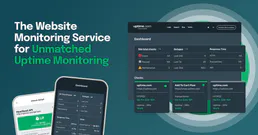
Monitor website and API uptime from 30+ global locations with instant alerts when downtime hits any of your services.