
HypeAuditor MCP. Get detailed influencer reports from a single chat window.
 Gemini
 Works with every AI agent you already use
…and any MCP-compatible client









Just plug in your AI agents and start using Vinkius.
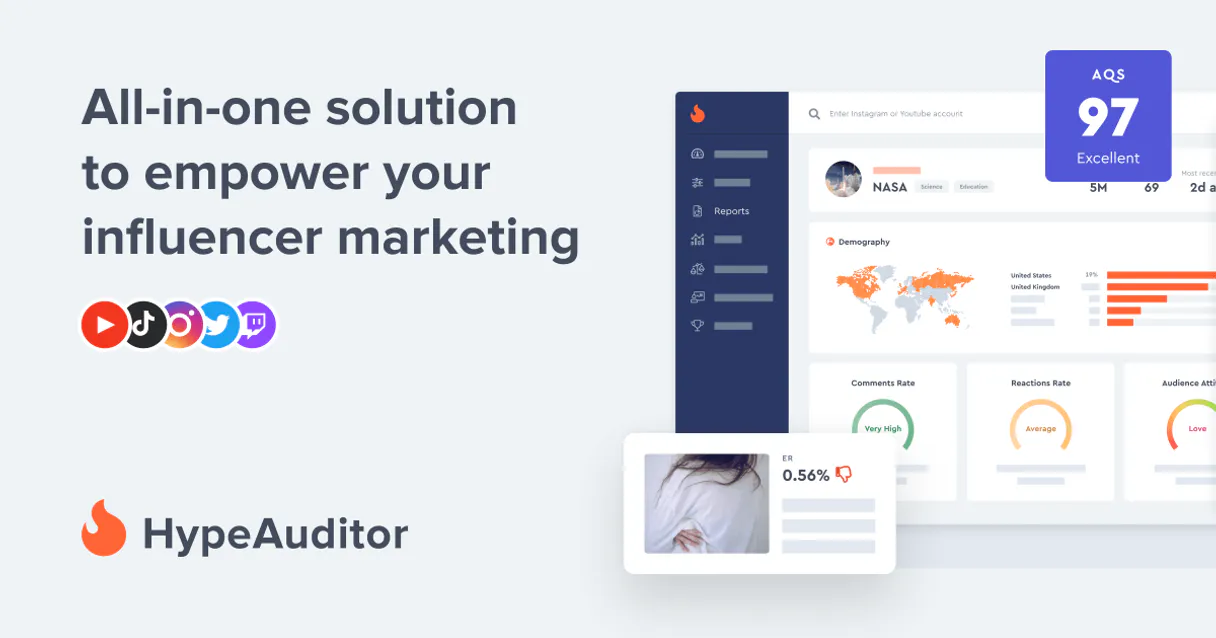
HypeAuditor MCP Server lets you analyze influencer data across Instagram, YouTube, and TikTok. Your AI client can search for specific creators, retrieve detailed audit reports, and check account status using the HypeAuditor API.
It’s built for data-driven brand marketing and monitoring influencer safety.
What your AI agents can do
Get account info
Retrieves basic details about your HypeAuditor account.
Get influencer report
Pulls a detailed, full audit report for a specified influencer.
Get rate limit
Checks your current API usage and remaining rate limit status.
The agent searches the database and returns a list of influencers matching filters like platform, country, and category.
The agent retrieves a comprehensive, detailed performance report for a specific influencer ID.
The agent verifies your current API rate limits and pulls core account details.
The agent lists all available filtering options, such as supported social platforms or geographic regions.
Ask AI about this MCP
Supported MCP Clients
Gemini Waiting for input…
HypeAuditor MCP Server: 10 Tools for Influencer Data
Use these tools to programmatically search for, filter, and audit influencer profiles across multiple social platforms.
019d75b5get account info
Retrieves basic details about your HypeAuditor account.
019d75b5get influencer report
Pulls a detailed, full audit report for a specified influencer.
019d75b5get rate limit
Checks your current API usage and remaining rate limit status.
019d75b5list categories
Returns a list of all available influencer categories.
019d75b5list countries
Provides a list of countries available for filtering.
019d75b5list influencer types
Lists the different types of influencers tracked.
019d75b5list languages
Returns a list of supported languages for filtering.
019d75b5list platforms
Lists all supported social media platforms (e.g., Instagram, TikTok).
019d75b5list reports
Lists all audit reports previously generated under your account.
019d75b5search influencers
Searches for influencers using multiple filters like country, platform, and category.
Choose How to Get Started
Build a custom MCP for your own tools, or connect a ready-made integration from our catalog.
Build Your Own
Turn any API into an MCP. Import a spec, define Agent Skills, or deploy with MCPFusion.
- Import from OpenAPI, Swagger, or YAML specs
- Create Agent Skills with progressive disclosure
- Deploy to edge with MCPFusion framework
- Built in DLP, auth, and compliance on every call
- Real time usage dashboard and cost metering
- Publish to catalog or keep private
Make Your AI Do More
Start with HypeAuditor, then connect any of our 4,700+ other servers whenever your AI needs more. One click, no limits.
- Use this MCP plus 4,700+ others, all in one place
- Add new capabilities to your AI anytime you want
- Every connection is secured and compliant automatically
- Track usage and costs across all your servers
- Works with Claude, ChatGPT, Cursor, and more
- New servers added to the catalog every week
What you can do with this MCP connector
You're running data-heavy campaigns, and you need to know who's legit online. The HypeAuditor MCP Server lets your AI client dig into influencer data across Instagram, YouTube, and TikTok. You can search for creators, pull deep audit reports, and check your account status—all without writing a single line of wrapper code.
Searching for Influencers: You can use search_influencers to find creators by filtering on country, platform, and category. You can also use list_countries, list_platforms, list_categories, list_languages, and list_influencer_types to see all the options available for filtering your searches.
Generating Reports: To get the full picture on a specific creator, call get_influencer_report to pull a detailed audit. You can also review all the audit reports you've already pulled using list_reports.
Checking Status: To manage your connection, you can use get_rate_limit to check your current API usage and remaining rate limit status. You can pull core account details with get_account_info.
What You Do: Your AI client picks what you need. It runs the tool. The server executes the API call and sends back structured data. Your AI client then uses that data to build out your report or keep the workflow going.
Here's the breakdown:
- Find Creators: Run
search_influencersto pull a list of creators matching specific filters. You can narrow that down usinglist_platformsto select the social media site,list_countriesfor geography, orlist_categoriesfor niche. You can also uselist_languagesandlist_influencer_typesto refine the search even further. - Get Audit Data: Use
get_influencer_reportto pull a full audit report for any given influencer ID. You can also see a record of all reports you've generated withlist_reports. - Check Your Account: To keep things running, check your usage with
get_rate_limitor get basic account info withget_account_info.
How HypeAuditor MCP Works
- 1 First, tell your agent the goal. For example: 'I need a report on an influencer from Brazil on YouTube.'
- 2 Next, the agent calls the
search_influencerstool, usinglist_countriesandlist_platformsto validate parameters. - 3 The agent then calls
get_influencer_reporton the resulting ID and outputs the full audit data.
The bottom line is, you get structured, actionable marketing data without writing a single line of API wrapper code.
Who Is HypeAuditor MCP For?
This is for the Brand Manager who needs to prove ROI and vet potential partners before launching a campaign. It's for the Marketing Ops Specialist who spends too much time clicking through dashboards to gather consistent data points. And for the Digital Strategist who needs to run large-scale market research on brand safety.
Vets potential influencers by running get_influencer_report to check for brand safety risks and audience authenticity.
Automates data gathering by using search_influencers combined with list_categories to build candidate lists quickly.
Checks API limits using get_rate_limit before running large campaign sweeps to avoid billing errors.
What Changes When You Connect
- Analyze Brand Safety: Instead of guessing if a creator is safe, run
get_influencer_report. This gives you quantifiable data on audience risk and fake engagement, keeping your brand protected. - Streamline Discovery: Don't manually check filter options. Use
list_countries,list_platforms, andlist_categoriesto programmatically validate all necessary search parameters before callingsearch_influencers. - Build Campaign Lists at Scale: Need 50 fashion influencers in the UK? Use
search_influencerswith combined filters. Your agent handles the complex filtering and returns a clean list of IDs. - Avoid API Roadblocks: Running big searches can hit limits. Before you start, call
get_rate_limitto check your current quota. This keeps your campaign data flow consistent and prevents dead ends. - Manage Your Data: Keep track of every audit. Use
list_reportsto see a history of all reports generated, so you never lose track of a campaign's data. - Understand Account Details: Use
get_account_infoto confirm your API access status and ensure your agent is pointing to the correct credentials.
Real-World Use Cases
Vetting a New Campaign Partner
A brand manager needs to vet 10 potential creators before a product launch. Instead of manually visiting 10 profiles, the agent uses search_influencers with filters for 'Tech' and 'US'. It gets a list of IDs. Then, it runs get_influencer_report on each ID, compiling a summary of their risk scores and engagement metrics for review.
Scaling Market Research
A digital strategist needs to know what types of creators exist in a new market. They call list_countries and list_platforms to set the boundaries. Then, they use search_influencers combined with list_categories to pull a comprehensive list of data points for a full market assessment.
Audit Trail Maintenance
An operations specialist needs to prove that last quarter's audit data was used for a campaign. They use list_reports to retrieve the IDs and dates of past reports, then use get_account_info to confirm the account was active during that period.
Debugging Search Queries
A user gets a blank list when searching. They first run list_platforms and list_countries to verify the filters are correct. They then use the correct parameters in search_influencers to fix the query and get the desired results.
The Tradeoffs
Batching everything in one prompt
Asking the agent: 'Find me all fashion influencers in France on Instagram, get their reports, and tell me if I have rate limits.'
→
Break it down. First, run list_platforms and list_countries. Then, use the confirmed values in search_influencers. Only after you have the resulting IDs should you call get_influencer_report.
Assuming the search works
Relying solely on search_influencers without checking if the required filters are valid, leading to empty results and wasted time.
→
Before searching, always call list_platforms and list_countries to confirm the accepted parameters. This guarantees the search query won't fail due to an invalid filter.
Ignoring API limits
Running 50 sequential calls to get_influencer_report without checking status, resulting in a cascade of HTTP 429 rate limit errors.
→
Check your usage first. Call get_rate_limit immediately. This confirms your available quota and lets you manage your API calls responsibly.
When It Fits, When It Doesn't
Use this if you need to perform structured, data-intensive research on influencers. You need to move beyond vanity metrics and gather verifiable data points like audience demographics, engagement scores, and brand safety ratings. The core flow involves: 1. Discovering filters (list_platforms, list_countries). 2. Finding candidates (search_influencers). 3. Deep-diving into candidates (get_influencer_report).
Don't use this if your only goal is simple keyword search or general brainstorming. If you just need a list of 10 random ideas, use a general search tool. If you only need to check your account status, use get_account_info or get_rate_limit directly. This tool is for structured, auditable data retrieval, not quick browsing.
Independent Platform Disclaimer: Vinkius is an independent platform and is not affiliated with, endorsed by, sponsored by, verified by, or otherwise authorized by HypeAuditor. All third-party trademarks, logos, and brand names are the property of their respective owners. Their use on this website is strictly for informational purposes to identify service compatibility and interoperability.
VINKIUS INFRASTRUCTURE
Cloud Hosted
Managed infra
V8 Isolated
Sandboxed per request
Zero-Trust Proxy
No stored credentials
DLP Enforced
Policy on every call
GDPR Compliant
EU data residency
Token Compression
~60% cost reduction
Works with Claude, ChatGPT, Cursor, and more
The Model Context Protocol standardizes how applications expose capabilities to LLMs. Instead of operating in isolation, your AI gains direct access to external platforms, live data, and real-world actions through secure, standardized connections.
This server provides 10 capabilities that interface natively with Claude, ChatGPT, Cursor, and any MCP client. No middleware. No custom integration required.
Available Capabilities
Finding accurate influencer data shouldn't require jumping between five different dashboards.
Today, running a basic influencer check means logging into the platform, finding the creator's profile, and then clicking through multiple tabs—reach, engagement, audience data, brand safety. It’s a messy process of copy-pasting metrics from one screen to a spreadsheet, often missing key context.
With the HypeAuditor MCP Server, you tell your agent the creator's name or ID. The agent executes the necessary steps—running `get_influencer_report`—and hands you the full, structured audit data. You get the clean, compiled data instantly.
HypeAuditor MCP Server: Get deep audit reports with `get_influencer_report`
Manually compiling a full audit report means gathering metrics like fake engagement counts, audience demographics, and platform reach from separate API endpoints or tools. It’s slow, prone to human error, and often incomplete.
Now, the agent calls `get_influencer_report`. It handles the complexity of the underlying API, pulls all the required data points into one payload, and gives you the complete picture. It’s a single function call.
Common Questions About HypeAuditor MCP
How do I use `search_influencers` with multiple filters? +
You provide the agent with the required criteria (e.g., 'fashion', 'France', 'Instagram'). The agent handles the multi-parameter search query, returning a list of matching influencer IDs.
What is the difference between `search_influencers` and `get_influencer_report`? +
search_influencers finds a list of IDs based on criteria. get_influencer_report takes one of those IDs and generates the deep, detailed audit report for that specific person.
I need to check my API quota. Which tool do I use? +
Use get_rate_limit. This tool checks your account's current API usage and tells you exactly how many calls you have left for the billing cycle.
What if I don't know the correct platforms or countries? +
You can run list_platforms or list_countries first. These listing tools give you the exact, accepted list of values to use in your search queries.
How can I get a list of available platforms or countries before using `search_influencers`? +
Use list_platforms or list_countries first. These tools provide the necessary parameters, ensuring your search criteria are accurate before running a search.
What is the purpose of `get_account_info`? +
This tool retrieves your HypeAuditor account details. You use it to confirm your current subscription status, API credentials, or other account-level information needed for subsequent calls.
If I need to find out what kind of data I can audit, should I use `list_influencer_types` or `list_categories`? +
list_influencer_types lists the available influencer roles (e.g., macro, nano). list_categories lists the niche topics (e.g., fashion, gaming) to filter your search results.
After running `get_influencer_report`, how do I find out which reports I've already generated? +
You use list_reports to see a history of reports generated in your account. This helps you track which audits are available for review or re-use.
How do I get HypeAuditor API credentials? +
You can find your API token in the HypeAuditor dashboard under 'API Settings'. You may need an enterprise plan to access the API.
Which platforms are supported? +
The HypeAuditor API supports Instagram, YouTube, and TikTok for influencer search and reporting.
Can I see my credit balance? +
Yes, the get_account_info tool provides details about your current plan and remaining credits.
Use it with your favorite AI tools
Connect this server to Cursor, Claude, VS Code, and more.
More in this category

PushEngage
Re-engage website visitors with browser push notifications that increase traffic, recover abandoned carts, and boost retention.

Campaign Monitor
Manage email marketing via Campaign Monitor — track campaigns, manage subscribers, and monitor performance directly from any AI agent.

Cyberimpact
Equip your AI agent to manage email subscribers, monitor campaigns, and track marketing metrics via the Cyberimpact API.
You might also like

NetEase BUFF
Automate digital skin trading via BUFF — monitor virtual item prices, snag global market trends, and fetch dynamic inventory values from any AI agent.

Camunda (BPMN Engine)
Orchestrate business processes via Camunda — deploy BPMN models, start instances, and manage user tasks directly from any AI agent.

Inoreader
Follow hundreds of news sources and blogs with a powerful RSS reader that filters, organizes, and prioritizes content for you.