
OpenTHC MCP. Control your entire seed-to-sale compliance cycle.
 Gemini
 Works with every AI agent you already use
…and any MCP-compatible client









Just plug in your AI agents and start using Vinkius.
OpenTHC lets your AI agent manage every step of cannabis compliance, from tracking plants in cultivation to logging B2B transfers or verifying lab results for retail sales.
It connects all regulatory data sources—including inventory, licenses, and transactions—into one chat interface, giving you full control over your seed-to-sale workflow.
What your AI agents can do
List b2b transactions
Retrieves all incoming and outgoing wholesale transfer orders, including manifests and fulfillment status.
List b2c transactions
Lists every retail sale transaction, providing sale details, tax breakdown, and inventory deduction confirmations.
List companies
Retrieves a list of all registered legal entities in the compliance network, including their status and license holders.
Check if a company or facility has active and valid cannabis operating licenses.
Query current stock, lot numbers, locations, and chain of custody history across all stored materials.
List incoming and outgoing wholesale shipment orders, including associated manifests and fulfillment statuses.
Retrieve point-of-sale transaction history for tax reporting and purchase limit enforcement.
Access Certificates of Analysis (CoA) to verify potency, contaminants, and quality control data for products.
Ask AI about this MCP
Supported MCP Clients
Gemini Waiting for input…
OpenTHC MCP Server: 12 Tools for Compliance
These twelve tools give your AI agent deep access to every part of the cannabis supply chain, from initial plant growth to final retail sale.
019d75ealist b2b transactions
Retrieves all incoming and outgoing wholesale transfer orders, including manifests and fulfillment status.
019d75ealist b2c transactions
Lists every retail sale transaction, providing sale details, tax breakdown, and inventory deduction confirmations.
019d75ealist companies
Retrieves a list of all registered legal entities in the compliance network, including their status and license holders.
019d75ealist contacts
Provides contact information for verified trading partners and regulatory agencies within the OpenTHC system.
019d75ealist inventory
Lists every tracked item, including lot number, quantity, storage location, and chain of custody history.
019d75ealist lab results
Provides Certificates of Analysis (CoA) details, showing potency, terpene profile, and contaminant test results for samples.
019d75ealist lab samples
Lists all collected lab samples, indicating the associated inventory lot, type, and current testing status.
019d75ealist licenses
Retrieves a list of active cannabis licenses, including their specific types, expiration dates, and regulatory conditions.
019d75ealist plants
Lists all plants currently in cultivation, showing growth stage, strain variety, and physical facility location.
019d75ealist products
Retrieves the complete catalog of saleable goods, including SKU data, potency percentages (THC/CBD), and regulatory classifications.
019d75ealist sections
Lists all facility areas—like processing rooms or drying chambers—and their environmental parameters for spatial planning.
019d75ealist varieties
Provides details on registered cannabis strains, including genetics type (THC/CBD dominant) and breeder information.
Choose How to Get Started
Build a custom MCP for your own tools, or connect a ready-made integration from our catalog.
Build Your Own
Turn any API into an MCP. Import a spec, define Agent Skills, or deploy with MCPFusion.
- Import from OpenAPI, Swagger, or YAML specs
- Create Agent Skills with progressive disclosure
- Deploy to edge with MCPFusion framework
- Built in DLP, auth, and compliance on every call
- Real time usage dashboard and cost metering
- Publish to catalog or keep private
Make Your AI Do More
Start with OpenTHC, then connect any of our 4,700+ other servers whenever your AI needs more. One click, no limits.
- Use this MCP plus 4,700+ others, all in one place
- Add new capabilities to your AI anytime you want
- Every connection is secured and compliant automatically
- Track usage and costs across all your servers
- Works with Claude, ChatGPT, Cursor, and more
- New servers added to the catalog every week
What you can do with this MCP connector
OpenTHC lets your AI agent manage every step of cannabis compliance, from tracking plants in cultivation to logging B2B transfers or verifying lab results for retail sales. It connects all regulatory data sources—including inventory, licenses, and transactions—into one chat interface. You'll get full control over the entire seed-to-sale workflow without ever jumping between five different portals.
Compliance & Legal Status
When you need to verify if an operation is legal or authorized, your AI client uses list_licenses to pull up active cannabis operating licenses, detailing their specific types and expiration dates. You can check company legitimacy by calling list_companies, which retrieves a list of all registered legal entities in the network, showing their current status and license holders.
For quick reference with trading partners or regulatory bodies, list_contacts provides verified contact information for both agencies and other companies within the OpenTHC system.
Cultivation & Product Catalog
The process starts on the plant floor. To track growth, your agent calls list_plants, which lists all plants currently in cultivation, showing their growth stage, strain variety, and exact physical facility location. You can plan harvests using list_sections, which provides a list of every facility area—like drying chambers or processing rooms—and the environmental parameters for that space.
For genetic context, list_varieties gives details on registered cannabis strains, including genetics type (THC/CBD dominant) and breeder information. Finally, you can review the entire commercial catalog using list_products, which retrieves all saleable goods data, including SKU numbers, potency percentages (THC/CBD), and regulatory classifications.
Inventory & Movement Tracking
Managing materials requires precision. To track real-time stock, your AI client uses list_inventory, listing every tracked item with its lot number, quantity, storage location, and full chain of custody history. When goods move between businesses, you can process B2B transfers using list_b2b_transactions. This tool retrieves all incoming and outgoing wholesale shipment orders, including the required manifests and current fulfillment status for each transfer.
For retail operations, your agent handles daily sales analysis by calling list_b2c_transactions, which lists every single point-of-sale transaction, giving you sale details, tax breakdowns, and confirmations of inventory deductions.
Quality Control & Validation
Quality control data is pulled together through two systems. You can start by listing all collected lab samples using list_lab_samples. Then, to validate a product's readiness for market, your agent accesses the full Certificates of Analysis (CoA) via list_lab_results, verifying potency, terpene profiles, and contaminant test results for every sample.
This system links everything. You don't just check licenses; you verify that licensed entities are handling correctly inventoried plants, which move through compliant B2B transfers, end up in a product catalog, and eventually sell via logged retail transactions—all while their quality is backed by verified lab results.
How OpenTHC MCP Works
- 1 Subscribe to the OpenTHC server and provide your required CRE credentials (CRE code, service key, etc.).
- 2 Connect your preferred AI client (Claude, Cursor, etc.) using the MCP protocol.
- 3 Start asking questions in natural language. Your agent runs the necessary tools—like
list_lab_resultsorlist_inventory—and delivers the compiled answer.
The bottom line is you tell your AI client what data you need, and it pulls the correct compliance information from the OpenTHC system without you ever seeing a complex dashboard.
Who Is OpenTHC MCP For?
This server is for compliance officers and operations leads who spend too much time manually reconciling spreadsheets across multiple siloed systems. If your job involves verifying if a product can legally move from cultivation to the shelf, you need this. It gets you out of the portal jungle.
Verifies license validity (list_licenses) and reviews lab results (list_lab_results) instantly to prepare for audits or approve transfers.
Monitors plant count limits, predicts harvest windows using list_plants, and organizes facility space by querying list_sections.
Tracks the status of every wholesale movement by calling list_b2b_transactions to ensure manifests match received inventory.
What Changes When You Connect
- Verify legality instantly. Instead of checking multiple state and federal registries, simply ask for
list_licensesto confirm a facility's active status before any operation begins. - Know where every gram is stored. Use
list_inventorycombined withlist_sectionsto get real-time stock counts tied to specific physical rooms in the facility. - Speed up compliance audits. By querying
list_lab_results, you get immediate access to all CoAs and quality control data, eliminating manual report compilation. - Manage logistics effortlessly. Use
list_b2b_transactionsto track a wholesale shipment's status—from 'draft' to 'received'—without logging into the partner portal. - Maximize sales efficiency. Checking
list_b2c_transactionsgives you immediate insights into daily purchase patterns and helps enforce regulatory sale limits.
Real-World Use Cases
Approving a cross-state shipment
A Supply Chain Coordinator needs to ship product. They first use list_companies to ensure the receiving partner is registered. Next, they check list_licenses for both locations' operating status. Finally, they query list_b2b_transactions to generate a shipment manifest and confirm compliance.
Handling a product recall
A Compliance Officer suspects contamination. They run list_lab_samples to identify the affected batch IDs, then cross-reference those IDs with list_inventory to pinpoint every physical location where that lot number exists.
Running end-of-day sales reconciliation
A Dispensary Operator needs to close out the day. They use list_b2c_transactions for total revenue and tax figures, then check list_products to ensure all sold SKUs are correctly accounted for in the inventory deduction.
Planning a harvest cycle
A Cultivation Manager needs to know which crops are ready. They use list_plants to see growth stages, then consult list_varieties to get strain-specific harvesting data and estimate the yield for planning.
The Tradeoffs
Using chat for simple lookup
Asking the agent, 'What's my inventory?' without specifying product type or location leads to a massive, unhelpful dump of millions of records.
→
Always narrow the scope. Instead, ask: 'Show me list_inventory items in the processing area with lot numbers matching Blue Dream.' This uses real tool names and gets you actionable data.
Confusing sales history with stock
Assuming that every entry in a sales report (list_b2c_transactions) means inventory was immediately deducted, leading to inaccurate physical counts.
→
Always verify the deduction. After reviewing list_b2c_transactions, follow up by checking list_inventory and confirming the specific lot number's quantity change.
Ignoring regulatory status
Starting a transfer order based on an old contract or unverified company information.
→
Before initiating anything, run list_companies to confirm legal standing and check list_licenses to ensure the proper operational permits are active.
When It Fits, When It Doesn't
Use this server if your primary need is end-to-end compliance visibility. You need to correlate data across multiple domains—like linking a sale (list_b2c_transactions) back to its product's CoA (list_lab_results), and ensuring the involved companies are licensed (list_licenses). Don't use it if you only need one piece of information, like checking today's weather. For simple single-point lookups (e.g., 'What is the SKU for this strain?'), using a dedicated product catalog tool might be faster. However, if that lookup must pass through regulatory checks (e.g., verifying the SKU exists AND is licensed), then OpenTHC is required.
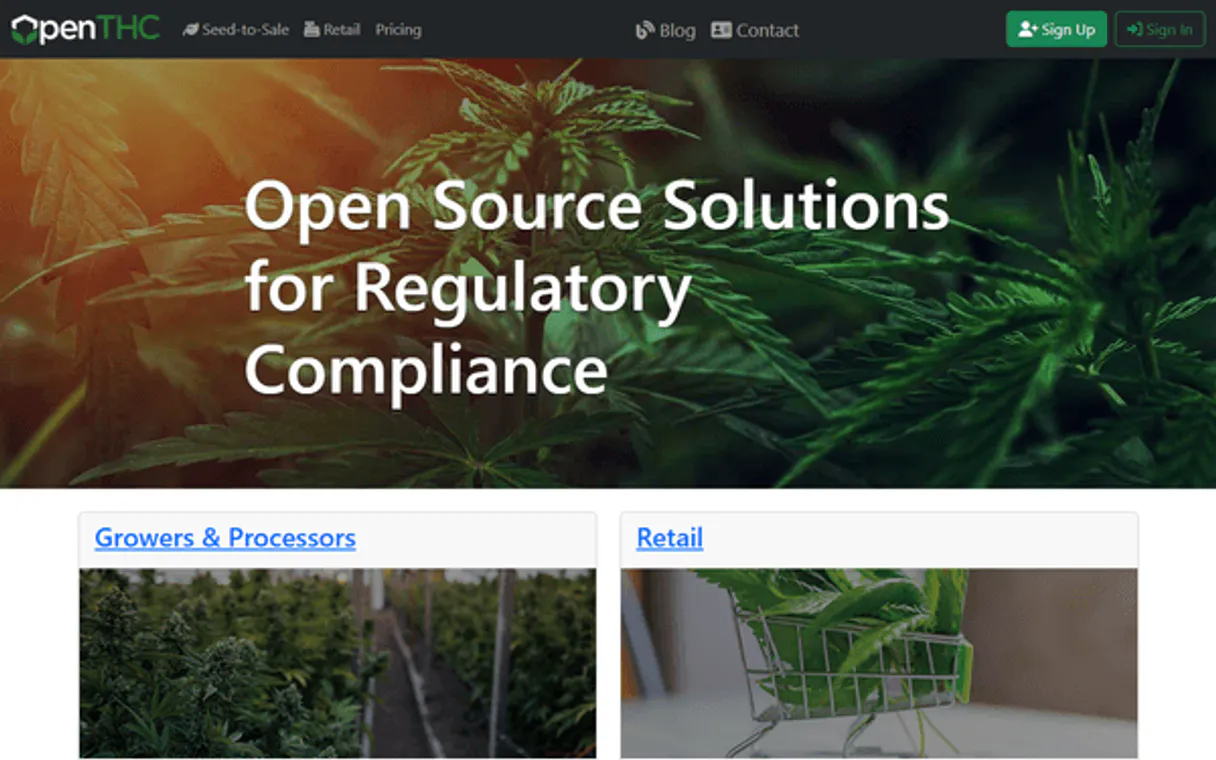
Independent Platform Disclaimer: Vinkius is an independent platform and is not affiliated with, endorsed by, sponsored by, verified by, or otherwise authorized by OpenTHC. All third-party trademarks, logos, and brand names are the property of their respective owners. Their use on this website is strictly for informational purposes to identify service compatibility and interoperability.
VINKIUS INFRASTRUCTURE
Cloud Hosted
Managed infra
V8 Isolated
Sandboxed per request
Zero-Trust Proxy
No stored credentials
DLP Enforced
Policy on every call
GDPR Compliant
EU data residency
Token Compression
~60% cost reduction
Works with Claude, ChatGPT, Cursor, and more
The Model Context Protocol standardizes how applications expose capabilities to LLMs. Instead of operating in isolation, your AI gains direct access to external platforms, live data, and real-world actions through secure, standardized connections.
This server provides 12 capabilities that interface natively with Claude, ChatGPT, Cursor, and any MCP client. No middleware. No custom integration required.
Available Capabilities
Compliance shouldn't mean logging into six different portals.
Today, handling a single product movement means logging into the facility management system to check room capacity, then opening the inventory portal to count lots, and finally visiting the compliance site just to confirm licenses are valid. You spend hours copying data between spreadsheets, cross-referencing dates, and hoping you don't miss an expiring permit.
With OpenTHC MCP Server, all that manual process collapses into a single chat query. You ask your agent: 'Can I move 50 units of lot X from Room Y to the warehouse?' The AI client instantly checks `list_inventory`, cross-references it with `list_sections` capacity limits, and verifies `list_licenses` status—and tells you if it's compliant.
The OpenTHC MCP Server makes compliance actionable.
Previously, confirming a product was saleable required manually pulling the lot number from inventory, searching for that sample in lab records (`list_lab_samples`), and then verifying the full CoA against its regulatory status. If any single piece of data didn't match, the entire process stopped.
Now, you ask your agent: 'Is Lot BD-2025-0412 ready for sale?' The AI runs `list_lab_results` and checks `list_inventory` in one go. It gives a definitive yes or no answer, complete with the required data points—no guesswork, just facts.
Common Questions About OpenTHC MCP
How do I check if my facility is licensed using list_licenses? +
You ask your agent to call list_licenses. It returns a full ledger of all active permits (Cultivation, Processing, Retail), including the expiration date and any specific regulatory conditions attached.
What is the difference between list_inventory and list_products? +
list_products gives you the catalog data—the name, SKU, and percentage. list_inventory tells you what stock actually exists right now (lot number, quantity) at a specific location.
Can I use list_b2b_transactions to track missing goods? +
Yes. You run list_b2b_transactions to see the manifest and expected quantities. Then, you can compare that with a subsequent query on list_inventory to confirm if the physical stock matches the records.
How does list_lab_results help me sell product? +
list_lab_results provides the official CoA. Your agent uses this data to prove that the potency and contaminant levels of a specific lot meet state and federal sale standards.
When should I run `list_companies` before initiating B2B transfers? +
You must first verify your legal network status using list_companies. This ensures that all associated license holders, distributors, and facilities are correctly registered within the compliance engine. Running this tool confirms you have the proper IDs to start any regulated transfer or transaction.
If I need to know the physical location of my inventory items, how do I use `list_sections`? +
list_sections defines your facility's operational zones—like specific cultivation rooms or processing areas. By cross-referencing this data with list_inventory, you can assign a precise physical coordinate to every lot number and track material movement across the site.
If a sample hasn't cleared testing, how does running `list_lab_samples` help me manage the QA queue? +
list_lab_samples tracks the full lifecycle of a submitted sample. You can check its status and see which test panels are pending or have failed, letting you know exactly when a batch is cleared for use, regardless of inventory levels.
When setting up a new crop record, how does `list_varieties` help me track strain data for plants? +
list_varieties gives you the genetic backbone for your cultivation. By referencing specific varieties (e.g., genetics type or breeder info), you ensure that every plant recorded via list_plants is correctly linked to its source and regulatory profile.
Can my AI automatically check if a cannabis batch has passed laboratory testing before I approve a sale? +
Yes! Use the list_lab_results tool to fetch all Certificates of Analysis (CoA) and review potency, terpene profiles, and contaminant test results. Your AI agent will respond with complete pass/fail determinations and analytical data linked to specific inventory lots. Always verify CoA clearance before creating B2B transfer orders or retail sales to ensure regulatory compliance.
How do I quickly list all active plants in a specific cultivation room to check growth stages and predict harvest windows? +
Simply ask the agent to run the list_plants action. It will compile all active plant records with their POP/PIP tags, current growth stage (vegetative, flowering, harvesting), strain variety, and estimated harvest dates. For facility-specific filtering, cross-reference with the list_sections tool to identify the target cultivation room GID and request plants assigned to that spatial zone.
Does the OpenTHC integration permit modifying or destroying inventory records? +
No. The current tool set focuses strictly on read-only querying and analytical operations — listing companies, verifying licenses, inspecting inventory, reviewing lab results, and tracking B2B/B2C transactions. State alteration operations (creating, adjusting, or destroying inventory) are not currently exposed, assuring your compliance records remain secure against destructive queries. This design prioritizes audit readiness and regulatory reporting safety.
Use it with your favorite AI tools
Connect this server to Cursor, Claude, VS Code, and more.
More in this category
Dashdoc
Equip your AI agent to manage transport orders, fleet, and delivery addresses via the Dashdoc API.
DHL
AI logistics: track global shipments, audit delayed packages, and quote DHL worldwide rates.

SAP S/4HANA
Manage purchase orders, business partners, inventory, and financial postings on SAP S/4HANA — the intelligent ERP.
You might also like

Currents
Access real-time global news and search millions of articles directly from your AI agent using the Currents API.
Kontent.ai
Access headless content — list items, audit types, and query taxonomies.

Nuvemshop
Manage your Nuvemshop e-commerce via API — list products, orders, customers, coupons, and webhooks directly from any AI agent.