
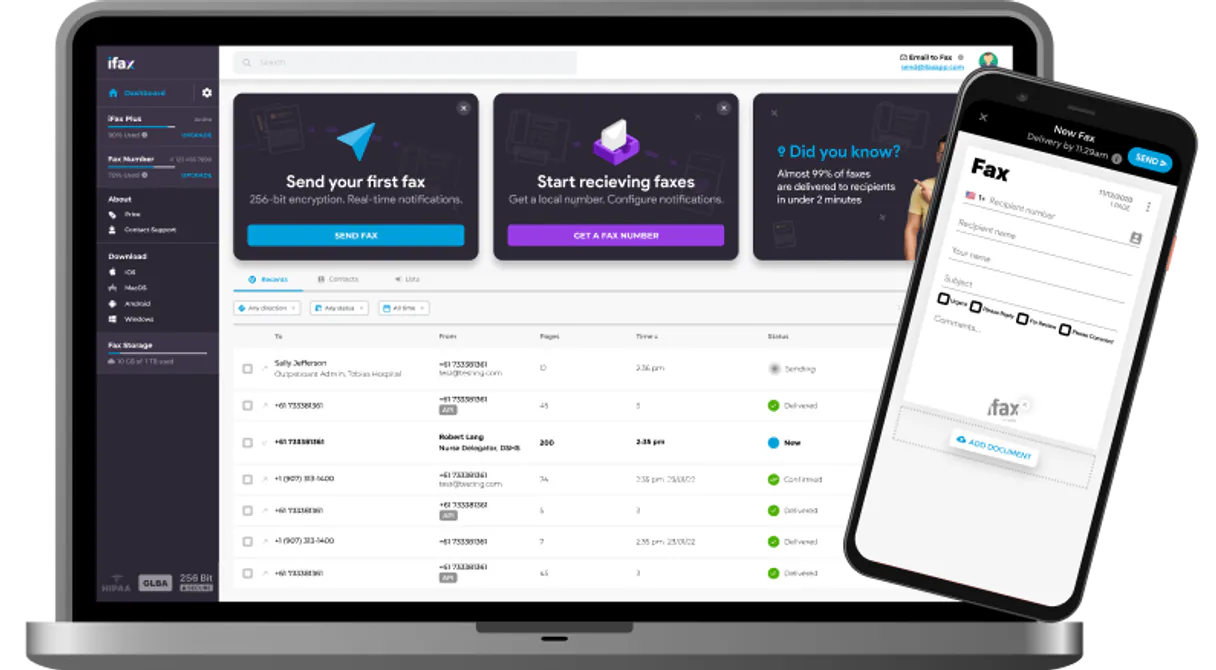
iFax MCP Server with 6 Tools Ready for AI Agents
 GDPR Free for Subscribers
Send and receive faxes from your phone or computer with cloud-based faxing that eliminates the need for physical machines. Unlock 6 tools ready out of the box. Connect this App Connector to instantly empower AI agents like Claude Code, Cursor, or any MCP-compatible client with advanced capabilities.
Ask AI about this App Connector
Vinkius delivers Streamable HTTP and SSE to any MCP client
* Every MCP server runs on Vinkius-managed infrastructure inside AWS - a purpose-built runtime with per-request V8 isolates, Ed25519 signed audit chains, and sub-40ms cold starts optimized for native MCP execution. See our infrastructure
What is the iFax MCP Server?
The iFax MCP Server gives AI agents like Claude, ChatGPT, and Cursor direct access to iFax via 6 tools. Send and receive faxes from your phone or computer with cloud-based faxing that eliminates the need for physical machines. Powered by the Vinkius - no API keys, no infrastructure, connect in under 2 minutes.
Built-in capabilities (6)
Tools for your AI Agents to operate iFax
Ask your AI agent "Send a fax with the Q2 report to +1-555-0123 and check its delivery status." and get the answer without opening a single dashboard. With 6 tools connected to real iFax data, your agents reason over live information, cross-reference it with other MCP servers, and deliver insights you would spend hours assembling manually.
Works with Claude, ChatGPT, Cursor, and any MCP-compatible client. Powered by the Vinkius - your credentials never touch the AI model, every request is auditable. Connect in under two minutes.
Why teams choose Vinkius
One subscription gives you access to thousands of MCP servers - and you can deploy your own to the Vinkius Edge. Your AI agents only access the data you authorize, with DLP that blocks sensitive information from ever reaching the model, kill switch for instant shutdown, and up to 60% token savings. Enterprise-grade infrastructure and security, zero maintenance.
Build your own MCP Server with our secure development framework →The iFax App Connector works with every AI agent you already use
…and any MCP-compatible client









Use all 6 iFax tools with your AI agents right now
Empower your AI agents to connect to iFax and securely perform advanced actions on Vinkius infrastructure. Beyond a simple connection, you gain an advanced AI Gateway that provides complete visibility into agent activity, ensuring maximum governance and optimized token usage.
Cancel a pending fax
Download a fax document
Check fax delivery status
List sent faxes
Resend a failed fax
Pass faxData as a JSON string containing the file metadata and base64 content. Send a new fax
What the iFax MCP Server unlocks
Connect your iFax account to any AI agent and manage fax communications through natural conversation.
What you can do
- Send Faxes — Transmit documents to fax numbers worldwide with delivery confirmation
- Track Status — Monitor real-time delivery status of sent faxes
- Fax History — Browse all sent and received faxes with timestamps and status
- Cancel Pending — Cancel faxes that haven't been transmitted yet
- Resend Failed — Retry failed fax transmissions automatically
- Download Documents — Retrieve received fax documents as files
How it works
1. Subscribe to this server
2. Enter your iFax API Key
3. Start managing faxes from Claude, Cursor, or any MCP-compatible client
Who is this for?
- Healthcare — send HIPAA-compliant faxes for medical records and prescriptions
- Legal Teams — transmit contracts, filings, and signed documents
- Operations — automate fax workflows for compliance and document exchange
Frequently asked questions about the iFax MCP Server
Can I send a fax to any number worldwide?
Yes. The send_fax tool transmits a document to any fax number. Provide the destination number in international format and the document content. Use get_fax_status to track delivery confirmation in real-time.
Can I retry a failed fax transmission?
Yes. Use resend_fax with the original fax ID to retry a failed transmission. Use list_faxes to see all faxes and their status, then identify failed ones for retry.
How does iFax API authentication work?
iFax uses a custom accessToken header (not standard Bearer) for authentication. Your API key from the iFax dashboard is sent in all requests to api.ifaxapp.com/v1.
More in this category

GoTo Connect
12 toolsManage your cloud phone system — view call records, send SMS, and manage voicemails via AI.

join.me
10 toolsStart instant video meetings with screen sharing and recording that works in the browser with no downloads required.

WeChat Mini-Programs / 微信小程序
10 toolsChina's dominant mini-app ecosystem — manage users, phone numbers, and messaging via AI.
You might also like

Follow Up Boss
12 toolsManage real estate leads, track deals, and oversee follow-up tasks via AI agents with Follow Up Boss.

PracticePanther
18 toolsManage law practice via PracticePanther — matters, contacts, time tracking, bills, payments, tasks, and calendar.

Paddle
10 toolsManage billing, subscriptions, and transactions via Paddle — inspect customers, list products, pause recurring plans, and void transactions from any AI agent.