
WeChat Mini-Programs MCP. Manage sessions and user data via conversation.
 Gemini
 Works with every AI agent you already use
…and any MCP-compatible client









Just plug in your AI agents and start using Vinkius.
WeChat Mini-Programs MCP Server gives your AI agent full control over a major Chinese mini-app ecosystem. It lets you manage user sessions, retrieve verified phone numbers, generate unlimited QR codes, and check content compliance—all through natural language commands.
Stop navigating the WeChat console; just ask your agent to handle complex authentication and data retrieval for you.
What your AI agents can do
Code to session
Exchanges a login code for the necessary user session keys and OpenIDs.
Generate standard qrcode
Creates a basic, non-customizable QR code asset for general use.
Generate unlimited qrcode
Generates unlimited, customizable QR codes that pass specific scene parameters.
Exchange login codes to retrieve OpenIDs, UnionIDs, and active session keys.
Fetch a user's verified phone number or audit their subscriber profile details.
Create both standard and unlimited, scene-specific QR codes for targeted user acquisition paths.
Issue structured subscribe messages to notify mini-program users about updates or actions.
Scan text and images in real time to verify they meet platform security standards.
Ask AI about this MCP
Supported MCP Clients
Gemini Waiting for input…
WeChat Mini-Programs MCP Server: 10 Tools for Operations
Manage everything from session exchange and QR code generation to user data retrieval and security checks using ten specialized tools.
019d849bcode to session
Exchanges a login code for the necessary user session keys and OpenIDs.
019d849bgenerate standard qrcode
Creates a basic, non-customizable QR code asset for general use.
019d849bgenerate unlimited qrcode
Generates unlimited, customizable QR codes that pass specific scene parameters.
019d849bget account status
Checks the current connectivity and operational status of the linked WeChat account.
019d849bget daily summary
Retrieves a summary showing daily usage trends for your mini-program.
019d849bget phone number
Fetches a user's verified phone number associated with their account.
019d849bget visit page trend
Gets data detailing the historical visit page trend across your mini-program pages.
019d849bimage security check
Analyzes an image to determine if it contains sensitive or non-compliant content.
019d849bmessage security check
Scans text input to check for policy violations or sensitive data before publishing.
019d849bsend subscribe message
Sends a structured, targeted message to notify specific mini-program users.
Choose How to Get Started
Build a custom MCP for your own tools, or connect a ready-made integration from our catalog.
Build Your Own
Turn any API into an MCP. Import a spec, define Agent Skills, or deploy with MCPFusion.
- Import from OpenAPI, Swagger, or YAML specs
- Create Agent Skills with progressive disclosure
- Deploy to edge with MCPFusion framework
- Built in DLP, auth, and compliance on every call
- Real time usage dashboard and cost metering
- Publish to catalog or keep private
Make Your AI Do More
Start with WeChat Mini-Programs / 微信小程序, then connect any of our 4,700+ other servers whenever your AI needs more. One click, no limits.
- Use this MCP plus 4,700+ others, all in one place
- Add new capabilities to your AI anytime you want
- Every connection is secured and compliant automatically
- Track usage and costs across all your servers
- Works with Claude, ChatGPT, Cursor, and more
- New servers added to the catalog every week
What you can do with this MCP connector
When you connect your AI client to the WeChat Mini-Programs MCP Server, your agent gets total control over a major Chinese mini-app ecosystem. You'll manage everything—user sessions, contact retrieval, QR code generation, and content compliance checks—all just by talking to it. Forget navigating the WeChat console or wrestling with complex API calls; you simply tell your agent what you need.
Your agent manages authentication using code_to_session, which exchanges a simple login code for all the necessary user session keys and OpenIDs. You can then check the operational status of the entire linked account instantly with get_account_status. Need to know who's on board? Your agent fetches a user's verified phone number using get_phone_number or audits their full subscriber profile details.
For targeted marketing and acquisition, your agent handles QR codes. It generates basic, non-customizable assets with generate_standard_qrcode, but it can also create unlimited, highly customizable QR codes through generate_unlimited_qrcode. These advanced codes pass specific scene parameters, letting you target precise user paths inside the mini-app.
When you need to talk to users, your agent sends structured, targeted messages using send_subscribe_message to notify specific groups of mini-program members about updates or actions. Meanwhile, for security and auditing, you get two sets of tools. To make sure content passes muster, your agent analyzes text input with message_security_check, scanning it for policy violations or sensitive data before anyone publishes it.
It also runs an image analysis using image_security_check to verify that any uploaded picture doesn't contain prohibited or non-compliant material.
To keep tabs on performance, your agent pulls deep analytics. You can get a daily summary of usage trends with get_daily_summary, and it tracks detailed historical visit page trends across all your mini-program pages using get_visit_page_trend.
How WeChat Mini-Programs MCP Works
- 1 First, subscribe the server using your WeChat AppID and AppSecret credentials.
- 2 Next, prompt your AI agent (Claude, Cursor, etc.) with a direct instruction, like 'Get the verified phone number for user X' or 'Generate an unlimited QR code for scene Y'.
- 3 The agent executes the specific tool call. You receive structured data—like OpenIDs, the phone number, or the binary QR code—directly in your conversation.
The bottom line is that you manage complex mini-app functions by talking to your AI client instead of filling out API forms.
Who Is WeChat Mini-Programs MCP For?
This is for the operations manager who gets stuck clicking through 10 different dashboards just to track user growth, or the developer who can't afford downtime waiting for manual session authentication. You need a single source of truth that handles WeChat’s complexity so you can actually focus on product features.
Needs to manage targeted notification blasts and audit user growth patterns using send_subscribe_message and get_daily_summary.
Uses the server to automate session handling and phone number verification for rapid prototyping, calling tools like code_to_session.
Runs continuous content security checks on all assets using image_security_check before deployment, ensuring platform rules are met.
What Changes When You Connect
- Stop manually linking accounts. Use
code_to_sessionto instantly swap out login codes for OpenIDs and session keys, bypassing tedious manual authentication steps. - Get real-time user insights. Fetch a verified phone number using
get_phone_number, or check page performance trends withget_visit_page_trend—all in one prompt. - Build better onboarding flows. Generate unlimited QR codes via
generate_unlimited_qrcode. You can pass specific referral scenes, making tracking reliable right out of the gate. - Ensure platform safety before launch. Run both
image_security_checkandmessage_security_checkon content drafts. This guarantees your material meets WeChat’s strict compliance rules. - Control user communication. Use
send_subscribe_messageto send structured notifications that appear instantly in the user's chat, which is far more reliable than email blasts.
Real-World Use Cases
Onboarding a New Beta Tester
A QA engineer needs to test a new feature. Instead of asking the operations team for manual login credentials, they prompt their agent: 'Use code_to_session with code X and then run get_phone_number.'. The agent authenticates the user, gets the necessary contact data, and hands it back in one shot.
Launching a Referral Campaign
The marketing lead needs to track new sign-ups from specific sources. They ask the agent to run generate_unlimited_qrcode for scene 'summer_sale' on page '/index'. The resulting code is ready and automatically passes that referral parameter.
Auditing Content Before Launch
A compliance team member uploads marketing copy. They run message_security_check first, then use image_security_check on the accompanying graphic. The agent flags any sensitive terms or prohibited symbols before anything goes live.
Sending a Feature Update Alert
The product manager wants to notify all existing users about an update. They prompt: 'Send a structured subscribe message to user group Y using template Z.' The agent handles the formatting and sends the alert immediately, tracking delivery status.
The Tradeoffs
Trying to get basic data manually
The developer tries to find a phone number by checking user profile settings in the WeChat web console. This is slow and often requires multiple API calls that don't chain well.
→
Just ask your agent directly: 'Run get_phone_number for OpenID A.' The server handles the complex lookup instantly, giving you verified data without leaving the chat window.
Generating a generic QR code
The user runs generate_standard_qrcode for a campaign that needs to track traffic sources. This basic code doesn't pass any specific scene parameter, making analytics useless.
→
Always use generate_unlimited_qrcode. Specify the exact scene parameter (e.g., 'referral_summer') when calling the tool so your mini-program tracks the source correctly.
Ignoring content compliance
The team drafts a new promotional graphic and posts it without checking for forbidden symbols or images, risking platform suspension.
→
Run both image_security_check AND message_security_check on all assets. This two-step process ensures everything is compliant before you send it out.
When It Fits, When It Doesn't
Use this server if your primary job revolves around managing user accounts, content flow, and messaging within the WeChat Mini-Program environment. You need tools that connect session codes to verifiable data (like OpenIDs or phone numbers) and handle compliance checking for Chinese market standards.
Don't use it if you just need basic web analytics (a general tracking API works better). Also, don't expect it to manage your database records directly; its purpose is operational control. If you only need simple messaging without structured templates or status checks, a simpler SMS gateway might suffice. But for anything related to active user lifecycle and compliance in the Chinese ecosystem, this is what you need.
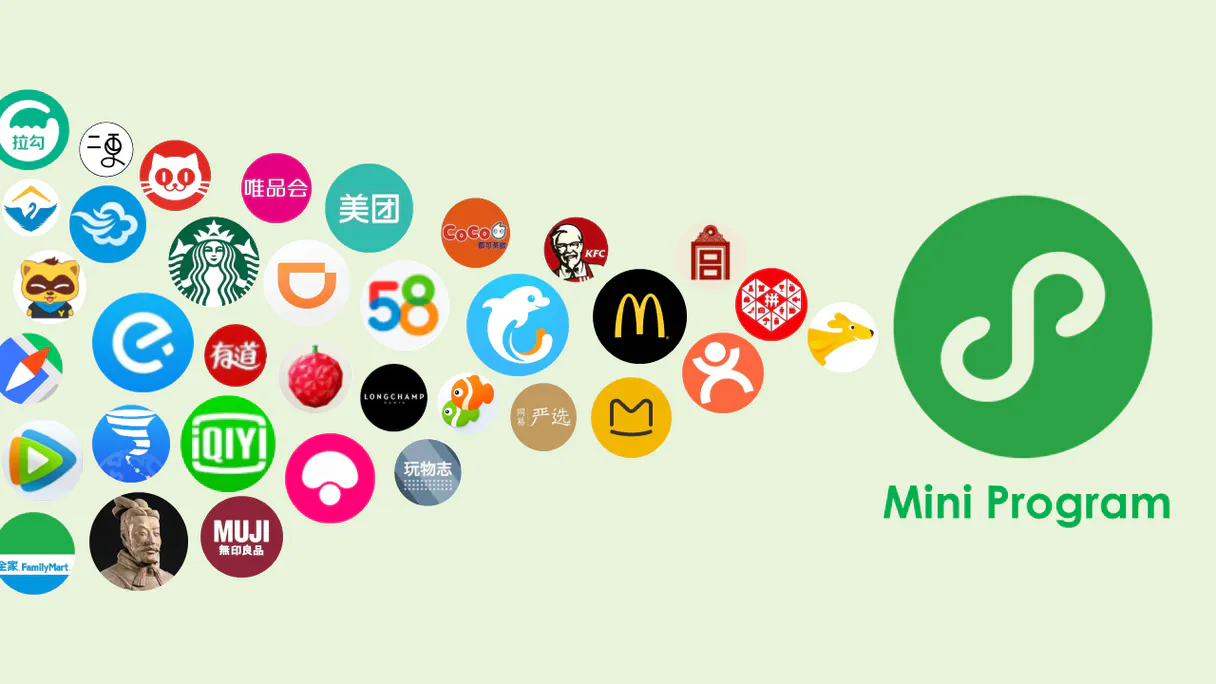
Independent Platform Disclaimer: Vinkius is an independent platform and is not affiliated with, endorsed by, sponsored by, verified by, or otherwise authorized by WeChat Mini-Programs / 微信小程序. All third-party trademarks, logos, and brand names are the property of their respective owners. Their use on this website is strictly for informational purposes to identify service compatibility and interoperability.
VINKIUS INFRASTRUCTURE
Cloud Hosted
Managed infra
V8 Isolated
Sandboxed per request
Zero-Trust Proxy
No stored credentials
DLP Enforced
Policy on every call
GDPR Compliant
EU data residency
Token Compression
~60% cost reduction
Works with Claude, ChatGPT, Cursor, and more
The Model Context Protocol standardizes how applications expose capabilities to LLMs. Instead of operating in isolation, your AI gains direct access to external platforms, live data, and real-world actions through secure, standardized connections.
This server provides 10 capabilities that interface natively with Claude, ChatGPT, Cursor, and any MCP client. No middleware. No custom integration required.
Available Capabilities
Tracking User Activity Used To Be a Messy Dashboard Drill-Down.
Today, tracking engagement means jumping between the user dashboard, the content audit log, and the session manager. You have to copy an OpenID from one tab, paste it into another form to check status, and then manually cross-reference visit dates against a separate sheet. It’s slow and prone to human error.
With this MCP server, you just ask your agent: 'Check user X's profile and show me their last 5 pages visited.' The system runs `get_visit_page_trend` in the background and delivers the clean data set immediately. You get actionable insights without leaving your chat.
WeChat Mini-Programs MCP Server: Run Full User Lifecycle Management.
Before this, sending an update meant manually creating a message draft, finding the correct recipient list ID, and praying the delivery status was accurate. You were limited by web forms and bulk APIs that lacked context.
Now, your agent handles it all. You tell it to 'Send a structured subscribe message' via `send_subscribe_message`. It executes the call, confirms the message ID, and tells you exactly which users received the alert instantly.
Common Questions About WeChat Mini-Programs MCP
How do I get a user's phone number using get_phone_number? +
You provide the necessary OpenID or session key to your agent. The get_phone_number tool then queries WeChat and returns the verified mobile number directly in the response.
Can I use generate_unlimited_qrcode for multiple campaigns? +
Yes. You must specify a unique scene parameter for each campaign (e.g., 'promo_fall' or 'referral_spring'). This ensures the generated QR code passes the correct tracking data when scanned.
What is the difference between `message_security_check` and `image_security_check`? +
message_security_check scans text input for policy violations. image_security_check analyzes uploaded graphics to ensure they don't contain sensitive visual content, keeping your content compliant.
How do I start using the code_to_session tool? +
You give your agent a valid login code and tell it to exchange that code for a session. The server returns the necessary OpenID and active session key for subsequent operations.
Before I try to run `code_to_session`, how do I check if my WeChat Mini-Programs account is connected using `get_account_status`? +
You must first call get_account_status. This tool verifies your AppID and AppSecret credentials immediately. It confirms live connectivity with the WeChat platform, so you know your keys are valid before attempting any session exchange or user data retrieval.
How do I track traffic changes over time using `get_visit_page_trend`? +
The tool tracks how often users visit specific pages and when. Instead of just seeing a single count, you get a trend line showing spikes or drops in visitation patterns. This helps pinpoint exactly when your mini-program's content needs tweaking.
What input parameters are necessary when I use `send_subscribe_message`? +
You need the recipient's user OpenID and the specific template ID for the message. The tool uses these inputs to structure the notification properly, ensuring WeChat delivers it correctly to the user's app.
What does `get_daily_summary` provide that is different from checking page trends? +
This function gives you a high-level overview of performance metrics across your mini-app. It aggregates key data points—like overall engagement and top activity areas—into one report, giving you a quick business sense of the day's activity.
How do I find my WeChat AppID and Secret? +
Log in to the WeChat Official Accounts Platform, navigate to [Settings] -> [Development] -> [Basic Configuration] to find your unique AppID and generate your AppSecret.
How can I retrieve a user's phone number? +
First, use the getPhoneNumber capability in your mini-program frontend to obtain a code. Then, pass that code to the get_phone_number tool in this server to retrieve the verified mobile number.
What is the difference between standard and unlimited QR codes? +
Standard QR codes (up to 100,000) are mapped to a specific path. Unlimited QR codes (scene-based) use a scene string to pass parameters and have no creation limit, making them ideal for large-scale marketing.
Use it with your favorite AI tools
Connect this server to Cursor, Claude, VS Code, and more.
More in this category

BigCommerce
Manage your online store with product catalogs, order fulfillment, and customer data for high-volume e-commerce operations.

Asana
Automate project management via Asana — list workspaces, query projects, and inspect tasks and sections directly from any AI agent.

Podium
Win more local customers with review generation, webchat, text marketing, and payment collection from one inbox.
You might also like

EmojisWorld
Universal emoji intelligence — search emojis, list categories, and get random icons via AI.

EMT Madrid (Open Data)
Access real-time Madrid public transport data: bus arrivals, BiciMAD bike status, and route planning via EMT Open Data.
Targetprocess
Connect your AI to Apptio Targetprocess. Agile portfolio management natively from the terminal: track user stories, active bugs, and sprint iterations seamlessly.