
IPRoyal (Proxy Services) MCP. Manage Proxy Infrastructure via Chat.
 Gemini
 Works with every AI agent you already use
…and any MCP-compatible client









Just plug in your AI agents and start using Vinkius.
IPRoyal (Proxy Services) MCP Server gives your AI client full control over your global proxy network and web scraping operations.
Check account balance, rotate credentials, monitor real-time traffic usage, and generate complex geo-targeted connection strings. Manage every aspect of your proxy infrastructure—from whitelisting IPs to listing countries—all through natural conversation.
What your AI agents can do
Add whitelist ip
Authorizes a new IP address for IPRoyal proxy access, allowing it to connect without a username and password.
Change credentials
Updates the username and password for a specific IPRoyal proxy order when credentials need rotating for security.
Generate proxy string
Creates a dynamic proxy connection string, supporting geographic targeting and sticky sessions.
Retrieves your IPRoyal account balance and profile details to confirm available funds and account status.
Gathers real-time bandwidth consumption statistics for specific proxy orders, preventing unexpected fund depletion.
Instantly changes the username and password for any specific proxy order, maintaining security and access control.
Creates dynamic, geo-targeted proxy connection strings, supporting specific country routing and sticky sessions.
Checks if a target region has sufficient IPs before initiating a geo-targeted crawl.
Adds or removes client IP addresses from the whitelist, controlling which servers can connect to your proxies without credentials.
Ask AI about this MCP
Supported MCP Clients
Gemini Waiting for input…
IPRoyal (Proxy Services) MCP Server: 10 Tools for Proxy Management
Use these tools to manage your proxy infrastructure, check billing, rotate credentials, and generate complex connection strings through your AI agent.
019d75bbadd whitelist ip
Authorizes a new IP address for IPRoyal proxy access, allowing it to connect without a username and password.
019d75bbchange credentials
Updates the username and password for a specific IPRoyal proxy order when credentials need rotating for security.
019d75bbgenerate proxy string
Creates a dynamic proxy connection string, supporting geographic targeting and sticky sessions.
019d75bbget availability
Checks if a target region has available IPs before starting a crawl, defaulting to residential proxies.
019d75bbget profile
Retrieves your IPRoyal account balance and general profile details to check fund status.
019d75bbget traffic
Gets precise traffic consumption statistics for a specific proxy order, helping manage billing.
019d75bblist countries
Provides a list of supported country and region codes needed to construct geo-targeted proxy strings.
019d75bblist orders
Lists all active proxy orders (Residential, Datacenter) to get necessary IDs for management tools.
019d75bblist whitelisted ips
Lists all IP addresses currently allowed to connect to IPRoyal without needing credentials.
019d75bbremove whitelist ip
Revokes an IP address from IPRoyal proxy access, which is required when a scraping server is decommissioned.
Choose How to Get Started
Build a custom MCP for your own tools, or connect a ready-made integration from our catalog.
Build Your Own
Turn any API into an MCP. Import a spec, define Agent Skills, or deploy with MCPFusion.
- Import from OpenAPI, Swagger, or YAML specs
- Create Agent Skills with progressive disclosure
- Deploy to edge with MCPFusion framework
- Built in DLP, auth, and compliance on every call
- Real time usage dashboard and cost metering
- Publish to catalog or keep private
Make Your AI Do More
Start with IPRoyal (Proxy Services), then connect any of our 4,700+ other servers whenever your AI needs more. One click, no limits.
- Use this MCP plus 4,700+ others, all in one place
- Add new capabilities to your AI anytime you want
- Every connection is secured and compliant automatically
- Track usage and costs across all your servers
- Works with Claude, ChatGPT, Cursor, and more
- New servers added to the catalog every week
What you can do with this MCP connector
IPRoyal Proxy Services gives your AI client full control over your global proxy network and web scraping operations. You can check your account balance, rotate credentials, monitor real-time traffic usage, and generate complex geo-targeted connection strings. You manage every aspect of your proxy infrastructure—from whitelisting IPs to listing countries—all through natural conversation.
Check Account Status
- You check your IPRoyal account balance and profile details using
get_profileto confirm your available funds and account status. - You get precise traffic consumption statistics for a specific proxy order using
get_traffic, keeping tabs on your bandwidth usage.
Manage Proxy Credentials
- You instantly change the username and password for any specific proxy order using
change_credentials, keeping things secure. - You list all active proxy orders, both Residential and Datacenter, with
list_ordersso you know exactly what you're managing.
Generate Connection Strings
- You create a dynamic proxy connection string using
generate_proxy_string, supporting specific country routing and sticky sessions. - You list all supported country and region codes with
list_countriesto build your geo-targeted proxy strings. - You check if a target region has enough IPs before you start a crawl with
get_availability, which defaults to residential proxies.
Manage IP Access
- You authorize a new IP address for IPRoyal proxy access with
add_whitelist_ip, letting it connect without a username or password. - You list all IP addresses currently allowed to connect without credentials using
list_whitelisted_ips. - You revoke an IP address from proxy access with
remove_whitelist_ip, which you need when a scraping server is decommissioned.
How IPRoyal (Proxy Services) MCP Works
- 1 Subscribe to the server and provide your IPRoyal API Access Token.
- 2 Tell your AI client what you need (e.g., 'Check the traffic for order 12345').
- 3 The agent calls the appropriate tool, gets the data, and reports the results back to you.
The bottom line is you manage your entire proxy network and scraping operation through simple, conversational prompts.
Who Is IPRoyal (Proxy Services) MCP For?
This server is for the Ops Engineer who needs to manage complex, high-volume data collection without logging into a dozen dashboards. It's for Data Scientists running geo-targeted research and Automation Developers building large-scale crawlers that require constant security auditing and monitoring.
Automates geo-targeted data collection and uses get_traffic to monitor consumption rates for research projects.
Rotates proxy credentials using change_credentials and manages whitelisting with add_whitelist_ip to secure multiple endpoints.
Generates complex proxy connection strings using generate_proxy_string and verifies IP readiness using get_availability before running large crawls.
What Changes When You Connect
- Monitor traffic usage in real-time: Use
get_trafficto track bandwidth consumption for any proxy order, stopping unexpected billing surprises. - Secure your infrastructure: Run
change_credentialsinstantly to rotate usernames and passwords across all proxy orders, maintaining security hygiene. - Target specific regions: Use
get_availabilityto check if a country has enough IPs before you start a crawl, preventing wasted time and credits. - Build complex connections:
generate_proxy_stringbuilds dynamic proxy strings that support sticky sessions and custom geo-targeting. - Control access points: Add or remove IPs using
add_whitelist_iporremove_whitelist_ip, securing your headless scrapers from unauthorized access. - Maintain an audit trail: Use
get_profileto check your account balance andlist_ordersto see all active proxy assets.
Real-World Use Cases
The Crawl is Slow: Need to Check Funds
A researcher needs to run a large geo-targeted data collection run but doesn't know the current budget. They ask their agent to 'Check my IPRoyal account balance.' The agent runs get_profile, confirms sufficient funds, and the researcher proceeds with the crawl.
Credential Breach Suspected: Need to Lock Down
The Ops Engineer suspects a proxy credential leak. They tell their agent to 'Change the username and password for order 987.' The agent executes change_credentials, locking out potential unauthorized users immediately.
Building a Multi-Region Scraper: Need a String
The Automation Developer needs to scrape a specific city in Germany with a consistent IP. They prompt the agent: 'Generate a proxy string for Germany with sticky session.' The agent uses generate_proxy_string and provides the exact connection string.
Cleaning Up Old Servers: Need to Revoke Access
The Security Engineer decommissioned a scraping server and needs to ensure its IP can't connect anymore. They instruct the agent to 'Remove the IP 203.0.113.4 from the whitelist.' The agent runs remove_whitelist_ip.
The Tradeoffs
Manual Dashboard Checks
Manually logging into the IPRoyal dashboard every hour to check bandwidth usage or manually updating credentials when they expire.
→
Let your agent monitor this automatically. Use get_traffic to track bandwidth usage, and run change_credentials when access keys expire. This keeps everything in the chat log.
Hardcoding IPs
Embedding proxy credentials or IP addresses directly into the source code, making them a security risk if the code is shared.
→
Use the add_whitelist_ip tool. Authorize your scraping server IP address so it connects without needing credentials in the code. This is much safer.
Guessing IP Availability
Starting a massive crawl targeting a region, only to fail halfway through because the IP pool is depleted or the country code is wrong.
→
Before the crawl, ask the agent to 'Check IP availability for France.' The agent runs get_availability and verifies the pool size and country codes using list_countries.
When It Fits, When It Doesn't
Use this server if your workflow involves high-volume, multi-region web scraping, and you need to manage the underlying infrastructure (credentials, IPs, bandwidth) through conversation. You need a system that acts as a single control plane for proxy management.
Don't use this if you only need to check a single IP address or if your proxy management is already handled by a dedicated, specialized, non-API-driven internal tool. If you only need to list supported countries, list_countries handles that, but if you need to act on that list (e.g., generate a string), you need the full suite of tools.
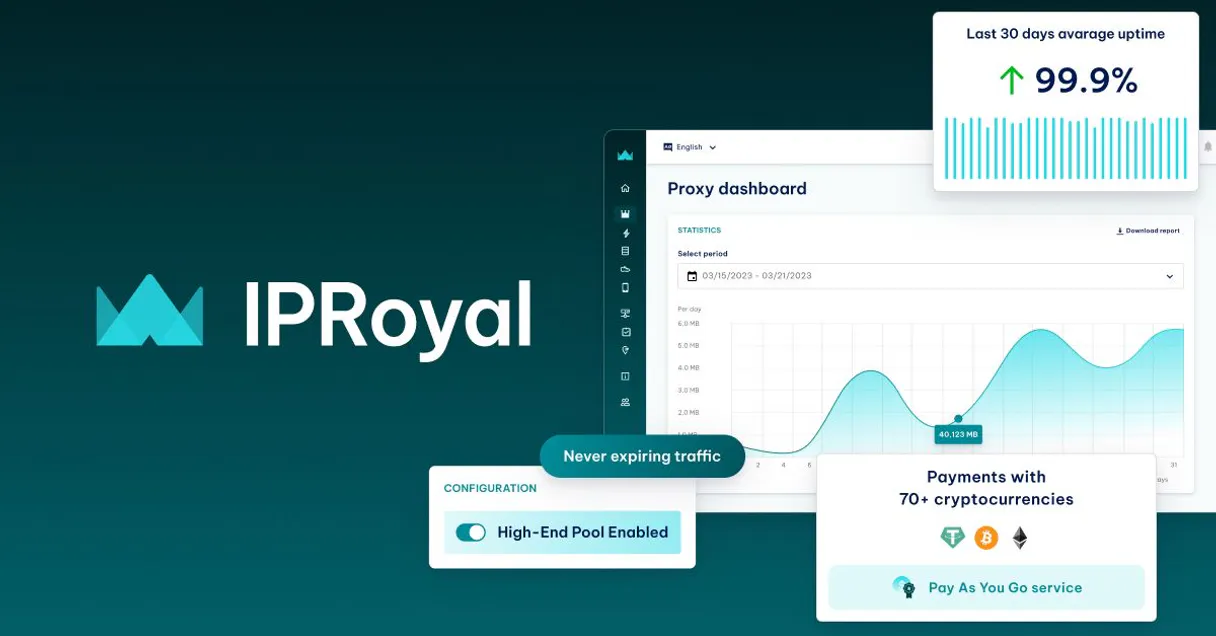
Independent Platform Disclaimer: Vinkius is an independent platform and is not affiliated with, endorsed by, sponsored by, verified by, or otherwise authorized by IPRoyal. All third-party trademarks, logos, and brand names are the property of their respective owners. Their use on this website is strictly for informational purposes to identify service compatibility and interoperability.
VINKIUS INFRASTRUCTURE
Cloud Hosted
Managed infra
V8 Isolated
Sandboxed per request
Zero-Trust Proxy
No stored credentials
DLP Enforced
Policy on every call
GDPR Compliant
EU data residency
Token Compression
~60% cost reduction
Works with Claude, ChatGPT, Cursor, and more
The Model Context Protocol standardizes how applications expose capabilities to LLMs. Instead of operating in isolation, your AI gains direct access to external platforms, live data, and real-world actions through secure, standardized connections.
This server provides 10 capabilities that interface natively with Claude, ChatGPT, Cursor, and any MCP client. No middleware. No custom integration required.
Available Capabilities
Managing global proxy pools is a mess of dashboards and tickets.
Today, managing your proxy infrastructure means jumping between the billing portal, the security console, and the specific scraping tool's settings. You check traffic usage in one tab, rotate a password in another, and then you have to copy the resulting connection string into a third application. It's slow, prone to human error, and you're always worried about which dashboard is showing the most up-to-date info.
With the IPRoyal MCP Server, you talk to your agent. You tell it to 'Check my bandwidth and generate a string for France.' It runs `get_traffic` and `generate_proxy_string` and gives you the finished, working connection string in one reply. It's direct, it's immediate, and it's all logged.
IPRoyal (Proxy Services) MCP Server: Proxy Orchestration
Before, building a multi-region crawler meant hardcoding connection parameters and assuming your credentials were valid. If the password expired or the target region ran out of IPs, the whole script failed, and you spent hours debugging the connection string instead of scraping data.
Now, your agent handles the orchestration. You ask it to 'Generate a proxy string for Germany with sticky session.' It verifies availability, builds the correct string using `generate_proxy_string`, and gives you the ready-to-paste output. The process is reliable, repeatable, and fully managed by the chat.
Common Questions About IPRoyal (Proxy Services) MCP
How do I check my IPRoyal account balance using the `get_profile` tool? +
Run get_profile to see your current account balance and status. This confirms you have enough funds before starting any large scraping job. It's the first check you should always make.
What is the difference between `add_whitelist_ip` and `change_credentials`? +
add_whitelist_ip grants a specific IP access without needing a username/password. change_credentials is used to update the actual username and password for a proxy order.
Can `generate_proxy_string` handle sticky sessions? +
Yes, you pass the 'session' parameter when using generate_proxy_string. This ensures the agent builds a connection string that keeps you on the same IP for the duration of your crawl.
I need to know which countries I can target; which tool should I use? +
Use list_countries to get the specific, supported country and region codes (like 'us' or 'de'). You then feed these codes into the generate_proxy_string tool.
How do I check how much traffic I've used for a specific proxy order? +
Run get_traffic and provide the relevant order ID. This gives you precise bandwidth consumption stats, which is crucial for managing billing on residential proxies.
What is the purpose of the `list_orders` tool? +
The list_orders tool retrieves all active proxy orders. This is critical because you need the specific Order ID to accurately check traffic usage or rotate credentials for a purchased proxy batch.
How do I generate a proxy string for a specific country and sticky session? +
You pass the country code and session identifier into generate_proxy_string. For example, the tool builds the string using the format: geo.iproyal.com:10000:username_country-DE_session-abc123:password.
Can I check if a country is supported for geo-targeting? +
Yes, use the list_countries tool. This tool gives you the exact country codes (like 'us' or 'de') and region identifiers you need to build precise proxy connection strings.
Can I check how much bandwidth I've consumed for a specific proxy order? +
Yes. Use the get_traffic tool with your Order ID. Your agent will return the exact amount of data used in GB/MB, helping you avoid unexpected depletion of funds for residential proxies.
How do I whitelist my server's IP address through my agent? +
The add_whitelist_ip tool allows your agent to authorize a specific IPv4 address for a proxy order. This enables user/pass-free authentication, which is more secure for headless scrapers and backend servers.
Can I check if residential proxies are available in a specific country? +
Absolutely. Use the get_availability tool and specify the product (e.g. 'residential'). Your agent will return a live count of online proxies in the IPRoyal pool for each country.
Use it with your favorite AI tools
Connect this server to Cursor, Claude, VS Code, and more.
More in this category

Black Duck (Synopsys)
Secure your open source supply chain via Black Duck — list projects, versions, and vulnerabilities directly from any AI agent.

Geocodio
Empower geocoding via Geocodio — perform batch geocoding and reverse geocoding for US/Canada, and retrieve Census and legislative data directly from any AI agent.

Hugging Face
Explore AI models, datasets and Spaces via Hugging Face — search models, inspect files, review discussions and track collections from any AI agent.
You might also like

Imagine.io
Create 3D product visualizations and room renders from photos using AI that turns concepts into photorealistic images.

NVIDIA API Catalog
Cloud Engine proxy running native foundational completions natively utilizing active Nemotron and Llama3 architectures.

Maileon
Manage email marketing contacts, mailings, and reporting via the Maileon REST API.