
Fibery MCP. Query, create, update, and talk about your workflows from chat.
 Gemini
 Works with every AI agent you already use
…and any MCP-compatible client









Just plug in your AI agents and start using Vinkius.
Fibery connects your work management platform to your AI agent. Use this server to query data across any of your custom databases, create new records, update existing entities, and manage comments—all directly from your chat client.
What your AI agents can do
Add comment
Adds a comment record to a specific entity, keeping team conversation visible in the workspace.
Create entity
Creates an entirely new record within a designated database type.
Delete entity
Permanently removes an existing entity from the workspace.
List all available apps and retrieve the full schema definition for your custom databases.
Fetch a complete record using its unique ID, or search for data across multiple databases with keywords.
Create new tasks/records, update existing fields, delete old entities, and read or add comments to any item.
Retrieve a list of all user accounts or all available departmental spaces within the workspace.
Ask AI about this MCP
Supported MCP Clients
Gemini Waiting for input…
Fibery MCP Server: 11 Tools for Work Management
Access all core Fibery functions—from querying specific data fields to adding comments—through structured calls executed by your AI agent.
019d7598add comment
Adds a comment record to a specific entity, keeping team conversation visible in the workspace.
019d7598create entity
Creates an entirely new record within a designated database type.
019d7598delete entity
Permanently removes an existing entity from the workspace.
019d7598get comments
Retrieves all historical comments associated with a specific entity ID.
019d7598get entity
Fetches all data for one single record using its unique identifier (UUID).
019d7598get schema
Outputs a map of the entire workspace, detailing every available database type and field name.
019d7598list apps
Returns a list of all distinct spaces or applications configured in your Fibery account.
019d7598list users
Fetches a list of every user account present within the connected workspace.
019d7598query entities
Runs a structured data query against a specific database type, filtering by defined fields.
019d7598search entities
Performs a keyword search across all databases and entity types in the workspace.
019d7598update entity
Modifies specific data fields on an existing record, requiring both the ID and the new values.
Choose How to Get Started
Build a custom MCP for your own tools, or connect a ready-made integration from our catalog.
Build Your Own
Turn any API into an MCP. Import a spec, define Agent Skills, or deploy with MCPFusion.
- Import from OpenAPI, Swagger, or YAML specs
- Create Agent Skills with progressive disclosure
- Deploy to edge with MCPFusion framework
- Built in DLP, auth, and compliance on every call
- Real time usage dashboard and cost metering
- Publish to catalog or keep private
Make Your AI Do More
Start with Fibery, then connect any of our 4,700+ other servers whenever your AI needs more. One click, no limits.
- Use this MCP plus 4,700+ others, all in one place
- Add new capabilities to your AI anytime you want
- Every connection is secured and compliant automatically
- Track usage and costs across all your servers
- Works with Claude, ChatGPT, Cursor, and more
- New servers added to the catalog every week
What you can do with this MCP connector
Listen up. This server lets your AI client talk to every corner of your Fibery workspace. You don't gotta mess around navigating the actual portal or copy-pasting data into a spreadsheet; you just ask it, and your agent handles the calls for you.
Discovering Your Workspace Structure
You wanna know what databases you got running? Start with list_apps to pull up a list of every single departmental space or application configured in your Fibery account. Then, if you need the nitty-gritty details—the full map of where data lives—you use get_schema. That tool spits out a complete map showing every available custom database type and every field name inside it.
If you wanna see who’s using this whole thing, you can run list_users to get a list of all user accounts connected to the workspace.
Getting Data Out (Reading)
Retrieving records is where things get powerful. If you know exactly what you're looking for, you can grab a complete record using its unique ID with get_entity. But if you don't have an ID, you still got options.
To run a deep dive on specific data, you use query_entities to execute a structured query against a particular database type, allowing you to filter by defined fields. If you’re just throwing out some keywords and wanna search across everything—all databases and entity types included—you hit up search_entities. For the history on any given record, get_comments pulls all associated comments tied to that specific entity ID.
Modifying Data and Communication (Writing)
Need to change something? You can modify existing data fields using update_entity, but keep in mind you'll need both the record’s ID and the new values. If the record is trash, you can permanently remove it from the workspace with delete_entity. To start fresh, just run create_entity to build an entirely new record within a specific database type.
When team conversation matters, remember that add_comment lets you add a comment record directly to a specific entity, keeping all the chat visible right in your workspace. This keeps the context locked down and easy to track.
How Fibery MCP Works
- 1 Subscribe to this server on Vinkius. You'll need your Fibery workspace name and an API token.
- 2 Your AI client (Claude, Cursor, etc.) uses natural language to determine which tool is needed (e.g., 'What tasks did John assign?').
- 3 The agent executes the call—for instance, running
query_entitieswith specific filters—and returns the structured data directly into your chat window.
The bottom line is you get to manage projects and pull structured data from Fibery without ever leaving your AI chat client.
Who Is Fibery MCP For?
Product Managers who are tired of manually checking five different dashboards for a single status update. Software Engineers who need to sync bug reports directly from their IDE chat window, or Operations Analysts who need structured data extracted instantly without running complex API scripts.
Using query_entities and get_schema, they pull status updates on specific features for weekly stakeholder reports.
They use the agent to search_entities for related bug IDs or run an update_entity command when a fix is ready, keeping development progress synced in chat.
Needs to pull lists of users (list_users) and then use query_entities with granular filters to build reports on process bottlenecks.
What Changes When You Connect
- Get granular data without clicking through tabs. Use
query_entitiesto select only the fields you need (e.g., 'Status' and 'Assignee') instead of downloading an entire record. - Keep communication attached to the work. Running
add_commentinstantly logs a conversation thread to the correct entity, so context never gets lost in email chains or chat history. - Find what you need fast. Instead of knowing the exact database type, use
search_entitiesto find 'the marketing plan' anywhere in your workspace. - Manage the entire lifecycle from one place. Use
create_entityfor new tasks and follow up withupdate_entitywhen they change status—all via natural language commands. - Map out everything first. Run
get_schemato see every database type available before you write a single query, ensuring your agent hits the right target.
Real-World Use Cases
The PRM needs a cross-functional status report.
A Product Manager runs into a roadblock and asks their agent for 'all open bugs related to Feature X.' The agent knows it can't just query one database, so it uses search_entities across the entire workspace. It pulls results from both the Bug Tracker and the Task Board, giving the PM a single, consolidated list.
The Dev needs to update a task after fixing a bug.
A developer finishes 'Fixing API Endpoint Y.' Instead of logging into Fibery, they tell their agent. The agent first uses get_entity to pull the original Task UUID and then runs update_entity, changing the status to 'Ready for Review' and adding a comment via add_comment explaining the fix.
The Ops Analyst needs an audit of all deleted records.
An operations user suspects old, unused data is cluttering their system. They ask to review deletion candidates. The agent first runs list_apps to narrow down the scope, then uses query_entities with advanced filters (e.g., 'last modified > 1 year ago') to identify records ripe for removal.
The Project Lead needs a quick list of who is working on what.
A project lead wants to know which team members are assigned to the 'Q3 Launch' space. The agent uses list_users and then cross-references that data with the query_entities tool, allowing the lead to see a roster of active contributors without manual database checks.
The Tradeoffs
Using general search for structured reports
Asking 'Show me all high-priority tasks' and accepting whatever random list pops up. The data might be mixed with unrelated notes, making the report useless.
→
Don't use search_entities. Always start by using get_schema to identify the correct database type (e.g., 'Task Board'). Then, run a targeted query using query_entities and apply filters like status='High Priority'.
Trying to update data without knowing the ID
Telling the agent: 'Change the status of the design doc.' The agent can't find it because it needs a unique identifier, and you didn't provide one.
→
First, use query_entities (with filters like 'Title contains Design Doc') to get the specific UUID. Then, run update_entity, passing that retrieved UUID along with the new status.
Assuming all data is in one place
Asking for a search across everything when you really only meant the 'Marketing' app. The agent runs search_entities and gives you noise from Development, Finance, and HR.
→
If your scope is limited to one functional area, use list_apps first. Then, run query_entities, specifying the exact database type returned by that list.
When It Fits, When It Doesn't
Use this MCP Server if you need an AI agent to perform multi-step data actions within Fibery. This means your workflow requires reading structured fields (e.g., 'What is the status?') and modifying records or adding comments. Don't use it if you just need a simple list of names; list_users handles that fine. If you don't know which database holds the data, start with get_schema. However, never assume all tools are necessary—if your task is only to read history, skip create_entity and stick to get_comments or query_entities.
Use this when your process involves: 1) Discovery (get_schema), 2) Retrieval (query_entities/search_entities), and 3) Action (update_entity/add_comment). If your goal is simply to search across the entire system with minimal criteria, search_entities is your fastest bet. If you know exactly what database and field you need, use the precision of query_entities.
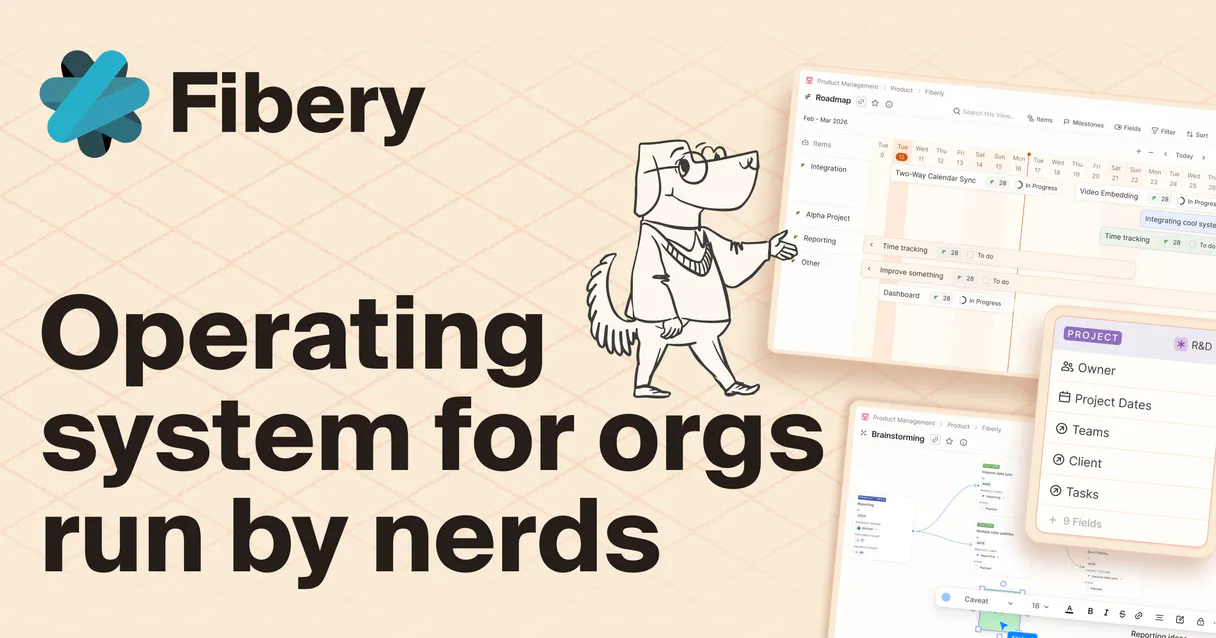
Independent Platform Disclaimer: Vinkius is an independent platform and is not affiliated with, endorsed by, sponsored by, verified by, or otherwise authorized by Fibery. All third-party trademarks, logos, and brand names are the property of their respective owners. Their use on this website is strictly for informational purposes to identify service compatibility and interoperability.
VINKIUS INFRASTRUCTURE
Cloud Hosted
Managed infra
V8 Isolated
Sandboxed per request
Zero-Trust Proxy
No stored credentials
DLP Enforced
Policy on every call
GDPR Compliant
EU data residency
Token Compression
~60% cost reduction
Works with Claude, ChatGPT, Cursor, and more
The Model Context Protocol standardizes how applications expose capabilities to LLMs. Instead of operating in isolation, your AI gains direct access to external platforms, live data, and real-world actions through secure, standardized connections.
This server provides 11 capabilities that interface natively with Claude, ChatGPT, Cursor, and any MCP client. No middleware. No custom integration required.
Available Capabilities
Pulling a status update from Fibery shouldn't take five clicks.
Right now, getting a comprehensive view of project progress means jumping between the main dashboard, opening the 'Development' app, filtering by owner, then maybe clicking into a related database to see the latest comments. You spend time copying UUIDs and piecing together status updates in a spreadsheet.
With this MCP server, you tell your agent: 'What is the current status of Task XYZ?' The agent executes `get_entity`, pulls the data, and returns the answer instantly—all within your chat window.
Using the Fibery MCP Server with `query_entities` provides precise control.
Manual querying requires navigating to a database, selecting fields manually, and running filters. If you miss one step or use the wrong filter type, your data is incomplete or inaccurate. The process takes time and careful clicking.
Now, you just tell the agent: 'Show me all tasks in the Development space where status is pending and assigned to Jane.' It runs `query_entities` with those specific parameters and hands over a clean, structured list.
Common Questions About Fibery MCP
How do I find out what databases are available? (get_schema) +
get_schema reads the entire workspace map. It lists every possible database type and tells you what fields it contains, so you know exactly where to look before writing a query.
What's the difference between `query_entities` and `search_entities`? +
query_entities requires you to specify a database type and use structured filters (e.g., status='open'). Use search_entities when you just have a keyword, and you don't know which database it lives in.
Can I add comments using the add_comment tool? +
Yes. The add_comment tool lets your agent post notes to any entity, making sure that conversation history is permanently linked to the specific record.
If I update a field, do I need the UUID? (update_entity) +
Yes. The update_entity tool requires the unique identifier (UUID) of the existing record. You must retrieve this first using get_entity or query_entities.
What if I want to see all users in my account? (list_users) +
You use list_users. This tool retrieves a clean roster of every user account connected to your workspace, which is useful for audits or task assignments.
When I use `create_entity`, what credentials are required to ensure data writes work? +
You must provide a valid Fibery API Token and specify which space the record belongs to. The token authorizes your agent to write, and specifying the space ensures the entity lands in the correct application.
If I run `delete_entity`, does it check for linked items, like comments or other entities? +
The tool requires explicit permission; it won't delete an entity if dependencies exist. You must first use tools like get_comments to manage or remove associated data before deletion succeeds.
Can I paginate the results when calling `query_entities` on a massive database? +
Yes, you pass offset and limit parameters to control result size. This prevents overwhelming your AI client and allows you to process huge datasets in manageable chunks.
How do I find my Fibery Workspace name? +
Your workspace name is the subdomain in your Fibery URL. For example, if you access Fibery at https://my-team.fibery.io, your workspace name is my-team.
How do I generate a Fibery API Token? +
In your Fibery workspace, go to Settings > API, click on Create New Token, give it a name, and copy the generated token immediately.
Can I query custom fields created in my spaces? +
Yes! Use the get_schema tool to see the fully qualified names of your custom fields, and then include them in the select_json parameter of the query_entities tool.
Use it with your favorite AI tools
Connect this server to Cursor, Claude, VS Code, and more.
More in this category

Gamma (AI Presentations)
Generate AI-powered presentations, documents, and webpages. List, update, and manage your Gamma workspace directly from any AI agent.
Invoicing Plus
Create professional invoices and estimates in minutes with a clean interface designed for small businesses and freelancers.
Nuclino
Equip your AI agent with full read/write access to your Nuclino workspaces, teams, and items — the unified tool for knowledge, docs, and projects.
You might also like

AirLabs
Access global aviation data via AirLabs — track real-time flights, search airports and airlines, check schedules, and analyze routes from any AI agent.
Blueshift
Orchestrate customer engagement via Blueshift — manage campaigns, track events, and sync customer data directly from any AI agent.
Smartsheet
Manage sheets, reports, and rows on Smartsheet with AI agents.