
Jiguang Aurora MCP. Send targeted pushes and manage device segments.
 Gemini
 Works with every AI agent you already use
…and any MCP-compatible client









Just plug in your AI agents and start using Vinkius.
Jiguang Aurora / 极光 MCP Server manages push notifications in China. Your AI client sends targeted alerts, schedules campaigns, and audits delivery reports by connecting directly to the dominant CPaaS provider.
It lets you handle device metadata, manage complex delivery schedules, and check real-time message status without touching the Jiguang portal.
What your AI agents can do
Create schedule
Sets up a future push notification task.
Delete schedule
Removes a scheduled push task.
Get account quota
Retrieves current API usage and remaining quota.
Sends push notifications to specific users or segments, including deep-linking support.
Retrieves detailed device metadata and updates user tags or aliases for better audience segmentation.
Creates, lists, and deletes scheduled push tasks to ensure messages are sent at precise times.
Gets detailed reports on message receipt status and monitors overall user activity.
Checks your account quota and API usage limits to prevent service interruptions.
Access real-time reports detailing message delivery and user engagement metrics.
Ask AI about this MCP
Supported MCP Clients
Gemini Waiting for input…
019d844bcreate schedule
Sets up a future push notification task.
019d844bdelete schedule
Removes a scheduled push task.
019d844bget account quota
Retrieves current API usage and remaining quota.
019d844bget device info
Gets detailed information about a specific device.
019d844bget message status
Checks the detailed status of a specific message delivery.
019d844bget push report
Retrieves a full report on push notification delivery metrics.
019d844bget user report
Generates a report on user activity over a specified period.
019d844blist schedules
Shows all scheduled push tasks currently set up.
019d844bsend push
Sends an immediate push notification to a specified device.
019d844bupdate device
Changes a device's tags or aliases for better targeting.
Choose How to Get Started
Build a custom MCP for your own tools, or connect a ready-made integration from our catalog.
Build Your Own
Turn any API into an MCP. Import a spec, define Agent Skills, or deploy with MCPFusion.
- Import from OpenAPI, Swagger, or YAML specs
- Create Agent Skills with progressive disclosure
- Deploy to edge with MCPFusion framework
- Built in DLP, auth, and compliance on every call
- Real time usage dashboard and cost metering
- Publish to catalog or keep private
Make Your AI Do More
Start with Jiguang Aurora / 极光, then connect any of our 4,700+ other servers whenever your AI needs more. One click, no limits.
- Use this MCP plus 4,700+ others, all in one place
- Add new capabilities to your AI anytime you want
- Every connection is secured and compliant automatically
- Track usage and costs across all your servers
- Works with Claude, ChatGPT, Cursor, and more
- New servers added to the catalog every week
What you can do with this MCP connector
Jiguang Aurora connects your AI client straight into China's major push notification system. You don't need to touch the Jiguang portal to manage campaigns or check reports; your agent handles it all. You can send targeted alerts, schedule whole campaigns, and audit delivery reports just by connecting your AI client.
Send Targeted Notifications: Your agent uses send_push to send an immediate push notification to a specific device, supporting deep-linking. You can also use send_push to send notifications to specific users or groups.
Manage Device Profiles: You can get detailed device metadata for a specific device using get_device_info. To refine your audience, your agent can update a device's tags or aliases using update_device.
Control Message Timing: Your agent manages scheduled tasks by calling create_schedule to set up a future push notification task. You can check all active schedules with list_schedules, and if you mess up a task, you can clean it up with delete_schedule.
Track Delivery Status: You can check the detailed status of any message delivery using get_message_status. For full visibility into campaign performance, your agent pulls a comprehensive report on push notification delivery metrics via get_push_report. You can also generate a user activity report for a period using get_user_report.
Monitor System Health: You can keep track of your spending and service limits by calling get_account_quota, which retrieves your current API usage and remaining quota.
Process Messaging Reports: Your agent can access reports detailing message delivery and overall user engagement metrics using get_push_report and get_user_report.
How Jiguang Aurora MCP Works
- 1 Subscribe to the Jiguang Aurora server and provide your Jiguang App Key and Master Secret.
- 2 Your AI client calls the desired tool (e.g.,
send_pushorget_user_report). - 3 The server executes the tool call against Jiguang and returns structured data to your agent.
The bottom line is, you use your agent to talk to the server, and the server runs the necessary Jiguang API calls so you don't have to.
Who Is Jiguang Aurora MCP For?
This is for Product Operations teams running automated system alerts, Marketing Leads coordinating large-scale campaigns, and DevOps Engineers monitoring API health. If your job involves sending mass messages or tracking user behavior in China, you need this.
Automates system notifications and checks delivery status by asking the agent questions like, 'Did the last batch of alerts send?'
Coordinates scheduled promotions and audits user behavior by asking the agent to 'Run the user report for the last week and check the segment IDs'.
Monitors API quotas and system health by asking the agent to 'What is our current API usage and how much quota do we have left?'
What Changes When You Connect
- Automated Messaging: Don't manually log into the Jiguang portal. Your agent handles sending pushes via
send_pushand managing schedules withcreate_schedule, keeping your communication flow running from chat. - Precise Targeting: Refine who receives a message. Use
get_device_infoto check device metadata, andupdate_deviceto adjust tags, ensuring your alerts hit the right segment every time. - Full Audit Trail: Need to prove delivery? Use
get_push_reportorget_message_status. You get real-time, detailed reports on message receipt and user engagement, which is key for compliance. - Proactive Scheduling: Never miss a campaign window.
list_scheduleslets you see everything planned, andcreate_scheduleguarantees your message hits at the perfect time, even if you're offline. - Operational Visibility: Stop guessing if your API is failing.
get_account_quotainstantly tells you your usage limits, letting you manage system-wide communication health before running out of messages. - User Behavior Analysis: Go beyond simple sends. Run
get_user_reportto see how many unique users were active over the last seven days, helping you plan better campaigns.
Real-World Use Cases
Mass Alerting After a Feature Launch
The product team launches a major feature and needs to alert 50,000 users in China. Instead of running a manual campaign in the Jiguang console, the agent calls get_user_report first to verify the total active user count. Then, it uses send_push in batches, and finally, it uses get_push_report to confirm that 99% of the targeted devices received the alert within an hour.
Scheduling a Time-Sensitive Maintenance Notice
A service update is scheduled for 3 AM local time. The DevOps team asks the agent to 'Schedule a push for 3 AM tomorrow.' The agent calls create_schedule, setting the exact time. The team then uses list_schedules to confirm the task is active, so they don't accidentally delete it.
Fixing Bad Targeting Segments
Marketing runs a campaign, but some users aren't seeing the message. The agent first calls get_device_info on a problematic user's Registration ID. This reveals the device is missing the 'Premium' tag. The agent then calls update_device to add the tag, and finally, it re-sends the notification using send_push.
Debugging a Failed Message Sequence
A critical alert fails to deliver. The agent first uses get_message_status with the message ID to find out why. If the status is 'Failed', the agent can then check the overall system health using get_account_quota to ensure the issue isn't quota exhaustion.
The Tradeoffs
Relying on Dashboards
The team spends an hour logging into the Jiguang web portal, clicking through five different tabs to find the user activity data for the last week.
→
Just ask your agent: 'Show me the user activity report for the last 7 days.' The agent runs get_user_report and gives you the metrics instantly.
Sending everything manually
Needing to send a notification to 100 users one by one, manually tracking each send ID and its status in a spreadsheet.
→
Use send_push for immediate sends, or better yet, use create_schedule to queue the messages. Then, check the results with get_push_report to verify the entire batch.
Forgetting to check quotas
Launching a big campaign right before the end of the month and running out of API quota, resulting in a sudden failure and an outage.
→
Before any large campaign, run get_account_quota. Check the remaining messages. This prevents unexpected failures and keeps your system running smoothly.
When It Fits, When It Doesn't
Use this server if your primary need is reliable, scalable push notification management for the Chinese market. The tools are perfect for any workflow that requires device lifecycle management (get_device_info, update_device), time-based execution (create_schedule), or comprehensive reporting (get_push_report). Don't use this if you only need to send a single, ad-hoc message. For simple, one-off sends, a basic API call might suffice. However, if you need to coordinate that send with quota checks, device updates, or scheduled follow-ups, this MCP server is the full package. If you need to manage messaging in a different region (e.g., US SMS), this isn't the tool for you—you'll need a different CPaaS provider's server instead.
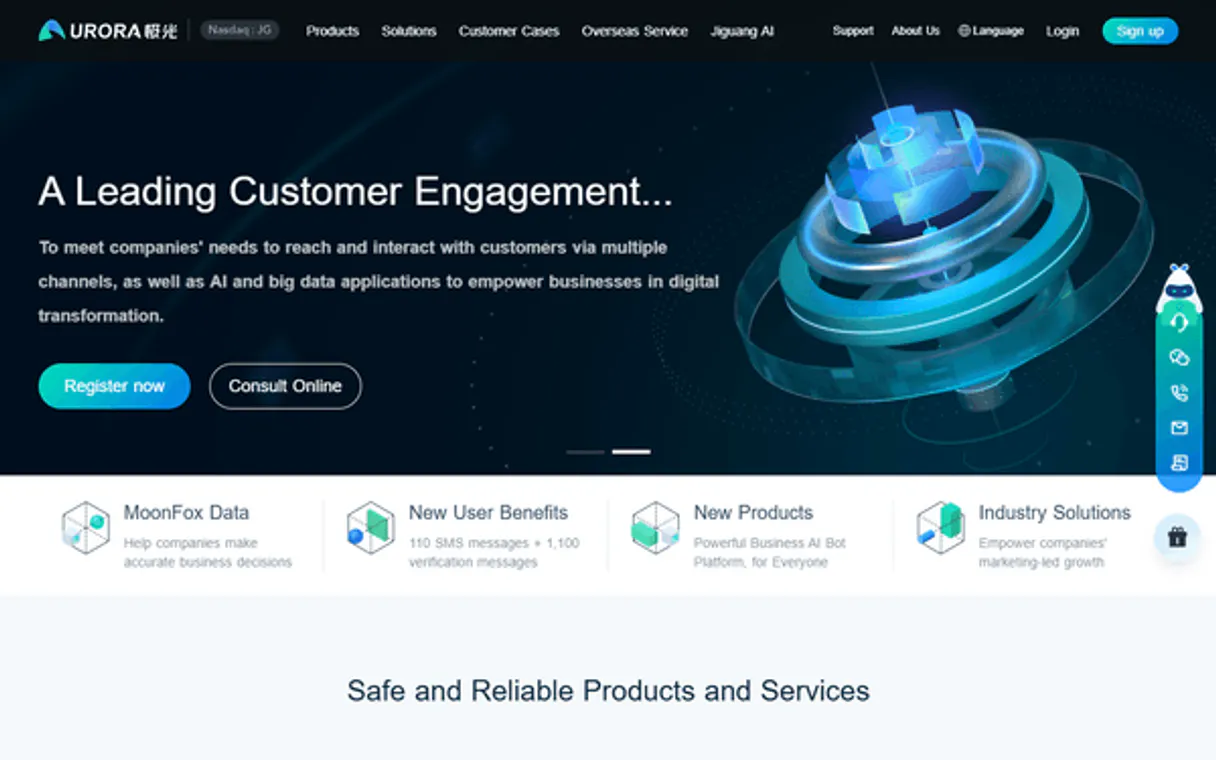
Independent Platform Disclaimer: Vinkius is an independent platform and is not affiliated with, endorsed by, sponsored by, verified by, or otherwise authorized by Jiguang Aurora / 极光. All third-party trademarks, logos, and brand names are the property of their respective owners. Their use on this website is strictly for informational purposes to identify service compatibility and interoperability.
VINKIUS INFRASTRUCTURE
Cloud Hosted
Managed infra
V8 Isolated
Sandboxed per request
Zero-Trust Proxy
No stored credentials
DLP Enforced
Policy on every call
GDPR Compliant
EU data residency
Token Compression
~60% cost reduction
Works with Claude, ChatGPT, Cursor, and more
The Model Context Protocol standardizes how applications expose capabilities to LLMs. Instead of operating in isolation, your AI gains direct access to external platforms, live data, and real-world actions through secure, standardized connections.
This server provides 10 capabilities that interface natively with Claude, ChatGPT, Cursor, and any MCP client. No middleware. No custom integration required.
Available Capabilities
Managing device segments and schedules shouldn't require logging into a complex web portal.
Today, managing a campaign means logging into the Jiguang portal. You navigate device segments, check quotas, build the campaign schedule, and then hit 'send.' It's a multi-step, click-heavy process that takes you away from your actual work.
With Jiguang Aurora, your agent does the work. You simply ask it to 'Send a push notification to all premium users.' The agent runs the necessary tools (`get_device_info` and `send_push`) and gives you the confirmed result, right in your chat window.
Jiguang Aurora / 极光 MCP Server: Deliver real-time messaging data.
You used to have to copy and paste IDs, check the status tab, and cross-reference reports manually to see if a message actually landed. You were piecing together data from different screens just to get a clear picture of success.
Now, you ask your agent to 'What was the delivery status for message ID 8821?' and it uses `get_message_status` to give you the answer. It's a direct query. Period.
Common Questions About Jiguang Aurora MCP
How do I use the `send_push` tool in Jiguang Aurora / 极光 MCP Server? +
You call send_push and provide the target device ID and the message payload. The server sends the immediate push notification, and your agent will confirm the message ID.
Can I schedule messages using `create_schedule` in Jiguang Aurora / 极光 MCP Server? +
Yes. Use create_schedule and specify the target date and time. The server creates the task, and you can then use list_schedules to see it listed as active.
What is the difference between `get_push_report` and `get_user_report`? +
get_push_report tracks delivery metrics for the messages you sent. get_user_report tracks overall user activity and new device registrations over a period.
How do I check if my account has enough quota? +
Run get_account_quota. This tool immediately tells you your current API usage and how many messages you have left for the month.
How do I manage device targeting and tags using the `update_device` tool? +
You use update_device to modify a device's tags or alias. This refines your audience segments, letting you send messages only to specific groups of users. For example, you can tag a device as 'premium' or 'beta-tester' for better targeting.
What tools do I use to check the current API quota and usage? +
You check your limits using get_account_quota. This tool immediately tells you your remaining API quota and how much you've used. It's crucial for preventing service interruptions during large campaigns.
How can I view past scheduled tasks or modify them using `list_schedules` and `delete_schedule`? +
You first call list_schedules to see all active and past scheduled pushes. From that list, you get the ID of the task you want to remove and use delete_schedule to cancel it. You'll need the specific ID for both actions.
Which tool should I use to check if a specific message was actually delivered to the device? +
You check delivery status with get_message_status. This tool gives you detailed, real-time information on whether the message was received and opened by the device. For a full audit, you'll use get_push_report.
How do I find my Jiguang App Key and Master Secret? +
Log in to the Jiguang portal, create an application, and you will find your App Key and Master Secret in the application overview or settings section.
Can I target specific users with an alias? +
Yes. Jiguang allows you to set an 'alias' for each device. You can then use the send_push tool with that alias in the audience payload to send targeted notifications to specific individuals.
Is it possible to track if a message was received? +
Yes! Use the get_push_report tool with your message IDs to retrieve delivery statistics, including the count of devices that successfully received the notification.
Use it with your favorite AI tools
Connect this server to Cursor, Claude, VS Code, and more.
More in this category

ChatBot.com
Manage conversational AI and bot workflows via ChatBot — track stories, interactions, and user data directly from any AI agent.

Mitto
Automate SMS messaging and 2FA verification via Mitto — send single or bulk messages, verify OTPs, and lookup phone numbers directly from your AI agent.

WeChat Mini-Programs / 微信小程序
China's dominant mini-app ecosystem — manage users, phone numbers, and messaging via AI.
You might also like

LEAP Legal
Manage law practice via LEAP Legal Software — matters, contacts, time tracking, bills, payments, tasks, documents, and calendar.

Anaplan
Manage Anaplan workspaces, models, and data actions (imports, exports, processes) directly via AI.

Patchstack Security
Monitor WordPress security via Patchstack — track vulnerabilities, manage site software, and receive alerts directly via AI.