
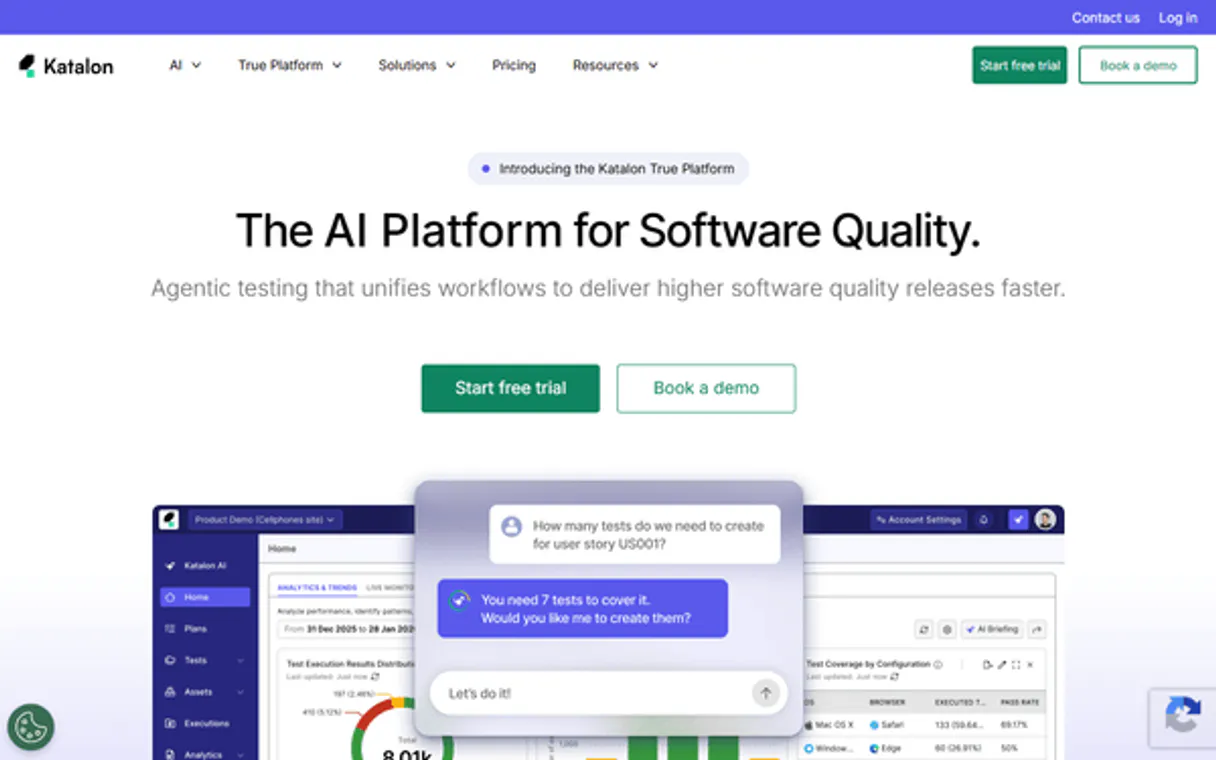
Katalon TestOps MCP. Monitor test runs and audit releases from chat.
 Gemini
 Works with every AI agent you already use
…and any MCP-compatible client









Just plug in your AI agents and start using Vinkius.
Katalon TestOps (AI Test Management) gives you full control over quality orchestration. Your AI client lets you list test runs, re-run specific suites, and audit releases directly from chat.
Get detailed test outcome summaries, error stack traces, and run diagnostics without leaving your IDE.
What your AI agents can do
Get project
Retrieves full details for a specific Katalon project.
Get test result
Gets the full details for a single Katalon test result.
Get test run
Retrieves the full details for a specific Katalon test run.
List all projects in your Katalon TestOps account and get their IDs, names, and descriptions.
Get full metadata and details for a single specified Katalon project.
List all test runs within a specific project, seeing their IDs, pass/fail status, and total duration.
Get deep details for one test run, including its full execution history and metrics.
Pull a list of detailed test outcomes, including their duration, status, and specific error messages.
Retrieve identifiers and counts for all software builds in a project.
Get names, scheduled dates, and summary test run stats for defined software releases.
Rerun an existing test run ID, which creates a new active execution and returns the new run ID.
Ask AI about this MCP
Supported MCP Clients
Gemini Waiting for input…
Katalon TestOps: 10 Tools for Quality Assurance
These tools let you programmatically manage, inspect, and orchestrate every aspect of your test runs, builds, and project metadata.
019d75bfget project
Retrieves full details for a specific Katalon project.
019d75bfget test result
Gets the full details for a single Katalon test result.
019d75bfget test run
Retrieves the full details for a specific Katalon test run.
019d75bflist execution environments
Lists all execution environments configured for a project.
019d75bflist project builds
Lists build identifiers, their IDs, and the count of associated test runs for a project.
019d75bflist project releases
Returns defined release names, scheduled dates, and aggregated test run statistics for a project.
019d75bflist projects
Lists all Katalon projects available on TestOps.
019d75bflist test results
Returns a list of detailed test results, including their duration, status, and error messages.
019d75bflist test runs
Lists test runs in a project, showing run IDs, pass/fail status, total counts, and duration.
019d75bfrerun test run
Re-runs an existing test run ID, generating a new active test run ID.
Choose How to Get Started
Build a custom MCP for your own tools, or connect a ready-made integration from our catalog.
Build Your Own
Turn any API into an MCP. Import a spec, define Agent Skills, or deploy with MCPFusion.
- Import from OpenAPI, Swagger, or YAML specs
- Create Agent Skills with progressive disclosure
- Deploy to edge with MCPFusion framework
- Built in DLP, auth, and compliance on every call
- Real time usage dashboard and cost metering
- Publish to catalog or keep private
Make Your AI Do More
Start with Katalon TestOps (AI Test Management), then connect any of our 4,700+ other servers whenever your AI needs more. One click, no limits.
- Use this MCP plus 4,700+ others, all in one place
- Add new capabilities to your AI anytime you want
- Every connection is secured and compliant automatically
- Track usage and costs across all your servers
- Works with Claude, ChatGPT, Cursor, and more
- New servers added to the catalog every week
What you can do with this MCP connector
Katalon TestOps lets your AI client manage quality orchestration directly. You don't have to jump between tabs or run complicated API calls; your agent handles the whole workflow. You can track project status by listing all available projects, getting their IDs, names, and descriptions. You can view overall project details by retrieving full metadata for a single specified project.
To check all test runs in a project, your agent lists the run IDs, pass/fail status, and total duration. Need to inspect a specific test run? Your agent gets deep details for one run, including its full execution history and metrics. You can pull a list of detailed test results, seeing the duration, status, and specific error messages for every test.
For build history, your agent retrieves the identifiers and counts for all software builds in a project. To list scheduled releases, you get the names, scheduled dates, and summary test run stats for defined software releases. When you need to execute a test run, your agent re-runs an existing test run ID, creating a new active execution and returning the new run ID.
You can also list all test runs within a project, seeing their IDs, pass/fail status, and total duration. You can get the full details for a single Katalon test result. You can list all execution environments configured for a project. You can list build identifiers, their IDs, and the count of associated test runs for a project.
Your agent also lets you list project releases, returning defined release names, scheduled dates, and aggregated test run statistics for a project.
How Katalon TestOps MCP Works
- 1 First, subscribe to the Katalon TestOps server and provide your Katalon Email and API Key.
- 2 Then, ask your AI agent to perform the necessary action, like 'List the latest test runs for Project X'.
- 3 Finally, your agent executes the required tool calls, and you get a plain-text summary of the results directly in your chat.
The bottom line is that your AI client handles the complex API calls, so you just talk to it.
Who Is Katalon TestOps MCP For?
This is for QA Managers who need to monitor release readiness without jumping between dashboards. It's for Automation Engineers who need to rerun failed tests and inspect logs fast. DevOps Engineers use this to audit environments and confirm CI/CD integrity.
Tracks team testing progress and monitors release readiness across multiple projects without leaving the chat interface.
Reruns failed test suites and inspects diagnostic logs to quickly iterate on bug fixes.
Audits execution environments and verifies build quality metrics to ensure the CI/CD pipeline works.
What Changes When You Connect
- You get instant visibility into build quality. Instead of manually checking build logs, use
list_project_releasesto see aggregated test run stats and confirm if a release is safe for deployment. - Stop digging through pages of failure logs. With
list_test_resultsandget_test_result, your agent pulls error stack traces and app logs for rapid debugging right where you are. - Quickly verify bug fixes. Use
rerun_test_runto re-execute a failed test suite immediately, getting a brand new run ID to track the fix. - See the full scope of your testing. Use
list_execution_environmentsto understand every OS, browser, and device combination that is actually covered by your project. - Manage your entire portfolio.
list_projectslets you quickly navigate and get metadata for all Katalon projects without logging into each one individually.
Real-World Use Cases
The Release Gatekeeper
A QA Manager needs to confirm if version 3.0 is ready. They ask their agent, 'What's the status of the Q3 release?' The agent calls list_project_releases, reviews the aggregated pass/fail rates, and reports back, confirming build quality metrics before the deployment team can proceed.
The Broken Feature Detective
An Automation Engineer finds a test failure. Instead of manually logging into the dashboard, they ask their agent to list_test_runs for the last week, find the failing run ID, and immediately call get_test_result to pull the full error stack trace and logs for the fix.
The Environment Auditor
A DevOps Engineer is setting up a new pipeline and needs to know all supported targets. They ask the agent to run list_execution_environments, which returns a clean list of all configured OS, browser, and device distributions for the project.
Checking Project Scope
A new team member needs to know what projects exist. They simply ask the agent to list_projects, which provides a clean list of all available Katalon projects and their basic metadata.
The Tradeoffs
Trying to track everything in one place
The engineer tries to call list_test_runs and then manually figure out which IDs to pass to list_test_results to get the details. This requires multiple, complex calls and is slow.
→
Let your agent handle the sequence. Ask the agent, 'Show me the details for the failed runs last week.' The agent uses list_test_runs internally and then calls list_test_results to pull the necessary data, giving you one clean answer.
Confusing build history with releases
Assuming that the list of build IDs (list_project_builds) is the same as the defined release name (e.g., 'Hotfix Security').
→
Use list_project_releases to see the official, scheduled releases, and use list_project_builds only when you need the raw, historical build identifiers and their run counts.
Forgetting the scope
Running a test run check without specifying the correct project ID, leading to ambiguous or empty results.
→
Always start by getting the project context using get_project or ensure your initial prompt specifies the target project ID, then proceed with tools like list_test_runs.
When It Fits, When It Doesn't
Use this if your job involves confirming product quality or managing the release lifecycle. You need to see the state of the software—what builds passed, what environments are supported, and what the final test outcomes were.
Don't use this if you just need to view static metadata (like a list of team members or project descriptions). For simple data gathering, using list_projects is enough. But if you need to act on that data—like rerunning a test or checking failure logs—you need the full power of this server. If you're working on things outside of structured testing (e.g., general API data fetching), look for a different, more specialized data integration tool.
Crucially, if you only need to see the list of projects, list_projects is simpler. But if you need to act on the data within those projects (like checking release readiness), this server is the one.
Independent Platform Disclaimer: Vinkius is an independent platform and is not affiliated with, endorsed by, sponsored by, verified by, or otherwise authorized by Katalon TestOps. All third-party trademarks, logos, and brand names are the property of their respective owners. Their use on this website is strictly for informational purposes to identify service compatibility and interoperability.
VINKIUS INFRASTRUCTURE
Cloud Hosted
Managed infra
V8 Isolated
Sandboxed per request
Zero-Trust Proxy
No stored credentials
DLP Enforced
Policy on every call
GDPR Compliant
EU data residency
Token Compression
~60% cost reduction
Works with Claude, ChatGPT, Cursor, and more
The Model Context Protocol standardizes how applications expose capabilities to LLMs. Instead of operating in isolation, your AI gains direct access to external platforms, live data, and real-world actions through secure, standardized connections.
This server provides 10 capabilities that interface natively with Claude, ChatGPT, Cursor, and any MCP client. No middleware. No custom integration required.
Available Capabilities
Tracking test status means jumping between dashboards and copy-pasting IDs.
Today, figuring out if a build passed involves navigating to the TestOps dashboard, finding the correct project, filtering by date, and clicking into multiple run IDs. You then have to copy/paste the run ID, go to the results tab, and manually gather pass rates and error counts.
With this MCP server, you simply ask your agent: 'Give me the status of the latest build.' It handles the entire chain: calling `list_test_runs`, gathering the pass/fail status, and reporting back a clean summary. You get the answer, not a list of links.
Katalon TestOps (AI Test Management) MCP Server: Audit and Rerun Test Runs
Manual steps that disappear include checking the project status via `get_project` and then separately auditing the list of environments using `list_execution_environments`. You're always cross-referencing two different sources of truth.
Now, you can ask your agent to 'List the environments and confirm the build status.' It merges that context, giving you a single, unified view. It's about combining multiple reads into one actionable answer.
Common Questions About Katalon TestOps MCP
How do I use the `rerun_test_run` tool? +
You provide the specific test run ID you want to re-run. The server starts a new execution and gives you the ID for that new run. You can then monitor the status of this new ID.
Can `list_projects` tell me about specific test results? +
No, list_projects only gives you project names, IDs, and descriptions. To get test results, you first need to use list_test_runs to find a run ID, and then use list_test_results with that ID.
What is the difference between `list_project_builds` and `list_project_releases`? +
Builds (list_project_builds) show raw, historical build identifiers and run counts. Releases (list_project_releases) show high-level, scheduled versions with summary statistics for deployment readiness.
How do I check the full details of a single test result using `get_test_result`? +
You pass the specific test result ID to get_test_result. This returns comprehensive details, including the full error stack trace, which is critical for debugging.
How do I use `list_test_runs` to check the pass/fail status of a project? +
The list_test_runs tool returns run IDs, pass/fail status, total counts, and execution durations. You can use this to quickly gauge the overall health of a project's test suite without diving into individual results.
Can I use `list_execution_environments` to see what operating systems were tested? +
Yes, list_execution_environments lists all configured execution environments for a project. This output includes the target OS, browser, and device distributions, so you know exactly where your code was tested.
What kind of data do I get when I run `list_project_releases`? +
The list_project_releases tool returns release names, scheduled dates, and aggregated test run statistics. This helps you track build quality and plan for deployment readiness across defined releases.
Does `get_test_run` provide the actual application logs for debugging? +
No, get_test_run gives full details of a test run, including summary metrics. To get application logs and error stack traces, you need to use get_test_result or list_test_results.
Can I rerun a failed test suite using my agent? +
Yes. Use the rerun_test_run tool by providing the ID of the failed execution. Your agent will trigger a fresh run using the exact same configuration and return the new Test Run ID for tracking.
How do I see the screenshots from a specific test failure? +
Ask your agent to get_test_result for a specific result ID. If the test was configured to capture visuals, your agent will retrieve the screenshot links along with diagnostic logs and error messages.
Can I check which browser versions were used in a test run? +
Absolutely. Use the list_execution_environments tool for your project. Your agent will return detailed OS, browser, and device configurations used for executions, ensuring you have the full technical context.
Use it with your favorite AI tools
Connect this server to Cursor, Claude, VS Code, and more.
More in this category

Traefik Hub
Cloud-native API Management & Gateway evaluating proxy topologies explicitly running Kubernetes integrations.

Vercel
Deploy frontend applications instantly with a platform optimized for Next.js, serverless functions, and edge computing globally.

Cloudflare Alternative
Manage DNS, Workers, KV, Pages and firewall via Cloudflare — audit records, deploy config and inspect CDN analytics from any AI agent.
You might also like

Open Food Facts
Scan barcodes and search packaged food products for complete nutritional data, Nutri-Score grades, allergens, and ingredient analysis.

LLM ROUGE & BLEU Evaluator
Evaluate AI text generation quality. Compute exact mathematical BLEU and ROUGE scores comparing generated text to reference documents.
Mapillary
Access street-level imagery — search images, sequences, traffic signs and map features worldwide.