
Katana MCP. Manage orders, inventory, and production flow.
 Gemini
 Works with every AI agent you already use
…and any MCP-compatible client









Just plug in your AI agents and start using Vinkius.
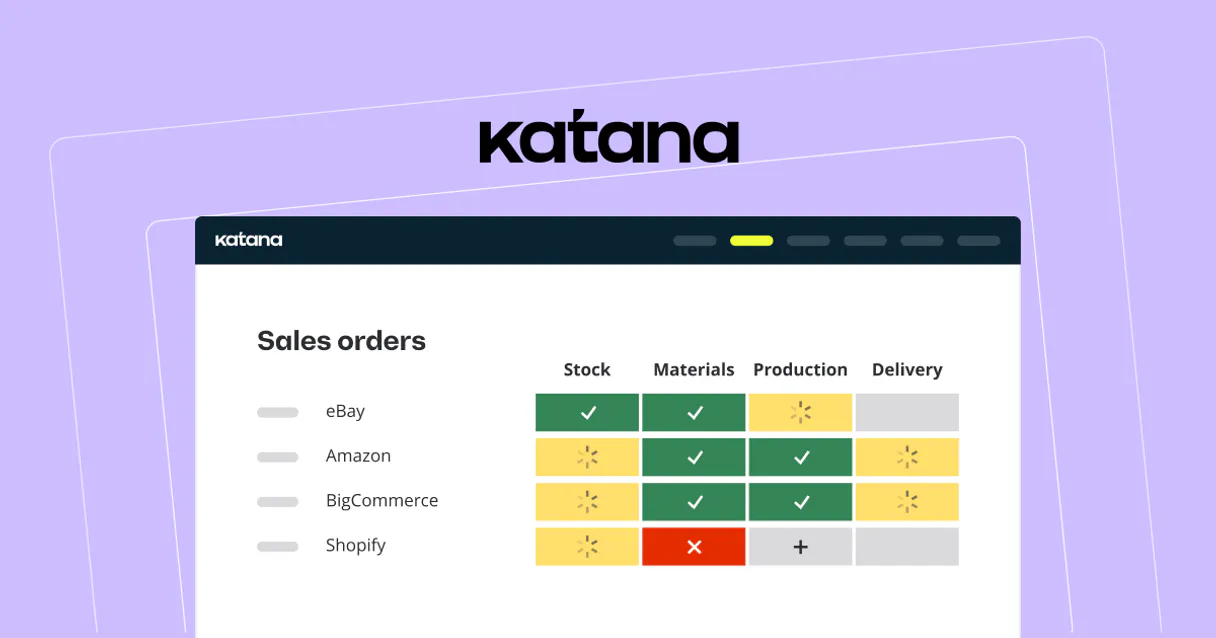
Katana MCP Server automates complex manufacturing ERP workflows. Your agent can list, check, and manage sales orders (SO), purchase orders (PO), and manufacturing tasks.
Get real-time stock levels for product variants, list all customers, and track inventory across your entire supply chain. It moves order management and shop floor operations directly into your natural language interface.
What your AI agents can do
Create sales order
Generates a new sales order for a customer, requiring a specific customer ID.
Get inventory by variant
Checks and returns the current stock level for a single, specific product variant.
Get sales order
Retrieves all specific details for one sales order using its ID.
Your agent can create new sales orders and retrieve full details for existing ones using specific IDs.
The system reports real-time stock levels for specific product variants, helping you confirm availability.
You can list all current manufacturing orders and monitor progress on the shop floor.
The agent provides lists of all customers, suppliers, materials, and products in your catalog.
The agent lets you list all purchase orders and materials to track incoming stock and supplier activity.
Ask AI about this MCP
Supported MCP Clients
Gemini Waiting for input…
Katana MCP Server: 11 Tools for ERP Operations
Use these 11 tools to manage everything from listing suppliers to creating sales orders, handling the full scope of your manufacturing ERP process.
019d75bfcreate sales order
Generates a new sales order for a customer, requiring a specific customer ID.
019d75bfget inventory by variant
Checks and returns the current stock level for a single, specific product variant.
019d75bfget sales order
Retrieves all specific details for one sales order using its ID.
019d75bflist customers
Provides a complete list of every customer registered in your Katana system.
019d75bflist inventory
Lists the overall, high-level inventory status across all products and materials.
019d75bflist manufacturing orders
Retrieves a list of all current and past manufacturing production jobs.
019d75bflist materials
Lists every raw material available in your Katana catalog.
019d75bflist products
Lists all finished goods and components available in your product catalog.
019d75bflist purchase orders
Lists all purchase orders, showing which incoming materials are expected.
019d75bflist sales orders
Lists all sales orders, providing a summary of current customer commitments.
019d75bflist suppliers
Provides a complete list of all suppliers you work with.
Choose How to Get Started
Build a custom MCP for your own tools, or connect a ready-made integration from our catalog.
Build Your Own
Turn any API into an MCP. Import a spec, define Agent Skills, or deploy with MCPFusion.
- Import from OpenAPI, Swagger, or YAML specs
- Create Agent Skills with progressive disclosure
- Deploy to edge with MCPFusion framework
- Built in DLP, auth, and compliance on every call
- Real time usage dashboard and cost metering
- Publish to catalog or keep private
Make Your AI Do More
Start with Katana, then connect any of our 4,700+ other servers whenever your AI needs more. One click, no limits.
- Use this MCP plus 4,700+ others, all in one place
- Add new capabilities to your AI anytime you want
- Every connection is secured and compliant automatically
- Track usage and costs across all your servers
- Works with Claude, ChatGPT, Cursor, and more
- New servers added to the catalog every week
What you can do with this MCP connector
Your agent handles Katana Cloud Manufacturing workflows right from your chat. It lets you manage everything from sales orders to inventory levels without touching a dashboard. create_sales_order generates a new sales order for a customer; get_sales_order pulls up all the details for an existing one. You can check stock for a single product variant using get_inventory_by_variant, or see the overall inventory status for all products and materials with list_inventory.
Need to know who you're selling to? list_customers gives you a full list of every customer. You can also check what's coming in by running list_purchase_orders or getting a list of available raw materials with list_materials. To see what you sell, list_products gives you all finished goods and components. list_suppliers shows you every vendor you work with.
You can run list_sales_orders to get a summary of all current customer commitments. To track production, list_manufacturing_orders retrieves all current and past manufacturing production jobs. You can also check out the catalog by listing all raw materials with list_materials.
How Katana MCP Works
- 1 First, subscribe to the Katana MCP Server and provide your Katana API Key.
- 2 Then, prompt your agent with a specific task, like 'What is the stock for variant X?'
- 3 The agent calls the appropriate tool (e.g.,
get_inventory_by_variant), gets the data, and presents the answer to you.
The bottom line is: You manage complex ERP tasks conversationally, without ever leaving your AI client.
Who Is Katana MCP For?
This is for operations managers, inventory specialists, and sales teams working with complex manufacturing. If your job involves checking stock, creating orders, or tracking raw materials across multiple systems, this saves hours of manual dashboard clicking.
Monitors live manufacturing orders and tracks task progress without opening the Katana dashboard.
Quickly checks availability and stock levels for specific material variants during planning runs.
Retrieves order status and customer details instantly during client calls or account reviews.
What Changes When You Connect
- Process Sales Orders: Don't manually log into Katana to create an order. Use
create_sales_orderto generate a new sales order instantly, provided you pass the correct customer ID. - Real-Time Stock Checks: You get immediate stock confirmation. Instead of guessing, use
get_inventory_by_variantto check the exact number of units available for any specific material variant. - Full Order Visibility: Need to know the status of a specific sale? Use
get_sales_orderto pull all details on a single sales order, saving you from searching through dozens of records. - Master Catalog Access: You get access to all core data. Call
list_customersorlist_suppliersto get complete lists of your partners without navigating multiple tabs. - Production Tracking: Monitor your shop floor progress. Use
list_manufacturing_ordersto list all current jobs and see what's actively being produced. - Purchase Flow Tracking: Keep track of incoming goods. Run
list_purchase_ordersto see what materials are expected and when they'll arrive.
Real-World Use Cases
A sales rep needs to confirm stock before quoting.
A rep is talking to a client and needs to confirm if enough units are available. Instead of calling the warehouse, they ask their agent: 'Check the inventory for variant XYZ-45.' The agent uses get_inventory_by_variant and returns the current stock count and committed units, letting the rep close the sale instantly.
A production manager needs to see all active jobs.
The PM needs a quick overview of the factory floor. They ask their agent to 'List all active manufacturing jobs.' The agent runs list_manufacturing_orders and provides a summary of current production targets and materials needed, letting the manager react immediately.
A purchasing agent needs to create a new incoming order.
The agent needs to order materials from a new vendor. They first run list_suppliers to confirm the vendor ID, and then use list_materials to check the catalog. Finally, they can create the purchase order using the correct data points.
A finance team needs to process a bulk order.
The team needs to process several pending sales orders. They use list_sales_orders to get a list of all open orders, then use list_customers to cross-reference customer details, and finally use get_sales_order on specific IDs to build a financial report.
The Tradeoffs
Asking for 'inventory status'
Just asking the agent, 'What's the inventory?' leads to vague results. The agent might run list_inventory, giving a massive list that doesn't tell you anything specific.
→
Don't just ask for 'inventory.' Be specific. Use get_inventory_by_variant and provide the exact variant ID you need. This gives you a precise number and committed count.
Trying to create an order without a customer ID
Attempting to run create_sales_order with just a company name results in failure. The tool requires a confirmed customer ID to execute the transaction.
→
First, run list_customers to get the correct customer ID. Then, use that ID when you call create_sales_order. This ensures the order links to the right account.
Treating listing tools as the final answer
Running list_products and thinking the list is the end of the task. This only gives you a list of names and IDs, but doesn't tell you current stock or order status.
→
Use listing tools for context, but use specific tools for action. List products with list_products, then immediately use get_inventory_by_variant to see how many units are actually available.
When It Fits, When It Doesn't
Use this server if your core workflow revolves around manufacturing operations: creating sales orders, checking raw material stock, or tracking production jobs. It’s built for the physical flow of goods.
Don't use this if you only need to process financial ledger entries, manage payment terms, or handle complex accounting reconciliation. For those steps, you need a specialized accounting tool. This server handles the operational flow—the getting, making, and shipping—but not the money itself.
Independent Platform Disclaimer: Vinkius is an independent platform and is not affiliated with, endorsed by, sponsored by, verified by, or otherwise authorized by Katana. All third-party trademarks, logos, and brand names are the property of their respective owners. Their use on this website is strictly for informational purposes to identify service compatibility and interoperability.
VINKIUS INFRASTRUCTURE
Cloud Hosted
Managed infra
V8 Isolated
Sandboxed per request
Zero-Trust Proxy
No stored credentials
DLP Enforced
Policy on every call
GDPR Compliant
EU data residency
Token Compression
~60% cost reduction
Works with Claude, ChatGPT, Cursor, and more
The Model Context Protocol standardizes how applications expose capabilities to LLMs. Instead of operating in isolation, your AI gains direct access to external platforms, live data, and real-world actions through secure, standardized connections.
This server provides 11 capabilities that interface natively with Claude, ChatGPT, Cursor, and any MCP client. No middleware. No custom integration required.
Available Capabilities
Manually tracking raw materials and finished goods is a nightmare of clicks.
Today, tracking material movement means opening the ERP dashboard, jumping to the Inventory tab, then opening a second tab for the specific product line. You copy a part number, paste it into the search bar, wait for the page to load, and then copy the stock count into a spreadsheet. If you need the stock for three different variants, you repeat that entire copy-paste cycle three times. It’s slow, and you're always working with old data.
With the Katana MCP Server, you just ask your agent: 'What's the stock on variant ABC-123?' You get the current count, including how many units are already reserved for existing orders. The entire process happens in your chat window. No dashboards, no copying, just the answer.
List Sales Orders: Track exactly what your customers ordered.
Before, checking on an order meant navigating to the SO section, filtering by date, then manually clicking on each order number to see the details, and finally searching for the customer name to confirm who placed it. It took five minutes of clicking and cross-referencing just to get a status update.
Now, you ask your agent to 'List all sales orders for Acme Corp.' The agent runs the necessary tools and delivers a clean, actionable list right in the chat. You get the status, the customer name, and the order total—all in one prompt.
Common Questions About Katana MCP
How do I create a sales order using the create_sales_order tool? +
You must provide the customer ID when calling create_sales_order. This tool requires the customer ID to link the new order correctly. You can find the necessary ID first by running list_customers.
Can I check inventory levels for a product variant using get_inventory_by_variant? +
Yes, get_inventory_by_variant is the tool for checking stock. You only need to provide the specific variant ID. The response shows total stock and how much is already committed.
What is the difference between list_products and list_materials? +
Use list_products for finished goods or components you sell. Use list_materials for raw goods and components that feed into production. They track different parts of your supply chain.
Do I need to list_sales_orders before I can use get_sales_order? +
No. list_sales_orders gives you a summary list of all open orders. get_sales_order requires a specific SO ID and pulls the complete, deep details for that single order.
How do I list all manufacturing orders using list_manufacturing_orders? +
It fetches a comprehensive list of all current manufacturing orders. This lets you see which jobs are active, what products are being made, and the current status for all jobs.
What is the purpose of list_purchase_orders and list_sales_orders? +
They retrieve lists of purchase and sales orders. Use these tools to get an overview of all POs or SOs, which is necessary before you can get details for a specific order.
Can I use list_customers to find a customer ID for creating a sales order? +
Yes, you must use list_customers first. This tool gives you a list of all customer IDs, which you need to pass to the create_sales_order tool to successfully create a new order.
Which tool should I use to see all available suppliers? +
The list_suppliers tool pulls all supplier records. This lets your agent quickly check who your partners are and get the contact information needed for supply chain planning.
Can I check the inventory of a specific material variant? +
Yes, use the get_inventory_by_variant tool with the unique variant ID to see current stock levels and availability in real-time.
Is it possible to list all current manufacturing orders? +
Absolutely. The list_manufacturing_orders tool retrieves a list of all production jobs, helping you track shop floor activities.
Can I see my customer list via the agent? +
Yes, the list_customers tool provides access to your customer database, making it easy to reference customer IDs for new sales orders.
Use it with your favorite AI tools
Connect this server to Cursor, Claude, VS Code, and more.
More in this category

HCSS
Automate heavy construction management via HCSS — manage jobs, timecards, estimates, and equipment telematics directly from any AI agent.

Onfleet
Manage last-mile deliveries via Onfleet — create tasks, track drivers, check ETAs, and complete orders directly from any AI agent.

WooCommerce Inventory Updater
This MCP allows your AI agent to surgically update the stock quantity of any product or variation in your WooCommerce store. Perfect for reading supplier spreadsheets and syncing inventory automatically.
You might also like

FBI Crime Data Explorer
Access official FBI crime statistics, including national estimates, state-level summaries, and agency-specific data via AI.

Image-Charts
Generate professional charts, graphs, and QR codes instantly — transform raw data into high-quality images directly within your AI conversations.

JSON Schema Validator
Prevent malformed JSON hallucination. Validates large LLM-generated JSON objects strictly against JSON Schema standards before sending to the client.