
Lancerkit MCP. Automate client billing, project tracking, and invoicing.
 Gemini
 Works with every AI agent you already use
…and any MCP-compatible client









Just plug in your AI agents and start using Vinkius.
Lancerkit connects your AI agent to your entire client lifecycle: projects, invoices, and time tracking. This MCP Server lets you pull specific metadata about clients using `get_client`, list all active accounts with `list_clients`, or fetch detailed billing history for any invoice ID via `get_invoice`.
It's how you get operational data—the real stuff—directly into your workflow without opening a browser.
What your AI agents can do
Get client
Retrieves the specific metadata for one single client based on provided identification details.
Get invoice
Fetches all data, including payments and billings, associated with a particular invoice ID string.
Get project
Retrieves the full details for one specific project using its unique identifier.
Retrieve all metadata for one client using get_client.
Get payment status, detailed charges, and billing history by providing a specific invoice ID via get_invoice.
Pull all details for a single project using its unique ID with get_project.
Fetch global metrics and statistics across your entire invoice pipeline using list_invoices.
Access recorded time logs to see total hours spent on various tasks with get_time_logs.
Ask AI about this MCP
Supported MCP Clients
Gemini Waiting for input…
Lancerkit MCP Server: 10 Tools for Billing & CRM
Use these ten specific tools to automate retrieving all core operational data—from listing clients to checking global invoice pipelines—through your AI agent.
019d75c4get client
Retrieves the specific metadata for one single client based on provided identification details.
019d75c4get invoice
Fetches all data, including payments and billings, associated with a particular invoice ID string.
019d75c4get project
Retrieves the full details for one specific project using its unique identifier.
019d75c4get status
Checks the overall connection and operational status of your account within Lancerkit.
019d75c4get time logs
Examines recorded time logs to report on total hours spent across various activities.
019d75c4list clients
Pulls a list of all clients currently associated with your workspace account.
019d75c4list invoices
Gathers global statistics and data points regarding the entire invoice pipeline.
019d75c4list projects
Provides a comprehensive list of all standard projects configured in your account.
019d75c4list services
Fetches every specific billable service item that has been set up online for billing purposes.
019d75c4list tasks
Checks the current status and list of working tasks assigned to your team or projects.
Choose How to Get Started
Build a custom MCP for your own tools, or connect a ready-made integration from our catalog.
Build Your Own
Turn any API into an MCP. Import a spec, define Agent Skills, or deploy with MCPFusion.
- Import from OpenAPI, Swagger, or YAML specs
- Create Agent Skills with progressive disclosure
- Deploy to edge with MCPFusion framework
- Built in DLP, auth, and compliance on every call
- Real time usage dashboard and cost metering
- Publish to catalog or keep private
Make Your AI Do More
Start with Lancerkit, then connect any of our 4,700+ other servers whenever your AI needs more. One click, no limits.
- Use this MCP plus 4,700+ others, all in one place
- Add new capabilities to your AI anytime you want
- Every connection is secured and compliant automatically
- Track usage and costs across all your servers
- Works with Claude, ChatGPT, Cursor, and more
- New servers added to the catalog every week
What you can do with this MCP connector
You connect your AI agent directly into your entire client lifecycle using Lancerkit. This MCP Server gives your agent immediate, structured access to operational data covering everything from who your clients are to how much money you're owed for every single project. You don't gotta open up a browser or copy and paste anything; your agent just asks the system, and it gets clean JSON back.
Client Data Management
The get_client tool lets you pull all the specific metadata on one client when you know their ID. If you need to see every single account in your workspace, run list_clients. This gives a full roster of everyone you're doing business with.
Billing and Financial Oversight
To get a complete picture of billing activity, the list_invoices tool pulls global statistics across your entire invoice pipeline. You can drill down further using get_invoice, which fetches all payment status, charges, and detailed billing history for one specific invoice ID.
When you need to know what services are billable, run list_services; this shows every item setup in your system for charging clients. To manage the project scope itself, get_project pulls the full details when you provide a unique project identifier, and list_projects provides a complete list of every standard job configured in your account.
Time Tracking and Activity Status
Need to know who's doing what? list_tasks checks the current status and gives you a full list of working tasks assigned either to a project or across your whole team. To report on labor, get_time_logs examines recorded time logs, giving you the total hours spent across every activity type. You can also check the overall operational health of your account using get_status, which verifies the connection status within Lancerkit.
How Your Agent Uses This Data
When you need to know a client's billing history, your agent calls get_invoice with an ID. When it needs to summarize hours, it hits get_time_logs. If you want a list of every client name in the system, it uses list_clients. This server exposes ten discrete tools that handle everything from checking operational status via get_status to getting total project details using get_project.
You'll get clean data right into your workflow without having to touch any UIs. It’s pure source-of-truth access for the whole business side of things.
How Lancerkit MCP Works
- 1 Tell your AI agent exactly what data you need—for example, 'Get the invoice for Acme Corp last month.'
- 2 The agent translates that request into a tool call (e.g.,
get_invoicewith an ID) and sends it to the Lancerkit MCP Server. - 3 Lancerkit runs the function against your backend and returns structured data, which your agent then uses to formulate a final answer for you.
The bottom line is: Your AI client handles the conversation; Lancerkit handles the database queries.
Who Is Lancerkit MCP For?
Billing Managers, Project Coordinators, and Sales Ops Engineers. You're the person who spends more time compiling reports than actually doing the work. You hate opening five different tabs—one for clients, one for projects, one for invoices, and then copying the data into a spreadsheet just to see if everything adds up.
Uses list_invoices and get_invoice to quickly verify payment status across multiple accounts without manually logging into the billing portal.
Combines data from list_projects, list_tasks, and get_time_logs to generate comprehensive status reports for stakeholders on demand.
Uses list_clients and get_client to pull a roster of all active leads or clients, cross-referencing their project history before sales calls.
What Changes When You Connect
- Stop manually checking status. Use
get_statusto instantly confirm if your integration is connected and running before calling the agent. It saves time debugging connections, not data. - Build immediate financial reports. You can combine
list_clients(who they are) withlist_invoices(how much they owe) in a single chat request, eliminating spreadsheet merges. - Track labor costs accurately. Instead of relying on manual input, use
get_time_logsto pull documented hours spent against specific client work. - Manage scope creep visibility. By calling
list_projectsand thenget_project, your agent can instantly show if a project is off-track or missing defined services (list_services). - Simplify invoicing workflow. Requesting an invoice via
get_invoicedelivers the full payment breakdown—charges, hours, fees—in one go, ready to send. - Consolidate activity tracking. Use
list_tasksandlist_clientstogether so your agent can tell you which client accounts have pending action items right now.
Real-World Use Cases
The End-of-Quarter Billing Audit
A billing manager needs to know the total revenue pipeline for Q3. Instead of running five separate reports, they ask their agent: 'What are the global invoice pipeline stats for the last quarter?' The agent runs list_invoices and synthesizes a single report showing payment status against all expected receivables.
Client Onboarding Project Kickoff
A project manager is assigned to Acme Corp. They need immediate context: 'Show me everything about Acme Corp.' The agent runs get_client and then uses list_services to verify what services are available for this new client, ensuring the initial scope is properly defined.
Dispute Resolution on an Invoice
A customer calls about a charge. The sales rep asks the agent: 'What exactly did we bill them for last month?' The agent runs get_invoice and can pinpoint the exact line items, hours, or fixed fees to resolve the dispute immediately.
Reviewing Resource Utilization
The ops director needs to know if staff are billing enough time. They prompt: 'How many billable hours have we logged this week?' The agent runs get_time_logs and aggregates the data, providing a clean utilization summary.
The Tradeoffs
Over-relying on UI search fields
Trying to manually navigate through client records in the web portal just to find a specific project ID or time log entry. This takes minutes and requires multiple copies.
→
Don't browse—ask your agent. Use list_clients first, then pass that result to get_client. If you need status, run list_tasks instead of checking the dashboard.
Mixing up project and task data
Assuming that a 'task' is the same thing as a defined 'project.' They try to get billing data from a general task list.
→
Always use list_projects or get_project for scope and financial tracking. Use list_tasks only when you need a current, actionable checklist of immediate work items.
Forgetting to check connection health
Relying on the data without first confirming if your account has been updated or disconnected, leading to failed calls and wasted time.
→
Always start by calling get_status. This confirms the entire integration layer is active before you try to pull any sensitive financial data.
When It Fits, When It Doesn't
Use this if your core workflow involves querying specific, structured operational records—specifically client accounts, project scopes, billing line items, or time sheets. You need reliable read access (read-only) into the system of record.
Don't use it if you are trying to perform unstructured data entry (e.g., writing a new client narrative that requires human judgment), or if your needs involve external systems like inventory management or HR payroll processing—those require different tool types.
If you need to know what the numbers are, run get_invoice or list_invoices. If you need to know who they are and their history, use list_clients and get_client. The Lancerkit MCP Server is for operational visibility; it's not a general data input layer.
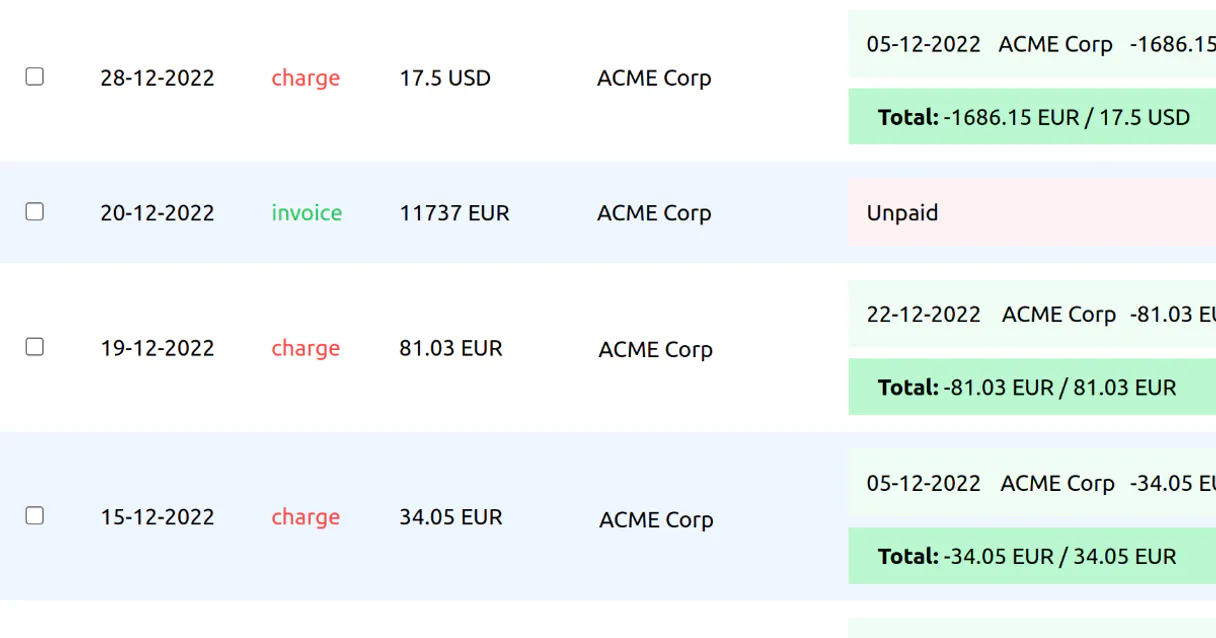
Independent Platform Disclaimer: Vinkius is an independent platform and is not affiliated with, endorsed by, sponsored by, verified by, or otherwise authorized by Lancerkit. All third-party trademarks, logos, and brand names are the property of their respective owners. Their use on this website is strictly for informational purposes to identify service compatibility and interoperability.
VINKIUS INFRASTRUCTURE
Cloud Hosted
Managed infra
V8 Isolated
Sandboxed per request
Zero-Trust Proxy
No stored credentials
DLP Enforced
Policy on every call
GDPR Compliant
EU data residency
Token Compression
~60% cost reduction
Works with Claude, ChatGPT, Cursor, and more
The Model Context Protocol standardizes how applications expose capabilities to LLMs. Instead of operating in isolation, your AI gains direct access to external platforms, live data, and real-world actions through secure, standardized connections.
This server provides 10 capabilities that interface natively with Claude, ChatGPT, Cursor, and any MCP client. No middleware. No custom integration required.
Available Capabilities
Pulling together the client picture used to take 20 minutes of clicking through separate tabs.
Today, checking on one client means opening the main CRM dashboard. Then you click 'Projects' to see if they have active work—that’s one tab. Next, you open 'Billing History' to see what was charged and another tab. Finally, you hunt through a third section for their current tasks. You end up copy-pasting three separate data dumps into an email just to give the client a full picture.
With Lancerkit MCP Server, your agent runs `get_client` first. It pulls all that metadata—projects, billing status, and tasks—and hands it back in one structured response. You get the entire client profile delivered instantly, ready for you to review or send.
list_invoices: Get the full financial picture without leaving your chat.
Normally, getting a global view of billing requires navigating deep into the financial module. You have to filter by date range, then by status (Paid/Pending), and manually aggregate totals from multiple pages just to see how much is owed company-wide.
Now, simply ask your agent to run `list_invoices`. It pulls all global pipeline statistics immediately. What's different now is that you get the raw financial data—the counts and summaries—without ever leaving the chat window.
Common Questions About Lancerkit MCP
How do I check if my Lancerkit MCP Server connection is working? +
Run get_status to examine your account and integration connection status overall. This tool confirms that all necessary credentials are active before you attempt any data retrieval.
What does get_invoice do? Can it pull old payment details? +
get_invoice retrieves the full historical record for a specific invoice ID, including payments and billing charges. Yes, it pulls all relevant financial data points associated with that unique string ID.
Can list_clients give me more than just names? +
list_clients pulls a complete roster of every client in the workspace. It gives you enough context to then feed those IDs into get_client for deeper metadata retrieval.
Which tool should I use to see what tasks are currently pending? +
Use list_tasks. This function checks your current working task list. It's designed specifically for actionable, immediate items that need attention right now.
How can I use `get_time_logs` to check hours for a specific month? +
You pass start and end dates into get_time_logs. The tool returns only the recorded time logs within that date range. This helps you generate precise, filtered reports of billable work over any given period.
Does `list_invoices` provide a breakdown of global billing status? +
Yes, running list_invoices fetches the overall pipeline statistics. It shows metrics like the total outstanding amount and counts for invoices currently in draft or paid status across all clients.
What core metadata does `get_project` return when I give it an ID? +
The tool pulls key details about a single project, including who the assigned client is and what the default hourly rate was set for that job. This confirms ownership data before you start drafting billing materials.
How do I find out which billable services are configured in the system? +
You use list_services to fetch all specific, billable service items set up online. It gives you a comprehensive list of available rate names and codes that you can reference before billing.
What is Lancerkit? +
Lancerkit is an all-in-one platform for freelancers to manage projects, track time, send invoices, and handle client communication from a single dashboard.
Where do I find my API key? +
You can find your API key in the Lancerkit dashboard under Account Settings > Developer API. Generate a new token with appropriate permissions.
Can I create invoices automatically using natural language? +
Yes, you can instruct the AI to draft, review, and send invoices to your clients based on your tracked time or fixed project milestones.
Use it with your favorite AI tools
Connect this server to Cursor, Claude, VS Code, and more.
More in this category


You might also like

IATA Developer Portal
Access aviation reference data — audit airports, airlines, and aircraft via AI.

Cloudinary
Manage media assets via Cloudinary — track resources, monitor usage, and automate transformations directly from any AI agent.

Aha!
Product roadmapping and strategy — manage features, ideas, and strategic goals via AI.