
All Digital Rewards MCP. Manage points, participants, and reward catalogs instantly.
 Gemini
 Works with every AI agent you already use
…and any MCP-compatible client









Just plug in your AI agents and start using Vinkius.
All Digital Rewards manages your entire incentive lifecycle—from enrolling participants to issuing points and auditing fulfillment orders. Connect your platform via AI and use natural language commands to manage loyalty programs, track gift card redemptions, and monitor employee recognition rewards instantly.
What your AI agents can do
Create participant
Adds a new user account to the reward system.
Get order details
Pulls specific information about an existing order's fulfillment status.
Get participant details
Retrieves a user's full profile, including points balance and activity history.
Enroll new users, list all current members, and pull detailed profiles to view points balances and history.
List active incentive programs or retrieve metadata about specific rewards available in the catalog.
Issue points to a participant, directly linking the reward to a specific behavior or milestone reason.
List all redemption orders placed by participants and get real-time status updates on their fulfillment progress.
Ask AI about this MCP
Supported MCP Clients
Gemini Waiting for input…
All Digital Rewards MCP Server: 10 Tools for Incentives
These tools give your agent direct access to participant records, reward catalogs, point issuance logic, and order fulfillment tracking.
019d754ccreate participant
Adds a new user account to the reward system.
019d754cget order details
Pulls specific information about an existing order's fulfillment status.
019d754cget participant details
Retrieves a user's full profile, including points balance and activity history.
019d754cget product details
Gets specific metadata about an available reward item.
019d754cget program details
Retrieves detailed information about a single incentive program structure.
019d754cissue points
Adds points to a participant's account, requiring a reason for the award.
019d754clist orders
Lists all redemption orders placed by participants in the system.
019d754clist participants
Returns a list of all active users enrolled in reward programs.
019d754clist programs
Lists all incentive structures and program names currently running.
019d754clist reward products
Shows a list of all available physical or digital rewards in the catalog.
Choose How to Get Started
Build a custom MCP for your own tools, or connect a ready-made integration from our catalog.
Build Your Own
Turn any API into an MCP. Import a spec, define Agent Skills, or deploy with MCPFusion.
- Import from OpenAPI, Swagger, or YAML specs
- Create Agent Skills with progressive disclosure
- Deploy to edge with MCPFusion framework
- Built in DLP, auth, and compliance on every call
- Real time usage dashboard and cost metering
- Publish to catalog or keep private
Make Your AI Do More
Start with All Digital Rewards, then connect any of our 4,700+ other servers whenever your AI needs more. One click, no limits.
- Use this MCP plus 4,700+ others, all in one place
- Add new capabilities to your AI anytime you want
- Every connection is secured and compliant automatically
- Track usage and costs across all your servers
- Works with Claude, ChatGPT, Cursor, and more
- New servers added to the catalog every week
What you can do with this MCP connector
This server handles your entire incentive lifecycle, letting you manage loyalty programs and track points right from your AI client. You'll use it to enroll people, check balances, award rewards, and follow through on fulfillment orders—all without leaving the chat window.
Managing Participants and Records:
You need to get a handle on who’s in the system. Your agent can list_participants to pull a list of every active user enrolled in your programs. If you gotta onboard someone new, you run create_participant; that adds them as an official user account into the reward structure.
When you wanna know what a specific person's deal is—like their current points balance or their whole activity history—you hit up get_participant_details. It pulls up their full profile for review.
Tracking Programs and Catalog Data:
You gotta know what programs are running and what rewards people can actually spend. You can use list_programs to see a rundown of every incentive structure you’ve set up. If you want the granular details on just one program, run get_program_details. For the actual goods—the physical or digital prizes—you call list_reward_products, which shows you the whole catalog.
Need specifics on one item? Use get_product_details to pull metadata about an available reward, whether it's a gift card or some branded merch.
Awarding Points and Incentives:
When someone earns points, you gotta track it right. You use issue_points to add points directly to a participant’s account; this function requires that you specify the reason for the award, so everything's accounted for.
Monitoring Reward Fulfillment:
You need visibility into every redemption order placed by your members. To see a list of all orders, participants are tracked using list_orders. Once you pick an order from that list, you run get_order_details to pull the exact fulfillment status and track its progress in real time.
How All Digital Rewards MCP Works
- 1 Subscribe to the All Digital Rewards server, then input your required RewardSTACK Email and Password.
- 2 Your AI client authenticates with the platform. The agent gains access to all reward tools, allowing you to query data or issue commands.
- 3 You ask a question (e.g., 'Show me the top 5 most popular rewards') or give a command (e.g., 'Issue 100 points to user X'). The agent runs the necessary tool and reports the result.
The bottom line is: you manage your entire incentive program—from point issuance to order fulfillment—all from one chat interface.
Who Is All Digital Rewards MCP For?
This stack solves the pain of siloed operations. It's for the Marketing Manager who has to jump between CRM, internal spreadsheets, and loyalty portals just to track a single participant's status. Or the HR Ops Engineer whose job is auditing employee recognition programs—they need real-time data consistency without constant manual dashboard checks.
Manages customer loyalty by running campaigns that require tracking gift card redemptions and issuing points based on purchase behavior.
Automates employee recognition. They use this to issue performance bonuses or track participation in internal wellness challenges.
Manages sales contests and quarterly incentives by issuing points for hitting targets and auditing contest rewards.
What Changes When You Connect
- Audit participant status using
get_participant_detailsto check any user’s point balance or activity history in seconds. No more guessing if a client was even entered into the system. - Keep track of rewards with
list_reward_productsandget_product_details. You can instantly verify if $50 Amazon gift cards are still available before promising them to a user. - Automate recognition by running
issue_points, allowing you to award points based on specific milestones or behaviors without manual ledger entry. The point transaction gets logged automatically. - Get full visibility into redemptions with
list_orders. You can pull the order details for any redemption to see its current fulfillment status—is it shipped? Is it pending? - Understand your incentives by using
list_programsandget_program_details. Know exactly what rules govern a specific loyalty track or employee bonus pool. - Onboarding is simple: Use
create_participantto register new users, then immediately follow up withget_participant_detailsto confirm their initial record was set correctly.
Real-World Use Cases
The Sales Contest Audit
A sales manager needs to know who hit the Q2 target and how many points they earned. They ask the agent: 'List participants in the Q2 contest, then get participant details for top 3.' The agent runs list_participants and get_participant_details, giving the manager an instant ranked list and their current point balances.
Fulfilling a Customer Referral
A customer refers someone new. The marketing rep asks the agent to 'Create participant for Jane Doe, then issue 200 points.' The agent runs create_participant and immediately follows up with issue_points, completing both steps in one chat command.
Checking an Order Status
A user claims their gift card redemption is stuck. They ask: 'What's the status of order ID 9876?' The agent runs get_order_details, providing immediate feedback on whether the reward was processed or if it’s still pending shipment.
Analyzing Program Health
The ops team needs to know which rewards are most popular and what programs are active. They ask: 'List all running incentive programs and list available rewards.' The agent runs list_programs and list_reward_products, giving a clear view of the system's scope.
The Tradeoffs
Manually issuing points without context
A user just types: 'Give John 50 points.' This command fails because the system needs to know why and which program rules apply.
→
Always specify the reason. Use issue_points like this: 'Issue 50 points to participant ID X for Q3 Attendance Bonus.' The tool requires a clear, defined reason.
Assuming all rewards are physical
The user asks to check stock levels on list_reward_products, but only thinks of gift cards, missing digital inventory.
→
Remember that the catalog handles both. Use get_product_details to confirm if a reward is digitized or physical before promising it.
Trying to fulfill an order without ID
The user asks: 'Where's my prize?' This is too vague and yields no results. The system needs a specific identifier.
→
Use get_order_details and provide the unique order ID so the agent can pull exact fulfillment status.
When It Fits, When It Doesn't
You should use this server if your core business function revolves around tracking, incentivizing, or rewarding people. Specifically, if you manage loyalty points, sales bonuses, or employee recognition programs—this is it. Don't use it if you just need basic contact info (use a standard CRM integration) or if you only need to list general products not tied to an incentive structure. If your process requires tracking who earned how many points, and then checking if that point award triggers a physical order fulfillment, this server connects those three steps in one place.

Independent Platform Disclaimer: Vinkius is an independent platform and is not affiliated with, endorsed by, sponsored by, verified by, or otherwise authorized by All Digital Rewards. All third-party trademarks, logos, and brand names are the property of their respective owners. Their use on this website is strictly for informational purposes to identify service compatibility and interoperability.
VINKIUS INFRASTRUCTURE
Cloud Hosted
Managed infra
V8 Isolated
Sandboxed per request
Zero-Trust Proxy
No stored credentials
DLP Enforced
Policy on every call
GDPR Compliant
EU data residency
Token Compression
~60% cost reduction
Works with Claude, ChatGPT, Cursor, and more
The Model Context Protocol standardizes how applications expose capabilities to LLMs. Instead of operating in isolation, your AI gains direct access to external platforms, live data, and real-world actions through secure, standardized connections.
This server provides 10 capabilities that interface natively with Claude, ChatGPT, Cursor, and any MCP client. No middleware. No custom integration required.
Available Capabilities
Tracking participant status shouldn't involve clicking through five different tabs.
Today, auditing participation is a mess. You log into the CRM to find the user's profile, then switch to the internal points dashboard to see their balance. If you need to know if they redeemed an order, you open the fulfillment portal. It takes 20 minutes and three different passwords just to get one clear picture.
With this MCP server, your agent does all that work for you. You simply ask: 'Give me a status report on user X.' The agent runs `get_participant_details`, checks their point balance, and verifies any open orders using `list_orders`—all in the response window.
All Digital Rewards MCP Server lets you issue points instantly.
Manual systems require a workflow: Manager approves -> Points are calculated -> Admin logs into system A to update balance -> Admin logs into system B to log the reason. This delay means recognition is slow and prone to error.
Now, you run `issue_points` directly in chat. The points go out, the transaction is logged with a defined reason, and the participant's record updates—all before you finish reading this sentence.
Common Questions About All Digital Rewards MCP
How do I check if rewards are available using list_reward_products? +
You run list_reward_products to see a full catalog of all digital and physical options. This tool gives you the master list so you know what you can promise.
Can I issue points without knowing the program details? (issue_points) +
You can run issue_points if you have the user's ID and the point count, but it's better practice to first check get_program_details. This ensures your award aligns with existing incentive rules.
What is the difference between list_participants and get_participant_details? +
list_participants gives you a broad roster of everyone enrolled. Use get_participant_details when you need deep info—like checking Jane Doe's specific point history or balance.
How do I track an order using get_order_details? +
You must provide the unique order ID to get_order_details. The agent then returns a status update, telling you exactly where that reward is in the fulfillment process.
When using `create_participant`, what information is absolutely required for enrollment? +
You must provide a unique email and name. The system requires these two fields to create the record; other data like phone number or address are optional additions you can append later.
If I want to see a participant's full history, should I use `list_participants` or `get_participant_details`? +
You need both. Use list_participants first to pull the list of relevant IDs. Then, pass those specific IDs to get_participant_details to retrieve detailed profiles and activity logs for each one.
How do I check if a program listed by `list_programs` is currently active or expired? +
The resulting metadata from get_program_details contains the 'status' field. If it says 'Inactive' or has an end date, that structure won't process points or orders right now.
What happens if I try to `issue_points` for a participant who doesn't exist? +
The API will return a specific 'Participant Not Found' error code. This means the ID you sent isn't currently registered in the system, and you need to use create_participant first.
How do I find my RewardSTACK API credentials? +
Use your standard RewardSTACK administrative email and password. Your AI agent will use these to obtain a temporary JWT (JSON Web Token) for all API requests.
Can I issue points to multiple participants at once? +
The issue_points tool currently processes points for a specific participant ID. For bulk processing, you can ask your agent to loop through a list of IDs or use the RewardSTACK batch file upload feature.
What types of rewards are available in the catalog? +
The Reward Catalog API provides access to thousands of digital gift cards (Visa, Amazon, etc.), physical merchandise from major retailers, and unique experiential rewards.
Use it with your favorite AI tools
Connect this server to Cursor, Claude, VS Code, and more.
More in this category

Serviceform
Convert website visitors with chatbots, forms, and booking widgets that generate leads and collect data without friction.

JVZoo
Manage products, sales, and affiliates via JVZoo API.

Kitetags
Generate optimized hashtags for Instagram and TikTok posts with AI that analyzes trending tags and maximizes reach.
You might also like

DNV Renewables
Access wind and solar resource data, energy yield estimates, and mesoscale climate data via DNV Renewables (ex-EMD) API.
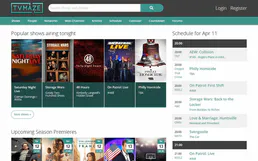
TVMaze
Search TV shows, get episode guides, browse schedules, discover cast and crew — no API key required.

HelpCrunch
Automate customer support via HelpCrunch — manage chats, customers, and team assignments directly from any AI agent.