
LeafLink MCP. Automate wholesale order processing and inventory tracking.
 Gemini
 Works with every AI agent you already use
…and any MCP-compatible client









Just plug in your AI agents and start using Vinkius.
LeafLink MCP Server manages your entire cannabis wholesale pipeline. Your AI agent connects directly to your LeafLink account to automate everything from order intake to inventory adjustments.
You can list all received orders, check real-time stock levels, update product pricing, and change order statuses—all without opening the LeafLink dashboard.
What your AI agents can do
Create new product
Adds a new product entry, requiring a JSON body with all the necessary product details.
Get order details
Retrieves all specific information for a single, existing wholesale order.
Get product details
Fetches all details for one specific product, including pricing and metadata.
List all incoming wholesale orders, retrieve specific order details, and change an order's status (accept, fulfill, cancel) using simple text commands.
Get real-time stock levels for any product and update the inventory count for specific items, keeping your catalog accurate.
Create new products in your catalog or retrieve existing product details, including current pricing and metadata.
List all registered brands and list all customers/buyers connected to your wholesale account.
Retrieve a list of every product currently available in your entire inventory.
Ask AI about this MCP
Supported MCP Clients
Gemini Waiting for input…
LeafLink MCP Server: 9 Tools for Wholesale Operations
Use these tools to manage every aspect of your wholesale business—from creating new products to updating order statuses and tracking inventory levels.
019d75c5create new product
Adds a new product entry, requiring a JSON body with all the necessary product details.
019d75c5get order details
Retrieves all specific information for a single, existing wholesale order.
019d75c5get product details
Fetches all details for one specific product, including pricing and metadata.
019d75c5list received orders
Gets a full list of all wholesale orders that have been received into your account.
019d75c5list wholesale brands
Retrieves a list of every brand registered in your wholesale account.
019d75c5list wholesale customers
Lists all buyers and customers connected to your wholesale account.
019d75c5list wholesale products
Retrieves a comprehensive list of every product available in your current inventory.
019d75c5update order status
Changes an order's status (e.g., accept, fulfill, cancel, reject) by transitioning it through its defined lifecycle.
019d75c5update product inventory
Adjusts the stock count for a specific product ID, updating the inventory level.
Choose How to Get Started
Build a custom MCP for your own tools, or connect a ready-made integration from our catalog.
Build Your Own
Turn any API into an MCP. Import a spec, define Agent Skills, or deploy with MCPFusion.
- Import from OpenAPI, Swagger, or YAML specs
- Create Agent Skills with progressive disclosure
- Deploy to edge with MCPFusion framework
- Built in DLP, auth, and compliance on every call
- Real time usage dashboard and cost metering
- Publish to catalog or keep private
Make Your AI Do More
Start with LeafLink, then connect any of our 4,700+ other servers whenever your AI needs more. One click, no limits.
- Use this MCP plus 4,700+ others, all in one place
- Add new capabilities to your AI anytime you want
- Every connection is secured and compliant automatically
- Track usage and costs across all your servers
- Works with Claude, ChatGPT, Cursor, and more
- New servers added to the catalog every week
What you can do with this MCP connector
Your AI agent connects straight to your LeafLink account, letting you manage your whole cannabis wholesale operation. You don't have to open the dashboard to handle orders, check stock, or adjust pricing. Here’s what it does:
Processing Orders
- You can grab a full list of every wholesale order that comes in using
list_received_orders. From there, you can pull all the specific info for any single order withget_order_details. You can also move an order through its life cycle—accepting it, fulfilling it, or even canceling it—by runningupdate_order_status.
Inventory Management
- Need to know how much stock you got?
list_wholesale_productsgives you a full list of everything in your inventory. You can check the real-time stock count for any product and update the count for specific items usingupdate_product_inventory.
Catalog Control
- Want to add a new item? Just give it the details, and
create_new_productadds it to your catalog. You can also grab all the details for a specific product, including pricing and metadata, usingget_product_details. You'll also find that you can get a complete list of every product available in your inventory usinglist_wholesale_products.
Wholesale Network View
- You can see who you're doing business with.
list_wholesale_customerspulls up every buyer connected to your account. To see which brands you deal with, uselist_wholesale_brands.
Summary
- Your agent handles everything. It gets you all the data you need on orders, stock, and partners without you lifting a finger.
How LeafLink MCP Works
- 1 Subscribe to this server and provide your LeafLink API Key (JWT Bearer Token).
- 2 Your AI client sends a request (e.g., 'Update order #XYZ to fulfilled').
- 3 The server executes the appropriate tool, sends the result back, and your AI agent reports the status change.
The bottom line is, your AI client interacts with your LeafLink account like a native user, executing tasks via code calls instead of clicking through a web dashboard.
Who Is LeafLink MCP For?
This is for operations teams and wholesale managers who spend too much time switching between dashboards to keep inventory and orders synced. If your job involves checking stock levels, updating order statuses, or logging product changes manually, this server saves you hours of repetitive clicking and data lookup.
Automates the daily order fulfillment process by checking incoming orders using list_received_orders and moving them through the lifecycle using update_order_status.
Maintains accurate stock counts by checking current levels with list_wholesale_products and adjusting counts with update_product_inventory.
Quickly queries brand and customer data using list_wholesale_brands and list_wholesale_customers during planning sessions without logging into the main platform.
What Changes When You Connect
- Process orders instantly: Use
list_received_ordersto pull all incoming wholesale orders, then useget_order_detailsto examine the specifics. Your AI agent handles the data retrieval in seconds. - Maintain accurate stock: Check current levels with
list_wholesale_productsand correct counts immediately usingupdate_product_inventory. This prevents overselling and keeps your supply chain running. - Streamline order flow: Don't manually update statuses. Use
update_order_statusto move orders from 'pending' to 'fulfilled' with a simple command, and the change logs in LeafLink. - Manage the catalog: Need to add a new item? Use
create_new_productto list it, or useget_product_detailsto check the specs and pricing before listing it. - See your partners: Quickly query your entire network by listing all buyers (
list_wholesale_customers) or all registered brands (list_wholesale_brands) when planning sales. - Full visibility: Access both order and product data in one place. The AI agent connects the order details to the required inventory, eliminating the need to jump between multiple tabs.
Real-World Use Cases
Fulfilling a Rush Order
A fulfillment specialist needs to process 10 orders. Instead of logging into LeafLink and clicking 10 times, they tell their agent: 'Check the status of orders #101 and #102.' The agent runs list_received_orders and get_order_details, identifying which ones are ready for shipment. They then use update_order_status to change them to 'fulfilled'.
Auditing Stock Levels
An inventory auditor needs to verify current stock across 50 SKUs. They ask their agent to use list_wholesale_products to get the full catalog. The agent then runs update_product_inventory for any item flagged as needing a count correction, creating a verifiable log of changes.
Onboarding a New Buyer
A sales manager needs to check if a new client is registered. They ask their agent to run list_wholesale_customers. If the client isn't there, they can use list_wholesale_brands to check for the brand, then use create_new_product if a new item needs to be added to the catalog.
Correcting an Order Error
An operations team member notices an order was placed for an out-of-stock item. They ask the agent to use get_order_details to confirm the order contents. They then manually use update_product_inventory to correct the stock count and use update_order_status to change the order to 'rejected'.
The Tradeoffs
Manual Data Copying
The manager sees an order number on an email, opens the LeafLink site, manually searches for it, copies the SKU, and then goes to a spreadsheet to log the status change.
→
Ignoring Order Statuses
The team updates stock levels but forgets to use update_order_status. The order remains 'pending' in the system, leading to fulfillment delays and accounting errors.
→
Using Outdated Product Info
The sales team uses old pricing data found in a document, which doesn't match the current inventory. They try to process the sale without checking the live catalog.
→
Checking Stock in Isolation
Checking list_wholesale_products only gives a list. You must follow up by using get_product_details to get the specific pricing or checking list_wholesale_customers to see who placed the order.
→
When It Fits, When It Doesn't
Use this server if your workflow requires constant, two-way communication with your LeafLink account: checking data and executing changes. For example, if you need to check stock using list_wholesale_products and then immediately change the order status using update_order_status, this is the tool. Don't use this if you only need to view a static report (use a dedicated reporting tool instead). If you just need to list contacts, list_wholesale_customers is fine, but if you need to act on that contact (e.g., check their order history), you need the full suite of tools here. This is for active operations, not passive viewing.
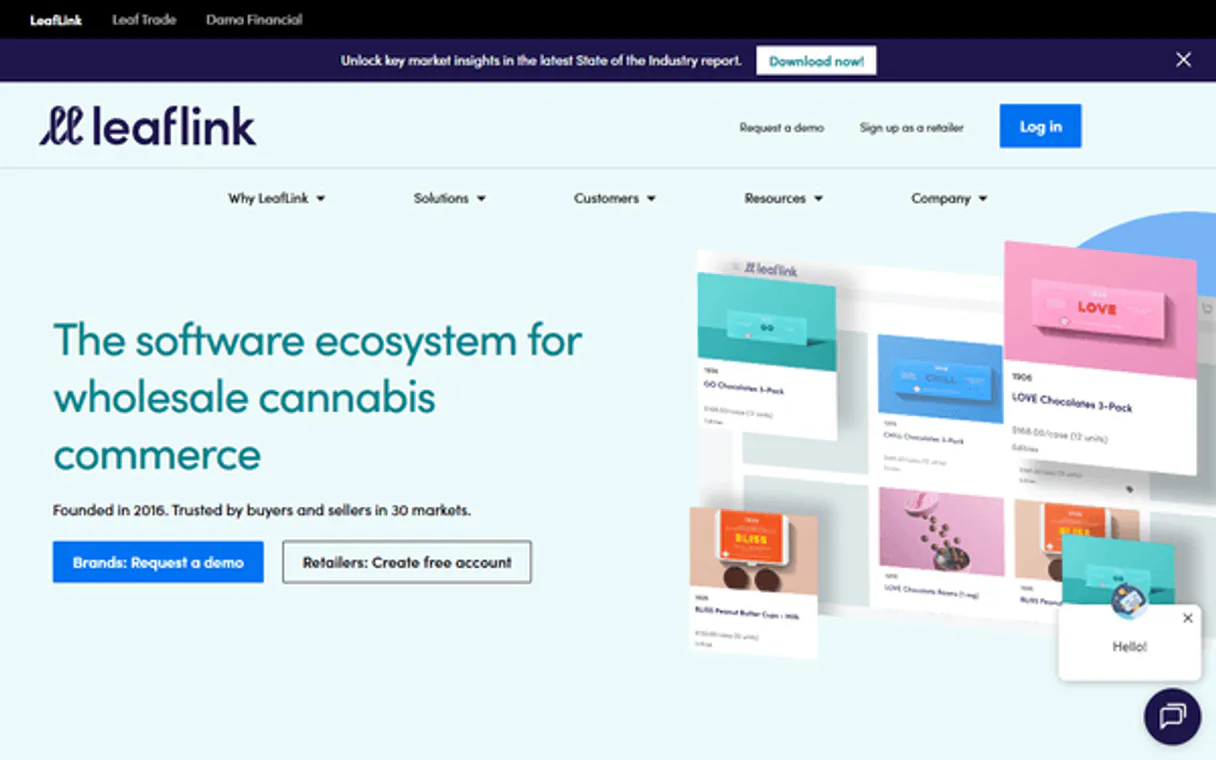
Independent Platform Disclaimer: Vinkius is an independent platform and is not affiliated with, endorsed by, sponsored by, verified by, or otherwise authorized by LeafLink. All third-party trademarks, logos, and brand names are the property of their respective owners. Their use on this website is strictly for informational purposes to identify service compatibility and interoperability.
VINKIUS INFRASTRUCTURE
Cloud Hosted
Managed infra
V8 Isolated
Sandboxed per request
Zero-Trust Proxy
No stored credentials
DLP Enforced
Policy on every call
GDPR Compliant
EU data residency
Token Compression
~60% cost reduction
Works with Claude, ChatGPT, Cursor, and more
The Model Context Protocol standardizes how applications expose capabilities to LLMs. Instead of operating in isolation, your AI gains direct access to external platforms, live data, and real-world actions through secure, standardized connections.
This server provides 9 capabilities that interface natively with Claude, ChatGPT, Cursor, and any MCP client. No middleware. No custom integration required.
Available Capabilities
Managing wholesale orders shouldn't require logging into a web dashboard.
Right now, processing a simple order change is a pain. You get an email notification, so you have to open your browser, navigate to the LeafLink site, find the order number, click on it, and then find the status dropdown menu to manually move it from 'pending' to 'ready.' This takes clicks, context switches, and time.
With this MCP server, you tell your agent the task: 'Change order #XYZ to fulfilled.' The agent runs `update_order_status` directly against the LeafLink API. The status changes, and you get confirmation—all from your chat interface. No dashboard required.
LeafLink MCP Server: Process orders and manage inventory.
Before, adjusting inventory meant calling someone, finding the SKU, and manually updating the count in a separate system. Creating a new product was a form-fill process that required multiple logins and verifying metadata against the master catalog.
Now, you tell your agent to 'Create a new product for strain X.' The agent runs `create_new_product` and handles the data entry and metadata logging directly. The process is contained, immediate, and verifiable.
Common Questions About LeafLink MCP
How do I check the status of an order using the `get_order_details` tool? +
You must provide the specific order ID. The tool returns all details, including the current status, the items ordered, and the associated buyer. You can then use this information to decide if you need to run update_order_status.
Can I list all my customers with `list_wholesale_customers`? +
Yes, list_wholesale_customers returns a list of all registered buyers. This list helps you track your entire network of wholesale clients.
What if I need to update inventory after an order is fulfilled? +
You should use update_product_inventory. This tool adjusts the stock count for a specific product, which is the precise mechanism needed after fulfilling an order.
Is `list_wholesale_products` better than `get_product_details`? +
list_wholesale_products gives you a list of everything available in your inventory. Use it when you want to see a summary of all items. Use get_product_details when you need deep, specific data on just one product, like its full metadata.
How do I change an order status using `update_order_status`? +
You must tell the agent which order to change and what the new status should be (e.g., 'fulfill', 'reject'). The tool transitions the order through its lifecycle and confirms the change.
How do I add a new item using the `create_new_product` tool? +
You provide the product details in a JSON body. The tool adds the item to your wholesale catalog immediately. You must include necessary metadata and pricing data to ensure the product is searchable.
If I need to find all products, should I use `list_wholesale_products` or `get_product_details`? +
list_wholesale_products retrieves a full catalog of available items. Use get_product_details when you already know the specific product ID and need granular information on just that one item.
Can I list all registered brands using `list_wholesale_brands`? +
Yes, list_wholesale_brands provides a list of all brands registered to your account. This helps maintain a clear overview of your entire wholesale network.
How do I update the inventory level for a product? +
Use the update_product_inventory tool with the unique product ID and the new total quantity. This will update the quantity field in LeafLink.
Can I fulfill an order using the agent? +
Yes, use the update_order_status tool with the order number and set the action to 'fulfill' to transition the order status.
Is it possible to see my buyer list? +
Absolutely. The list_wholesale_customers tool retrieves all organizational buyers and dispensary accounts registered in your LeafLink network.
Use it with your favorite AI tools
Connect this server to Cursor, Claude, VS Code, and more.
More in this category
Veeqo
Manage multi-channel e-commerce inventory, shipping, and order fulfillment from one platform that syncs with Amazon and beyond.

Maropost
Automate marketing and commerce via Maropost — manage contacts, campaigns, and workflows.

WooCommerce Order Status Reader
This MCP gives your AI agent the ability to check the real-time status and tracking information of any WooCommerce order using an Order ID or a Customer Email. Perfect for automating "where is my order?" (WISMO) support queries.
You might also like

Meilisearch
Manage your Meilisearch instance — handle indexes, documents, and search configurations directly from your AI agent.

Customerly
Combine live chat, email marketing, and customer surveys in one platform that helps SaaS companies grow and retain users.

Appier
Empower your AI agents to manage Appier campaigns, analyze predictive audiences, and fetch real-time conversion metrics directly from chat.