
LiteLLM MCP. Control key lifecycle, routing, and spending across all LLMs.
 Gemini
 Works with every AI agent you already use
…and any MCP-compatible client









Just plug in your AI agents and start using Vinkius.
LiteLLM Proxy & Spend Tracking manages your entire LLM gateway through a single proxy layer. It lets you generate isolated API keys, audit spending down to the user and team level, and programmatically manage complex model fallback paths (like OpenAI -> Anthropic).
Stop guessing about costs; control everything from one place.
What your AI agents can do
Create model
Injects entirely new, fresh API endpoints into the proxy runtime for a specific LLM model.
Create team
Creates an isolated team profile that tracks cost limits and operational boundaries for billing.
Create user
Registers a specific end-user identity to track their unique token consumption against proxy logs.
You get precise, real-time records of who consumed tokens and how much it cost in USD.
Check the exact sequence of models used when a primary provider fails (e.g., OpenAI -> Anthropic).
Generate unique sub-keys, each with its own budget and rate limits, so one service failing doesn't crash the whole system.
Create dedicated team profiles that track cost ceilings specific to a department or division.
Instantly delete broken model deployments (delete_model) or malicious API keys (delete_key) to prevent runtime 500 errors.
Ask AI about this MCP
Supported MCP Clients
Gemini Waiting for input…
LiteLLM (LLM Proxy & Spend Tracking): 10 Tools
Use these tools to audit spending, manage API keys, and programmatically control model routing paths across multiple LLM providers.
019d75c8create model
Injects entirely new, fresh API endpoints into the proxy runtime for a specific LLM model.
019d75c8create team
Creates an isolated team profile that tracks cost limits and operational boundaries for billing.
019d75c8create user
Registers a specific end-user identity to track their unique token consumption against proxy logs.
019d75c8delete key
Removes an existing LLM proxy API key entirely, preventing its use and associated costs.
019d75c8delete model
Deactivates a specific LLM deployment that is causing errors (500s) in the routing path.
019d75c8generate key
Creates a new, distinct proxy API key for a microservice or team, applying defined budget limits.
019d75c8get key info
Retrieves the current configuration and established budget bounds for any given API key.
019d75c8get model info
Returns a list of all configured fallback paths, showing which models route to which providers.
019d75c8get team info
Retrieves the internal logic and cost boundaries associated with a specific team ID.
019d75c8get user info
Returns precise usage data for an end-user, including total tokens consumed and calculated USD cost.
Choose How to Get Started
Build a custom MCP for your own tools, or connect a ready-made integration from our catalog.
Build Your Own
Turn any API into an MCP. Import a spec, define Agent Skills, or deploy with MCPFusion.
- Import from OpenAPI, Swagger, or YAML specs
- Create Agent Skills with progressive disclosure
- Deploy to edge with MCPFusion framework
- Built in DLP, auth, and compliance on every call
- Real time usage dashboard and cost metering
- Publish to catalog or keep private
Make Your AI Do More
Start with LiteLLM (LLM Proxy & Spend Tracking), then connect any of our 4,700+ other servers whenever your AI needs more. One click, no limits.
- Use this MCP plus 4,700+ others, all in one place
- Add new capabilities to your AI anytime you want
- Every connection is secured and compliant automatically
- Track usage and costs across all your servers
- Works with Claude, ChatGPT, Cursor, and more
- New servers added to the catalog every week
What you can do with this MCP connector
LiteLLM Proxy & Spend Tracking: You run the whole show.
The LiteLLM Proxy gives you a single control layer for your entire LLM gateway. You ditch guessing about costs and manage everything—from API keys to model fallbacks—in one place using your AI client. Here's how it works.
Cost Management: Knowing Exactly Who's Spending What
You gotta track spending down to the user level, period. When you use create_user, you register a specific end-user identity into the proxy logs. This lets your agent monitor that unique token consumption against real-time usage data. Later, with get_user_info, you pull precise metrics for that end-user—it tells you their total tokens consumed and calculates exactly what that costs in USD.
For departmental tracking, you use create_team to set up an isolated profile. This tracks cost limits and operational boundaries specifically for a department or division. You can then call get_team_info to review the internal logic and established cost ceilings tied to that specific team ID.
Access Control & Isolation: Keys, Limits, and Boundaries
The proxy lets you build rock-solid isolation layers. If one microservice goes sideways, it shouldn't take down the whole stack. You generate unique sub-keys using generate_key. Each of these new proxy API keys can be configured with its own defined budget limits and rate controls, which is killer for multi-tenant setups.
When you need to check what key you're dealing with, or verify its current cost bounds, just run get_key_info against any specific API key. If a key gets compromised, don't sweat it; you can instantly eliminate it using delete_key, which removes the existing proxy API key entirely and prevents all associated costs.
Reliability & Fallbacks: Keeping Things From Crashing
Model failures are inevitable, but this setup handles them. You define complex model fallback paths—for instance, if OpenAI bails out, it automatically tries Anthropic or Groq. You check the exact sequence of models used when a primary provider fails using get_model_info, which returns a list of all configured routing fallbacks and shows exactly which models route to which providers.
The proxy also lets you manage the core model endpoints themselves. If a specific deployment is throwing 500 errors, you don't have to wait for it to fix itself; you use delete_model to deactivate that problematic LLM deployment immediately, keeping your routing path clean. You can also inject entirely new API endpoints into the proxy runtime for an untested or fresh model using create_model.
Operational Tools: The Full Control Panel
This setup lets you manage the infrastructure itself. By generating isolated keys and assigning them to specific teams, you enforce strict organizational spending boundaries right at the source. When your agent uses these tools, it's managing resources programmatically: It creates a team profile with cost tracking (create_team), registers individual users for auditing (create_user), generates highly restricted API access points (generate_key), and ensures that all operational costs are tied back to specific user or team IDs.
You get complete visibility into who consumed tokens, how many total tokens were used, and the corresponding USD cost, giving you full financial accountability over every single call made through your gateway.
How LiteLLM MCP Works
- 1 Subscribe to the server and provide your LiteLLM API URL along with a Master Key.
- 2 Your AI client connects through this proxy, allowing you to manage LLM calls conversationally.
- 3 You issue commands (e.g., 'What did user X spend?') which run tools like
get_user_infoagainst the live gateway.
The bottom line is: it puts your entire complex LLM setup behind a single, auditable control panel accessible via chat or code.
Who Is LiteLLM MCP For?
Platform Engineers who are sick of manual key rotation and cost auditing. It's for the ML Ops specialist facing unpredictable cloud bills from multiple models. If your team runs LLMs across more than two providers, you need this.
Uses get_model_info to audit fallback paths and adjusts model deployments using create_model when a provider changes its endpoint.
Manages global gateway configuration, generating new sub-keys with rate limits via generate_key for every new microservice.
Uses the server to generate dedicated user identities (create_user) and test model routing availability without impacting production costs.
What Changes When You Connect
- Pinpoint exactly who spent the money. Use
get_user_infoto track total USD consumption per individual user ID—no more guessing where budget overruns come from. - Stop cascading failures with dynamic model control. If one provider hits an outage, use
create_modelor audit routing paths withget_model_infoto ensure failover works when you need it. - Enforce true organizational separation. With
generate_keyandcreate_team, you can assign hard budget limits per department, keeping costs accountable at the division level. - Maintain uptime by proactively cleaning up. If a model deployment breaks or is leaked, use
delete_modelordelete_keyinstantly to prevent downstream 500 errors. - Audit everything in one chat session. Instead of hopping between billing dashboards and API logs, simply ask the agent: 'What was the cost for Team X last week?'
- Build reliable microservices. Generate isolated sub-keys using
generate_keyso your new service can't accidentally drain the budget allocated to another team.
Real-World Use Cases
Billing mystery: Identifying cost centers.
A product manager notices costs spiked last month. Instead of blaming a 'team,' they ask their agent: 'Show me all spending for the Marketing department.' The agent runs get_team_info and identifies that a new, unbudgeted service deployed by an individual developer was responsible for 70% of the overrun.
Service deployment failure.
A backend team deploys a new LLM endpoint (e.g., AWS Bedrock Llama 4). Before connecting it, they use create_model to inject the fresh routing path and verify its availability via the agent. They prevent an outage before any live traffic hits the system.
Dealing with model instability.
The primary OpenAI endpoint starts throwing rate limit errors. The engineer runs get_model_info to see the full fallback chain (OpenAI -> Anthropic). They realize they need a new path and use create_model to inject a temporary Groq endpoint, restoring service immediately.
Security cleanup.
A developer accidentally shares their high-privilege API key. The security team uses the agent to run delete_key instantly and permanently, preventing unauthorized access or massive billing charges before the key can be exploited.
The Tradeoffs
Treating keys as global resources
Giving all microservices one main API key because 'it's easier.' This means a leak in Service A drains the budget for Service B.
→
Use generate_key to create distinct sub-keys for every service. Then, use get_key_info to ensure that each new key has its own hard budget limit.
Assuming model failover works.
The code relies on the LLM calling Anthropic, but if Anthropic is down, the request fails silently without a fallback mechanism or error message.
→
Use get_model_info to map out your current fallbacks. If they aren't comprehensive (e.g., missing Groq), use create_model to build in that redundancy.
Ignoring user accountability.
The monthly bill comes, and you have no idea which department or employee caused the spike. You just see 'Total Consumption: $1200.'
→
Always use create_user for new consumers and run get_user_info to break down that total cost into specific, attributable user accounts.
When It Fits, When It Doesn't
Use this server if your LLM architecture involves multiple providers (OpenAI, Anthropic, etc.), has distinct teams or services, or if unpredictable costs are a major pain point. You need it when you can't easily answer: 'Which department caused the last budget spike?'
Don't use it if all you do is call one single API key to one model from one source and never worry about cost attribution. If your primary concern is simply making an API call, a direct SDK integration works fine. But if governance, auditing, or reliability matters—if the system needs to survive provider outages—this proxy layer is non-negotiable.
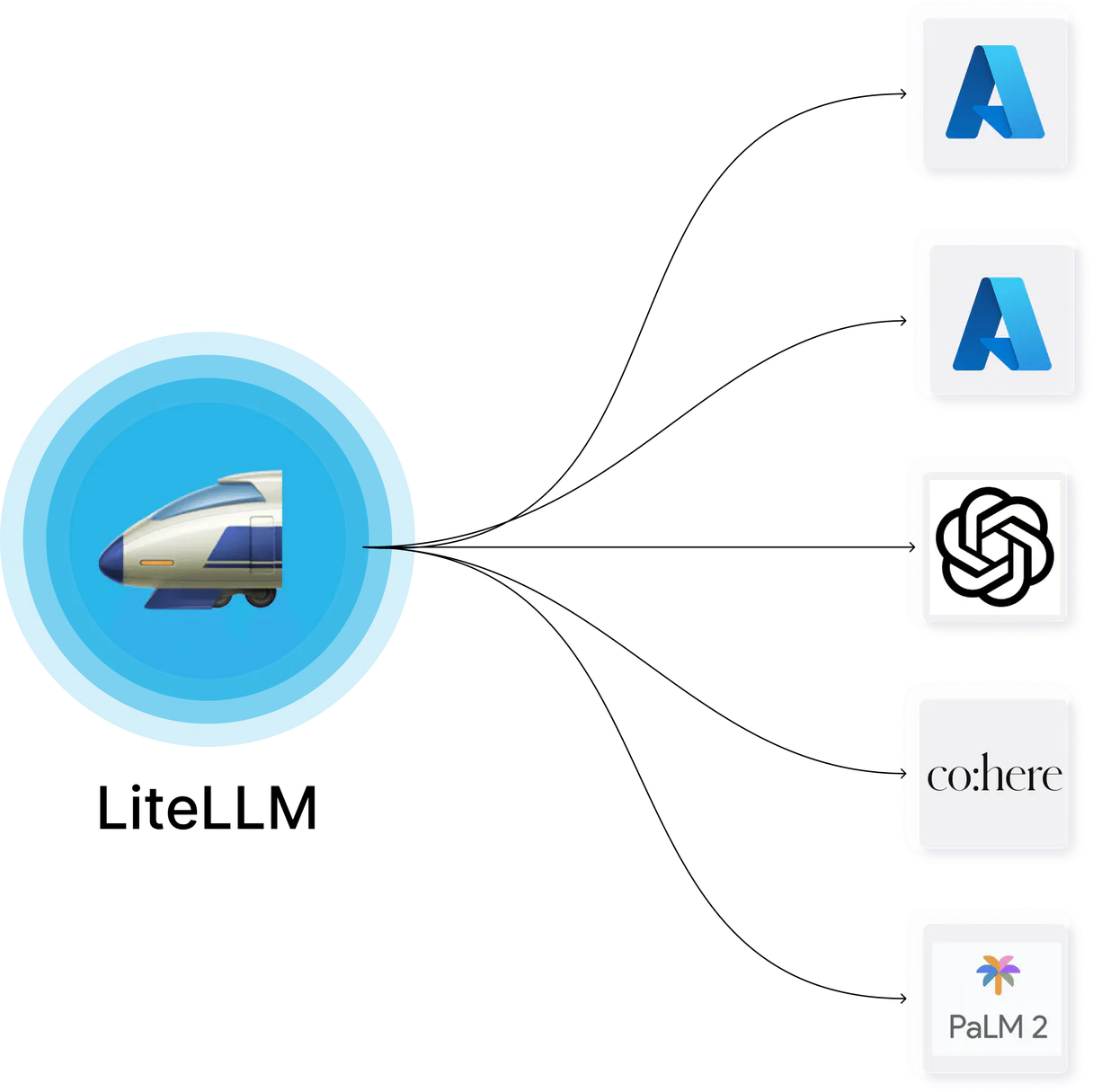
Independent Platform Disclaimer: Vinkius is an independent platform and is not affiliated with, endorsed by, sponsored by, verified by, or otherwise authorized by LiteLLM. All third-party trademarks, logos, and brand names are the property of their respective owners. Their use on this website is strictly for informational purposes to identify service compatibility and interoperability.
VINKIUS INFRASTRUCTURE
Cloud Hosted
Managed infra
V8 Isolated
Sandboxed per request
Zero-Trust Proxy
No stored credentials
DLP Enforced
Policy on every call
GDPR Compliant
EU data residency
Token Compression
~60% cost reduction
Works with Claude, ChatGPT, Cursor, and more
The Model Context Protocol standardizes how applications expose capabilities to LLMs. Instead of operating in isolation, your AI gains direct access to external platforms, live data, and real-world actions through secure, standardized connections.
This server provides 10 capabilities that interface natively with Claude, ChatGPT, Cursor, and any MCP client. No middleware. No custom integration required.
Available Capabilities
Debugging LLM Costs: The Old Way
Today, tracking usage means logging into three separate dashboards. You check the main billing portal for total costs, then switch to a database table to see user IDs, and finally cross-reference another dashboard just to guess which model was running at what time. It’s slow, it's messy, and you always find a gap in the audit trail.
With this MCP Server, that process disappears. You tell your agent: 'What did the Dev team spend on embedding tokens last Tuesday?' The server runs `get_user_info` against all logs, spits out the exact cost, and tells you which model was responsible—all from one chat command.
LiteLLM Proxy: Model Fallback Paths
Before this proxy, if your main API key pointed to OpenAI, and OpenAI had an outage, your application simply broke. You'd have to manually update your code base with conditional logic like 'if openai fails, try anthropic...'. That’s a huge maintenance drag.
Now, you tell the agent: 'What are my fallback paths?' It runs `get_model_info` and shows you the full chain (OpenAI -> Anthropic -> Groq). You manage this routing intelligence programmatically. The service stays up even if one provider goes dark.
Common Questions About LiteLLM MCP
How do I track who is using my LLM tokens with get_user_info? +
The agent tracks total USD consumed and token count per user ID. You simply provide the target username, and get_user_info returns a detailed breakdown of that account's usage.
What is the difference between generate_key and create_team? +
generate_key creates an isolated key for one microservice. create_team groups multiple keys/services together, allowing you to apply a single budget ceiling across the whole division.
Can I use delete_model if my model is just having temporary issues? +
Yes. If a deployment fails consistently (500 errors), running delete_model removes it from the active routing path, immediately stabilizing your service until you fix the underlying issue.
How does get_model_info help me with model reliability? +
get_model_info lists all defined fallback paths. This lets you audit exactly what happens when a primary LLM provider fails, ensuring your redundancy is configured correctly.
How do I check the operational budget and rate limit boundaries using get_key_info? +
It returns the key's specific configuration and hard budget limits. This function lets you verify if a given API Key is nearing its cost cap or hitting predefined usage rates, preventing unexpected service overruns.
If I suspect a compromised service, how fast can I revoke its credentials using delete_key? +
It immediately vaporizes the specified LLM proxy key. This action completely removes the credential from the system, instantly stopping any unauthorized calls and mitigating potential data leaks or financial misuse.
How do I update a production model endpoint without service interruption using create_model? +
You inject fresh routing endpoints directly into the proxy runtime. This allows you to swap out old deployments for new ones—like updated Bedrock or Azure models—without ever taking the live system offline.
What specific data does get_team_info return regarding a Team UUID's operational scope? +
It returns internal logic bounds matched by that Team UUID. You can see exactly which users and services are governed under that team profile, helping you audit cost allocation across different organizational divisions.
Can I check the budget and rate limits for a specific proxy key? +
Yes. Use the get_key_info tool with the specific Key ID. Your agent will retrieve the exact rate limits, budget constraints, and current RPM usage associated with that token.
How do I see the model fallback paths configured in my proxy? +
The get_model_info tool allows your agent to extract the global model directory. You'll see the exact fallback chains (e.g., if OpenAI fails, use Anthropic) and the physical endpoints assigned to each model name.
Can my agent create a new team to track specific division costs? +
Absolutely. Use the create_team tool and provide a JSON payload defining the team name and optional budget limits. Your agent will provision the new team identity in LiteLLM, allowing for precise organizational cost tracking.
Use it with your favorite AI tools
Connect this server to Cursor, Claude, VS Code, and more.
More in this category

Stability AI
Connect your AI to Stability AI's powerful image generation models. Create, upscale, and edit high-quality images directly and efficiently.

Tencent Yuanqi
Orchestrate Tencent Yuanqi AI Agents — manage assistants, trigger conversations, and handle RAG documents directly from any AI agent.

CodeRabbit
Manage AI-powered code reviews via CodeRabbit — list users, track PR review metrics, audit admin actions, and control seat assignments from any AI agent.
You might also like

Fathom
Manage AI meeting notes via Fathom — list and search meetings, retrieve transcripts and summaries, and track action items directly from any AI agent.

Alchemer
Survey and feedback orchestration — manage surveys, responses, and reports via AI.

Odoo Helpdesk
Create and manage support tickets, track SLAs, organize helpdesk teams — Odoo Helpdesk through natural conversation.