
Finmei MCP. Manage expenses, payments, and taxes via conversation.
 Gemini
 Works with every AI agent you already use
…and any MCP-compatible client









Just plug in your AI agents and start using Vinkius.
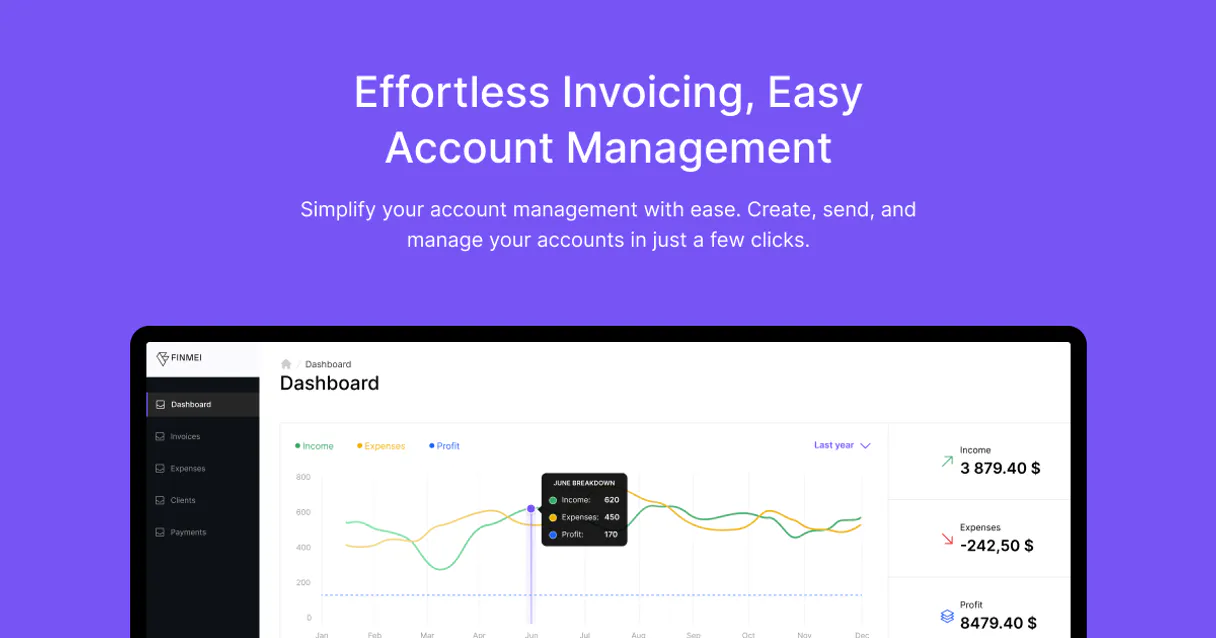
Finmei connects your AI agent to your business finances. It lets you manage expenses, track payments, and handle tax records directly through conversation.
You can list expenses, update records, check supported currencies (180+), and manage tax rates—all without opening a separate accounting app.
It's designed for freelancers and small businesses who need quick financial oversight.
What your AI agents can do
Create expense
Adds a brand new expense record to your account.
Delete expense
Removes an existing expense record from your account.
Delete payment
Deletes a recorded payment transaction.
Use list_expenses, get_expense, create_expense, and update_expense to manage the full lifecycle of recorded business spending.
List, retrieve, and delete payment entries using list_payments, get_payment, and delete_payment.
View and manage available tax rates using list_tax_types to keep financial records accurate.
Organize spending by listing and applying specific expense categories via list_categories.
Access metadata like supported currencies (list_currencies) and your business profile (get_profile) for international reporting.
Ask AI about this MCP
Supported MCP Clients
Gemini Waiting for input…
Finmei MCP Server: 12 Tools for Financial Management
Use these 12 tools to manage every aspect of your business finances, from logging expenses to managing tax compliance.
019d7599create expense
Adds a brand new expense record to your account.
019d7599delete expense
Removes an existing expense record from your account.
019d7599delete payment
Deletes a recorded payment transaction.
019d7599get expense
Retrieves the full details for a specific expense entry.
019d7599get payment
Retrieves the full details for a specific payment transaction.
019d7599get profile
Fetches your current business profile metadata.
019d7599list categories
Retrieves a list of expense categories you can use for organization.
019d7599list currencies
Shows all the global currencies supported by your account.
019d7599list expenses
Lists a summary of your recent business expense entries.
019d7599list payments
Lists a summary of your recent payment transactions.
019d7599list tax types
Shows all the tax rates currently configured for your account.
019d7599update expense
Modifies details on an existing expense entry.
Choose How to Get Started
Build a custom MCP for your own tools, or connect a ready-made integration from our catalog.
Build Your Own
Turn any API into an MCP. Import a spec, define Agent Skills, or deploy with MCPFusion.
- Import from OpenAPI, Swagger, or YAML specs
- Create Agent Skills with progressive disclosure
- Deploy to edge with MCPFusion framework
- Built in DLP, auth, and compliance on every call
- Real time usage dashboard and cost metering
- Publish to catalog or keep private
Make Your AI Do More
Start with Finmei, then connect any of our 4,700+ other servers whenever your AI needs more. One click, no limits.
- Use this MCP plus 4,700+ others, all in one place
- Add new capabilities to your AI anytime you want
- Every connection is secured and compliant automatically
- Track usage and costs across all your servers
- Works with Claude, ChatGPT, Cursor, and more
- New servers added to the catalog every week
What you can do with this MCP connector
Finmei hooks up your AI agent to your business finances. You can handle expenses, track payments, and manage tax records right from your conversation. You don't gotta open some separate accounting app for this. You'll manage everything using the Model Context Protocol (MCP).
To track and modify business expenses, you can list recent spending with list_expenses, grab the full details of a specific entry using get_expense, add a brand new expense record with create_expense, and modify existing details using update_expense. You can organize all that spending by first listing available expense types with list_categories.
For payment records, you can list recent transactions with list_payments, get the full details of a payment using get_payment, or wipe out a recorded payment with delete_payment.
To handle tax compliance, you can view all the tax rates set up in your account using list_tax_types.
When you need to structure financial data, you'll access your current business profile information with get_profile. For global transactions, you can see every currency supported by your account using list_currencies.
How Finmei MCP Works
- 1 Subscribe to the Finmei server and provide your API token in the Vinkius Marketplace.
- 2 Your AI agent invokes a tool (e.g.,
list_expenses) using the provided API connection. - 3 The Finmei backend executes the action, sends back the structured data (the expense list, the tax type, etc.), and your agent uses it to complete the task.
The bottom line is, your agent talks to Finmei, and Finmei does the heavy lifting in the background.
Who Is Finmei MCP For?
Freelancers, solo entrepreneurs, and small business owners who handle their own books. If you're constantly juggling multiple tabs—one for expenses, one for payments, one for tax rules—this is for you. It moves your bookkeeping into the conversational flow, letting you keep your focus on the work, not the data.
Logs new expenses and checks payment status while drafting client proposals, without leaving their main writing environment.
Quickly reviews available tax rates and the last week's expenses to maintain cash flow awareness, all from a single prompt.
Retrieves detailed transaction histories for client reports or internal audits, automating the data gathering process.
What Changes When You Connect
- Instantly log spending with
create_expense. Instead of stopping your work to open a spreadsheet, you just tell your agent the details, and the record gets added. - Never worry about tax compliance again. Use
list_tax_typesto see every available rate and ensure your records match local regulations. - Keep tabs on cash flow by running
list_paymentsorlist_expenses. You get a quick overview of recent transactions without needing to navigate through multiple dashboards. - Handle international work easily.
list_currenciesshows support for over 180 global currencies, so you don't have to worry about currency conversion tracking. - Maintain clean data using
update_expenseordelete_expense. Need to fix a mistake? Just tell the agent, and it runs the update or delete tool for you. - Get business context fast.
get_profilepulls your core business metadata, giving your agent the necessary foundation to write accurate reports or invoices.
Real-World Use Cases
Quickly reconciling an expense
A freelancer just bought supplies and needs to log it. They prompt the agent: 'Add a $45 expense for office supplies.' The agent uses create_expense and automatically tracks the entry, categorizing it and logging the date. The problem is solved in one turn, no manual data entry needed.
Checking tax compliance before invoicing
A small business owner needs to know what tax rate to apply. They ask, 'What are my current tax rates?' The agent runs list_tax_types and returns the list (e.g., 'VAT 20%', 'Sales Tax 5%'). The owner picks the right rate, ensuring the invoice is compliant before sending it out.
Auditing a specific payment
The bookkeeper needs to verify a client payment from last month. They ask the agent to 'Get the details for the payment on June 15th.' The agent runs get_payment and provides the full transaction data, allowing the bookkeeper to confirm amounts and dates instantly.
Cleaning up old records
An employee realizes they logged an expense for the wrong vendor. They tell the agent: 'Delete the expense entry for last week's lunch.' The agent uses delete_expense and confirms the record is gone, keeping the books clean and accurate.
The Tradeoffs
Over-relying on manual exports
Opening the Finmei website, clicking 'View Expenses,' filtering by month, downloading the CSV, and pasting it into a spreadsheet to check totals. This takes 15 minutes and risks copy-paste errors.
→
Instead, ask your agent to 'List my 10 most recent expenses.' The agent uses list_expenses and gives you the summary data immediately in the chat, ready for review.
Mixing up data calls
Trying to manually figure out if an expense needs to be deleted or just updated, leading to calling get_expense multiple times and getting confused by the raw JSON output.
→
Use the agent to orchestrate the change. If you need to change a date, prompt: 'Update the date for the expense.' The agent runs update_expense and handles the process for you.
Ignoring global context
Assuming all transactions are in USD and failing to check for other currencies, which causes the final report to be inaccurate.
→
Always check the available global currencies by running list_currencies first. This ensures your agent accounts for all 180+ supported currencies when building reports.
When It Fits, When It Doesn't
Use Finmei if your core need is to keep financial data (expenses, payments, tax rates) in sync with your active workflow. You need a system that acts like an accountant sitting next to you, ready to record data when you speak.
Don't use it if you just need a simple database view. If all you need is to see a raw list of names, use a simple directory tool. Finmei requires structured data like expense amounts and tax types to function. It's built for transactional data, not browsing.
When in doubt, ask your agent to 'List all expenses and tax rates.' This confirms the scope and the necessary data points for your task.
Independent Platform Disclaimer: Vinkius is an independent platform and is not affiliated with, endorsed by, sponsored by, verified by, or otherwise authorized by Finmei. All third-party trademarks, logos, and brand names are the property of their respective owners. Their use on this website is strictly for informational purposes to identify service compatibility and interoperability.
VINKIUS INFRASTRUCTURE
Cloud Hosted
Managed infra
V8 Isolated
Sandboxed per request
Zero-Trust Proxy
No stored credentials
DLP Enforced
Policy on every call
GDPR Compliant
EU data residency
Token Compression
~60% cost reduction
Works with Claude, ChatGPT, Cursor, and more
The Model Context Protocol standardizes how applications expose capabilities to LLMs. Instead of operating in isolation, your AI gains direct access to external platforms, live data, and real-world actions through secure, standardized connections.
This server provides 12 capabilities that interface natively with Claude, ChatGPT, Cursor, and any MCP client. No middleware. No custom integration required.
Available Capabilities
Manually managing financial records is a tedious, multi-tab nightmare.
Today, logging an expense means jumping between your bank statement, the Finmei website, and a separate spreadsheet. You copy the date, paste the amount, open the tax tab to check the rate, and then manually type it into a tracking sheet. It's a process of copy-pasting and context switching that guarantees you'll miss something or lose track of which rate applies.
With Finmei, you just tell your agent: 'Log a $120 expense for software.' The agent handles the rest. It uses `create_expense`, validates the category via `list_categories`, and logs the record—all in one conversation. You get accurate, structured financial data without ever leaving your chat window.
Finmei MCP Server: Update expenses, payments, and tax rates
Before Finmei, changing a logged expense meant logging into the full web application, finding the record, clicking 'Edit,' and manually submitting the change. It was a clunky, multi-step interface that was hard to remember.
Now, you just tell your agent, 'Update the vendor for that expense.' The agent uses `update_expense` and commits the change instantly. The data is right, and you didn't have to navigate a single button or form.
Common Questions About Finmei MCP
How do I list my expenses using the Finmei MCP Server? +
Run the list_expenses tool. This gives you a quick, summarized list of your most recent business expenses, perfect for checking recent spending totals.
Can I add a new expense using the Finmei MCP Server? +
Yes, use the create_expense tool. You just need to provide the vendor, amount, and date details in plain language, and the expense gets logged immediately.
Which tool should I use to check available tax rates? +
Use list_tax_types. This tool shows every tax rate configured on your account, letting you pick the right one before generating an invoice or report.
Does Finmei MCP Server handle international currencies? +
Yes, the list_currencies tool confirms support for over 180 currencies. Your agent can manage transactions across different global markets.
Can I delete a payment using the Finmei MCP Server? +
Yes, use delete_payment. This tool allows you to remove a specific payment record when necessary, keeping your financial books clean.
How do I list all supported expense categories using the `list_categories` tool? +
You use the list_categories tool. This tool fetches a complete list of expense categories, letting you organize your records before you input new data.
What information does the `get_profile` tool retrieve about my business? +
The get_profile tool retrieves your core business metadata. This data ensures your AI client has the necessary context for generating reports or creating invoices.
Can I update or modify an existing expense entry using the `update_expense` tool? +
Yes, the update_expense tool lets you modify existing expense entries. You provide the details you want to change, and the tool applies those updates to the record.
Can I create an expense with a specific currency using the agent? +
Yes! The 'create_expense' tool allows you to specify the currency code (e.g., USD, EUR, BRL). You can use the 'list_currencies' tool to find all supported codes.
How do I manage different tax rates for my business? +
You can use the 'list_tax_types' tool to see all tax rates configured in your Finmei account. This helps ensuring your recorded expenses have the correct tax data applied.
Is it possible to delete an accidental expense entry? +
Absolutely. The 'delete_expense' tool allows you to remove any expense record by providing its unique UUID. Just ask your agent to find the expense first if you need the ID.
Use it with your favorite AI tools
Connect this server to Cursor, Claude, VS Code, and more.
More in this category

Kintone
Manage custom business apps, records, and workflows via Kintone.

Paperless-ngx
Manage your digital archive via Paperless-ngx — search documents, upload files, manage tags, and organize correspondents directly from any AI agent.

PaperQuotes
Access a vast library of quotes, search by author or tags, and get the quote of the day directly in your AI agent.
You might also like

Harvard Art Museums Alternative
Explore the Harvard Art Museums' vast collection — search over 250,000 objects, research artists, and browse exhibitions directly via AI.

Determ
Equip your AI agent to monitor media mentions, track keywords, and analyze sentiment via the Determ (formerly Mediatoolkit) API.

Open WebUI
Manage your Open WebUI instance — list models, handle chat completions, and manage RAG collections directly from any AI agent.