
MeetingPulse MCP. Analyze who said what, and how engaged they were.
 Gemini
 Works with every AI agent you already use
…and any MCP-compatible client









Just plug in your AI agents and start using Vinkius.
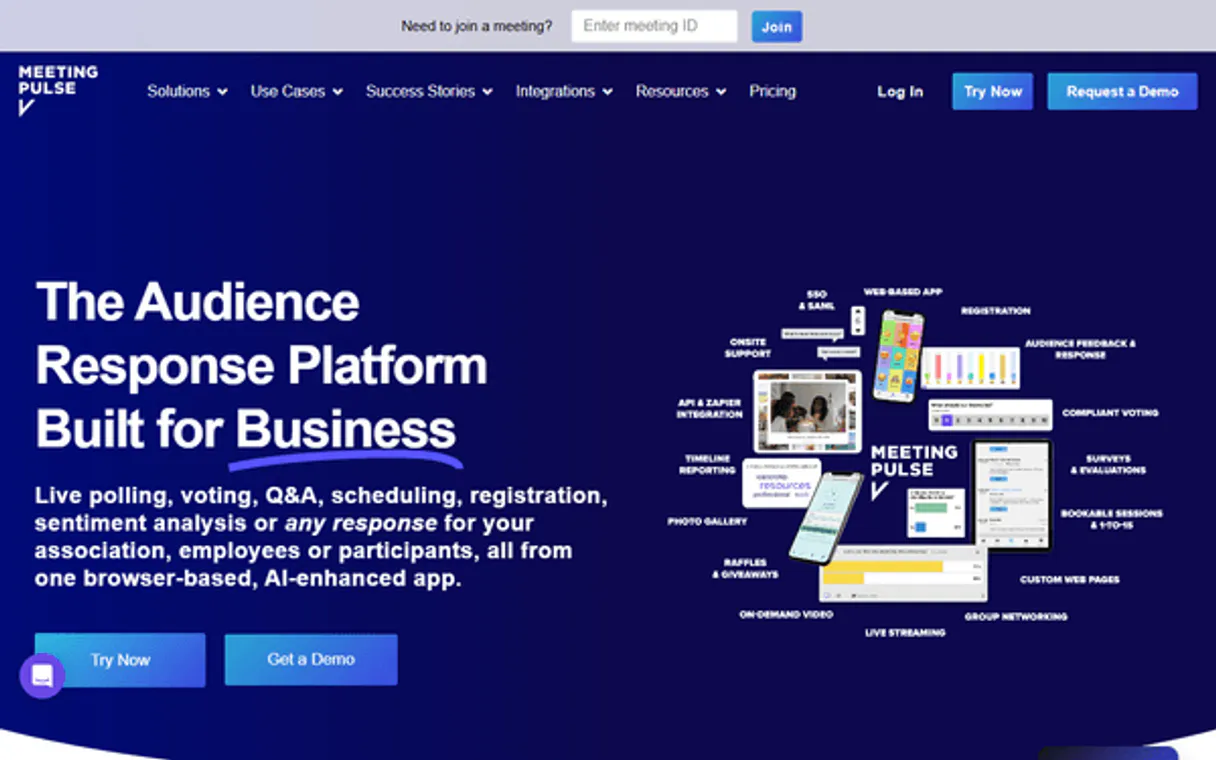
MeetingPulse connects your AI client directly to your meeting data. It lets you pull structured records for everything from poll results and Q&A logs to detailed attendance lists and overall engagement metrics.
Your agent can read all that live audience feedback and turn it into usable reports without you leaving the chat window.
What your AI agents can do
Get account info
Retrieves general account information for the MeetingPulse service.
Get meeting
Gets full configuration details for a single, specified meeting.
Get meeting analytics
Pulls aggregated engagement metrics and performance data for one meeting ID.
Retrieve a list of all meetings, or find specific sessions using keywords.
Fetch full configuration data for a single meeting, including overall engagement metrics.
Pull detailed outcomes from specific polls associated with any given meeting.
List every person who attended a meeting, or retrieve materials shared during the session.
List all questions asked and answered during a specific meeting's interactive phase.
Ask AI about this MCP
Supported MCP Clients
Gemini Waiting for input…
MeetingPulse MCP Server: 10 Tools for Meeting Analysis
Use these tools with your AI agent to gather meeting details, pull live poll results, and generate deep analytics across all recorded sessions.
019d75d1get account info
Retrieves general account information for the MeetingPulse service.
019d75d1get meeting
Gets full configuration details for a single, specified meeting.
019d75d1get meeting analytics
Pulls aggregated engagement metrics and performance data for one meeting ID.
019d75d1get poll details
Retrieves the specific results, options, and summary data for a single poll.
019d75d1list attendees
Lists all individual users who participated in a given meeting.
019d75d1list meeting files
Fetches a list of materials or documents that were shared during the session.
019d75d1list meetings
Generates a comprehensive list of all meetings, both active and past.
019d75d1list polls
Retrieves a summary list of polls that took place within a meeting.
019d75d1list qa sessions
Lists all the Q&A sessions, allowing you to select one for deeper review.
019d75d1search meetings
Finds meetings by executing a search query across titles or descriptions.
Choose How to Get Started
Build a custom MCP for your own tools, or connect a ready-made integration from our catalog.
Build Your Own
Turn any API into an MCP. Import a spec, define Agent Skills, or deploy with MCPFusion.
- Import from OpenAPI, Swagger, or YAML specs
- Create Agent Skills with progressive disclosure
- Deploy to edge with MCPFusion framework
- Built in DLP, auth, and compliance on every call
- Real time usage dashboard and cost metering
- Publish to catalog or keep private
Make Your AI Do More
Start with MeetingPulse, then connect any of our 4,700+ other servers whenever your AI needs more. One click, no limits.
- Use this MCP plus 4,700+ others, all in one place
- Add new capabilities to your AI anytime you want
- Every connection is secured and compliant automatically
- Track usage and costs across all your servers
- Works with Claude, ChatGPT, Cursor, and more
- New servers added to the catalog every week
What you can do with this MCP connector
You hook up your AI client to MeetingPulse and you get full read access to all your meeting data through natural conversation. This server lets your agent pull structured records for everything—from poll results and Q&A logs to attendance lists and overall engagement metrics. Your agent reads all that live audience feedback and turns it into usable reports without you ever leaving the chat window.
Listing and Searching Meetings: You can get a full rundown of every meeting, both active and past, by invoking list_meetings. If you know what you're looking for, you don't have to scroll through everything; instead, run search_meetings with keywords to find specific sessions based on titles or descriptions. For any single session you zero in on, you can pull the full setup details using get_meeting, which provides all the configuration data for that one meeting.
Analyzing Meeting Performance: To see how well a meeting went overall, run get_meeting_analytics against a specific meeting ID; this pulls aggregated performance metrics and general engagement numbers. You can also get a quick summary of every poll that ran during a session by calling list_polls. If you need the deep dive on one particular survey, use get_poll_details to retrieve the precise results, available options, and full summary data for that single poll.
Managing Participants and Materials: You can list every individual who showed up at a meeting using list_attendees, providing names and participation records. When you need to know what materials were shared, run list_meeting_files to fetch all the documents or assets distributed during the session. For tracking interactive phases, use list_qa_sessions to get a list of all Q&A sessions that happened; once you've selected one, your agent can then review it for deeper insight into questions and answers.
Core Functionality: Beyond these specific data pulls, you can always check the basic operational health of the connection by running get_account_info, which retrieves general account setup information for MeetingPulse. You’ll never have to switch tabs or jump between different dashboard tools; your agent handles all this complexity right in the chat.
If you're looking at a specific meeting, remember that calling list_meetings gives you the roster of every session. If you need granular details on one event, use get_meeting. When performance numbers are key, you run get_meeting_analytics. For figuring out who showed up and what they talked about, your agent uses list_attendees and list_qa_sessions, respectively.
You can pull the list of shared documents with list_meeting_files, or find specific poll outcomes by getting a summary list with list_polls and then detailing the results using get_poll_details. If you need to narrow down your search, just hit up search_meetings.
How MeetingPulse MCP Works
- 1 Subscribe to the MeetingPulse server on Vinkius and provide your API key.
- 2 Your AI client executes a tool call (e.g.,
list_meetings) specifying required parameters like date ranges or keywords. - 3 The server runs the function, fetches the live data from MeetingPulse's backend, and returns clean, structured JSON to your agent.
The bottom line is: you use natural language with your AI client; the server handles all the API calls and spits out organized data.
Who Is MeetingPulse MCP For?
This is for anyone who has to compile reports about group discussions. Think event managers, product marketers, or BI analysts who spend too much time clicking through dashboards at 2 am trying to stitch together poll results with attendance lists. If your job involves proving 'what happened' after a meeting, you need this.
They use list_meetings and then run get_meeting_analytics to quickly prove the success metrics of an event day without manually pulling reports.
Needs to know what users cared about. They'll call get_poll_details and then list_qa_sessions to build a narrative on product pain points post-launch.
Uses the full suite—from list_attendees to running multiple queries against get_meeting_analytics—to correlate participant behavior with overall engagement rates for quarterly reports.
What Changes When You Connect
- See the full picture of attendee behavior. Instead of just seeing a participant count, use
list_attendeesto get every name and profile associated with the meeting ID. - Pinpoint exactly where interest dropped off. By running
get_meeting_analytics, you don't just see 'low engagement'; you get metrics on which segment or time window was weakest. - Compare feedback across sessions instantly. Use
list_pollsto list all polls for a meeting, then useget_poll_detailsto pull the winning result from any of them, all in one chat thread. - Contextualize discussions with resources. You can run
list_meeting_filesalongsidelist_qa_sessions. This links the specific questions asked directly back to the materials that were shared during the session. - Stop hunting for meetings. If you remember a key word or date, use
search_meetingsinstead of running through every single result fromlist_meetings. It finds it faster.
Real-World Use Cases
Auditing post-event feedback
The event organizer needs to write a report showing that the new product feature was popular. They ask their agent: 'For meeting ID 456, list all polls and get details for any poll mentioning 'Feature X'. Then, pull the top three questions from Q&A.' The agent runs list_polls and get_poll_details, delivering a structured report instantly.
Investigating low attendance
The sales team needs to know why key clients didn't show up for the last webinar. They ask their agent to run search_meetings for 'Webinar 2024'. Then, they use list_attendees on the resulting meeting ID to get a list of expected participants who were actually absent.
Comparing historical performance
A BI analyst needs to prove that Q3 meetings were more engaging than Q2. They run list_meetings for both quarters, then loop through the IDs and call get_meeting_analytics on each one. The agent compiles a comparative metric table.
Quickly compiling meeting materials
A team lead needs to send out all relevant documents from a massive annual kick-off meeting. They ask the agent, 'List files for the last Annual Kick-Off.' The agent immediately calls list_meeting_files and provides the links in one block.
The Tradeoffs
Trying to guess meeting IDs
The user tries to call get_poll_details(id=123) without first knowing that poll 123 belongs to the correct meeting. The API fails because the ID is ambiguous or non-existent.
→
First, run list_meetings to find the correct Meeting ID (e.g., 'Meeting ABC'). Then, use that ID when calling other tools: get_poll_details(meeting_id='Meeting ABC'). Always anchor your calls.
Confusing polls with general questions
The user asks the agent to list all discussion points and expects poll results. The agent only sees a generic 'Q&A' tool, so it misses structured voting data.
→
Use list_polls first. This ensures you see if formal polls ran in the meeting. After getting the IDs, use get_poll_details to pull the specific vote counts.
Assuming all data is available
The user expects a simple list of every attendee's job title and department from list_attendees, but the API only provides name and email.
→
Be specific in your prompt. If you need role details, first check the meeting configuration using get_meeting to see what metadata is actually available for that account.
When It Fits, When It Doesn't
Use this server if your goal is data aggregation and analysis—if you need the AI client to perform multiple lookups (e.g., list meetings -> get analytics -> list attendees) and synthesize the findings into a single report, this is perfect. You're using it as an API layer over MeetingPulse.
Don't use it if all you need is simple viewing or confirmation. If you just want to check how many people attended, running list_meetings and then getting the count from the resulting list might be simpler than invoking multiple tools. Also, if your native dashboard already shows exactly what you need (e.g., a simple chart), don't add complexity. This server shines when the data is siloed or needs to be combined with other external sources.
Independent Platform Disclaimer: Vinkius is an independent platform and is not affiliated with, endorsed by, sponsored by, verified by, or otherwise authorized by MeetingPulse. All third-party trademarks, logos, and brand names are the property of their respective owners. Their use on this website is strictly for informational purposes to identify service compatibility and interoperability.
VINKIUS INFRASTRUCTURE
Cloud Hosted
Managed infra
V8 Isolated
Sandboxed per request
Zero-Trust Proxy
No stored credentials
DLP Enforced
Policy on every call
GDPR Compliant
EU data residency
Token Compression
~60% cost reduction
Works with Claude, ChatGPT, Cursor, and more
The Model Context Protocol standardizes how applications expose capabilities to LLMs. Instead of operating in isolation, your AI gains direct access to external platforms, live data, and real-world actions through secure, standardized connections.
This server provides 10 capabilities that interface natively with Claude, ChatGPT, Cursor, and any MCP client. No middleware. No custom integration required.
Available Capabilities
Sifting through meeting notes and reports takes forever.
Today, pulling a complete picture of a session means jumping between three different places: the attendance roster, the poll results spreadsheet, and the dedicated Q&A tab. You copy names from one page, download files from another, and then try to manually match which question belongs to which polling outcome.
With MeetingPulse MCP, you tell your agent what you need—'Give me everything about meeting ABC.' The agent runs the necessary tools (`list_attendees`, `get_poll_details`, `list_qa_sessions`) and returns a single block of structured data. You get the whole story without lifting a finger.
MeetingPulse MCP Server: Track real-time engagement metrics.
Before, finding out if polls were correlated with attendance required exporting three separate files and cross-referencing the dates. It was tedious, error-prone manual data wrangling every time you needed to prove ROI.
Now, your agent handles it. You prompt for 'Engagement report for last week.' The server runs `get_meeting_analytics` and pulls in all the required metrics—the numbers, not just the graphs. It's immediate.
Common Questions About MeetingPulse MCP
How do I find out which meetings happened last month using MeetingPulse MCP Server? +
Run list_meetings. You can usually filter or search the output by date range, giving you a comprehensive list of all sessions that occurred in your desired period.
Can I get poll results for multiple meetings at once with MeetingPulse MCP Server? +
You need to list the polls first. Run list_polls on several meeting IDs, then loop through those IDs and call get_poll_details for each one individually to compile a full comparison.
Does MeetingPulse MCP Server track who attended meetings? +
Yes. Use the list_attendees tool and provide the specific meeting ID. It returns a list of every participant that was logged for that session.
How do I search for an old meeting using MeetingPulse MCP Server? +
Use search_meetings. This function allows you to pass keywords or phrases, and it searches across the meeting titles or descriptions rather than requiring you to know the exact ID.
What do I need to use the `get_account_info` tool in MeetingPulse MCP Server? +
You must provide a valid MeetingPulse API Key. Once authenticated, your agent can pull basic account details like plan status and overall usage metrics.
Can I get granular data using the `get_poll_details` tool? +
Yes, this tool retrieves deep poll data, including individual question text, response counts, and percentages for every choice. You need to supply both the poll ID and the meeting ID.
What metrics does `get_meeting_analytics` provide? +
It gives you a summary of engagement performance. Specifically, it returns the overall participation rate, total questions asked in Q&A, and time-based activity markers for the session.
How do I check materials using `list_meeting_files`? +
The tool lists all files shared during a specific meeting. You get the file name, its unique ID, and a direct link to download the material for review.
How do I find my MeetingPulse API Key? +
Log in to MeetingPulse, go to your Profile or Integration Settings, and generate or copy your API Key from the API section.
Can I retrieve poll results in real-time? +
Yes! Use the get_poll_details tool with the meeting and poll IDs to see the current voting results.
Is my meeting data secure? +
Absolutely. Your credentials are encrypted at rest and injected securely at runtime.
Use it with your favorite AI tools
Connect this server to Cursor, Claude, VS Code, and more.
More in this category

Finnhub
Access real-time financial data — audit stocks, crypto, and market news via AI.

Hotmart
Sell online courses, digital products, and memberships on the leading platform for digital creators in Latin America and beyond.

PostHog Alternative
Manage product analytics and feature flags via PostHog — query events, inspect cohorts, toggle flags and create annotations from any AI agent.
You might also like

QR Code SVG Generator
Generate vector SVG QR Codes completely local. Prevent data leakage of sensitive Pix keys or JWT tokens to public API generators.

Mautic
Open-source marketing automation via Mautic — manage contacts, campaigns, and emails.

OPML Podcast & RSS Parser
Turn standard OPML export files from your podcast app or RSS reader into clean JSON data. Let your AI analyze your subscriptions and become your personal content curator.