
Mambu MCP. Manage every client account and transaction record.
 Gemini
 Works with every AI agent you already use
…and any MCP-compatible client









Just plug in your AI agents and start using Vinkius.
Mambu MCP Server connects your AI client directly to the Mambu Cloud Banking Platform. It gives you operational access to list and retrieve core financial data for clients, loans, deposits, transactions, tasks, and communications.
Use this server to build agents that manage banking operations by calling specific tools like `get_client`, `list_transactions`, or `list_tasks` directly in conversation.
What your AI agents can do
Get client
Retrieves all details for a single specified Mambu client record.
Get deposit account
Gets the current balance and status for one specific deposit account.
Get loan account
Retrieves all key data points for a single specified loan account.
Get a full record for one client using get_client.
Check the current balance and details for both deposit accounts (get_deposit_account) and loan accounts (get_loan_account).
Access transaction history using list_transactions or view general activity streams via list_activities.
Get lists of clients (list_clients), deposit accounts (list_deposit_accounts), and loan accounts (list_loan_accounts) to batch process data.
List pending tasks using list_tasks or check communication records via list_communications to track compliance actions.
Ask AI about this MCP
Supported MCP Clients
Gemini Waiting for input…
Mambu MCP Server: 11 Tools for Core Banking Ops
Use this suite of specialized tools to pull granular details on client records, account balances, transaction history, and operational tasks from the Mambu platform.
019d75ceget client
Retrieves all details for a single specified Mambu client record.
019d75ceget deposit account
Gets the current balance and status for one specific deposit account.
019d75ceget loan account
Retrieves all key data points for a single specified loan account.
019d75ceget task
Fetches the details of one specific operational task, like an approval or review item.
019d75celist activities
Gets a list of general banking activities and events across accounts.
019d75celist clients
Returns a paginated list containing basic identifying information for all Mambu clients.
019d75celist communications
Provides a full history of messages and communications related to client accounts.
019d75celist deposit accounts
Lists all deposit accounts belonging to a specified client or entity.
019d75celist loan accounts
Lists multiple loan accounts, showing outstanding balances and statuses for an entity.
019d75celist tasks
Retrieves a list of all pending or completed tasks that require follow-up action.
019d75celist transactions
Generates a detailed, paginated report of financial transactions within a given time frame.
Choose How to Get Started
Build a custom MCP for your own tools, or connect a ready-made integration from our catalog.
Build Your Own
Turn any API into an MCP. Import a spec, define Agent Skills, or deploy with MCPFusion.
- Import from OpenAPI, Swagger, or YAML specs
- Create Agent Skills with progressive disclosure
- Deploy to edge with MCPFusion framework
- Built in DLP, auth, and compliance on every call
- Real time usage dashboard and cost metering
- Publish to catalog or keep private
Make Your AI Do More
Start with Mambu, then connect any of our 4,700+ other servers whenever your AI needs more. One click, no limits.
- Use this MCP plus 4,700+ others, all in one place
- Add new capabilities to your AI anytime you want
- Every connection is secured and compliant automatically
- Track usage and costs across all your servers
- Works with Claude, ChatGPT, Cursor, and more
- New servers added to the catalog every week
What you can do with this MCP connector
You're connecting your AI client directly to the Mambu Cloud Banking Platform using this server. It gives you operational access to core banking data—everything from client records and loan balances to transaction history and pending tasks.
To fetch specific client details, you call get_client, which retrieves a full record for one specified Mambu client. If you need basic identification info across multiple users, you can use list_clients to get a paginated list of all clients.
Retrieving account balances is straightforward. You'll check the current balance and status for a single deposit account using get_deposit_account. For loans, get_loan_account retrieves key data points from one specific loan account. When you need to manage client resources at scale, list_deposit_accounts lists all associated deposit accounts belonging to an entity, while list_loan_accounts shows multiple loan accounts and their outstanding balances for that entity.
For financial movements, you have two ways to go deep. You generate a detailed, paginated report of transactions within a given time frame by using list_transactions. Alternatively, if you just need a general view of what's happening across the board, you can use list_activities to get a list of overall banking events.
Auditing operational work items and communications is another major function. You check communication records via list_communications, which provides a full history of messages related to client accounts. If you need to track compliance actions or approvals, the server lets you list pending tasks with list_tasks or fetch details for one specific task using get_task.
This setup lets your agent build workflows that manage banking operations by calling these tools directly in a conversation. You can process data in batches by listing client resources; for example, running list_deposit_accounts against a group of clients lets you gather all necessary balance information before making a decision.
The server handles core financial record management through specialized tool calls. To get a comprehensive view of an entity's accounts, you can first run list_clients to identify the user, then call list_deposit_accounts and list_loan_accounts for that client ID. You'll use get_client if you need every detail on one person.
When tracking history or compliance, your agent uses dedicated tools. For instance, checking a full service interaction means calling list_communications. If the user needs to know what approvals are pending, they call list_tasks, which returns all open items requiring follow-up action in the system.
How Mambu MCP Works
- 1 Your AI client identifies the need (e.g., 'I need to know Acme Corp's total outstanding debt').
- 2 The MCP Server intercepts this request and maps it to the correct tool, calling
get_clientfollowed bylist_loan_accounts. - 3 Mambu returns the structured data payload, which your AI client reads and synthesizes into a human-readable report.
The bottom line is: Instead of writing complex API calls, you tell your agent what financial question you have, and it handles all the necessary tool execution.
Who Is Mambu MCP For?
This is for the Operations Engineer who needs to write automation that touches live banking data without building a full backend microservice. It's also for Compliance Officers tracking required actions, or Financial Analysts running ad-hoc reporting on client portfolios.
Runs daily reconciliation reports by calling list_transactions and cross-referencing balances with specific account lists.
Builds automated workflows that check for overdue items by using list_tasks and then fetching client details via get_client.
Audits client relationships by calling list_communications to track necessary disclosures or follow-ups.
What Changes When You Connect
- Avoid jumping through five different dashboards. You can combine the results of
get_client,list_loan_accounts, andlist_deposit_accountsinto one single, coherent response from your agent. - When compliance needs an audit trail, you don't just get a list; your agent calls
list_communicationsto pull every message exchange related to the account opening. - Stop manual data pulls. Need to reconcile end-of-day figures? Use
list_transactionsto grab all movements and then useget_loan_accountfor the final balance check. - Managing multiple clients is simple. You can first run
list_clientsto get IDs, and then loop through those IDs callingget_taskon each one to find pending reviews. - The server handles all the complexity of the Mambu v2 API calls behind the scenes. Your agent just asks for the data, and you get clean JSON output ready to use.
Real-World Use Cases
Client Onboarding Review
A new client file is flagged for review. The analyst tells their agent: 'Check Acme Corp.' The agent runs get_client to validate status, then calls list_loan_accounts and list_deposit_accounts to confirm all necessary accounts are active. Finally, it uses get_task to see if the required KYC review is pending.
Suspicious Activity Report
A client's account shows unusual activity. The compliance officer asks their agent to 'Investigate recent spending for Client 12345.' The agent executes list_transactions for the last 30 days, and then uses get_client to cross-reference the name against known high-risk profiles.
Loan Portfolio Health Check
The portfolio manager needs a snapshot of all loans. The agent first runs list_loan_accounts for every entity, then uses that list to call get_loan_account on each one individually to calculate the total outstanding principal across the entire book.
Audit Trail Generation
The team needs proof of all client interactions. They ask their agent to 'Get the full history for TechVentures.' The agent runs list_communications and combines that data with any pending tasks found by calling list_tasks, providing a complete audit record.
The Tradeoffs
Over-fetching all data at once
A developer tries to write one massive API call hoping it returns client details, loan balances, and transaction history simultaneously. This fails because the data is siloed across multiple Mambu endpoints.
→
Break it down into a sequence of calls. First, use get_client for identifying info; then, use list_loan_accounts to get all related loans; finally, call list_transactions using the client ID and date range.
Forgetting task context
The team gets a list of clients but forgets whether there are outstanding actions. They only check account balances, missing critical operational blockers.
→
Always run list_tasks after listing clients or accounts. This ensures you surface all necessary administrative follow-ups that might block a workflow.
Ignoring different account types
The system only queries deposit balances but misses the actual loan debt outstanding, leading to an inaccurate picture of client financial health.
→
Don't just check one type. Always run list_deposit_accounts AND list_loan_accounts when assessing a full client profile.
When It Fits, When It Doesn't
Use this Mambu MCP Server if your workflow requires access to live, transactional data from the core banking platform—specifically when you need to know who has what accounts, how much money they have right now, or what transactions happened yesterday. It's built for complex state management and auditing.
Don't use this if: 1) You only need static reference data (like a list of available product codes); those belong in a dedicated internal database lookup tool. 2) Your task is to write the accounting ledger itself; you can read it, but you don't create it here. If your process involves complex financial modeling or aggregation across multiple external systems (e.g., Mambu + payroll + CRM), use this as one data source within a larger agent framework, not as a standalone solution.

Independent Platform Disclaimer: Vinkius is an independent platform and is not affiliated with, endorsed by, sponsored by, verified by, or otherwise authorized by Mambu. All third-party trademarks, logos, and brand names are the property of their respective owners. Their use on this website is strictly for informational purposes to identify service compatibility and interoperability.
VINKIUS INFRASTRUCTURE
Cloud Hosted
Managed infra
V8 Isolated
Sandboxed per request
Zero-Trust Proxy
No stored credentials
DLP Enforced
Policy on every call
GDPR Compliant
EU data residency
Token Compression
~60% cost reduction
Works with Claude, ChatGPT, Cursor, and more
The Model Context Protocol standardizes how applications expose capabilities to LLMs. Instead of operating in isolation, your AI gains direct access to external platforms, live data, and real-world actions through secure, standardized connections.
This server provides 11 capabilities that interface natively with Claude, ChatGPT, Cursor, and any MCP client. No middleware. No custom integration required.
Available Capabilities
Manually checking client status is a multi-step headache.
Today, to get a full picture of a client's standing—their active accounts, their outstanding loans, and any pending tasks—you have to open the CRM dashboard, run one report for transactions, and then check three separate tabs just to find if they owe money or need an approval. It's clicking through six different screens and manually copying IDs.
With this MCP server, you ask your agent: 'What is the current status of Acme Corp?' The agent runs `get_client`, grabs details from `list_loan_accounts`, checks for pending work using `list_tasks`, and sends you one complete answer. It’s all in one prompt.
Mambu MCP Server: Get a full audit trail with list_communications.
Before, tracking down why two months ago the loan terms changed required searching through email archives, checking internal memos, and hoping someone saved an important chat record. There was no single source of truth for client discussions.
Now, your agent calls `list_communications` and pulls every message logged against that account ID—emails, notes, and system messages—putting the entire history directly into your workflow output. It's immediate, verifiable context.
Common Questions About Mambu MCP
How do I find out a client’s current total balance using get_client? +
You can’t get the full balance from just get_client. You must follow up by calling list_deposit_accounts and list_loan_accounts to aggregate all balances into one summary.
Can list_transactions handle multiple date ranges? +
The API handles filtering, so you specify the start and end dates in your prompt. It retrieves a paginated list of every transaction within that exact window.
Is get_task for client or account related tasks? +
get_task fetches general operational tasks assigned to users, such as required approvals or compliance reviews. These tasks apply to the internal process, not a specific client's balance.
How do I get all loan details for a client? +
You first use list_loan_accounts with the client ID to see all related loans. If you need deep details on one, call get_loan_account using that specific loan ID.
Does list_clients give me account balances? +
No, list_clients only provides basic identifying info (name, ID). To get any balance data, you must run a separate tool like list_deposit_accounts.
How does the Mambu MCP Server ensure data security when I use get_client? +
The server handles your tokens securely by encrypting them at rest. The credentials are injected into your AI client only at runtime, meaning they never sit in plain text within the system.
What happens if I try to use get_deposit_account with a non-existent account ID? +
The API returns an immediate error code (typically 404). Your agent needs to check the HTTP response status before expecting data, which is standard practice for reliable operations.
Does list_activities provide a unified view of all banking events? +
Yes, list_activities pulls together records from various system sources. This allows your agent to track everything—from deposits and transfers to internal tasks—in one place for auditing.
How do I find my Mambu API Key? +
Log in to your Mambu administration panel, go to Administration > Access > API Keys. There you can generate or copy your existing API key.
What is the subdomain? +
The subdomain is the first part of your Mambu URL. For example, if your URL is 'vinkius.mambu.com', your subdomain is 'vinkius'.
Is my data secure? +
Yes, your API key is encrypted at rest and injected securely at runtime for all operations.
Use it with your favorite AI tools
Connect this server to Cursor, Claude, VS Code, and more.
More in this category

Coinbase
Get real-time cryptocurrency prices, exchange rates and currency info — BTC, ETH, SOL and more.

Chargebee
Automate recurring billing via Chargebee — manage subscriptions, customers, invoices, and hosted checkouts natively with any AI agent.
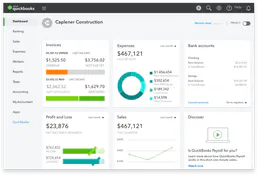
QuickBooks Online
Connect QuickBooks to AI — query invoices, manage customers, run financial reports, and automate accounting workflows.
You might also like

Formsite
Manage forms, retrieve results, and automate data collection via AI agents with Formsite.

Zoho Invoice
Create and send professional invoices, track payments, and manage expenses with free invoicing software that scales with your business.

Every.org Charity
Universal charity intelligence — search non-profits, causes, and mission data via AI.