
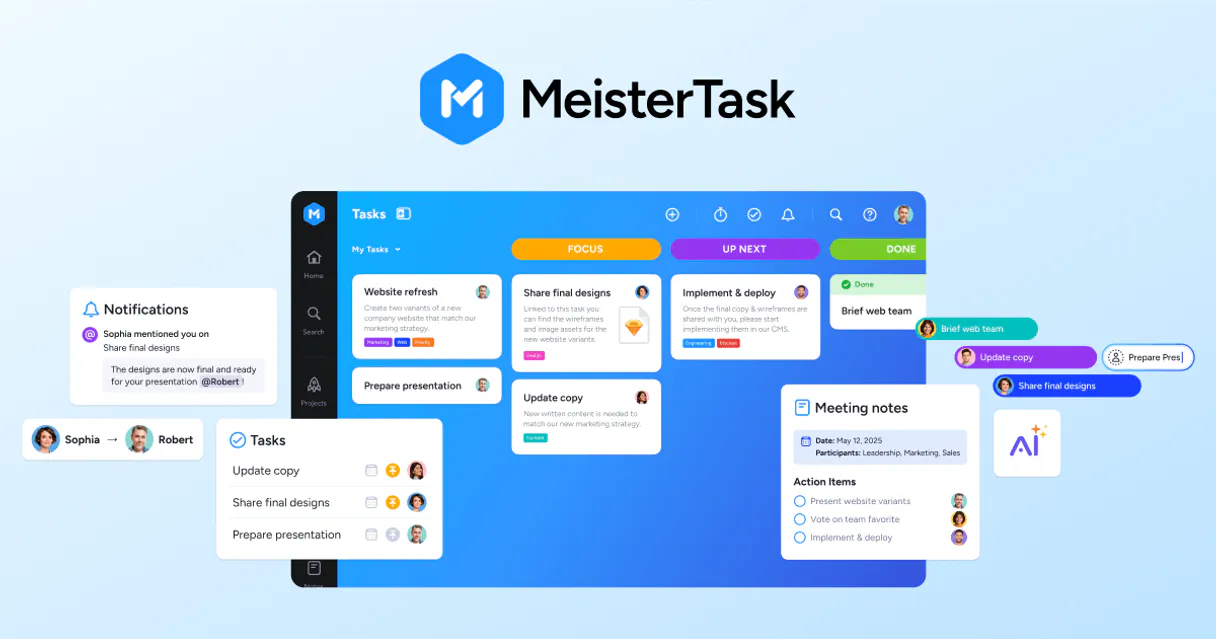
MeisterTask MCP for AI. Coordinate tasks and boards conversationally.
 Gemini
 Works with every AI agent you already use
…and any MCP-compatible client









How this MCP server connects to your AI agent
MeisterTask MCP lets your AI agent manage project boards and team tasks directly in chat. You can list projects, create new assignments, move items between columns, and get real-time status updates without leaving your conversation window.
It makes agile project orchestration feel like a simple conversation.
What AI agents can do with MeisterTask Automation
Create new task
Adds a brand new task record into the MeisterTask board.
Remove task
Permanently deletes an existing task from a project board.
Get api status
Checks if the connection between your agent and MeisterTask is active and working correctly.
List all managed projects and retrieve the structure of board sections (columns) to understand the team's current roadmap.
Create, update, or delete specific tasks, adding details and assigning ownership directly from your conversation.
List all available tasks across projects, search for items by keyword, or retrieve detailed information about a single task's status.
Move tasks between board sections or list all tasks contained within a specific column to maintain project flow and transparency.
Access the full comment history for any task, letting you monitor team updates or synthesize summaries of past discussions.
Ask an AI about this
Waiting for input…
What AI agents can do with MeisterTask: 12 Tools for Project Management
Use these twelve tools to manage the entire lifecycle of tasks, board structures, and project metadata directly through your AI client.
Make your AI actually useful.
Add this MCP to Claude, Cursor, or Windsurf and your AI stops guessing. It gets real tools to look things up, take action, and handle the stuff you keep doing by hand.
Start using MeisterTask on VinkiusCreate New Task
Adds a brand new task record into the MeisterTask board.
Remove Task
Permanently deletes an existing task from a project board.
Get Api Status
Checks if the connection between your agent and MeisterTask is active and working...
Get Project Details
Retrieves high-level information about a specific project board.
Get Task Details
Gets comprehensive details for an individual task, including descriptions and...
List All Accessible Tasks
Retrieves a list of every single task currently existing across all connected projects.
List Task Comments
Fetches the entire comment and discussion history for a specified task.
List Task Projects
Lists all project boards that contain tasks related to a specific item.
List Project Sections
Retrieves the names and details of every column or section within a given project...
List Section Tasks
Lists all tasks that currently reside in a specific board section (column).
Search Tasks By Query
Searches the entire project database to find tasks matching specific keywords or...
Update Task Info
Modifies existing task information, such as changing descriptions, owners, or status.
Security and governance baked right in.
Pick your AI client below to get set up. Just create a Vinkius account, subscribe, and you're instantly up and running. We handle the entire backend infrastructure, delivering out-of-the-box support for HTTPS Streamable, SSE, and OAuth2—zero messy routing required.
Claude AI
Open Claude Settings
Go to claude.ai, click your profile icon, then navigate to Customize → Connectors.
Add Custom Connector
Click the "+" button and select Add custom connector. Paste your Vinkius endpoint URL:
https://edge.vinkius.com/[YOUR_TOKEN_HERE]/mcp
Replace [YOUR_TOKEN_HERE] with your token
from cloud.vinkius.com. For OAuth-protected servers, expand
Advanced settings to add credentials.
Start a conversation
Open a new chat. The MeisterTask integration is available immediately — no restart needed.
Choose How to Get Started
Build a custom MCP for your own tools, or connect a ready-made integration from our catalog.
Build Your Own
Turn any API into an MCP. Import a spec, define Agent Skills, or deploy with MCPFusion.
- Import from OpenAPI, Swagger, or YAML specs
- Create Agent Skills with progressive disclosure
- Deploy to edge with MCPFusion framework
- Built in DLP, auth, and compliance on every call
- Real time usage dashboard and cost metering
- Publish to catalog or keep private
Make Your AI Do More
Start with MeisterTask, then connect any of our 5,100+ other servers whenever your AI needs more. One click, no limits.
- Use this MCP plus 5,100+ others, all in one place
- Add new capabilities to your AI anytime you want
- Every connection is secured and compliant automatically
- Track usage and costs across all your servers
- Works with Claude, ChatGPT, Cursor, and more
- New servers added to the catalog every week
Independent Platform Disclaimer: Vinkius is an independent platform and is not affiliated with, endorsed by, sponsored by, verified by, or otherwise authorized by MeisterTask. All third-party trademarks, logos, and brand names are the property of their respective owners. Their use on this website is strictly for informational purposes to identify service compatibility and interoperability.
VINKIUS INFRASTRUCTURE
Cloud Hosted
Managed infra
V8 Isolated
Sandboxed per request
Zero-Trust Proxy
No stored credentials
DLP Enforced
Policy on every call
GDPR Compliant
EU data residency
Token Compression
~60% cost reduction
Built on the Model Context Protocol (MCP) for Claude, ChatGPT, Cursor, and more
The Model Context Protocol standardizes how applications expose capabilities to LLMs. Instead of operating in isolation, your AI gains direct access to external platforms, live data, and real-world actions through secure, standardized connections.
This connection provides 12 powerful capabilities that interface natively with Claude, ChatGPT, Cursor, and other compatible AI platforms. No middleware. No custom integration required.
Status checking shouldn't require a dozen clicks., Solved with Vinkius AI Gateway
Today, updating project status feels like navigating an airport terminal. You open the board, find the right project, scroll through dozens of cards, click on a task to see who owns it, then jump to another tab just to check the comment history—all before you've even sent one email.
With this MCP, your agent handles all that complexity behind the scenes. You simply ask for the status or the project summary, and the information from every board view gets compiled into a single, conversational answer.
MeisterTask Gives You Full Control Over Task Lifecycle
You don't have to manually change statuses or write repetitive updates. Your agent can list project sections and move tasks between columns, assigning ownership and updating the details without you touching a single UI button.
The difference is that your AI client acts as an invisible pair of hands, executing complex workflow logic based on simple natural language commands.
What your AI can actually do with this
Stop switching tabs just to check task status. This MCP connects MeisterTask—the platform you use for visual Kanban boards—to your agent, giving you full control over team workflow management through natural language. You can ask your AI client to list all active projects or retrieve detailed board information instantly. Need to update something? You can tell the agent to create a new task assignment or delete an old one right from chat.
This integration handles the whole project lifecycle: listing sections, moving tasks between columns, and even summarizing comments history for specific items. Everything you need to keep your team's roadmap synchronized lives in one place. By connecting this MCP via Vinkius, your agent becomes a dedicated project coordinator that keeps your agile execution running smoothly.
019dd122-0f77-70e3-b8b6-d8fb1acffd83 
Here's how it actually works
The bottom line is that your AI client acts as an intermediary layer, letting you talk project management commands instead of clicking through dashboards.
Subscribe to this MCP and enter your MeisterTask Personal Access Token in your agent's settings.
Start a chat with your AI client and ask it to perform a project action, like listing all available boards or creating a new task.
The agent calls the appropriate function, retrieves the live data from MeisterTask, and reports the status update back to you in plain text.
Who is this actually for?
This MCP is for the Project Manager who hates context switching and the Operations Team member who needs automated reports on task health. If your job involves coordinating cross-functional efforts using Kanban boards, this saves you hours of manual data retrieval.
Uses it to get project summaries and monitor team capacity without having to switch between the task board and a separate reporting tool.
Relies on it to automate recurring tasks or quickly audit who owns which section of the product roadmap.
Uses it to track system responses and manage user metadata, ensuring all team workflows are running optimally.
What Changes When You Connect
You instantly get project summaries. Instead of clicking through multiple board views, your agent pulls all the necessary data in one chat response, letting you know exactly what's happening across 'Software Development' or 'Marketing Q4'.
Keep the workflow moving without leaving your chat interface. You can tell the agent to move a task from 'To Do' to 'In Progress' and see that change reflected immediately.
Never miss a critical update again. By accessing the full comment history, you get synthesized summaries of long threads instead of having to read dozens of comments manually.
Automate routine setup tasks. You can ask your agent to create recurring tasks or delete expired assignments right from chat, keeping your board clean and accurate.
Maintain project synchronization easily. Your agent lists all managed projects and their sections, ensuring everyone is working off the same, up-to-date roadmap.
See it in action
The Daily Standup Check
A team lead needs to know if the 'Bug Fix' task has moved from QA to Dev. Instead of hopping into MeisterTask and filtering by status, they ask their agent: 'What is the latest status for Bug Fix?' The agent checks the board metadata and replies immediately with the current section and owner.
Board Cleanup
An operations specialist needs to decommission old projects. They simply prompt their agent: 'List all completed project boards.' The agent retrieves the list, allowing them to quickly identify which board data can be archived or cleaned up.
Onboarding a New Member
A new team member needs to understand the current scope. They ask their agent: 'What are all the major sections and projects we're working on?' The agent lists every section and project board, giving them an immediate, comprehensive overview.
Task Handoff
A developer finishes a component and needs to hand it off to QA. They ask their agent: 'Update the API Endpoint task to 'Ready for Review' and assign it to Jane.' The agent executes the status change and assignment in one step.
The honest tradeoffs
Checking Status Manually
Opening MeisterTask, clicking through project boards, filtering by assignee, then manually checking if a task moved to the next column.
Just ask your agent: 'Check the status of the API Endpoint task.' Your agent uses get_task_details and reports the current location and owner instantly.
Lost Context Switching
Reading about a project in Slack, then opening MeisterTask only to realize you need to find related tasks across multiple boards.
Use list_task_projects with your agent. It finds all related board metadata and gives you the full context right where you're chatting.
Writing Boilerplate Updates
Having to write a comment like 'FYI, I completed my part, moving this now.' every time a task moves.
Use the agent to update the task info and leave a standardized comment. It handles the data change while keeping your communication clean.
When It Fits, When It Doesn't
You should use this MCP if your core workflow involves managing dynamic, visual project boards (Kanban) where status changes are frequent and visibility is key. If you spend time asking 'Where is X?' or 'What stage is Y at?', this MCP is essential because it lets you talk directly to the data layer. Don't use this if you just need basic document storage; that requires a file-sharing tool, not task management. Also, don't use it if you only track tasks by simple due dates; for true workflow tracking and board movements, this MCP is unmatched because of its deep knowledge of sections and columns.
Questions you might have
How does MeisterTask MCP help with project planning? +
It lets you list all managed projects and retrieve detailed section metadata. This helps you map out the entire roadmap by seeing all available board columns at a glance.
Can I use MeisterTask MCP to find specific tasks? +
Yes, you can search across your boards using search_tasks_by_query. This function finds tasks matching keywords or criteria anywhere in your project data.
What if a task moves between sections? How do I know? +
Your agent monitors the board structure. You can use functions like list_section_tasks and get_task_details to verify the current column location of any item.
Does MeisterTask MCP only work on one project? +
No, it's designed for orchestration. You can use functions like list_task_projects to see which boards a single task appears on across multiple projects.
How do I read the conversation history using MeisterTask MCP? +
You call list_task_comments to fetch the full comment and discussion history for any given task, keeping your team's communication centralized.
We've already built the connector for MeisterTask. Just plug in your AI agents and start using Vinkius.
No hosting. No infrastructure. No complex setup.
All 12 tools are live and waiting.
You're up and running in seconds.
Gemini Vinkius gives your AI agents access to the full catalog of app connectors, all fully managed, secure, and enterprise-ready. One subscription, every tool you need.
Built, hosted, and secured by Vinkius. You just connect and go.