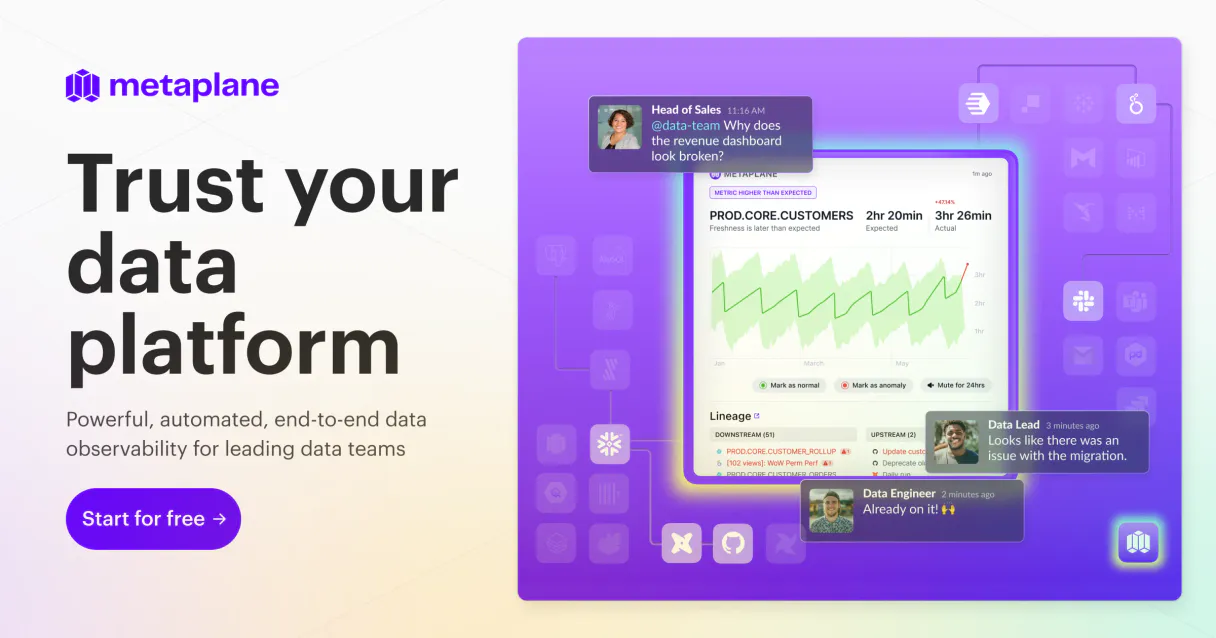
Metaplane MCP. Check data health, track incidents by ID.
Works with every AI agent you already use
…and any MCP-compatible client

Just plug in your AI agents and start using Vinkius.
Metaplane connects data observability directly to your AI client. It lets you check data quality metrics, track alerts, and manage incident history across all your connected databases using natural conversation.
You can list active monitors, pull full incident reports, or even run a monitor check on demand.
What your AI agents can do
Get account info
Retrieves high-level account details for context.
Get incident
Fetches full details and history for a specific data quality incident ID.
Get monitor
Gets the detailed metadata and configuration for one specific data monitor.
List all configured monitors, check their metadata, see run histories, or force a live test on any monitor.
Retrieve lists of data quality incidents and get deep details on specific high-severity alerts.
Enumerate all connected databases, list schemas for a connection, or see the overall status of your data pipelines.
View and inspect all active notification settings and alert rules defined in Metaplane.
Ask AI about this MCP
Supported MCP Clients
Waiting for input…
Metaplane: 10 Tools for Data Observability
These tools let you list, check, and troubleshoot every aspect of your data pipeline—from connection status to specific data quality incidents.
019d75d3get account info
Retrieves high-level account details for context.
019d75d3get incident
Fetches full details and history for a specific data quality incident ID.
019d75d3get monitor
Gets the detailed metadata and configuration for one specific data monitor.
019d75d3get monitor runs
Retrieves the complete historical record of runs for a given data monitor ID.
019d75d3list configured alerts
Returns a list and summary of all active notification rules and alert settings.
019d75d3list connection schemas
Lists the available schemas for a specified data source connection.
019d75d3list data connections
Provides an inventory of all connected databases and data warehouses.
019d75d3list incidents
Lists a summary of recent, active, or historical data quality incidents that occurred.
019d75d3list monitors
Returns a list and status overview of every configured data monitor in the system.
019d75d3trigger monitor run
Manually executes a test run on a specific data monitor to validate current data quality immediately.
Choose How to Get Started
Build a custom MCP for your own tools, or connect a ready-made integration from our catalog.
Build Your Own
Turn any API into an MCP. Import a spec, define Agent Skills, or deploy with MCPFusion.
- Import from OpenAPI, Swagger, or YAML specs
- Create Agent Skills with progressive disclosure
- Deploy to edge with MCPFusion framework
- Built in DLP, auth, and compliance on every call
- Real time usage dashboard and cost metering
- Publish to catalog or keep private
Make Your AI Do More
Start with Metaplane, then connect any of our 4,700+ other servers whenever your AI needs more. One click, no limits.
- Use this MCP plus 4,700+ others, all in one place
- Add new capabilities to your AI anytime you want
- Every connection is secured and compliant automatically
- Track usage and costs across all your servers
- Works with Claude, ChatGPT, Cursor, and more
- New servers added to the catalog every week
What you can do with this MCP connector
You gotta know what's up with your data, right? This Metaplane MCP Server plugs data observability straight into your AI client. You get direct control over monitoring and data quality without ever having to jump through a dozen dashboards. Your agent uses natural conversation to check metrics, track alerts, and manage incident history across every single database you connect.
Mapping Out Your Data Sources.
You gotta know where your data lives first. Use list_data_connections to get a full inventory of all the databases and data warehouses hooked up to Metaplane. Once you've got the connections listed, you can run list_connection_schemas, which shows you every available schema for that specific source.
You also always have access to get_account_info if you need high-level details about your overall account setup.
Keeping Tabs on Alerts.
Metaplane helps you manage all your warning settings. Run list_configured_alerts to see a summary of every active notification rule and alert setting defined in the system. You can then talk to your agent to inspect those rules, making sure no critical data point slips through the cracks.
Auditing Your Data Monitors.
This is where you check if your data's actually healthy. To start, list_monitors gives you a status overview and list of every monitor configured in Metaplane. If you need deep details on one specific setup, use get_monitor to pull the full metadata and configuration for that single data monitor.
You can track its entire life cycle by running get_monitor_runs, which pulls the complete historical record of runs for a given monitor ID.
Need to test something right now? Just hit up trigger_monitor_run. This manually executes a live test run on any specific data monitor, validating current data quality immediately. You're always in control; you can review everything that’s happened before by checking the monitor's run history or listing all active monitors.
Tracking Down Incidents.
When something goes wrong—and it happens—you need to know exactly what went down and why. Use list_incidents to pull a summary list of recent, historical, or active data quality incidents. If you spot an ID that looks sketchy, you can use get_incident to fetch the full details and complete history for that specific high-severity alert.
This lets your agent give you deep context on any problem area.
How Metaplane MCP Works
- 1 Subscribe to the server and input your unique Metaplane API Key.
- 2 Your AI client gains access to 10 specialized tools for data monitoring and incident management.
- 3 You ask a question (e.g., 'What was the last time the user count monitor ran?'), and your agent executes the necessary tool calls.
The bottom line is: you get structured, real-time visibility into your data pipelines without writing any code or navigating complex web UIs.
Who Is Metaplane MCP For?
This is for the Data Engineer who can't afford to spend hours clicking through logs when production data breaks. It targets SREs and Platform Owners who need immediate, actionable answers about data integrity—not just pretty dashboards.
They use this to check schemas (list_connection_schemas) or manually test a fix by triggering a monitor run (trigger_monitor_run) after an outage.
They rely on it to triage incidents, immediately calling list_incidents and then drilling down with get_incident to pinpoint the root cause of a service degradation.
They use this when they suspect data quality issues but don't know where to look, asking the agent to list all configured alerts (list_configured_alerts).
What Changes When You Connect
- Pinpoint Failures Fast: Instead of guessing where the breakage happened, use
list_incidentsto get a summarized list of recent failures. Then, drill down withget_incidentto see the exact root cause and timeline. - Audit Your Setup: Need to know what's monitored? Run
list_monitors. This gives you an immediate inventory of every data quality check running in your stack, plus their health status. - Validate Fixes On Demand: After a suspected pipeline break, don't wait for the next scheduled run. Use
trigger_monitor_runto force an instant test on the monitor, confirming if your fix actually worked. - Understand Data Lineage Scope: When onboarding new systems, use
list_data_connectionsandlist_connection_schemas. This gives you a full map of every database and schema connected through Metaplane. - Manage Alert Fatigue: Don't miss critical warnings. Use
list_configured_alertsto review all notification settings at once, ensuring your team gets alerted on the right things (and nothing else). - Get Quick Context: Need to know what version of data you're looking at? Run
get_account_infofor basic account metadata and status checks.
Real-World Use Cases
The schema changed, but the pipeline didn't fail.
A developer notices a discrepancy in the customer table. Instead of manually checking logs, they ask their agent to check list_connection_schemas for the relevant connection first. This confirms if the expected schema change was registered, narrowing down the investigation before running any detailed checks.
The dashboard is red—what broke and when?
An SRE sees an alert on Slack. They ask their agent to run list_incidents. The agent returns a list, pointing to Incident ID 'X'. The engineer then runs get_incident with that ID to pull the full resolution history and timeline, solving the problem in three steps instead of 30 minutes of clicking.
We suspect data decay overnight.
The team thinks a key metric might be drifting. They ask their agent to list_monitors to find the correct 'Row Count' monitor, and then use trigger_monitor_run. This validates the current data volume instantly, confirming if the degradation is real or just an artifact.
Need to audit all connections before migration.
A platform team needs to map every single source. They ask their agent to run list_data_connections. This immediately provides a comprehensive list of all connected databases and warehouses, ensuring no data source is missed during the migration plan.
The Tradeoffs
Treating alerts as gospel.
Seeing an alert flash on a dashboard and assuming it's critical. You might jump straight to fixing the downstream service without knowing if the upstream data source was at fault.
→
First, check list_incidents to see if this incident is new or recurring. Then, use get_monitor with the associated monitor ID to understand why that specific check failed before making any changes.
Ignoring schema drift.
A pipeline breaks because a source column was renamed in the database, but no code error was thrown. Developers often waste time checking application logs for non-existent errors.
→
Run list_connection_schemas to compare current schemas against expected ones. This helps confirm if the underlying data structure changed before the pipeline even tried to read it.
Manual, sequential investigation.
Manually logging into the database dashboard, then switching to the incident management system, and finally checking monitoring logs—a multi-tab ordeal that takes 15 minutes just for triage.
→ Let your agent use multiple tools in sequence. Ask it: 'List all active monitors related to the user table, find any recent incidents, and check their last run history.' It handles the coordination.
When It Fits, When It Doesn't
Use this MCP Server if data quality is critical to your business function—meaning a broken metric or missing schema will cause an operational failure. You need rapid diagnosis and historical context. If you only care about basic logging (e.g., 'this request failed'), use a standard logging service. However, if the problem involves data integrity (Did the row count drop? Was the column type wrong?), Metaplane is necessary.
Don't use this if your data sources are unstable or constantly changing without warning; you'll get alert fatigue. If your current tooling already provides a single pane of glass that covers monitoring, schema mapping (list_connection_schemas), and incident tracking, you might be over-investing. But if your observability stack is fragmented across multiple tools, this server centralizes the investigation workflow.
Independent Platform Disclaimer: Vinkius is an independent platform and is not affiliated with, endorsed by, sponsored by, verified by, or otherwise authorized by Metaplane. All third-party trademarks, logos, and brand names are the property of their respective owners. Their use on this website is strictly for informational purposes to identify service compatibility and interoperability.
VINKIUS INFRASTRUCTURE
Cloud Hosted
Managed infra
V8 Isolated
Sandboxed per request
Zero-Trust Proxy
No stored credentials
DLP Enforced
Policy on every call
GDPR Compliant
EU data residency
Token Compression
~60% cost reduction
Works with Claude, ChatGPT, Cursor, and more
The Model Context Protocol standardizes how applications expose capabilities to LLMs. Instead of operating in isolation, your AI gains direct access to external platforms, live data, and real-world actions through secure, standardized connections.
This server provides 10 capabilities that interface natively with Claude, ChatGPT, Cursor, and any MCP client. No middleware. No custom integration required.
Available Capabilities
Debugging data integrity shouldn't mean opening five different dashboards.
Today, when a metric looks wrong, you open the data warehouse dashboard to check row counts. You then switch to your monitoring system to see if an alert was fired. Then you jump into the incident tracking tool to find out who saw it and when they fixed it—all involving logging in, copy-pasting IDs, and switching context.
With Metaplane, that entire sequence collapses into a single conversation with your agent. You ask: 'What happened with the user count metric yesterday?' The agent runs `list_monitors`, checks for related alerts via `list_configured_alerts`, and summarizes the full incident history using `list_incidents`. You get the answer in plain text, instantly.
Metaplane MCP Server: Get data status with one command.
You no longer need to run separate scripts or manually check if a monitor is active. You ask the agent to list all monitors (`list_monitors`), and it instantly provides the current health status, metadata, and connection context for everything in your data layer.
This means you move from reactive firefighting—where you only know about failures when an alert hits—to proactive governance. Your AI client handles the cross-tool coordination so you can focus on fixing the data, not finding the right tool.
Common Questions About Metaplane MCP
How do I check if a schema has changed using list_connection_schemas? +
You use list_connection_schemas to see all available schemas for a connection. If you suspect drift, compare the listed schemas against your expected state to confirm if the database structure was modified.
What is the best way to check data quality status? +
Start by running list_monitors to see all active checks. If you find a specific monitor, use get_monitor for its details or trigger_monitor_run to test it right now.
How can I get the history of an incident? +
First, run list_incidents to see recent failures. Then, take the ID from that list and use get_incident to pull the full details, including the resolution steps.
Do I need to manually trigger a monitor run? +
No. You can tell your agent to do it. Use the trigger_monitor_run tool by providing the target monitor ID. The agent handles the execution and reports the status.
Can I see what data sources are connected? +
Run the list_data_connections tool. This gives you a comprehensive inventory of every database, warehouse, or source that Metaplane is monitoring for quality issues.
How do I use `get_monitor` to see the full definition of a data quality check? +
It returns detailed metadata for that specific monitor. You get information like thresholds, last run time, and severity levels defined by the user.
What does `list_monitors` show me about all my configured checks? +
This tool provides a list of every active data monitor across your system. You can see the name, current status (active/paused), and associated connection for quick auditing.
Using `list_configured_alerts`, how do I view current alert thresholds and notification settings? +
It shows every active rule you've set up. You can review the exact trigger conditions, severity levels, and which communication channels are configured for notifications.
How do I find my Metaplane API Key? +
Log in to Metaplane, go to your Account Settings, and you can generate or copy your API Key from the API section.
Can I trigger a monitor run manually? +
Yes! Use the trigger_monitor_run tool and provide the monitor ID to start a data quality check immediately.
Is my data observability data secure? +
Absolutely. Your token is encrypted at rest and injected securely at runtime.
Use it with your favorite AI tools
Connect this server to Cursor, Claude, VS Code, and more.
More in this category
Coalesce
Enable your AI agent to manage Snowflake data pipelines, trigger transformations, and monitor jobs via the Coalesce API.
Umeng / 友盟+
Leading mobile analytics and push notification platform in China — manage campaigns and audit performance via AI.
Leadfeeder
Bring Leadfeeder B2B visit intelligence to your AI. Discover which companies visit your website natively.
You might also like
Guance Cloud / 观测云
Modern observability platform — manage monitors, dashboards, and events via AI.
Mailingwork
Execute professional email marketing campaigns with advanced segmentation, A/B testing, and GDPR-compliant list management.
GeckoTerminal (DeFi Token Tracker)
Track DeFi tokens, liquidity pools, and DEX activity across 100+ blockchains using real-time GeckoTerminal data.