
Mindbody MCP. Get studio, client, and sales data in one conversation.
 Gemini
 Works with every AI agent you already use
…and any MCP-compatible client









Just plug in your AI agents and start using Vinkius.
Mindbody connects your fitness studio, spa, or wellness center backend to any AI agent. It lets you handle appointments, client records, staff scheduling, and sales reports just by talking to it.
Forget jumping between five different tabs; your agent accesses the full operational data—from class schedules to membership status—in one conversation.
What your AI agents can do
Get client history
Retrieves a client's full visit record, showing when they came and how often they missed appointments.
Get client memberships
Pulls the details on a member's active packages, including remaining uses and if their auto-pay is set up.
Get site info
Provides basic business information like your studio address or tax rates.
Find any member by name or demographics, checking their account balance and current membership status.
Get a timeline of a specific client's visits, noting attendance streaks, missed appointments, and overall engagement over time.
List all scheduled appointments for a date range, including who is involved, the duration, and if it's confirmed or pending.
View an instructor’s detailed calendar to plan coverage, check their certifications, or see when they are booked solid.
Pull a list of recent sales transactions and retail product inventory details for financial reporting.
Ask AI about this MCP
Supported MCP Clients
Gemini Waiting for input…
Mindbody MCP Server: 15 Tools for Studio Operations
These tools let your agent handle everything from viewing class schedules to pulling specific client records in a conversational way.
019d75d4get client history
Retrieves a client's full visit record, showing when they came and how often they missed appointments.
019d75d4get client memberships
Pulls the details on a member's active packages, including remaining uses and if their auto-pay is set up.
019d75d4get site info
Provides basic business information like your studio address or tax rates.
019d75d4list appointments
Lists all scheduled appointments for a specific date range, showing who's booked and for how long.
019d75d4list class schedules
Shows the recurring weekly pattern of classes to help plan staff coverage or marketing campaigns.
019d75d4list class types
Provides a catalog listing all available class names, descriptions, and typical durations (e.g., Vinyasa Yoga).
019d75d4list classes
Lists specific scheduled classes for a given date, showing who is teaching and how many spots are left.
019d75d4list enrollments
Checks status for multi-week programs or workshops, including dates, capacity, and paid students.
019d75d4list locations
Gathers details about all physical studio sites you operate, like addresses and phone numbers.
019d75d4list products
Lists retail items for sale at the front desk, including name, price, category, and current stock count.
019d75d4list sales
Pulls a list of completed sales transactions, detailing the amount, date, client, and payment method used.
019d75d4list services pricing
Shows all services offered by staff (like massage or personal training) and their corresponding cost structure.
019d75d4list staff
Provides a directory of every employee, listing their bio, certifications, and what services they offer.
019d75d4list staff schedule
Gets an individual staff member's specific calendar for a day, useful for finding openings or planning coverage.
019d75d4search clients
Searches the entire client database to pull demographics and account status information quickly.
Choose How to Get Started
Build a custom MCP for your own tools, or connect a ready-made integration from our catalog.
Build Your Own
Turn any API into an MCP. Import a spec, define Agent Skills, or deploy with MCPFusion.
- Import from OpenAPI, Swagger, or YAML specs
- Create Agent Skills with progressive disclosure
- Deploy to edge with MCPFusion framework
- Built in DLP, auth, and compliance on every call
- Real time usage dashboard and cost metering
- Publish to catalog or keep private
Make Your AI Do More
Start with Mindbody, then connect any of our 4,700+ other servers whenever your AI needs more. One click, no limits.
- Use this MCP plus 4,700+ others, all in one place
- Add new capabilities to your AI anytime you want
- Every connection is secured and compliant automatically
- Track usage and costs across all your servers
- Works with Claude, ChatGPT, Cursor, and more
- New servers added to the catalog every week
What you can do with this MCP connector
Look, you know how much time it sucks jumping between five different tabs just to check on one client's status? This Mindbody MCP Server fixes that mess. It plugs your entire studio—the front desk, the back office, the scheduling calendar—directly into your AI agent. You don't need a dozen logins; your agent accesses all the operational data you need in one chat window.
Managing Client Records and History
You can find any member instantly using search_clients, pulling up their demographics and current account status. Need to check if they’re good for credit? You get that info right there. To dig deeper, the agent uses get_client_history. This tool pulls a full visit record, letting you see exactly when they came in and how often they missed appointments over time.
Want to know what package they're running on? get_client_memberships gives you all the details on their active packages, including remaining uses and whether or not their auto-pay is set up. You can also pull basic business facts about your own operation using get_site_info, like your studio address or tax rates.
Handling Scheduling and Class Availability
Need to plan for next month? The agent uses list_class_schedules to show the recurring weekly pattern of classes. You can check out the general catalog listing all available class names, descriptions, and typical durations with list_class_types. For a specific week, list_classes shows you which classes are scheduled for that date, who’s teaching them, and how many spots are left.
If you need to see every appointment booked across a range of days, the agent runs list_appointments, giving you details on who's booked and for how long. For multi-week programs or workshops, it checks enrollment status using list_enrollments, detailing dates, capacity limits, and which students have paid up. If you need to know what retail gear you’re selling at the front desk, list_products gives you a list of items—name, price, category, and current stock count.
Staffing, Services, and Availability
The agent handles staff logistics too. You can access every employee's directory with list_staff, getting their bio, certifications, and the services they offer. To plan coverage for a shift, you use list_staff_schedule, which pulls an individual staff member’s specific calendar for a given day. Want to know what services your therapists provide? list_services_pricing shows all offered services—like personal training or massage—and their corresponding cost structure.
You can also gather details about every physical studio site you run using list_locations, giving you addresses and phone numbers for multi-site operations.
Tracking Money and Inventory
When it comes to the books, your agent handles it all. It pulls a list of recent completed sales transactions using list_sales. You get details on the amount sold, the date, who the client was, and what payment method they used. If you're running multiple locations, getting basic business info for each site is handled by get_site_info.
This gives your agent the full picture: it can take a complex query—like 'Who’s available to teach Vinyasa Yoga this Tuesday who also has room in their schedule?'—and figure out the answer without you jumping through hoops.
How Mindbody MCP Works
- 1 You tell your agent exactly what you need—for example, 'Show me all available yoga instructors next week.'
- 2 The agent runs the appropriate Mindbody tools (like
list_staffandlist_class_schedules) to gather raw data from your system. - 3 It compiles that data into a natural response: 'Sarah is free Tuesday afternoon, but Mike is booked solid until Thursday morning.'
The bottom line is you get actionable business intelligence without ever leaving the chat window.
Who Is Mindbody MCP For?
This is for the ops manager who spends half their day jumping between scheduling software, CRM dashboards, and sales reports. It's for the studio owner who wants a real-time overview of revenue vs. attendance without calling the accounting department. You need this if your current workflow requires more than three different applications.
Uses it to check overall business health, like seeing which membership packages are selling best or tracking revenue from last month's retail sales.
Runs client searches (search_clients) and checks immediate availability (list_appointments) to answer member questions instantly: 'When is the next available spin class?'
Monitors staffing performance, checking instructor certifications (list_staff) or running reports on low-attendance classes.
What Changes When You Connect
- Track revenue instantly. Instead of running a report on the accounting machine, just ask for
list_salesto see total earnings by payment method for the day. It cuts out the spreadsheet work. - Manage client retention risk. You can run
get_client_historyand immediately tell your agent who hasn't visited in 45 days. This flags revenue at risk before it gets too late. - Schedule complex staff coverage. Use
list_staff_schedulecombined withlist_class_schedulesto find out which certified instructor is free this Saturday morning, all without opening the employee portal. - Handle membership issues fast. When a client asks about their remaining visits, your agent runs
get_client_memberships, giving them an immediate, accurate answer on expiration dates and packages. - Stock check at checkout. Before you let someone buy retail items, ask for
list_productsto confirm the inventory count and price before ringing it up.
Real-World Use Cases
The 'Why are they leaving?' scenario
A manager notices revenue dipping. They prompt their agent: 'Show me clients who haven't visited in 6 weeks.' The agent runs get_client_history and pulls a list of names, showing the exact gap between visits—this lets the manager run a targeted re-engagement email campaign.
The booking conflict crisis
A client calls about an appointment. Instead of checking multiple calendars, the agent runs list_appointments and list_staff_schedule. It instantly tells the user: 'Staff member X is booked until 3 PM; try calling back after then.'
Multi-location planning
A corporate owner needs to compare performance. They ask the agent to cross-reference list_locations with recent revenue from list_sales, getting a consolidated summary of which branch is underperforming in Q2.
Training new front desk staff
A new hire needs to know what services are offered. Instead of reading the manual, they just ask the agent for list_services_pricing and get a clean list of every service cost and its expiration rule.
The Tradeoffs
Asking for too much data at once
I need to know who is booked, what the revenue was, and if they have memberships. (Agent gets confused.)
→
Break it up. First, run list_appointments to see bookings. Then, ask about client status using get_client_memberships. Keep tool calls separate for cleaner answers.
Assuming staff knowledge
I need to know who can teach hot yoga and if they are free next week.
→
You have to do two steps. First, run list_staff to filter by 'Yoga' certification. Then, take that list of names and check their schedule using list_staff_schedule for the specific date.
Missing the core client tool
I just need to confirm if John Doe is still a member.
→
Don't guess. Always start by running search_clients. This gives you his demographics and account balance immediately, before checking memberships or appointments.
When It Fits, When It Doesn't
Use this server if your pain point involves coordinating data across different business functions: scheduling (appointments/classes), membership management, and finance. It's built for the operational layer of a fitness/wellness business.
Don't use it if you need deep accounting functionality—like generating full tax reports or running payroll calculations. For that, you need dedicated ERP software. If your only goal is to search an employee directory without checking their availability, simply using list_staff is enough; don't try to run complex queries against every tool.
If you mainly use a single function (e.g., just booking), consider if the server is overkill, but since most roles touch multiple areas, it's worth connecting.

Independent Platform Disclaimer: Vinkius is an independent platform and is not affiliated with, endorsed by, sponsored by, verified by, or otherwise authorized by Mindbody. All third-party trademarks, logos, and brand names are the property of their respective owners. Their use on this website is strictly for informational purposes to identify service compatibility and interoperability.
VINKIUS INFRASTRUCTURE
Cloud Hosted
Managed infra
V8 Isolated
Sandboxed per request
Zero-Trust Proxy
No stored credentials
DLP Enforced
Policy on every call
GDPR Compliant
EU data residency
Token Compression
~60% cost reduction
Works with Claude, ChatGPT, Cursor, and more
The Model Context Protocol standardizes how applications expose capabilities to LLMs. Instead of operating in isolation, your AI gains direct access to external platforms, live data, and real-world actions through secure, standardized connections.
This server provides 15 capabilities that interface natively with Claude, ChatGPT, Cursor, and any MCP client. No middleware. No custom integration required.
Available Capabilities
Finding out who’s free and what services are available shouldn't require logging into five different portals.
Today, if you need to know which staff member can lead a specific class and if they have the right certification, you gotta jump through hoops. You check the booking system for availability; then you open the employee directory just to verify credentials; then you cross-reference that with the services menu. It's clicks, tabs, copy/pasting.
With this MCP server, you ask your agent: 'Find me an instructor certified in Pilates who is free next Tuesday.' The agent handles the whole process—checking `list_staff` for certifications and running `list_staff_schedule` for availability—and gives you one clean name. It's done.
Mindbody MCP Server: Get instant client status with search_clients.
Before, checking a client meant starting at the front desk terminal and manually searching their ID across multiple databases—one for payments, one for bookings, one for general info. If any system was slow or offline, you were stuck.
Now, your agent runs `search_clients` and returns everything in seconds: demographics, account balance, membership status, all in a readable format. It makes the front desk flow run faster than ever.
Common Questions About Mindbody MCP
How do I check if a client is still a member using get_client_memberships? +
The agent pulls their current membership status, showing remaining visits and the expiration date. It's useful because it tells you immediately if they need to renew or buy a new package.
Can I see what classes are available this week using list_classes? +
Yes, list_classes shows scheduled sessions for the date range you provide. It's better than just looking at the general schedule because it gives real-time spot counts.
Which tool should I use to find out how much we sold last month? list_sales? +
list_sales pulls all completed transactions. You can filter this data by date range and payment method, which is perfect for generating quick revenue summaries.
Does get_client_history track more than just attendance? +
It tracks engagement over time—meaning it flags not only missed visits but also how often a client tends to show up or cancel. This helps you target your retention efforts better.
What if I need to see the staff schedule for multiple people? list_staff_schedule? +
You can run list_staff_schedule multiple times, or prompt the agent to compare several names. It pulls individual schedules so you can spot coverage gaps across teams.
How can I use the `list_locations` tool to gather basic details for all my studio sites? +
It returns core business data like addresses, phone numbers, and tax rates. This lets you quickly compare operational parameters across your entire network of locations.
When I use `list_staff`, what professional details can I pull about an instructor? +
The tool provides a full profile for each staff member, including their name, bio, photo URL, certifications, and the services they are assigned to teach. It's great for vetting qualifications.
What exactly does `list_enrollments` show so I can monitor multi-week courses? +
It lists course details, providing dates, capacity limits, pricing information, and the names of all clients currently enrolled. This is essential for managing workshop attendance.
How do I get my Mindbody API Key? +
Sign up at developers.mindbodyonline.com, create a developer account, then go to Account → API Credentials to generate your API Key. You'll also need the Site ID of the business you want to connect to.
What is a Site ID and where do I find it? +
The Site ID is a unique numeric identifier for each Mindbody business. The business owner can find it in their Mindbody account under Settings. For testing, use Site ID '-99' which is the Mindbody sandbox.
Can I book classes or appointments through the AI agent? +
Currently the server focuses on read operations for maximum safety. Write operations (booking, canceling) are planned for v2 and will require the optional User Token credential with staff-level permissions.
Use it with your favorite AI tools
Connect this server to Cursor, Claude, VS Code, and more.
More in this category

Microsoft Dynamics 365
Manage accounts, opportunities, orders, and business processes on Microsoft Dynamics 365 — the unified CRM & ERP platform.
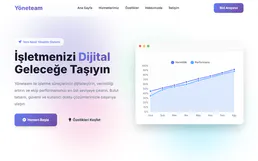
YoneTeam
Manage your Turkish business operations with project tracking, task management, and team collaboration designed for local teams.
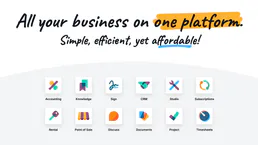
Odoo Manufacturing
Create manufacturing orders, manage BOMs, work orders, and work centers — Odoo MRP through natural conversation.
You might also like

Drupal
Manage headless content via Drupal — list nodes, handle taxonomy terms, manage files, and audit users directly from any AI agent.
Truto Unified Calendar
Empower your AI agent with a universal API to read, schedule, and sync events seamlessly across Google, Outlook, and other major calendar providers.

Regex High-Perf Parser
Stop LLM hallucination when extracting entities. Run pure Regex across massive text blocks and guarantee 100% accurate array extraction.