
Docker Hub MCP. Manage every container image version from your chat.
 Gemini
 Works with every AI agent you already use
…and any MCP-compatible client









Just plug in your AI agents and start using Vinkius.
Docker Hub MCP Server lets you manage all your container images directly through your AI agent. You can list repositories, search community images, check available tags, and even create or update your own repos without opening the website.
It gives your agent the ability to act as a dedicated container registry assistant for full image lifecycle control.
What your AI agents can do
Create repository
Creates a new Docker Hub repository in the specified namespace, allowing you to set a description and visibility.
Delete repository
Permanently removes a specified Docker Hub repository. This action cannot be undone.
Get repository
Retrieves detailed metadata for a specific Docker Hub repository using its namespace and name.
Create, read, update, or delete entire Docker image repositories using simple natural language commands.
List all available tags for a specific image, providing size and push date details to help you pin down the exact version needed.
Search across public Docker Hub images by name or description to find required open-source components.
Get details on your user profile, organization memberships, and overall repository usage statistics.
View pull counts and repository metrics to assess the usage and relevance of your container images.
Ask AI about this MCP
Supported MCP Clients
Gemini Waiting for input…
Docker Hub MCP Server: 10 Tools for Registry Management
These ten tools let your AI agent perform every core action on Docker Hub—from creating new repositories to finding specific image tags.
019d842fcreate repository
Creates a new Docker Hub repository in the specified namespace, allowing you to set a description and visibility.
019d842fdelete repository
Permanently removes a specified Docker Hub repository. This action cannot be undone.
019d842fget repository
Retrieves detailed metadata for a specific Docker Hub repository using its namespace and name.
019d842fget tag
Fetches specific details (size, date) for a known image tag within a repository.
019d842fget user
Checks and returns your authenticated Docker Hub user details, confirming your access token works.
019d842flist organizations
Lists all Docker Hub organizations that your account currently belongs to.
019d842flist repositories
Lists all your owned Docker Hub repositories, including star counts and last updated dates.
019d842flist tags
Lists all available tags for a given repository, showing image size and last push date.
019d842fsearch repositories
Searches the public Docker Hub for repositories matching keywords, showing star and pull counts.
019d842fupdate repository
Modifies specific metadata fields (like description or visibility) for an existing Docker Hub repository.
Choose How to Get Started
Build a custom MCP for your own tools, or connect a ready-made integration from our catalog.
Build Your Own
Turn any API into an MCP. Import a spec, define Agent Skills, or deploy with MCPFusion.
- Import from OpenAPI, Swagger, or YAML specs
- Create Agent Skills with progressive disclosure
- Deploy to edge with MCPFusion framework
- Built in DLP, auth, and compliance on every call
- Real time usage dashboard and cost metering
- Publish to catalog or keep private
Make Your AI Do More
Start with Docker Hub, then connect any of our 4,700+ other servers whenever your AI needs more. One click, no limits.
- Use this MCP plus 4,700+ others, all in one place
- Add new capabilities to your AI anytime you want
- Every connection is secured and compliant automatically
- Track usage and costs across all your servers
- Works with Claude, ChatGPT, Cursor, and more
- New servers added to the catalog every week
What you can do with this MCP connector
Docker Hub gives your AI agent the power to manage every container image and repo you've got. You don't gotta open the website; your agent handles all the heavy lifting. You can use this server to run full image lifecycle control, making it your dedicated container registry assistant.
Manage Repositories
You can create a new Docker Hub repository using create_repository, specifying the namespace, description, and visibility. If you need to modify an existing repo, update_repository lets you change its metadata, like the description or visibility. You can also permanently wipe a repo with delete_repository, but remember, that's irreversible. To see all the repos you own, run list_repositories to get a list including star counts and last update dates.
If you just wanna check out a specific repo's details, get_repository retrieves the full metadata using its namespace and name.
Discover and Search Images
Want to find some open-source components? Use search_repositories to search the public Docker Hub by keywords, and it'll show you star and pull counts for matching repos. To see what tags are available for a specific image, list_tags shows all tags for a given repo, along with the image size and last push date.
You can also check the specifics of a known tag using get_tag, which pulls details like size and date.
Audit Account and Organizations
Need to know what you're working with? list_organizations lists every Docker Hub organization your account belongs to. You can check your own details and confirm your access token works by running get_user. If you wanna see all the repos you own, list_repositories gives you a rundown, including star counts and when they were last touched.
Using Your Agent
Your AI client just needs the token, and that's it. It sends a natural language command—like asking it to 'show me all my web service repos'—and the server executes the tool (list_repositories) and sends the structured data straight back to your agent. It's all hands-free.
How Docker Hub MCP Works
- 1 Subscribe to the server and enter your Docker Hub Access Token.
- 2 Ask your AI agent to perform a task (e.g., 'Show me all repos under the 'backend' namespace').
- 3 The agent calls the appropriate tool (like
list_repositories), and you receive the structured results directly in your chat interface.
The bottom line is, your AI agent handles all the API calls and data formatting, so you just talk to it.
Who Is Docker Hub MCP For?
This is for the DevOps engineer who is sick of switching between the command line, the web UI, and a spreadsheet just to check image versions. It’s for the developer who needs to verify image metadata fast. If your job involves keeping track of container dependencies, this is a massive time saver.
Checks available image tags, monitors pull stats, and updates repository settings across multiple services.
Audits repository access, tracks organization membership, and manages image visibility for platform services.
Searches for community images, verifies correct tag versions, and gets metadata details for dependencies.
What Changes When You Connect
- Stop manually checking repository details. Use
list_repositoriesto see your entire portfolio at a glance, including pull counts and last update dates. - Pinpoint exact image versions instantly. The
list_tagstool shows all tags, sizes, and push dates for a repo, so you never guess the right version. - Find required open-source components fast. Use
search_repositoriesto query the public registry by name or description; it shows star counts and pull data. - Control your image assets. You can
create_repositoryorupdate_repositorymetadata directly—all without opening the web browser. - Verify credentials immediately. Running
get_userconfirms your access token is working and shows your full user info in seconds.
Real-World Use Cases
Auditing a Team's Dependencies
A platform engineer needs to know if the api-gateway service was updated to the latest stable version. Instead of navigating through multiple project dashboards, they ask their agent to list_repositories and then use list_tags on the target repo. The agent returns the full history and size metrics, solving the dependency audit in one chat session.
Setting Up a New Service Repo
A developer just finished a new microservice and needs a dedicated, private spot for its images. They ask their agent to create_repository, specifying the namespace, name, and setting it to private. The repo is instantly provisioned and ready for CI/CD integration.
Finding a Specific Open-Source Image
A developer needs the official Python image but isn't sure of the exact version. They use search_repositories for 'python'. The agent pulls the official 'python' image details and suggests related, optimized versions like 'python:alpine' and 'python:slim'.
Cleaning Up Stale Images
A DevOps engineer notices a repo is deprecated. They use get_repository to pull the repo's full metadata, confirming its details, and then use delete_repository to permanently remove it. The entire process is logged and verified in chat.
The Tradeoffs
Running a manual list check
Logging into Docker Hub, clicking 'Repositories', and then manually checking the 'Pull Count' column for 50 different services to see which ones are the most used.
→
Just ask your agent to list_repositories. It returns all repo names, pull counts, and last updated dates in a clean, structured format instantly.
Checking tag versions manually
Trying to figure out if the web-api service has the latest patch version by clicking through dozens of tags and checking the date/size for each one.
→
Use the list_tags tool. Provide the namespace and repo name, and the agent lists all tags, sizes, and push dates in one go.
Updating repo metadata via UI
Having to navigate deep into the web UI settings page just to change a repository's description or switch its visibility from public to private.
→
Use the update_repository tool. You just tell your agent, 'Make the web-api repo private and update the description to X.' Done.
When It Fits, When It Doesn't
Use this if your workflow requires interacting with container registries—checking versions, listing repos, or managing metadata—from a chat or code editor. It’s perfect for DevOps and Platform teams that need to audit image status quickly.
Don't use it if you only need to view general documentation or if your primary need is to manage Docker Hub billing or user billing details (those are outside the scope of these tools). If you just need to see what could be done, use search_repositories. If you only need to manage your own accounts, get_user helps, but you still need the other tools for actual image work.
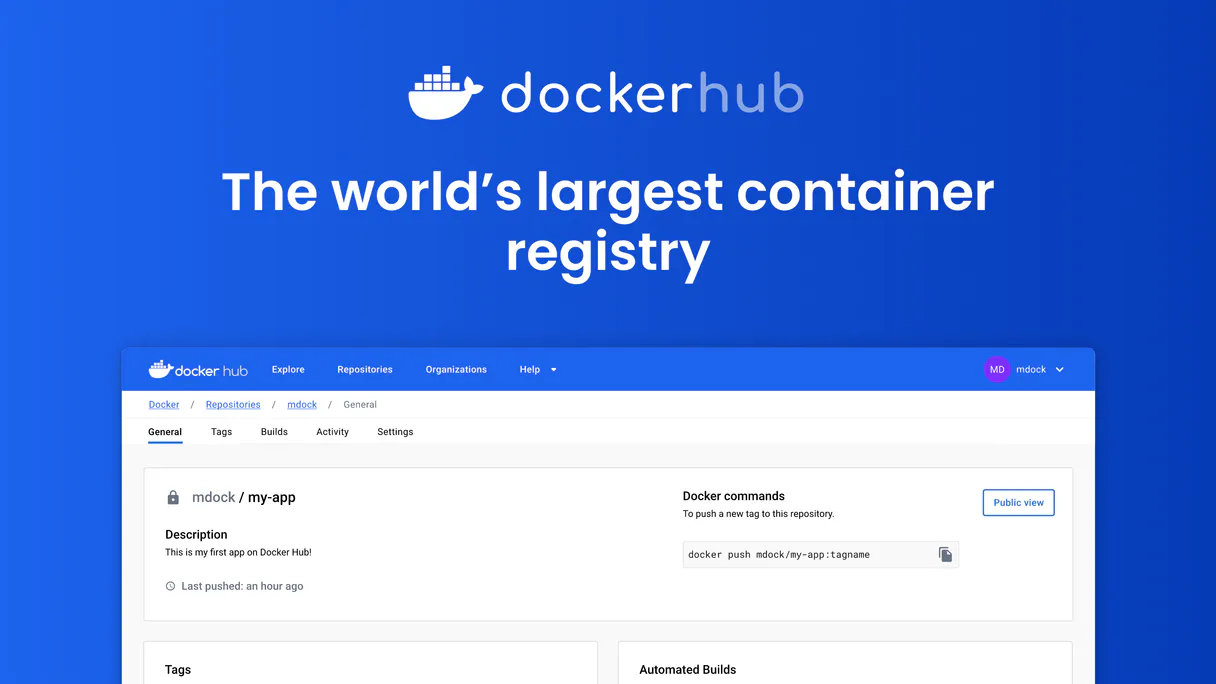
Independent Platform Disclaimer: Vinkius is an independent platform and is not affiliated with, endorsed by, sponsored by, verified by, or otherwise authorized by Docker Hub. All third-party trademarks, logos, and brand names are the property of their respective owners. Their use on this website is strictly for informational purposes to identify service compatibility and interoperability.
VINKIUS INFRASTRUCTURE
Cloud Hosted
Managed infra
V8 Isolated
Sandboxed per request
Zero-Trust Proxy
No stored credentials
DLP Enforced
Policy on every call
GDPR Compliant
EU data residency
Token Compression
~60% cost reduction
Works with Claude, ChatGPT, Cursor, and more
The Model Context Protocol standardizes how applications expose capabilities to LLMs. Instead of operating in isolation, your AI gains direct access to external platforms, live data, and real-world actions through secure, standardized connections.
This server provides 10 capabilities that interface natively with Claude, ChatGPT, Cursor, and any MCP client. No middleware. No custom integration required.
Available Capabilities
Checking your container registry status shouldn't require 15 clicks.
Today, checking a container image's status means logging into the Docker Hub website. You click 'Repositories,' then select the service. If you want tags, you click 'Tags' again. If you need to know if the repo is private, you have to check the settings tab. It’s a maze of tabs and dropdowns just to get basic metadata.
With this MCP server, the task is a single conversation. You tell your agent, 'List all my web services.' It runs `list_repositories` and gives you a clean, structured list of names, pull counts, and visibility status immediately. No website navigation required.
Docker Hub MCP Server: Get full control over your image versions
You can't just browse; you have to act. You might need to check if a repo is deprecated and delete it, or you might need to change its description before a PR merge. These are manual, multi-step processes that involve confirmation screens and form fills.
Now, you just tell your agent, 'Update the `auth-service` repo description to reflect the new v2 API.' The agent executes `update_repository` and confirms the change. It's instant, auditable, and happens entirely through your chat.
Common Questions About Docker Hub MCP
How do I check my account details using the Docker Hub MCP Server? +
You use the get_user tool. This command fetches your username, email, and full name, verifying that your access token is working correctly before you manage anything else.
Can I list all my Docker repositories with the Docker Hub MCP Server? +
Yes, run list_repositories. This tool lists all your repos, showing names, namespaces, pull counts, and if they are public or private.
What is the difference between `list_repositories` and `search_repositories`? +
list_repositories shows only the repos you own. search_repositories searches the entire public Docker Hub index for any repository matching your query.
How do I check all available image tags for a specific image? +
You use the list_tags tool. It requires the namespace, repo name, and returns all tags, sizes, and the last push date for that image.
Can I delete a repository using the Docker Hub MCP Server? +
Yes, delete_repository handles this. Remember that this action is irreversible, so always confirm the namespace and repository name before running it.
How do I use the `get_user` tool to verify my Docker Hub access token? +
The get_user tool confirms your authentication by retrieving your username, email, and account type. This is the fastest way to ensure your AI client has the necessary permissions to manage your containers.
What is the difference between `list_repositories` and `search_repositories`? +
Wait, you already asked this one. You need to ask about a different topic. Let's try this: What's the limit on how many repositories I can list using list_repositories?
How do I use `update_repository` to change a repository's description? +
You pass the namespace, repo name, and a JSON object containing the description field. The tool modifies only the provided fields, keeping the rest of your repository settings intact.
How do I get a Docker Hub access token? +
Log in to hub.docker.com, go to Settings > Security, click New Access Token, give it a name and copy the token immediately — it starts with dckr_pat_ and won't be shown again.
Can I create private repositories? +
Yes! Use create_repository with is_private set to "true". Note that free Docker Hub accounts have a limited number of private repositories. Check your account plan for private repo limits.
Can I search for public Docker images? +
Yes! Use search_repositories with a query like "nginx", "python" or "node". Results include the namespace, name, star count, pull count and description for each matching image. This is useful for discovering community images before pulling them.
Can I see all tags for an image? +
Yes! Use list_tags with the namespace and repository name. Returns all available tags with their image sizes, last pushed dates and digests. Useful for finding the correct version to pull.
Multi-server workflows that include Docker Hub MCP
Deploy Containers to Production Using MCP
Code pushed, images built, tags verified, deploys triggered, status reported , ship containers from commit to production in one prompt
MCP Recipe for Container Vulnerability Scanning
Pipelines scanned, base images audited, vulnerability records created, remediation tracked , manage your container security without a CSPM tool
MCP Servers to Find Abandoned Docker Images
Your production image is 2.3GB and nobody knows why , it was 400MB two years ago but 47 engineers added 'just one more dependency' and now your deploy takes 12 minutes to pull
MCP Workflow for Container Build Monitoring
Pipelines monitored, build times tracked, image sizes audited, flaky steps flagged , keep your CI healthy without watching build logs
Use it with your favorite AI tools
Connect this server to Cursor, Claude, VS Code, and more.
More in this category

Notion
Unified AI interface for your Notion workspace — search pages, query databases, and manage blocks via AI.

INI Parser Engine
Convert INI config files (php.ini, my.cnf, .editorconfig) to JSON and back with absolute precision. 55M+ weekly downloads.
Chroma (Vector DB)
Manage vector embeddings via Chroma — list collections, query embeddings, and audit document counts directly from any AI agent.
You might also like

Time MS Converter
Stop AI math hallucinations. Convert human-readable time (e.g., '2 days', '1.5h') into exact milliseconds for DevOps scheduling.

Parklio PMS
Manage smart parking hardware: barriers, displays, and gateways via Parklio PMS API.

Geoapify
Access powerful location intelligence — geocoding, routing, place search, and IP tracking directly from your AI agent.