
Missive MCP. Manage your team's full inbox, contacts, and drafts.
 Gemini
 Works with every AI agent you already use
…and any MCP-compatible client









Just plug in your AI agents and start using Vinkius.
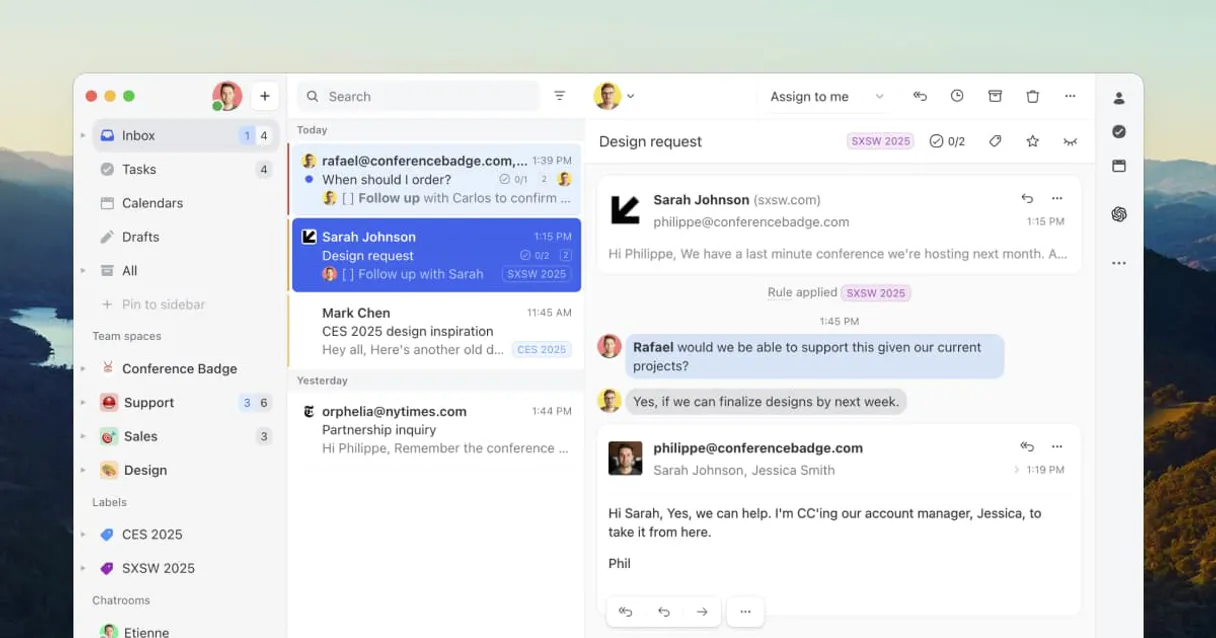
Missive connects your AI agent to a shared, collaborative inbox and contact book. It lets you manage team communications—reading threads, updating contacts, drafting emails, and posting internal comments—all through natural conversation.
Use Missive when your workflow involves constant context switching between email inboxes and CRM records.
What your AI agents can do
Create contact
Adds a brand new person or company record into your shared contact book.
Create draft
Generates a complete email draft that you can review and send later.
Create post
Adds an internal comment or action (like closing/assigning) to an existing conversation thread.
List conversations from specific mailboxes (inbox, assigned, closed) and view all messages within any conversation thread.
Create full email drafts and send them directly using your AI client without leaving the chat window.
Search, list, or create new contacts in the shared contact book to keep team records accurate.
Add internal comments (posts) to a conversation thread and trigger status actions like assigning or closing it.
Ask AI about this MCP
Supported MCP Clients
Gemini Waiting for input…
Missive MCP Server: 10 Tools for Messaging Workflow
These tools give your AI client granular control over every aspect of your team's communication, from contact management to drafting and sending emails.
019d75d5create contact
Adds a brand new person or company record into your shared contact book.
019d75d5create draft
Generates a complete email draft that you can review and send later.
019d75d5create post
Adds an internal comment or action (like closing/assigning) to an existing conversation thread.
019d75d5get conversation
Retrieves all the details for a specific, known conversation ID.
019d75d5get me
Returns basic profile information about the currently logged-in Missive user.
019d75d5list contacts
Retrieves a list of all existing contacts stored in your shared contact book.
019d75d5list conversations
Fetches a list of conversation IDs from a specific mailbox filter (e.g., 'inbox' or 'assigned').
019d75d5list labels
Lists all the labels applied to conversations in your Missive account.
019d75d5list messages
Shows a list of messages and comments within a specific conversation thread.
019d75d5send draft
Sends an email that was previously created using the create_draft tool.
Choose How to Get Started
Build a custom MCP for your own tools, or connect a ready-made integration from our catalog.
Build Your Own
Turn any API into an MCP. Import a spec, define Agent Skills, or deploy with MCPFusion.
- Import from OpenAPI, Swagger, or YAML specs
- Create Agent Skills with progressive disclosure
- Deploy to edge with MCPFusion framework
- Built in DLP, auth, and compliance on every call
- Real time usage dashboard and cost metering
- Publish to catalog or keep private
Make Your AI Do More
Start with Missive, then connect any of our 4,700+ other servers whenever your AI needs more. One click, no limits.
- Use this MCP plus 4,700+ others, all in one place
- Add new capabilities to your AI anytime you want
- Every connection is secured and compliant automatically
- Track usage and costs across all your servers
- Works with Claude, ChatGPT, Cursor, and more
- New servers added to the catalog every week
What you can do with this MCP connector
Missive hooks your AI agent up to a shared inbox and contact book, so you don't have to jump between tabs trying to handle team comms. You can manage the entire client lifecycle—reading threads, updating contacts, drafting replies, or making internal notes—all just by talking to your agent.
When you need to check what's going on in your mailboxes, your agent first lists conversations across specific folders like 'inbox,' 'assigned,' or 'closed.' From there, it grabs all the details for a single conversation using its unique ID. You can also see which labels are applied to those threads and get basic profile info about the user who's logged in right now.
To dig into the actual content, your agent fetches every message and comment inside any specific conversation thread. This means you don't just see the subject line; you see the full history of what was said. If you need to check which messages are already there, it can list all those comments for you.
When it comes time to write something up, your agent doesn't just read—it writes. It generates a complete email draft that you review before hitting send. Once you're good with the text, you tell it to send that draft out directly through the chat window, so you never lose context or have to copy and paste anything.
Handling team updates is easy too. If something needs internal action—like marking a deal as closed or assigning it to someone else—your agent adds an internal comment or post right into the conversation thread. This lets your team keep track of status changes without cluttering up the client communication history.
For keeping records straight, Missive handles your shared contact book. Your agent can pull up a list of every single existing contact stored in the system. If you know who you're talking to but don't have them saved, it lets you add a brand new person or company record right into that book.
You keep all those team records accurate and current.
Essentially, Missive gives your agent complete access to every facet of your shared communication infrastructure: listing conversations in multiple folders; viewing detailed thread histories; generating drafts and sending emails without leaving the chat; adding internal notes to threads; and managing your entire contact roster.
How Missive MCP Works
- 1 First, subscribe to the Missive server on Vinkius and enter your unique Missive Access Token.
- 2 Second, configure your preferred AI client (Claude, Cursor, etc.) to use this connection for communication tasks.
- 3 Third, tell your agent what needs doing—for example, 'List my recent conversations in the assigned mailbox.' — and it executes the necessary tool calls.
The bottom line is that your AI client runs all Missive operations through structured function calls, making complex communication tasks simple prompts.
Who Is Missive MCP For?
The Project Manager who tracks dozens of threads across different team inboxes. The Support Agent drowning in tickets and contacts. Anyone whose job requires constant context switching between a ticketing system, a CRM, and their email client.
They use the server to quickly list conversations from the 'assigned' mailbox, review old messages using list_messages, draft an apology, and then send_draft it all in one flow.
The PM uses this to check conversation status across different team phases. They might run list_conversations to find a thread that needs closing or assigning via create_post.
They rely on creating_contact and list_contacts to ensure every lead's information is correctly recorded before they draft an initial outreach email using create_draft.
What Changes When You Connect
- Stop jumping between tabs. Your agent can list conversations using
list_conversationsand immediately pull up the history viaget_conversation, keeping you in one chat window. - Drafting emails is simple. Use
create_draftto write, review the content, and then usesend_draftto send it out—no copy/pasting needed. - Keeping contacts accurate becomes automatic. Your agent can run
list_contactsbefore creating a new record withcreate_contact, ensuring no data is missed. - Handle ticket workflow changes instantly. Instead of manually changing statuses, use
create_postto close or assign conversations directly from your prompt. - Know where everything is. Use
list_labelsto see how the team categorizes work, and then runlist_messagesto review threads based on those labels.
Real-World Use Cases
Handling a Cold Lead's First Inquiry
A new lead asks a question. You ask your agent to first use get_conversation for the thread ID, then run list_messages to see all prior context. The agent summarizes this and uses create_draft to write a comprehensive reply based on that history.
Cleaning Up Stale Tickets
The team has many old threads marked 'open'. You ask your agent to run list_conversations filtering by the 'assigned' mailbox. The agent reviews the list, identifies stale ones, and runs create_post to assign them back or close them.
Onboarding a New Client
You need client details. Your agent first uses list_contacts to check existing records. If the client is missing, it prompts you to gather data and then runs create_contact before drafting an initial welcome email with create_draft.
Post-Meeting Follow Up
After a call, you need to update records. You ask your agent to find the client's record using list_contacts. Then, it drafts the follow-up summary and uses send_draft to get it out quickly.
The Tradeoffs
Copy/Pasting entire threads
Manually reviewing a conversation means opening the inbox, scrolling through messages, copying key data points, and then pasting them into a separate CRM or document.
→
Let your agent handle it. Use get_conversation to pull all necessary context programmatically, eliminating manual copy/paste work.
Forgetting who you talked to
You have a meeting with 'Sarah Miller' but can't remember her exact company name or title. You waste time searching emails manually.
→
Run list_contacts first, then use create_contact if she isn't there. The shared contact book keeps your data centralized.
Delaying follow-ups
Writing a response and saving it as a draft in the email client, only to forget about it until hours later.
→
Use create_draft via your AI agent. The draft is managed by Missive, keeping it attached to the correct conversation context.
When It Fits, When It Doesn't
Use this server if your work involves managing complex, multi-step communications across a shared inbox environment. Specifically, if you need your agent to read messages (list_messages), update records (create_contact), and then act on that data (like creating a draft or posting an internal comment), Missive is built for it.
Don't use this server if your primary task is simple database lookups (e.g., just checking user profile details, which get_me handles). If you only need to send bulk messages without tracking conversation context, a dedicated mass-mailing API might be better. Missive shines when the conversation itself is the most valuable piece of data.
Independent Platform Disclaimer: Vinkius is an independent platform and is not affiliated with, endorsed by, sponsored by, verified by, or otherwise authorized by Missive. All third-party trademarks, logos, and brand names are the property of their respective owners. Their use on this website is strictly for informational purposes to identify service compatibility and interoperability.
VINKIUS INFRASTRUCTURE
Cloud Hosted
Managed infra
V8 Isolated
Sandboxed per request
Zero-Trust Proxy
No stored credentials
DLP Enforced
Policy on every call
GDPR Compliant
EU data residency
Token Compression
~60% cost reduction
Works with Claude, ChatGPT, Cursor, and more
The Model Context Protocol standardizes how applications expose capabilities to LLMs. Instead of operating in isolation, your AI gains direct access to external platforms, live data, and real-world actions through secure, standardized connections.
This server provides 10 capabilities that interface natively with Claude, ChatGPT, Cursor, and any MCP client. No middleware. No custom integration required.
Available Capabilities
Managing team inboxes shouldn't feel like juggling five different apps.
Right now, managing a single client thread means switching between the email app for the message history, the CRM to check their contact details, and maybe a task board just to see who owns the ticket. You spend half your day context-switching and copy-pasting notes.
With Missive attached to your agent, all that happens inside one chat window. Your agent uses `list_conversations` to find the right thread, pulls data with `get_conversation`, and gives you a summary—no tabs needed. It just works.
Missive MCP Server: Master your team's communication flow.
The old way required opening the inbox, scrolling to the thread, clicking 'reply,' finding the contact details, and then manually assigning a status. It was slow, error-prone, and tedious.
Now, you just tell your agent what needs doing. It runs `list_messages`, figures out the next step, and uses `create_post` to update the conversation status—all in one go. The whole process is immediate.
Common Questions About Missive MCP
How do I list all conversations with Missive? (list_conversations) +
You run list_conversations and specify the mailbox filter you need, like 'inbox' or 'all.' This gives your agent a clean list of thread IDs to work with.
Can I draft an email using Missive before sending it? (create_draft) +
Yes. You run create_draft and fill in the content. The resulting draft is saved by the server, allowing you to review it later or use send_draft when you're ready.
Does Missive help me track contacts? (list_contacts) +
Absolutely. Use list_contacts to see who is already in your book, and if they are missing, the agent can run create_contact for you.
What if I need to add a comment to an old thread? (create_post) +
You use create_post with the conversation ID. This tool handles more than just comments; it can also trigger actions like marking the thread as closed.
What is the difference between list_messages and get_conversation? (list_messages) +
Use get_conversation for a high-level view of the entire conversation. Use list_messages when you only need a structured, paginated list of messages within that thread.
How do I check my user details using the `get_me` tool? +
The get_me tool fetches your current Missive account information. This confirms which user identity your AI agent is operating under. It's useful for verifying permissions or checking profile data before starting a complex task.
What information does the `list_labels` tool provide about my conversations? +
It returns a comprehensive list of all labels currently applied to your mailbox. This lets your AI agent see how your team organizes threads. You can then use these label names to categorize or filter messages accurately.
What is required for the `send_draft` tool to successfully send an email? +
You must provide a valid draft ID and confirmation parameters. The agent uses this step only when all content—the body, recipient list, and subject—has already been assembled in a draft first.
How do I find my Missive Access Token? +
Go to Missive Settings > API and generate a new Bearer token.
Do I need a specific Missive plan to use the API? +
Yes, API access typically requires a Productive or Business plan.
Can I perform actions like closing a conversation? +
Yes, use the 'create_post' tool and set the 'close' parameter to true.
Use it with your favorite AI tools
Connect this server to Cursor, Claude, VS Code, and more.
More in this category

Phone Validator Engine
Stop LLMs from hallucinating phone numbers. Validates and formats numbers to E.164 natively.

CM.com
Reach customers on WhatsApp, SMS, RCS, and voice with a unified messaging platform built for conversational commerce.

Vonage
Send SMS, WhatsApp, and Viber messages, and manage virtual numbers and 2FA via Vonage communications platform.
You might also like

Parseur
Automate document processing via Parseur — list mailboxes, upload PDFs/Emails, extract structured data pipelines, and trigger template logic natively.

Bitwarden
Manage Bitwarden organization resources—collections, events, groups, members, and policies—directly from your AI agent.

BLS Jobs — Nonfarm Payrolls & Wages
Access the definitive source for US employment growth. Query Nonfarm Payrolls, private sector job creation, and average hourly earnings tracked by the BLS Current Employment Statistics (CES) program.