
Mobile Action MCP. Analyze App Store Performance, Chat Style.
 Gemini
 Works with every AI agent you already use
…and any MCP-compatible client









Just plug in your AI agents and start using Vinkius.
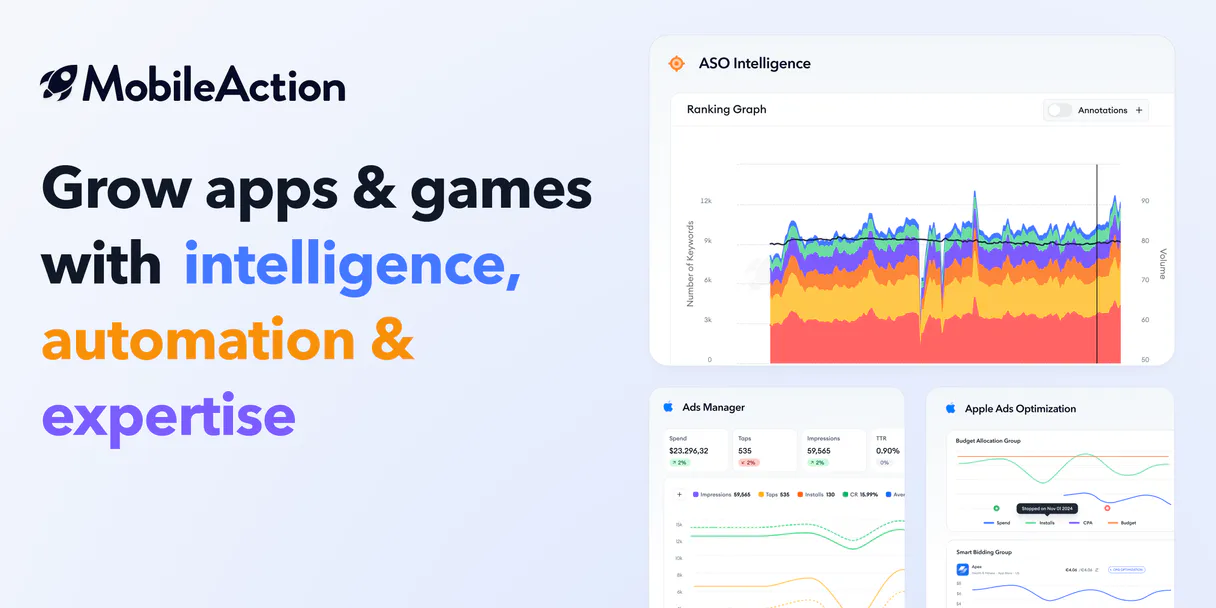
Mobile Action connects your AI agent to professional app store intelligence. You can check keyword rankings, estimate market revenue, or analyze competitor ads—all by asking questions directly in chat.
It gives you deep ASO data for iOS and Android without opening a single dashboard.
What your AI agents can do
Get ad creatives
Retrieves the specific advertising creatives used by apps in the store.
Get app info
Gets comprehensive details about a single app listed in the store.
Get app reviews
Pulls customer reviews for an app, allowing you to gauge sentiment and common pain points.
Pull historical data showing how specific keywords have ranked over time.
Get calculated projections for an app's revenue, user base, and download potential in a given market.
View the ad creatives and marketing strategies used by competing apps.
Find specific apps or see who is currently topping the charts in a given category or country.
Retrieve actual customer reviews and track an app's historical rating performance.
Ask AI about this MCP
Supported MCP Clients
Gemini Waiting for input…
Mobile Action MCP Server: 12 Tools for App Intelligence
Use these twelve specialized tools to pull deep market data on app store performance, from keyword history to ad creatives.
019d75d6get ad creatives
Retrieves the specific advertising creatives used by apps in the store.
019d75d6get app info
Gets comprehensive details about a single app listed in the store.
019d75d6get app reviews
Pulls customer reviews for an app, allowing you to gauge sentiment and common pain points.
019d75d6get cpp details
Retrieves custom product page details for a specific application listing.
019d75d6get keyword ranking
Checks the historical ranking performance of a keyword for an app in various markets.
019d75d6get market estimations
Calculates estimated download numbers, revenue, and active users for any given app or niche.
019d75d6get rating history
Tracks an app's historical rating performance to see if quality is trending up or down.
019d75d6get related keywords
Provides a list of related ASO keywords that you can use to improve your store listing.
019d75d6get top apps
Lists the top-performing apps within specific categories and countries in the app stores.
019d75d6get tracked apps
Displays a list of all the apps you have previously set up for monitoring on the platform.
019d75d6get tracked keywords
Shows a list of keywords that are currently being monitored and tracked by the service.
019d75d6search apps
Searches the entire app store database for apps based on specific criteria or names.
Choose How to Get Started
Build a custom MCP for your own tools, or connect a ready-made integration from our catalog.
Build Your Own
Turn any API into an MCP. Import a spec, define Agent Skills, or deploy with MCPFusion.
- Import from OpenAPI, Swagger, or YAML specs
- Create Agent Skills with progressive disclosure
- Deploy to edge with MCPFusion framework
- Built in DLP, auth, and compliance on every call
- Real time usage dashboard and cost metering
- Publish to catalog or keep private
Make Your AI Do More
Start with Mobile Action, then connect any of our 4,700+ other servers whenever your AI needs more. One click, no limits.
- Use this MCP plus 4,700+ others, all in one place
- Add new capabilities to your AI anytime you want
- Every connection is secured and compliant automatically
- Track usage and costs across all your servers
- Works with Claude, ChatGPT, Cursor, and more
- New servers added to the catalog every week
What you can do with this MCP connector
Mobile Action hooks your AI agent up to professional app store intelligence. You get real-time competitive metrics—from historical keyword rankings to estimated market revenue—right in your chat window. Forget opening dashboards; you just ask questions and get deep ASO data for both iOS and Android.
Finding the Right App or Market Niche
You can search the entire store database by name or criteria using search_apps. Need to know what's hot? You check out top performers in any category or country with get_top_apps. For a deep dive into one specific title, you get full details about the app listing via get_app_info, and if it’s an advanced product, you grab custom page data using get_cpp_details.
You're always aware of what's out there.
Sizing Up the Competition
To figure out how big a market is, you run get_market_estimations. It gives you calculated projections for potential revenue, active users, and total downloads for any app or niche. Want to know if your current keywords are playing nice? You check historical keyword performance with get_keyword_ranking, seeing exactly how those terms ranked over time across various regions.
To improve your listing game, you can ask for related ASO keywords using get_related_keywords. When you're monitoring multiple titles or terms, you use get_tracked_apps and get_tracked_keywords to keep everything in one place.
Analyzing Rivals and User Sentiment
Your competition is talking, and your agent listens. You retrieve actual customer reviews with get_app_reviews, letting you gauge sentiment or spot common pain points fast. To see if a title's quality is dipping or improving, you track its historical rating performance using get_rating_history. Wanna know what the ads look like? You pull the specific advertising creatives used by competing apps via get_ad_creatives, giving you an instant read on their marketing strategy.
Putting It All Together
This server lets you run a full competitive analysis straight through chat. You search for apps, estimate the market value of those apps, see what keywords they rank for historically, and analyze every ad creative your rivals are running. Your AI agent handles all this heavy lifting so you don't have to juggle multiple tools or log into three different dashboards just to get a quick read on the competition.
How Mobile Action MCP Works
- 1 Subscribe to the Mobile Action server and enter your API token.
- 2 Ask your agent a specific question (e.g., 'What is the keyword ranking history for X in the UK?').
- 3 The server runs the necessary tool, pulls the data, and formats the report directly into the chat window.
The bottom line is: you talk to your agent like a human analyst, and it handles all the database calls behind the scenes.
Who Is Mobile Action MCP For?
This is for App Marketers or Growth Product Managers who hate spending hours clicking through dashboards. If your job involves validating competitor performance or needing to know exactly what keywords are working in a specific market, this saves you the manual data aggregation.
Uses get_related_keywords and get_keyword_ranking to find gaps in current keyword strategy.
Runs market intelligence reports using get_market_estimations and search_apps before pitching a new feature or product vertical.
Uses get_ad_creatives to analyze competitor ad campaigns and adjust spending strategies accordingly.
What Changes When You Connect
- Stop guessing your keyword strategy. Use
get_related_keywordsto get a list of proven keywords and then useget_keyword_rankingto see if they actually move up the charts in specific countries. - Don't rely on vague metrics. Run
get_market_estimationsto get concrete numbers—download forecasts, revenue projections, and active user counts for any app or niche. - Need to know what your rivals are spending money on? Use
get_ad_creativesto pull competitor ad data. You instantly see their marketing angle without signing up for their tools. - Get a quick market overview by running
search_appsand then narrowing down usingget_top_apps. It helps you identify high-potential niches fast, like finding the top 'Finance' apps in the US. - Deep dive into user sentiment. Running
get_app_reviewsgives you raw customer feedback so you know exactly what needs fixing before your next update.
Real-World Use Cases
Launching a new niche app
The PM wants to launch an educational fitness app. They first use get_top_apps to check the current leaders in that category. Next, they run search_apps and narrow down 5 potential competitors. Finally, they use get_market_estimations on those top 5 apps to see which one has the highest revenue ceiling, giving them their target.
Auditing a failing product line
The ASO Specialist notices rankings are slipping. They use get_keyword_ranking for the core keywords and simultaneously run get_rating_history. If performance is low, they check get_app_reviews to see if user complaints (like 'buggy UI') correlate with the rating drop.
Competitive counter-attack
The Growth Marketer wants to beat a major competitor. They use get_ad_creatives to steal their ad concepts, then check get_related_keywords to find keywords the competitor probably ignored. Finally, they run an estimate on those new keywords using get_market_estimations.
Monitoring a launch window
The PM is watching a major holiday sale. They use get_top_apps to see which categories spike first, then run get_app_info on the top candidates to confirm if they have good overall metrics (like high user counts) before committing resources.
The Tradeoffs
Asking for general market data
Typing: 'Tell me about the mobile app market.' This returns nothing useful because you haven't defined scope.
→
Be specific and use tools. Say: 'Use get_market_estimations to find the estimated revenue for the top 5 gaming apps in Germany.' Always specify country, category, or keyword.
Ignoring historical context
Asking only about current rankings without knowing how they arrived there.
→
Always check get_keyword_ranking to see the full history. This shows if a ranking jump was steady or if it's a sudden, short-lived spike.
Forgetting ad context
Just seeing that a competitor is high up in the charts but not knowing how they are spending money to stay there.
→
Run get_ad_creatives alongside your ranking checks. This links their visible success directly to their paid marketing effort.
When It Fits, When It Doesn't
Use this server if you need deep, actionable market data that requires cross-referencing multiple dimensions: keyword performance + revenue potential + ad spend + user sentiment. It's built for the analyst who needs validation across 3+ fronts.
Don't use it if your goal is simply internal reporting (e.g., 'What did we post last week?'). For that, use a dedicated analytics dashboard. Don't use it if you just need to know today's trending status; use get_top_apps for that quick view.
The value comes when you chain tools: Start with search_apps to define the niche, move to get_related_keywords to find opportunity, validate with get_market_estimations, and then confirm competitive threat using get_ad_creatives. If you only call one tool, you're missing half the story.
Independent Platform Disclaimer: Vinkius is an independent platform and is not affiliated with, endorsed by, sponsored by, verified by, or otherwise authorized by Mobile Action. All third-party trademarks, logos, and brand names are the property of their respective owners. Their use on this website is strictly for informational purposes to identify service compatibility and interoperability.
VINKIUS INFRASTRUCTURE
Cloud Hosted
Managed infra
V8 Isolated
Sandboxed per request
Zero-Trust Proxy
No stored credentials
DLP Enforced
Policy on every call
GDPR Compliant
EU data residency
Token Compression
~60% cost reduction
Works with Claude, ChatGPT, Cursor, and more
The Model Context Protocol standardizes how applications expose capabilities to LLMs. Instead of operating in isolation, your AI gains direct access to external platforms, live data, and real-world actions through secure, standardized connections.
This server provides 12 capabilities that interface natively with Claude, ChatGPT, Cursor, and any MCP client. No middleware. No custom integration required.
Available Capabilities
Market research used to be a spreadsheet nightmare.
Before this server, market intelligence meant logging into four different dashboards: one for keywords, one for competitor ads, one for reviews, and another for revenue estimates. You'd spend half a day just copy-pasting data points, updating spreadsheets, and cross-referencing dates to build a single view of the competition.
Now, you ask your agent directly in chat: 'Compare App X and App Y using `get_keyword_ranking` and `get_market_estimations`. Show me where they diverge.' The server pulls all that data—the rankings, the revenue projections, the user counts—and presents it cleanly. It's instant.
Mobile Action MCP Server: Get a full picture of app growth.
You no longer have to switch between an ASO tool, a competitor ad library, and a general market tracker. All the data is housed under one API call structure. You run `get_ad_creatives` and then immediately follow up with `get_related_keywords` on the same app ID.
The difference isn't just convenience; it’s depth. It lets you connect ad spend directly to keyword opportunity in a single, conversational flow.
Common Questions About Mobile Action MCP
How do I use get_market_estimations? Is it accurate? +
You provide the app name and target country. The estimations are calculated based on historical store data models. They give you a solid projection, but treat them as expert estimates, not guarantees.
Can I use get_keyword_ranking to compare multiple keywords at once? +
Yes, the tool tracks history for multiple keywords simultaneously. This lets you see if improving your ranking on one keyword negatively impacts another related term.
What is the difference between search_apps and get_top_apps? +
search_apps finds a specific app or group of apps based on criteria. get_top_apps shows you what's currently trending—the best performers right now—by category in a given store.
Do I need to use get_ad_creatives if I want to know about competitors? +
No, but it helps. get_ad_creatives provides the visible marketing angles. It gives you context for why a competitor might be ranked highly.
Is get_app_reviews useful if I just want revenue data? +
Absolutely. Reviews give you qualitative insight—the 'why' behind the numbers. A low rating history (via get_rating_history) suggests poor user retention, which will tank your market estimates.
What credentials do I need to run `get_app_info`? +
You must provide an active Mobile Action API token, which gets configured in the Vinkius environment variables. The tool cannot function or return data without a valid key.
Can I query `get_keyword_ranking` repeatedly throughout the day? +
You can run it frequently, but keep an eye on rate limits. Sending too many requests in quick succession might trigger temporary throttling. It's best to batch your keyword checks where possible.
Does `get_app_reviews` require the full App Store ID? +
Yep, you must provide a specific app ID to pull reviews. The tool can't search by name alone; it needs that unique identifier for accurate performance data.
How do I get a Mobile Action API Token? +
API access is available for Enterprise customers. You can find or request your token in the API section of the Mobile Action dashboard.
Which app stores are covered? +
Mobile Action covers both the Apple App Store (iOS) and Google Play Store (Android).
What is the format for country codes? +
Use standard ISO 3166-1 alpha-2 codes (e.g., 'US' for United States, 'BR' for Brazil, 'GB' for United Kingdom).
Use it with your favorite AI tools
Connect this server to Cursor, Claude, VS Code, and more.
More in this category
ON24
Host enterprise webinars and virtual events that generate pipeline with interactive engagement tools and first-party intent data.

Mailingwork
Execute professional email marketing campaigns with advanced segmentation, A/B testing, and GDPR-compliant list management.

Medium Alternative
Manage your Medium profile — publish stories, audit publications, and contributors via AI.
You might also like
Clientjoy
Manage agency CRM and invoicing via Clientjoy — track leads, monitor invoices, and manage client projects directly from any AI agent.
Twelve Labs (Video Understanding)
Search, analyze, and extract semantic insights from video content using Twelve Labs' powerful multimodal AI models.

GamerPower Gaming Giveaways
Find and track free gaming giveaways — get Steam keys, Epic Games Store offers, and in-game loot via AI.