
Moody's MCP. Track issuer credit ratings and rating actions instantly.
 Gemini
 Works with every AI agent you already use
…and any MCP-compatible client









Just plug in your AI agents and start using Vinkius.
Moody's MCP Server provides programmatic access to global credit ratings and risk analysis data. Your agent uses this server to query issuer details, check specific financial issues (CUSIP/ISIN), track rating actions (upgrades or downgrades), and search for market segments across thousands of financial entities.
Get structured credit intelligence directly from your workflow.
What your AI agents can do
Get issue details
Retrieves detailed information, including ratings and metadata, for a specific financial issue using its ID.
Get issuer details
Pulls core profile data and current credit ratings for an entire organization or issuer.
Get market segments
Lists the specific market segments that Moody's covers, helping you narrow down your financial search criteria.
Use get_issuer_details to pull core information and current ratings for any global company or entity.
Run list_issue_ratings with a CUSIP or ISIN to get detailed credit ratings and metadata for a specific bond or financial product.
Execute list_rating_actions to pull recent, recorded actions—like upgrades or downgrades—across entire sectors or global markets.
Use get_market_segments to list and explore the different market groups covered by Moody's data, helping narrow your search focus.
Start with search_entities to locate any organization or issuer before pulling specific rating details. This is key for unknown targets.
Ask AI about this MCP
Supported MCP Clients
Gemini Waiting for input…
Moody's MCP Server: 8 Tools for Financial Risk Data
Use these tools to search entities, check current ratings, track historical changes, and build comprehensive credit profiles.
019d75d8get issue details
Retrieves detailed information, including ratings and metadata, for a specific financial issue using its ID.
019d75d8get issuer details
Pulls core profile data and current credit ratings for an entire organization or issuer.
019d75d8get market segments
Lists the specific market segments that Moody's covers, helping you narrow down your financial search criteria.
019d75d8get rating reference
Provides a clear reference guide detailing the different rating scales and terminologies used by Moody's.
019d75d8list issue ratings
Gets a list of all recorded credit ratings for a given financial security (CUSIP/ISIN).
019d75d8list issuer ratings
Retrieves the current and historical set of credit ratings associated with an entire corporate issuer.
019d75d8list rating actions
Fetches a list of recent rating actions, such as upgrades or downgrades, across various sectors.
019d75d8search entities
Searches the database by name or keywords to find matching issuers or organizations before running detailed reports.
Choose How to Get Started
Build a custom MCP for your own tools, or connect a ready-made integration from our catalog.
Build Your Own
Turn any API into an MCP. Import a spec, define Agent Skills, or deploy with MCPFusion.
- Import from OpenAPI, Swagger, or YAML specs
- Create Agent Skills with progressive disclosure
- Deploy to edge with MCPFusion framework
- Built in DLP, auth, and compliance on every call
- Real time usage dashboard and cost metering
- Publish to catalog or keep private
Make Your AI Do More
Start with Moody's, then connect any of our 4,700+ other servers whenever your AI needs more. One click, no limits.
- Use this MCP plus 4,700+ others, all in one place
- Add new capabilities to your AI anytime you want
- Every connection is secured and compliant automatically
- Track usage and costs across all your servers
- Works with Claude, ChatGPT, Cursor, and more
- New servers added to the catalog every week
What you can do with this MCP connector
Listen up. This server gives your agent deep-dive access to global credit ratings and risk data from Moody's. You don't just get a single rating; you pull structured intelligence on who issued the debt, what the market thinks of it, and how that standing has changed over time. It’s built for people who need concrete answers fast.
Finding Your Target Entity:
You gotta start somewhere. If you know an organization's name or some keywords but aren't sure if they're properly listed, use search_entities. This tool lets your agent search the database by names or general keywords to find matching issuers before running any detailed reports. Once you narrow down a target group, you pull core profile data and current credit ratings for an entire organization using get_issuer_details.
If you need a broader look at what's available—like listing all historical and current ratings associated with that corporate issuer—you run list_issuer_ratings.
Drilling Down to Specific Debt:
When you know the exact financial product, you don’t waste time. To check specific security ratings for a bond or financial product, feed it a CUSIP or ISIN into list_issue_ratings. This gets you every recorded credit rating and associated metadata for that single piece of debt.
For even more granular detail on one issue—like checking the official rating and all the background data tied to a specific ID—you use get_issue_details. These tools let your agent pull verifiable facts about any given financial obligation.
Tracking Market Movement & Context:
The market doesn't stand still, so you need history. To track how credit standing changes over time, run list_rating_actions. This pulls a list of recent actions—like upgrades or downgrades—across entire sectors or global markets. It shows the movement, not just the current spot. If you want to know what market groups Moody's covers for context, use get_market_segments to get a list of specific segments; this helps narrow your financial search focus and gives you scope.
For reference, if anyone asks about rating scales or terminology, get_rating_reference provides the official guide detailing all the different ratings and terminologies Moody's uses.
Putting It Together:
Your workflow looks like this: first, run search_entities to locate the right issuer. Next, use get_issuer_details or list_issuer_ratings to scope out the company's profile. If you’re focused on a specific bond, you hit it with an ISIN into list_issue_ratings. Then, if you need the full picture—the history and context—you run list_rating_actions or check segments using get_market_segments.
Your agent handles all those steps, giving you structured credit intelligence every single time. You're getting verifiable data points on issuers, specific securities, rating actions, and market coverage.
How Moody's MCP Works
- 1 First, your agent runs
search_entitiesto confirm the name and ID of the issuer you're interested in. - 2 Next, it calls tools like
get_issuer_detailsorlist_issue_ratingsusing that confirmed ID to pull structured rating data. - 3 Finally, your client receives a clean JSON object containing the specific ratings, outlooks, and associated metadata.
The bottom line is that you build multi-step queries in your agent: Find the target -> Get its details -> Pull the historical ratings. It's all automated.
Who Is Moody's MCP For?
Investment Analysts, Credit Risk Managers, and Portfolio Strategists need this. If you spend time cross-referencing bond reports from different sources or manually tracking corporate rating changes across spreadsheets, this server saves hours of tedious work.
Uses list_rating_actions and get_issuer_details to build automated reports on systemic risk changes within a portfolio.
Runs targeted queries using search_entities and list_issue_ratings to quickly assess market exposure and relative risk between competitors.
Feeds structured data from get_issuer_details into Python scripts or other models for quantitative risk assessment and forecasting.
What Changes When You Connect
- Stop manually cross-referencing bond reports. By running
list_rating_actions, your agent pulls a consolidated log of recent upgrades, downgrades, and outlook revisions across sectors automatically. - Get full context on an organization instead of just its name. Use
get_issuer_detailsto pull the current rating alongside key metadata—all in one API call. This is critical for compliance checks. - Narrow your focus fast. Instead of guessing where to look, run
get_market_segmentsfirst. It tells you exactly what groups Moody's tracks, keeping your queries focused and efficient. - Eliminate data guesswork. Before pulling any rating list, use
search_entities. This tool confirms the exact ID for an issuer, preventing costly API errors due to ambiguous names. - Build comprehensive profiles. Chain calls: Use
search_entities->get_issuer_details->list_issue_ratings. You build a complete risk picture in three steps instead of downloading three separate PDF reports.
Real-World Use Cases
Assessing Counterparty Risk
A compliance officer needs to know if their client's financial health has changed. They first run search_entities to verify the target company, then use get_issuer_details and list_issue_ratings to pull the latest rating snapshot and check for any recent adverse actions.
Tracking Sector Shifts
An investment analyst needs to monitor systemic risk. They run list_rating_actions, filtering by 'banking sector'. The agent returns a clean list of the last 20 changes, showing exactly which institutions were upgraded or downgraded this week.
Valuing Specific Bonds
A portfolio manager needs to check the rating on a specific bond (e.g., CUSIP: XYZ). They use list_issue_ratings directly, bypassing general company data to get only the security-specific risk metrics.
Market Opportunity Scouting
A strategist wants to know which market segments are currently undergoing high activity. They run get_market_segments and then pair that result with search_entities to see what companies fall into the newly identified, high-growth areas.
The Tradeoffs
Only checking by company name
The user tries to query a bond rating using only the company's common name in an API call. This fails because the system needs a unique identifier (CUSIP/ISIN).
→
Always use search_entities first to confirm the correct ID for any issuer, then pass that ID into tools like get_issuer_details. Don't rely on text search alone.
Forgetting historical context
A user only runs a query for current ratings and misses knowing if the company has recently faced downgrades or adverse outlook revisions.
→
Don't stop at the current rating. Always run list_rating_actions to get a clean history of recent movements, giving you the full picture.
Confusing issuer with security
The user tries to pull bond details using an issuer's name when they only need information about a specific financial instrument.
→
If you are checking a bond, use list_issue_ratings and provide the unique CUSIP/ISIN. If you are checking the company itself, use get_issuer_details.
When It Fits, When It Doesn't
Use this server if your core task involves analyzing corporate risk, tracking financial health over time, or cross-referencing credit ratings across multiple entities. You need to know why a rating is what it is (the history) and who the company is (the details).
Don't use it if you simply need basic contact information for a known entity—use general directory tools instead. If your goal is simple data aggregation without any risk assessment element, this might be overkill. However, if the question 'What is the risk?' comes up, this suite of tools gives you the full mechanism to answer it.

Independent Platform Disclaimer: Vinkius is an independent platform and is not affiliated with, endorsed by, sponsored by, verified by, or otherwise authorized by Moody's. All third-party trademarks, logos, and brand names are the property of their respective owners. Their use on this website is strictly for informational purposes to identify service compatibility and interoperability.
VINKIUS INFRASTRUCTURE
Cloud Hosted
Managed infra
V8 Isolated
Sandboxed per request
Zero-Trust Proxy
No stored credentials
DLP Enforced
Policy on every call
GDPR Compliant
EU data residency
Token Compression
~60% cost reduction
Works with Claude, ChatGPT, Cursor, and more
The Model Context Protocol standardizes how applications expose capabilities to LLMs. Instead of operating in isolation, your AI gains direct access to external platforms, live data, and real-world actions through secure, standardized connections.
This server provides 8 capabilities that interface natively with Claude, ChatGPT, Cursor, and any MCP client. No middleware. No custom integration required.
Available Capabilities
Cross-referencing credit reports shouldn't feel like a PhD thesis.
Today, getting a full picture requires downloading multiple PDFs: one from Moody's for the rating, another for market segments, and a third to track recent actions. You spend hours copying names, IDs, and dates into spreadsheets just to compare them—and you always miss something.
With this MCP server, your agent runs `search_entities` first. It then pulls all necessary data points—the current rating via `get_issuer_details`, the historical changes via `list_rating_actions`, and the market context via `get_market_segments`—and gives you a single, structured output that's ready for analysis.
Moody's MCP Server: Get structured rating data in minutes.
Manual processes force you to check the issuer profile on one tab, the bond ratings on a second tab, and recent actions across a third. This process is slow, error-prone, and requires deep institutional knowledge just to piece together the timeline.
Now, your agent handles it all. You tell it: 'What's the risk for X?' The server orchestrates calls to `get_issuer_details`, `list_issue_ratings`, and `search_entities` simultaneously. It doesn't just give you data; it gives you an answer.
Common Questions About Moody's MCP
How do I check the rating for a specific bond using list_issue_ratings? +
You must use list_issue_ratings and provide the unique identifier, like the CUSIP or ISIN. This tool pulls all available ratings data specifically tied to that financial security.
What's the difference between get_issuer_details and search_entities? +
search_entities is for finding an issuer by name or keyword first, giving you a list of possibilities. get_issuer_details requires a confirmed ID to pull the full profile data.
Can I see past rating changes with list_rating_actions? +
Yes. The list_rating_actions tool pulls recent, recorded actions—like upgrades or downgrades—across entire sectors or specific issuers, giving you a chronological log of changes.
Do I need to know the market segment before running any query? +
Not necessarily. However, running get_market_segments first helps narrow your focus if your initial search is too broad or if you are looking for a specific industry group.
What credentials do I need to use the get_issuer_details tool? +
You must provide a valid Moody's API Key. Vinkius manages this key securely, allowing your AI client to authenticate every call to get_issuer_details without you needing to handle sensitive credentials directly.
How do I understand the rating scale used when running list_issue_ratings? +
You use the get_rating_reference tool. This function returns the official Moody's scale definition and grading criteria, clarifying what 'Baa1' or 'Caa' means before you analyze specific ratings.
If my search fails using search_entities, what should I check? +
The tool provides structured feedback on failure. If no entities match your query, the response payload will be an empty list or a specific error code indicating zero results were found.
Is there a way to process many issues using get_issue_details? +
The tool is designed for single-lookup calls. For high volume, you need to build batch processing logic into your AI client workflow, or reference Moody's official documentation for dedicated bulk API endpoints.
How do I get a Moody's API Key? +
Register at developer.moodys.com, create a project, and generate an API key in your account settings.
Does this cover ESG or Climate ratings? +
This server focus on the core Credit Ratings API. ESG and Climate data may require separate API products and scopes.
Use it with your favorite AI tools
Connect this server to Cursor, Claude, VS Code, and more.
More in this category
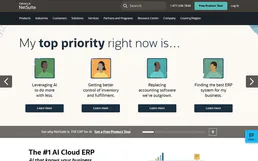
Oracle NetSuite
Manage financials, sales orders, inventory, and customer records on Oracle NetSuite — the leading cloud ERP.

Monday.com
Manage any workflow visually with customizable boards, automations, and dashboards that adapt to how your team actually works.

Nimbata
Track which marketing campaigns generate phone calls with dynamic number insertion and call attribution analytics.
You might also like

MemeLord
Generate viral memes and humorous visual content with AI that understands internet culture and creates shareable images instantly.
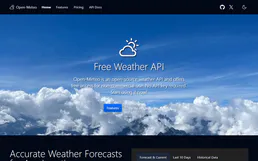
Open-Meteo
Get weather forecasts, historical data and air quality — no API key required, open-source weather data.

Timezone Offset Engine
Calculate the exact offset between two timezones at any moment, with full DST awareness. Powered by Luxon.