
N26 Banking MCP. Get real-time balances and transaction data directly into your chat.
 Gemini
 Works with every AI agent you already use
…and any MCP-compatible client









Just plug in your AI agents and start using Vinkius.
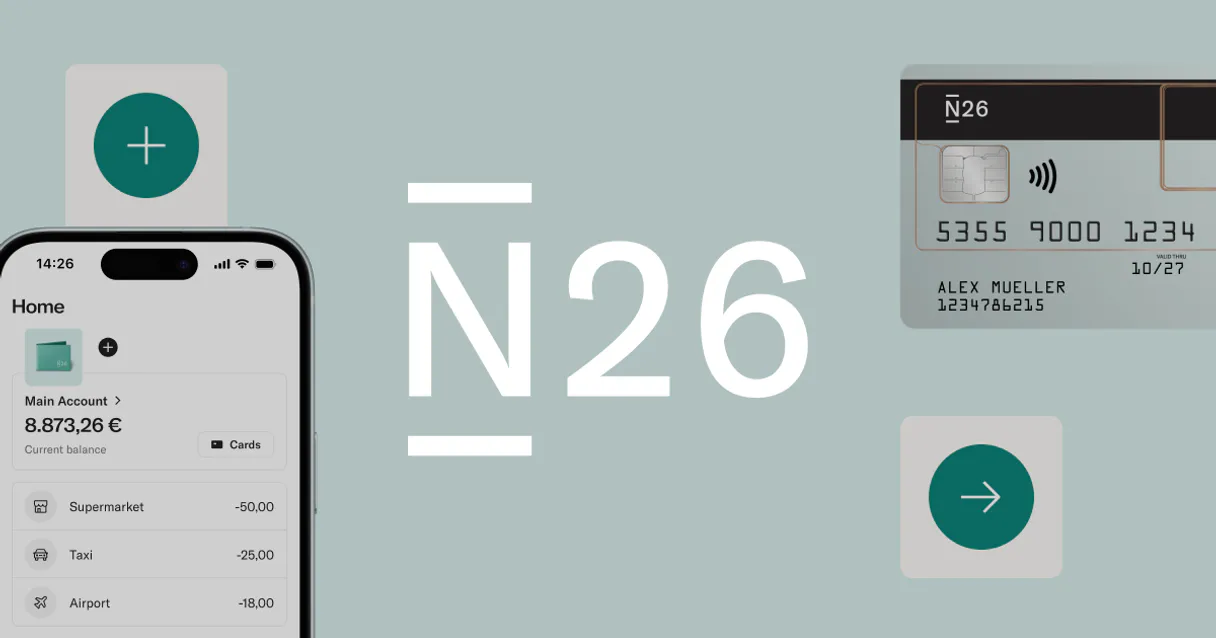
N26 Banking MCP Server lets your AI client pull real-time financial data directly from N26 accounts. Your agent checks all active accounts, monitors specific savings goals ('Spaces'), and retrieves recent transaction history across the Eurozone—all without you having to log into a browser or juggle multiple dashboards.
What your AI agents can do
Get n26 accounts
Lists all N26 accounts and returns their current balance and IBAN.
Get n26 spaces
Retrieves the current balances for your designated savings goals or 'Spaces'.
Get n26 transactions
Fetches a list of recent transactions, detailing vendor names and amounts.
Your agent calls this tool to get the current balance and identifier for every N26 bank account you own.
This tool retrieves balances for your dedicated sub-accounts or savings goals, letting you see how much money is in 'Vacation' or 'New Car'.
The agent fetches a chronological list of recent transactions, showing where and when your money went across the Eurozone.
You can ask your AI client to synthesize data from all three tools—for example, 'How much did I spend on groceries last month?'
Ask AI about this MCP
Supported MCP Clients
Gemini Waiting for input…
N26 Banking MCP Server: 3 Tools for Financial Data Retrieval
Use these three tools—get account lists, manage spaces, or pull transactions—to give your AI agent a complete view of your N26 finances.
019d845cget n26 accounts
Lists all N26 accounts and returns their current balance and IBAN.
019d845cget n26 spaces
Retrieves the current balances for your designated savings goals or 'Spaces'.
019d845cget n26 transactions
Fetches a list of recent transactions, detailing vendor names and amounts.
Choose How to Get Started
Build a custom MCP for your own tools, or connect a ready-made integration from our catalog.
Build Your Own
Turn any API into an MCP. Import a spec, define Agent Skills, or deploy with MCPFusion.
- Import from OpenAPI, Swagger, or YAML specs
- Create Agent Skills with progressive disclosure
- Deploy to edge with MCPFusion framework
- Built in DLP, auth, and compliance on every call
- Real time usage dashboard and cost metering
- Publish to catalog or keep private
Make Your AI Do More
Start with N26 Banking, then connect any of our 4,700+ other servers whenever your AI needs more. One click, no limits.
- Use this MCP plus 4,700+ others, all in one place
- Add new capabilities to your AI anytime you want
- Every connection is secured and compliant automatically
- Track usage and costs across all your servers
- Works with Claude, ChatGPT, Cursor, and more
- New servers added to the catalog every week
What you can do with this MCP connector
You're tired of bouncing between apps just to check your money, right? This MCP Server lets your agent pull real-time financial data straight from N26. You don't gotta log into a browser or juggle multiple banking dashboards; your AI client handles it all.
The core functionality lives in three tools: get_n26_accounts, get_n26_spaces, and get_n26_transactions. These aren't just basic read operations; they give your agent the full picture of where your money is, how much you have, and exactly where it went across the Eurozone.
When you need a quick status check, the agent uses get_n26_accounts to list every N26 account you own. You get back the current balance and the IBAN for each one instantly. This means your AI client knows your full banking footprint without you lifting a finger. It's fast.
Need to keep track of that cash for the big purchase or the trip? The tool get_n26_spaces handles that. It retrieves the current balance for any dedicated sub-accounts—those savings goals, what N26 calls 'Spaces.' You can see how much money's sitting in your 'Vacation Fund' or whatever else you earmarked it for.
To audit your spending habits, the agent runs get_n26_transactions. This tool pulls a detailed list of recent activity. It doesn't just give you dates; it details vendor names and precise amounts for every transaction that hit your accounts in the Eurozone.
When these tools work together, they let your AI client generate actual financial summaries. You can ask it to synthesize data from all three endpoints—for instance, 'How much did I spend on groceries last month?' The agent cross-references the spending history provided by get_n26_transactions with the overall balances listed by get_n26_accounts, giving you a precise answer without needing manual calculations.
You can ask it to check your total balance across all active accounts using get_n26_accounts, and then immediately verify if that combined amount is enough to cover the next withdrawal date, pulling in data from both the main account balances and any dedicated 'Spaces' via get_n26_spaces. It’s about mechanical efficiency.
If you want a detailed breakdown of how much money left your card for specific categories—say, utilities or gas—the agent pulls that granular data through the transaction list provided by get_n26_transactions and formats it for immediate review. You don't have to manually categorize anything; the AI client handles the parsing of vendor names and amounts from the raw feed.
This setup means you get a complete, chronological picture of your money flow, identifying every debit and credit across all accounts simultaneously. It’s simple access to complex data sets. You can ask it for a summary comparing spending between two different months, using the detailed transaction history available through get_n26_transactions.
This lets you see patterns—like realizing that coffee purchases spiked in March compared to February. The ability to pull all account identifiers and balances via get_n26_accounts first ensures your AI client knows exactly which funds are contributing to any summary it generates later on, making the whole process airtight. You're not just getting data points; you're getting actionable financial intelligence.
Your agent doesn't wait for commands; it waits until you ask a specific question that requires synthesizing real-time balance checks with historical spending audits.
How N26 Banking MCP Works
- 1 First, subscribe to the N26 Banking MCP Server and provide your unique N26 Access Token.
- 2 Next, prompt your AI client (Claude, Cursor, etc.) with a natural language request, like 'What's my total savings balance?'
- 3 The agent automatically runs the necessary tools (
get_n26_spaces,get_n26_accounts), gathers the data, and presents you with a clear answer.
The bottom line is that your AI client acts as a dedicated financial assistant, pulling structured account details without needing to visit the bank's website.
Who Is N26 Banking MCP For?
Anyone who manages finances across multiple accounts or regions. This is for developers building personal finance tools, digital nomads tracking spending in new countries, and professionals who need quick, consolidated views of their money without the hassle of logging into a web portal.
Needs to quickly check balances across various European accounts while traveling or between time zones.
Builds automated budgeting scripts that need real-time account and transaction data for client proof-of-concept projects.
Uses the agent to audit spending habits, comparing recent transactions against defined savings goals (Spaces).
What Changes When You Connect
- Consolidated View: Instead of checking multiple portals, the agent runs
get_n26_accountsto give you a single list of all active accounts. No more jumping between tabs just to get an overall picture. - Goal Tracking: Use
get_n26_spacesto monitor dedicated savings goals. You instantly see if your 'Vacation' fund is on track without having to navigate sub-accounts in the app. - Deep Spending Audit: Running
get_n26_transactionsgives you a clear, structured list of recent spending. You can easily spot patterns or questionable charges that are buried in an online statement. - IBAN & Status Lookup: Need to send money or verify details? The agent uses
get_n26_accountsto pull the real-time balance and IBAN for any linked account, right in your chat window. - Workflow Automation: You don't just read data; you build workflows. Combine all three tools—account listing, space balances, and transaction history—to write a complete financial summary report.
Real-World Use Cases
Checking Budget Status Before Travel
You're planning a trip to Germany. Instead of calling the bank or logging in, you ask your agent: 'How much is left for my travel fund?' The agent automatically calls get_n26_spaces and tells you the exact balance in your dedicated savings space.
Finding a Suspicious Charge
You notice an unfamiliar charge on your statement. You ask your agent to run get_n26_transactions for the last two weeks, and the agent pulls up the transaction log, letting you pinpoint the exact date and vendor name.
Reviewing Overall Financial Health
You want a full picture of your money. You ask the agent to 'Summarize my current financial status.' The agent runs get_n26_accounts for the total, and then calls get_n26_spaces to show your overall savings potential.
Building a Spending Report
You need data for an investment pitch. You ask the agent to compile all recent transactions (get_n26_transactions) and list every active account (get_n26_accounts), giving you structured data ready for export.
The Tradeoffs
Treating it like generic banking info.
Asking the agent, 'What are my investments?' or 'How much is in my credit card limit?'
→ This server only handles N26 accounts. To get data on specific investment types (like stocks) or separate credit limits, you'll need a different financial API designed for those assets.
Only checking the main account.
Asking 'What is my balance?' and only getting one number back, missing money saved elsewhere.
→
Always use get_n26_accounts to see all primary accounts. For dedicated savings goals, make sure you run get_n26_spaces as well.
Assuming real-time data always works.
Relying on old cached data because the query was simple.
→
The agent fetches real-time data. If you need to compare historical data (e.g., last quarter), you must specify that time frame in your prompt, but remember get_n26_transactions only retrieves recent history.
When It Fits, When It Doesn't
Use this server if your primary goal is gathering structured, real-time financial status information directly from N26. Specifically, if you need to cross-reference balances across multiple accounts or monitor dedicated savings goals (Spaces), this toolset is perfect.
Don't use it if your workflow requires data types outside of the core banking functions—for instance, tax filing integration, cryptocurrency holdings, or detailed credit card limit overages. For those needs, you must connect to a specialized accounting API or crypto service. If all you need is simple balance checking for one account, get_n26_accounts covers it, but if you need the full picture (accounts + spaces + movement), use this server.
Independent Platform Disclaimer: Vinkius is an independent platform and is not affiliated with, endorsed by, sponsored by, verified by, or otherwise authorized by N26. All third-party trademarks, logos, and brand names are the property of their respective owners. Their use on this website is strictly for informational purposes to identify service compatibility and interoperability.
VINKIUS INFRASTRUCTURE
Cloud Hosted
Managed infra
V8 Isolated
Sandboxed per request
Zero-Trust Proxy
No stored credentials
DLP Enforced
Policy on every call
GDPR Compliant
EU data residency
Token Compression
~60% cost reduction
Works with Claude, ChatGPT, Cursor, and more
The Model Context Protocol standardizes how applications expose capabilities to LLMs. Instead of operating in isolation, your AI gains direct access to external platforms, live data, and real-world actions through secure, standardized connections.
This server provides 3 capabilities that interface natively with Claude, ChatGPT, Cursor, and any MCP client. No middleware. No custom integration required.
Available Capabilities
Manual bank checks are slow and error-prone.
Right now, checking your overall financial status means logging into the N26 app or website. You have to navigate to 'Accounts,' then find 'Spaces,' then maybe check a separate 'Transactions' tab. You end up toggling between screens and manually copying numbers just to build a picture for someone else.
With this MCP server, you tell your agent what you need—say, 'Give me my total savings potential.' Your AI client runs the necessary tools (`get_n26_spaces`, `get_n26_accounts`), compiles the data internally, and gives you one clean summary. No clicking required.
N26 Banking MCP Server: Get instant financial summaries.
The tedious manual steps that disappear are logging in, manually switching between account views, and cross-referencing balances. Before, you had to treat each data point as a separate API call or web task.
Now, the process is unified. You simply ask your agent for an audit of your spending, and it manages the workflow: listing accounts, fetching transactions, checking spaces—all in one seamless sequence.
Common Questions About N26 Banking MCP
Can I see my N26 Spaces balance? +
Yes! Use the get_n26_spaces tool. It will return a list of all your sub-accounts (Spaces) along with their specific current balances.
Does this support transactions from all merchants? +
The get_n26_transactions tool retrieves all visible transactions in your history, providing the merchant name or partner name as recorded by N26.
Is my banking data secure? +
Yes. Your access token is encrypted at rest and only injected securely at runtime. The MCP server acts as a secure proxy and does not store your login credentials.
What setup steps are required to use the `get_n26_accounts` tool? +
You must first subscribe to the server and provide your N26 Access Token. This token is obtained directly from the official N26 Developer portal, ensuring the agent can authenticate with your account.
If I run `get_n26_transactions` for a period with no activity, what does it return? +
It handles empty data sets gracefully. Instead of throwing an error, the tool returns null or an empty list, which your AI client can then report directly to you.
Are there performance restrictions when running multiple tools like `get_n26_accounts` and `get_n26_spaces`? +
The server enforces defined rate limits. To ensure reliability, we recommend pacing your requests rather than firing them continuously in a single workflow.
Does the `get_n26_accounts` tool provide more than just the balance information? +
Yes, when listing accounts, the tool provides the real-time balance, the associated IBAN, and the currency code for every N26 account you own.
Which types of AI clients can connect to the N26 Banking MCP Server? +
This server is designed to work with any client that supports the Model Context Protocol (MCP). You just need your preferred agent—Claude, Cursor, or another compatible system—to route the data.
Use it with your favorite AI tools
Connect this server to Cursor, Claude, VS Code, and more.
More in this category

Nasdaq Data Link (Quandl)
Access financial, economic, and alternative data from Nasdaq Data Link. Query datatables, fetch metadata, and manage bulk downloads directly from your AI agent.

Adyen
Global payment processing — manage payments, refunds, and merchant accounts via AI.
OpenExchangeAPI
Retrive real-time exchange rates — audit currency data and conversions via AI.
You might also like

Submail / 赛邮云
Powerful SMS, Email, and Voice communication platform — orchestrate multi-channel messaging via AI.

Plane
Manage Plane.so projects, track issues, review sprint cycles, and audit agile modules completely autonomously.

Circle.so
Manage online communities via Circle — track members, monitor posts, and manage spaces directly from any AI agent.