
NASA APOD MCP. Access Daily and Historical Space Imagery Data
 Gemini
 Works with every AI agent you already use
…and any MCP-compatible client









Just plug in your AI agents and start using Vinkius.
NASA APOD — Astronomy Picture of the Day accesses NASA's archive of daily space imagery, complete with expert explanations from professional astronomers.
You can get today's image, pull a bulk set for any 30-day period in the last 30 years, or grab random finds to fill gaps in your content feed.
Each entry includes images from Hubble and Webb, along with detailed scientific context.
What your AI agents can do
Get apod
Retrieves today's Astronomy Picture of the Day, including its title, explanation, and media link.
Get apod range
Fetches APOD data for a specified date range, limited to roughly 30 days per request.
Get random apod
Pulls multiple random APOD entries from the historical archive, useful for filler content.
Your agent pulls the official, current day's APOD image URL, title, and the expert explanation.
You specify a start date and end date to retrieve up to 30 consecutive days of images and metadata.
The agent fetches multiple random APOD entries from the entire historical archive for unexpected content.
Every API call returns essential context, including copyright and whether the media is an image or a video.
Ask AI about this MCP
Supported MCP Clients
Gemini Waiting for input…
NASA APOD MCP Server: 3 Tools for Astronomical Data
Use these tools to fetch daily imagery, explore historical archives by date range, or discover random astronomical pictures from the NASA catalog.
019d75daget apod
Retrieves today's Astronomy Picture of the Day, including its title, explanation, and media link.
019d75daget apod range
Fetches APOD data for a specified date range, limited to roughly 30 days per request.
019d75daget random apod
Pulls multiple random APOD entries from the historical archive, useful for filler content.
Choose How to Get Started
Build a custom MCP for your own tools, or connect a ready-made integration from our catalog.
Build Your Own
Turn any API into an MCP. Import a spec, define Agent Skills, or deploy with MCPFusion.
- Import from OpenAPI, Swagger, or YAML specs
- Create Agent Skills with progressive disclosure
- Deploy to edge with MCPFusion framework
- Built in DLP, auth, and compliance on every call
- Real time usage dashboard and cost metering
- Publish to catalog or keep private
Make Your AI Do More
Start with NASA APOD — Astronomy Picture of the Day, then connect any of our 4,700+ other servers whenever your AI needs more. One click, no limits.
- Use this MCP plus 4,700+ others, all in one place
- Add new capabilities to your AI anytime you want
- Every connection is secured and compliant automatically
- Track usage and costs across all your servers
- Works with Claude, ChatGPT, Cursor, and more
- New servers added to the catalog every week
What you can do with this MCP connector
You need access to some seriously legit space data? This server pulls from NASA’s Astronomy Picture of the Day archive, giving you images and explanations from Hubble, Webb, and ground observatories alike. Every piece of content includes detailed scientific write-ups written by professional astronomers—it's not just a pretty picture for your feed.
You use this to pull expert context alongside stunning imagery.
get_apod: Just need today’s deal? This tool pulls the official, current day's APOD entry. It gives you the title, the full explanation, and the media link for the single latest picture available. It’s straightforward; you get everything required to populate a daily content slot immediately.
get_apod_range: You gotta build out a historical feature or fill gaps in your archives? This tool lets you specify both a start date and an end date, retrieving up to thirty consecutive days of APOD data. It's perfect for bulk fetching metadata and images when you know exactly what time period you’re covering.
get_random_apod: Don't wanna stick to the calendar? This function pulls multiple random entries from the entire historical archive, spanning decades. You use this for novelty content or just filling out a section that needs unexpected space finds. It gives you variety without needing specific dates.
Every single call you make returns essential context data. The metadata includes copyright information and tells you whether the media asset it’s linking to is an image or a video, so your agent knows exactly what kind of file to expect. You get the full title, the comprehensive explanation from NASA experts, and the direct URL for the visual content itself.
When you pull data using get_apod, you're getting more than just a picture; you're pulling a complete package that includes the image link, the headline, and the detailed scientific write-up. Similarly, when you use get_apod_range with defined start and end parameters, you receive sequential metadata blocks for every day in that window, making batch processing simple.
The capability to pull random finds using get_random_apod means your content isn't predictable. You get a set of varied entries from the entire back catalog—it’s pure discovery material for your platform. The data you retrieve always includes the critical technical details: the copyright owner, whether it’s an image or video format, and all the necessary fields to build out a structured feed.
You don't just get pictures; you get professional context. That detailed explanation accompanying every APOD entry comes from working astronomers, giving your users real scientific depth alongside stunning visuals. You can pull today's image for instant updates, or set up a range query if you’re building an article about a specific historical astronomical event.
The system handles the complexity of accessing decades of space data whether it's through get_apod_range or pulling random samples with get_random_apod. It provides consistency by always returning core fields like the title, media type indicator, and copyright status for every single entry you pull.
How NASA APOD MCP Works
- 1 Your agent first determines the user's intent: Do they need today's data, a historical set, or just random filler?
- 2 The agent calls the appropriate function—
get_apod,get_apod_range(start_date, end_date), orget_random_apod()—passing necessary parameters like dates. - 3 You receive structured data containing titles, image/video URLs, and the full text explanation for all requested entries.
The bottom line is that your AI client abstracts the API calls, allowing you to write code that pulls specific space data without worrying about NASA's endpoint details.
Who Is NASA APOD MCP For?
This is for content teams and educational developers who need reliable, high-quality scientific imagery. If your pain point is managing a constantly updated science or history section of a website, this tool saves you from manually curating data from multiple sources.
Uses get_apod daily to ensure the main feature article has the latest visual and scientific context. Uses get_apod_range when creating a 'Month in Space' gallery.
Builds historical timelines, calling get_apod_range to populate lessons on astronomical history or specific celestial events.
Implements fallback logic using get_random_apod when a scheduled daily call fails, ensuring the content section never looks empty.
What Changes When You Connect
- Keeps your site fresh every day. By calling
get_apod, you guarantee the most current, expert-vetted astronomical image and explanation without manual data entry. - Builds rich historical content easily. Use
get_apod_rangeto pull a full 30 days of images—perfect for month-in-review features or academic case studies. - Provides reliable fallback content. If the current day's APOD is unavailable,
get_random_apodinstantly populates your feed with interesting historical finds. - Saves time writing scientific copy. Every entry includes a detailed explanation written by a professional astronomer; you just need to format it and display it.
- Handles complex media types. The tool identifies if the content is an image or a video, ensuring your front-end renders the correct player.
Real-World Use Cases
Creating a 'Month in Space' Feature
The goal is to show a full month of space discoveries. Instead of manually searching and compiling data, the agent simply executes get_apod_range(start_date='2023-10-01', end_date='2023-10-31'). This pulls all required images and explanations in one call, solving the content gap instantly.
Handling Content Downtime
The daily scheduled job fails to pull get_apod due to a temporary API issue. Instead of showing an error message, the agent automatically falls back to calling get_random_apod(), ensuring the content section remains active and engaging for users.
Building a Scientific Timeline
A developer needs images spanning two decades (e.g., 2005–2015). They use get_apod_range repeatedly across specific, non-contiguous blocks of dates to build a precise historical visual timeline.
Populating an Archive Gallery
A user needs 10 random examples for a gallery mockup. The agent executes get_random_apod() with a count limit, giving the developer immediate access to diverse and verified space imagery without needing specific dates.
The Tradeoffs
Calling tools in isolation
A junior dev calls get_random_apod() three times, then separately calls get_apod(), assuming they cover all bases. This leads to redundant network requests and inconsistent content flow.
→
Structure your calls: Use get_apod() as the default daily pull. Only use get_apod_range() or get_random_apod() if that specific function solves a defined problem (e.g., historical archive or fallback).
Assuming sequential dates
Trying to fetch 60 days of data by calling get_apod_range twice for two adjacent 30-day chunks, risking date overlap and missing the proper range logic.
→
Always check the documentation limits. If you need more than 30 days, you must implement a loop around get_apod_range() to call it in sequential blocks of 30.
Ignoring metadata
Only grabbing the image URL and forgetting to retrieve the explanation text. The resulting content is visually appealing but scientifically empty.
→ Always ensure your agent processes all fields returned by the tools: title, explanation, media type, and copyright.
When It Fits, When It Doesn't
Use this server if you need reliable access to professionally curated space imagery with accompanying expert scientific text. This is ideal for educational platforms or science blogs that require consistent daily content.
Do use it when: You need the absolute latest day's image (get_apod), you are building a historical archive (use get_apod_range for controlled date blocks), or you need generic, high-quality filler images (get_random_apod).
Don't use it if: Your content requires highly niche data outside of general astronomy (e.g., specific weather patterns, local market indices). For those needs, look at domain-specific APIs like financial or climate services.
Crucially, don't treat these tools as interchangeable; they serve three distinct purposes: 'Now', 'Then', and 'Anytime'.
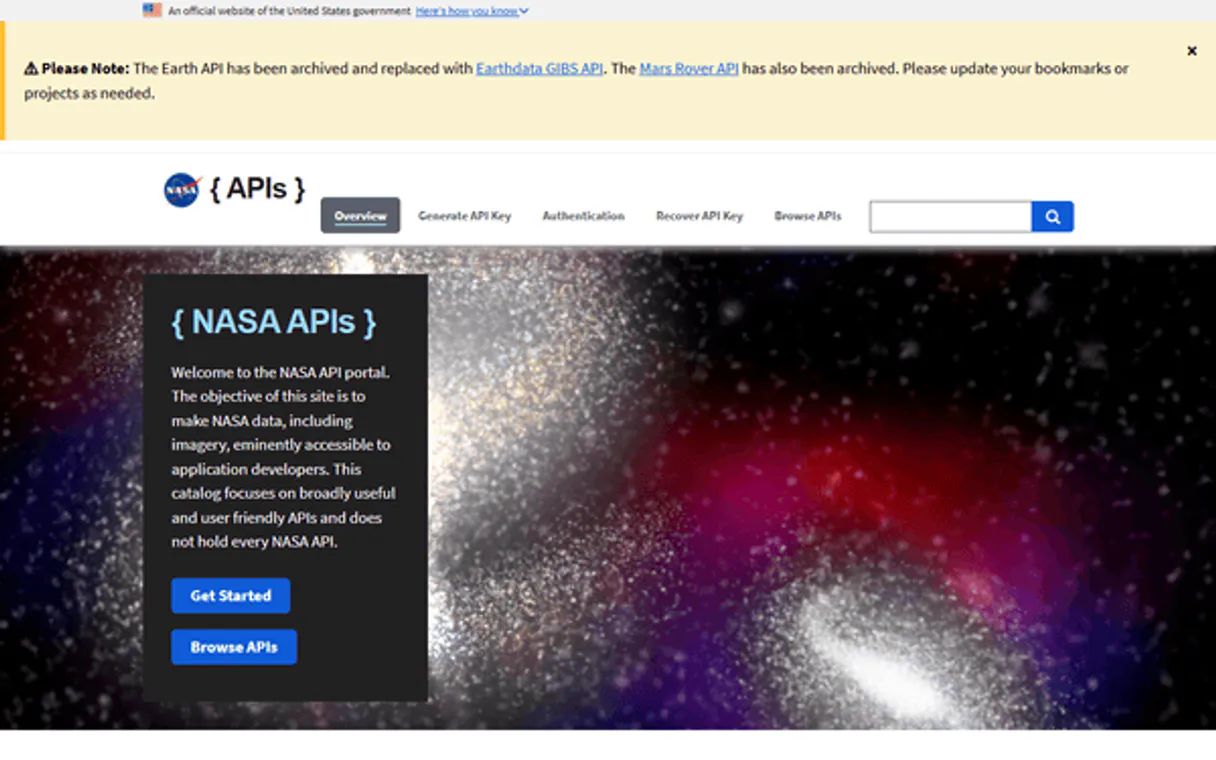
Independent Platform Disclaimer: Vinkius is an independent platform and is not affiliated with, endorsed by, sponsored by, verified by, or otherwise authorized by NASA. All third-party trademarks, logos, and brand names are the property of their respective owners. Their use on this website is strictly for informational purposes to identify service compatibility and interoperability.
VINKIUS INFRASTRUCTURE
Cloud Hosted
Managed infra
V8 Isolated
Sandboxed per request
Zero-Trust Proxy
No stored credentials
DLP Enforced
Policy on every call
GDPR Compliant
EU data residency
Token Compression
~60% cost reduction
Works with Claude, ChatGPT, Cursor, and more
The Model Context Protocol standardizes how applications expose capabilities to LLMs. Instead of operating in isolation, your AI gains direct access to external platforms, live data, and real-world actions through secure, standardized connections.
This server provides 3 capabilities that interface natively with Claude, ChatGPT, Cursor, and any MCP client. No middleware. No custom integration required.
Available Capabilities
Building a Science Content Feed Shouldn't Require Multiple API Calls.
Manually populating a science section is a pain. You have to check for today's image, then manually pull last week’s images for the 'Throwback' gallery, and finally grab some random filler pieces just to hit your minimum word count. It's tedious copy-pasting across three different sources.
With this MCP server, you eliminate the manual steps. Your agent can execute `get_apod()` for today's feature while simultaneously calling `get_random_apod()` in one sequence. You get a complete, ready-to-render content block that is both timely and diverse.
The NASA APOD MCP Server: Get Verified Space Data Instantly
Before this, fetching historical data meant writing complex date logic to pull blocks of 30 days. If you missed a date or the range failed, your entire feature was blocked until a developer fixed it.
Now, `get_apod_range()` handles those multi-day queries reliably. You get structured, verifiable metadata for every single day in that block. It's predictable, and it works.
Common Questions About NASA APOD MCP
How do I get today's APOD using the `get_apod` tool? +
Just call get_apod(). This retrieves the full data set for the current day, including the title, image URL, and detailed explanation.
`get_random_apod()` works like a backup? Is it safe to use? +
Yes, get_random_apod() is perfect for fallback content. It pulls genuinely random entries from the 30-year archive, giving you high-quality filler that looks authentic.
Can I get data for a full year using `get_apod_range`? +
No. The tool has an effective limit of about 30 days per request. To cover a year, you'll need to wrap the call in a loop that iterates through sequential 30-day chunks.
What fields does `get_apod` return besides the image? +
It returns several things: the title, the full explanation text written by an astronomer, the copyright holder, and the media type (image or video).
What are the query rate limits when using `get_apod`? +
The service is designed for moderate, high-volume queries. However, always check the official NASA documentation for hard request ceilings. Exceeding these limits will result in a standard HTTP 429 error code.
If I use `get_apod_range` with invalid dates, how does it handle errors? +
The tool returns an explicit error message detailing the failure. You must ensure your input parameters strictly follow the YYYY-MM-DD format for both start and end dates.
How do I tell if `get_apod` is returning an image or a video? +
The returned data payload includes a 'media_type' field. This specific metadata tells your agent whether the provided URL links to a standard static image (JPEG/PNG) or a streamable video format.
Do I need API keys when running `get_random_apod`? +
No, basic functionality for get_random_apod requires no personal credentials. The service uses standard public access endpoints, keeping the setup simple for your AI client.
How far back does the APOD archive go? +
APOD has been publishing a new image or video every day since June 16, 1995 — over 10,000 entries spanning 30+ years of astronomical imagery.
Use it with your favorite AI tools
Connect this server to Cursor, Claude, VS Code, and more.
More in this category

Home Assistant
Control smart home devices and automations via Home Assistant REST API — lights, climate, media, covers, sensors, and more.
Alexa Smart Home
Control Alexa-connected smart home devices — lights, thermostats, speakers, and sensors via Alexa Smart Properties API.
Solcast Solar
Access solar irradiance and PV power forecasts — rooftop solar estimates, radiation data, and weather forecasts via Solcast API.
You might also like
Open Library Alternative
Universal open book database — search millions of books, authors, and editions via AI.

Kelkoo
Search product offers, compare prices, and explore retail catalogs via Kelkoo.

Greenhouse
Hire the right people with structured interviewing, customizable pipelines, and data-driven recruiting that scales with your team.