
NASA Full MCP. Correlate Solar Flares with Asteroid Impacts and Earth Imagery.
 Gemini
 Works with every AI agent you already use
…and any MCP-compatible client









Just plug in your AI agents and start using Vinkius.
NASA Full — Ultimate Space Intelligence is the massive MCP Server for space data. It lets your AI client pull everything from solar flares and asteroid tracking to Earth's natural disasters, exoplanet stats, and NASA media patents—all through 32+ tools powered by 10 official NASA sources.
What your AI agents can do
Get apod
Retrieves the Astronomy Picture of the Day, providing title, explanation, and media links for a specific date.
Get apod range
Fetches APOD images for an extended date range, useful for compiling multi-week image reports.
Get close approaches
Lists future asteroid close approaches to Earth, allowing filtering by distance and size threshold for defense planning.
Pull real-time or historical solar flare, CME, shock wave, and radiation belt enhancement data using tools like get_cme and get_solar_flares.
Browse the complete catalog of Near-Earth Objects (NEOs) or check specific close approaches to Earth using get_neo_feed and get_close_approaches.
Get full-disk images of Earth (get_epic_images) or list active global natural disasters like wildfires and volcanoes with get_natural_events.
Search for planetary candidates in the habitable zone using get_habitable_zone or analyze discovery statistics via get_planet_stats.
Find specific high-resolution images, videos (search_media), or licensed technology patents through the dedicated media tools.
Ask AI about this MCP
Supported MCP Clients
Gemini Waiting for input…
NASA Full: Ultimate Space Intelligence (32 Tools)
Use these 32 tools to query everything from asteroid paths and solar flares to historical NASA media assets, all managed under one protocol.
019d75daget apod
Retrieves the Astronomy Picture of the Day, providing title, explanation, and media links for a specific date.
019d75daget apod range
Fetches APOD images for an extended date range, useful for compiling multi-week image reports.
019d75daget close approaches
Lists future asteroid close approaches to Earth, allowing filtering by distance and size threshold for defense planning.
019d75daget cme
Gets Coronal Mass Ejection (CME) events from NASA DONKI, detailing massive bursts of solar wind activity.
019d75daget donki notifications
Provides a unified feed of recent space weather alerts: CMEs, flares, storms, and radiation events.
019d75daget epic by date
Retrieves Earth-Polar Image Consortium (EPIC) data for a specific date, including coordinates and sun position.
019d75daget epic dates
Lists all available dates for EPIC Earth images, helping you find the correct date range before requesting imagery.
019d75daget epic images
Gets the latest full-disk images of Earth from the DSCOVR satellite, showing natural or enhanced color versions.
019d75daget event categories
Lists all EONET natural event categories so you know what type of disaster data is available.
019d75daget fireballs
Retrieves records of atmospheric fireballs (bolides) detected worldwide, including location and energy estimates.
019d75daget geomagnetic storms
Fetches geomagnetic storm events from DONKI, detailing Kp index and linking to associated CME/shock data.
019d75daget habitable zone
Identifies exoplanets located in the habitable zone—the region where liquid water could exist on a planet.
019d75daget interplanetary shocks
Retrieves records of interplanetary shock wave events from DONKI, often preceding major geomagnetic storms.
019d75daget mars latest
Gets the most recent photos available from active Mars rovers like Curiosity and Perseverance.
019d75daget mars manifest
Provides the mission manifest for a specific Mars rover, detailing what data types are collected.
019d75daget mars photos
Retrieves multiple photos from a Mars rover, filtered by sol number and camera type (e.g., FHAZ).
019d75daget mars photos by date
Gets Mars rover photos using an Earth calendar date, which is easier than calculating the corresponding sol number.
019d75daget media asset
Downloads a specific NASA media asset (image or video) once you have its unique NASA ID.
019d75daget media metadata
Retrieves full technical metadata for any given NASA media asset, helping verify resolution and source.
019d75daget natural events
Lists active natural events worldwide—like volcanoes or wildfires—including coordinates and source links.
019d75daget neo browse
Browses the complete catalog of known Near-Earth asteroids, returning records 20 at a time.
019d75daget neo feed
Gets near-Earth asteroids approaching within a date range, including size and potential hazard status.
019d75daget neo lookup
Fetches detailed data about one specific asteroid using its NASA SPK-ID.
019d75daget planet stats
Retrieves global exoplanet discovery statistics, showing trends and totals over time.
019d75daget radiation belt
Lists radiation belt enhancement events from DONKI, which pose risks to satellites in orbit.
019d75daget random apod
Pulls 5 random Astronomy Pictures of the Day images from NASA's archive for inspiration or quick data points.
019d75daget solar energetic particles
Gets Solar Energetic Particle (SEP) events from DONKI, which are dangerous to spacecraft electronics.
019d75daget solar flares
Reports on solar flare events by class (C, M, X), detailing peak times and active regions.
019d75daget transit planets
Lists exoplanets found using the transit method (Kepler/TESS data), a primary discovery technique.
019d75daquery confirmed planets
Searches confirmed exoplanet databases by name, facility, or year, returning orbital metrics like mass and radius.
019d75dasearch media
Searches NASA’s massive image and video library (140k+ assets) using filters for media type and date range.
019d75dasearch patents
Finds technology patents from NASA, which are available for commercial licensing or research review.
Choose How to Get Started
Build a custom MCP for your own tools, or connect a ready-made integration from our catalog.
Build Your Own
Turn any API into an MCP. Import a spec, define Agent Skills, or deploy with MCPFusion.
- Import from OpenAPI, Swagger, or YAML specs
- Create Agent Skills with progressive disclosure
- Deploy to edge with MCPFusion framework
- Built in DLP, auth, and compliance on every call
- Real time usage dashboard and cost metering
- Publish to catalog or keep private
Make Your AI Do More
Start with NASA Full — Ultimate Space Intelligence, then connect any of our 4,700+ other servers whenever your AI needs more. One click, no limits.
- Use this MCP plus 4,700+ others, all in one place
- Add new capabilities to your AI anytime you want
- Every connection is secured and compliant automatically
- Track usage and costs across all your servers
- Works with Claude, ChatGPT, Cursor, and more
- New servers added to the catalog every week
What you can do with this MCP connector
This server gives you access to everything NASA tracks—from solar flares to asteroid close calls—all through one API key. You don't gotta jump between half a dozen different endpoints or manually stitch together data from JPL, DONKI, and the Exoplanet Archive. Your AI client handles all that heavy lifting.
When you need to track cosmic activity, you can pull real-time or historical reports on massive solar events. Use get_solar_flares for records detailing C, M, and X class flare intensity and peak times. You'll get full details on Coronal Mass Ejections (CMEs) with get_cme. If you need a general picture of recent space weather—like flares, storms, or radiation events—the get_donki_notifications tool gives you that unified feed.
For more specific monitoring, get_geomagnetic_storms details Kp index readings and links them to associated shock data, while get_interplanetary_shocks pulls records of the wave events themselves; if satellites are running into trouble, get_radiation_belt reports on enhancement events, and get_solar_energetic_particles tracks dangerous SEP activity.
For planetary defense, you can track potential threats from multiple angles. The get_neo_feed tool gives you a list of Near-Earth Objects approaching within a set date range, including size estimates and hazard status flags. You can browse the entire known catalog using get_neo_browse, or get specific details on one asteroid with get_neo_lookup using its NASA SPK-ID.
If you're planning for historical defense scenarios, get_close_approaches lists future asteroid passes, letting you filter by size and distance thresholds. You can also check records of atmospheric fireballs—bolides—with the get_fireballs tool.
When it comes to Earth observation and natural events, your options are deep. Get the latest full-disk images from DSCOVR with get_epic_images, or if you need coordinates for a specific date, use get_epic_by_date which also pulls sun position data; remember that you'll first gotta check what dates are available using get_epic_dates.
For global natural disasters like volcanoes or wildfires, the get_natural_events tool lists active events worldwide, including coordinates and source links. If you just need a random snapshot of space for inspiration, pull five random images with get_random_apod, or check specific dates using get_apod to get the title, explanation, and media links for the Astronomy Picture of the Day.
If your focus is deep space, the exoplanet tools are what you need. Use get_habitable_zone to identify planetary candidates where liquid water might exist. You can study global discovery trends with get_planet_stats, or filter by finding planets discovered via the transit method using get_transit_planets. For a more targeted search, query_confirmed_planets lets you query massive databases by name, facility, or year to get metrics like mass and radius.
You'll also find general natural event categories listed with get_event_categories.
Don't forget Mars. Get the most recent photos from rovers like Perseverance using get_mars_latest, or check out what data types are collected by a specific mission with get_mars_manifest. You can pull multiple rover pictures, filtered by sol number and camera type, using get_mars_photos, or use the Earth calendar date for convenience with get_mars_photos_by_date.
Finally, you've got access to NASA’s vast media library and technology patents. Search through over 140k assets using search_media by filtering for type or date range; once you find a specific image or video ID, use get_media_asset to download it. To verify the source, resolution, and technical details of any piece of media, run get_media_metadata.
You can also search NASA’s patent records using search_patents, finding technology available for commercial licensing or research review.
How NASA Full MCP Works
- 1 Tell your agent the scope of the mission. For instance: 'Check for any extreme space weather events in the next 30 days.'
- 2 The server chains multiple calls—running
get_donki_notificationsfor a quick overview, then callingget_solar_flaresto isolate X-class flares and cross-referencing withget_interplanetary_shocks. - 3 Your agent synthesizes the output into one coherent report: listing specific flare times, linking them to required protective measures, and detailing any associated NEO tracking data.
The bottom line is you ask a complex question once, and the server handles all the necessary API calls across multiple NASA domains.
Who Is NASA Full MCP For?
Aerospace engineers, planetary defense analysts, and climate researchers. This tool is for people who run into data gaps—the ops engineer who can't get a single spreadsheet to talk to the NOAA API, or the researcher who needs to correlate historical space events with modern technological deployment.
Uses get_geomagnetic_storms and get_radiation_belt to model satellite vulnerability during predicted solar maximum periods.
Cross-references exoplanet discovery statistics (get_planet_stats) with data from the habitable zone tools to refine target lists for future missions.
Aggregates information from get_natural_events (wildfires, floods) alongside historical climate data to model regional risk escalation.
What Changes When You Connect
- Stop juggling multiple NASA APIs. You run one command to get a unified view of everything—from
get_apodimages to real-time solar activity fromget_donki_notifications. This saves hours of manual API stitching. - Model planetary risk instantly. Cross-reference potential impacts using
get_neo_feedand then assess the associated electromagnetic threat withget_geomagnetic_stormsin one workflow. - Deep dive into technical history or future tech. Use
search_patentsto find licensed technology spinoffs, then useget_media_metadataon a corresponding image asset for context—all automated. - Visualize Earth's changing face. Get historical full-disk images using
get_epic_imagesand compare them side-by-side with current natural disaster reports fromget_natural_events. - Streamline planetary research. Instead of checking separate databases, you can filter confirmed planets by method (
query_confirmed_planets) or find candidates in the critical habitable zone viaget_habitable_zone.
Real-World Use Cases
Assessing a Planetary Defense Window
A defense analyst needs to know if an asteroid threat coincides with high solar activity. They ask the agent: 'Check for NEOs approaching in October and any associated CME events.' The server runs get_neo_feed and get_cme, providing one report that correlates potential impact windows with expected solar wind turbulence.
Building a Climate Change Report
A researcher wants to correlate global warming trends with natural events. They ask the agent to pull all data for 'wildfires' and 'floods' using get_natural_events over a 20-year period, then cross-reference those dates with historical Earth imagery via get_epic_by_date.
Developing Educational Content
A science communicator needs content for a deep dive. They ask the agent to find random stunning images (get_random_apod), then pull detailed info on its source via get_media_metadata, and finish by linking it to an interesting NASA patent using search_patents.
Quick Space Situational Awareness
An engineer needs a rapid briefing. They ask the agent for 'today's full space status.' The server runs a chain: checks current solar flares (get_solar_flares), pulls the most recent Mars rover photos (get_mars_latest), and gets the day's APOD.
The Tradeoffs
Mixing data sources manually
Trying to get Earth images from one API, then checking for solar flares on a second site, and finally looking up asteroid paths via a third dashboard. This takes hours of copy-pasting and format conversion.
→
Let your agent run get_epic_images for the desired date range and simultaneously call get_cme to get contemporaneous solar weather data. Everything is correlated in one output.
Forgetting required IDs
Getting a list of media assets using search_media, then trying to download the asset without realizing you need to run get_media_asset first, which requires the specific NASA ID.
→
Run search_media first. When it provides IDs for assets you want, pass those exact IDs into the get_media_asset tool. It keeps your workflow clean and accurate.
Using wrong time formats
Trying to check Mars rover photos using a simple calendar date when the API expects sol numbers, or vice versa.
→
Use get_mars_photos_by_date if you have an Earth date. If you know the day count from the mission clock, use get_mars_photos. The tools handle the format difference.
When It Fits, When It Doesn't
Use this server if your query requires linking data across multiple NASA domains—for instance, correlating a specific solar flare event (get_solar_flares) with the subsequent geomagnetic storm activity (get_geomagnetic_storms) and assessing potential impacts on satellite systems tracked by get_radiation_belt. Don't use it if you only need one isolated piece of data; for example, if all you want is today's picture, just run get_apod directly. This mega-server shines when the problem requires a 'triangulation' approach: taking inputs from space weather, orbital mechanics, and planetary science to build a single, comprehensive answer. It’s overkill if you only need a list of patents (search_patents), but necessary if you need to know why that patent matters in context with current scientific discovery.
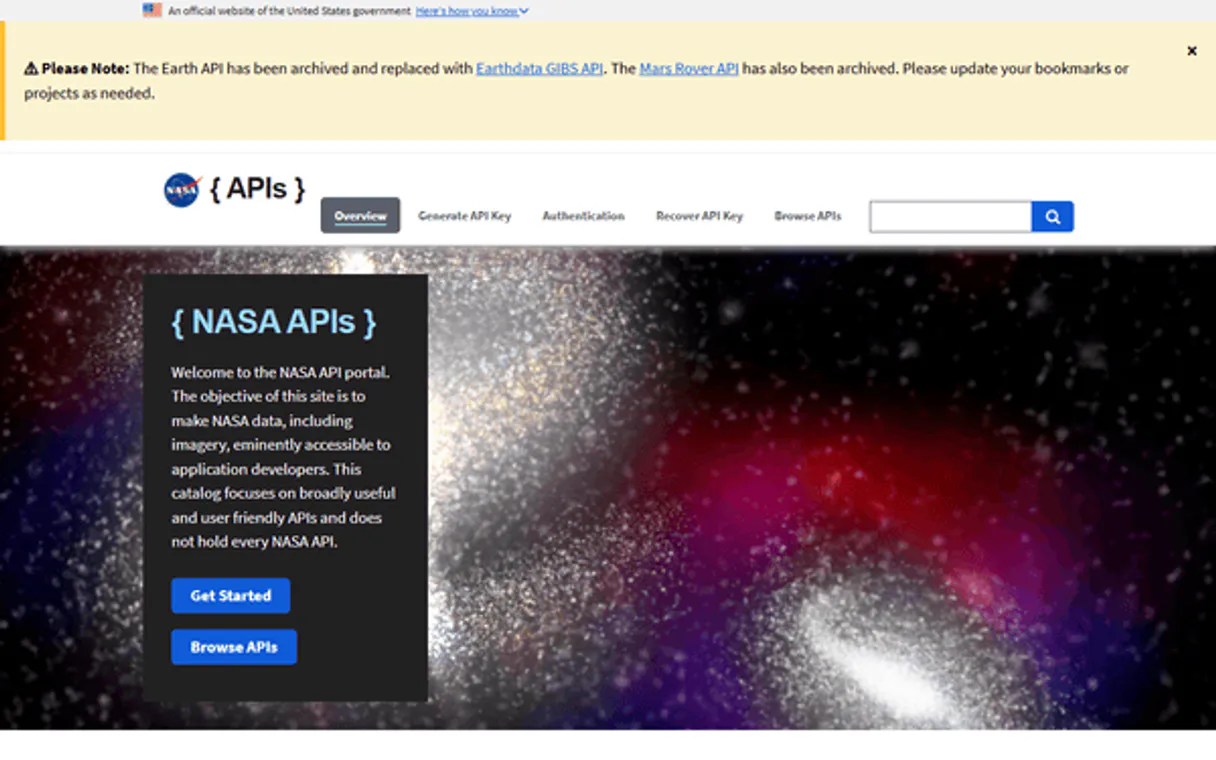
Independent Platform Disclaimer: Vinkius is an independent platform and is not affiliated with, endorsed by, sponsored by, verified by, or otherwise authorized by NASA. All third-party trademarks, logos, and brand names are the property of their respective owners. Their use on this website is strictly for informational purposes to identify service compatibility and interoperability.
VINKIUS INFRASTRUCTURE
Cloud Hosted
Managed infra
V8 Isolated
Sandboxed per request
Zero-Trust Proxy
No stored credentials
DLP Enforced
Policy on every call
GDPR Compliant
EU data residency
Token Compression
~60% cost reduction
Works with Claude, ChatGPT, Cursor, and more
The Model Context Protocol standardizes how applications expose capabilities to LLMs. Instead of operating in isolation, your AI gains direct access to external platforms, live data, and real-world actions through secure, standardized connections.
This server provides 32 capabilities that interface natively with Claude, ChatGPT, Cursor, and any MCP client. No middleware. No custom integration required.
Available Capabilities
Checking global natural events shouldn't require opening five different government sites.
Right now, checking for active wildfires, volcanic eruptions, and major floods means clicking through multiple specialized dashboards. You check the USGS site for volcanoes; you open the NOAA API for storm data; then you cross-reference a third map service for fire coordinates. It's tedious, it's slow, and the data never lines up perfectly.
With this MCP server, you run `get_natural_events`. The agent pulls all active events—wildfires, volcanoes, severe storms, sea ice—into one list with source links. You get a single, unified global report that saves you hours of manual cross-referencing.
The `get_neo_feed` tool gives you real asteroid tracking data immediately.
Before, monitoring Near-Earth Objects (NEOs) meant subscribing to multiple mailing lists and manually checking databases like JPL. You'd spend time sifting through records just to find out if there were any potentially hazardous objects approaching in the next year.
Now, running `get_neo_feed` provides a clean stream of data for all NEOs approaching within your specified date range. It tells you their estimated diameter and velocity right off the bat—no more guessing where to look.
Common Questions About NASA Full MCP
How do I get images from Earth using get_epic_images? +
You must first use get_epic_dates to check which dates have available imagery. Then, pass those specific dates to the get_epic_images tool to retrieve the full-disk image data.
What is the best way to track multiple asteroid threats? Use get_neo_feed or get_neo_lookup? +
Use get_neo_feed. This tool handles broad date ranges and gives you a list of many asteroids. Only use get_neo_lookup if you already know the specific SPK-ID for one asteroid.
Can I see how solar flares relate to geomagnetic storms? Use get_solar_flares or get_geomagnetic_storms? +
You need both. Run get_solar_flares to identify the flare events, and then use those timestamps in conjunction with get_geomagnetic_storms to see if a major storm followed.
Where do I find info on old NASA tech? Should I use search_media or search_patents? +
search_patents is for technology—like how memory foam was developed. search_media is for physical assets like images and videos from missions.
How do I find data on exoplanets in the habitable zone? Use what tool? +
Run get_habitable_zone. This tool filters out the massive database of all exoplanets and only gives you candidates where liquid water could exist, saving a huge amount of filtering time.
When I use get_neo_browse to check the asteroid catalog, does it cover every known object? +
No. The endpoint returns 20 asteroids per page, which is ideal for browsing large sections of the catalog. For complete details on a single, specific asteroid, you must follow up with the get_neo_lookup tool using its unique SPK-ID.
I need to check Mars rover photos; should I use get_mars_photos or first call get_mars_manifest? +
You should always run get_mars_manifest first. This provides the necessary data structure and available cameras (like FHAZ, RHAZ, etc.). Then, you can pass those specific parameters into get_mars_photos to build a precise query.
What is the typical delay or latency when calling get_donki_notifications for space weather alerts? +
The data reflects NASA DONKI’s latest compiled feed, meaning it provides near-real-time notifications. However, since multiple sources feed into it, assume a possible lag of up to an hour for the very newest events.
Why Full instead of individual servers? +
The Full server has all 32+ tools from 10 NASA data sources. Query APOD AND asteroids AND Mars AND solar flares AND exoplanets in a single session. One API key covers everything.
How many exoplanets does the API track? +
The Exoplanet Archive API tracks over 5,700 confirmed exoplanets, including their detailed physical characteristics, orbital data, and habitable zone status.
Does this include the Astronomy Picture of the Day (APOD)? +
Yes, the Full server includes complete access to APOD, allowing you to get today's image, search by specific dates, or retrieve a random selection of breathtaking astronomy pictures.
Use it with your favorite AI tools
Connect this server to Cursor, Claude, VS Code, and more.
More in this category

PubChem
Search 116M+ chemical compounds with molecular properties, SMILES notation, formulas, and drug-like properties from the world's largest free chemistry database.
CERN Open Data
Explore particle physics datasets from the Large Hadron Collider and access open research data from CERN experiments.

ENTSO-E
Access European electricity market data via ENTSO-E — track generation, load, prices, crossborder flows, and outages across European bidding zones from any AI agent.
You might also like

FDA (openFDA)
Access public health data via openFDA — search drug labeling, monitor adverse events, and track food recalls directly through your AI agent.

Linnworks (E-commerce Ops)
Manage e-commerce operations via Linnworks — audit open orders, track inventory SKUs, and monitor multi-location stock levels.

Guidebook
Automate mobile app content management via Guidebook — manage guides, sessions, speakers, and custom lists directly from any AI agent.