
NCDC Climate Data Online MCP. Pull historical weather records for any location.
 Gemini
 Works with every AI agent you already use
…and any MCP-compatible client









Just plug in your AI agents and start using Vinkius.
NCDC Climate Data Online connects your agent directly to NOAA’s historical weather and climate archive. You can retrieve specific records—like temperature or precipitation—for any location across customizable date ranges using `get_climate_data`.
To narrow down a query, run listing tools like `list_locations` (to find coordinates) or `list_datasets` (to select GHCND). This server lets your agent handle the entire data discovery pipeline.
What your AI agents can do
Get climate data
Retrieves actual historical climate records based on specific location, station, and date parameters.
Get dataset
Fetches detailed information about a particular NCDC dataset archive (e.g., GHCND).
Get station
Retrieves all metadata and coverage details for an identified weather station ID.
Passes specific locations, datasets, and date ranges to fetch actual measurements like temperature or rainfall.
Locates specific weather monitoring sites worldwide and pulls all associated metadata for that station ID.
Lists the measurable variables (e.g., Maximum Temperature, Snowfall) you can pull into your analysis.
Allows users to browse location hierarchies—from Country down to specific City IDs—to scope their data query.
Provides a catalog of core NCDC archives, such as GHCND or GSOD, so you know which dataset to target.
Ask AI about this MCP
Supported MCP Clients
Gemini Waiting for input…
NCDC Climate Data Online: 10 Tools for Historical Weather Analysis
These ten tools let your AI client manage the entire process of finding a location, selecting a dataset, and pulling specific historical weather records from NOAA.
019d75dbget climate data
Retrieves actual historical climate records based on specific location, station, and date parameters.
019d75dbget dataset
Fetches detailed information about a particular NCDC dataset archive (e.g., GHCND).
019d75dbget station
Retrieves all metadata and coverage details for an identified weather station ID.
019d75dblist data categories
Lists the high-level data categories available in the NCDC system (e.g., Temperature, Precipitation).
019d75dblist data classes
Shows the temporal aggregation options for the data you request (Hourly, Daily, Monthly).
019d75dblist data types
Lists specific measurable variables within a category, like 'Max Temperature' or 'Snowfall'.
019d75dblist datasets
Provides a list of available NCDC climate datasets (e.g., GHCND, GSOD) for selection.
019d75dblist location categories
Lists the organizational structure of locations, such as City, County, State, or Country.
019d75dblist locations
Retrieves a list of specific geographic places using location IDs and categories.
019d75dblist stations
Lists all operational weather stations within a defined geographical area or category.
Choose How to Get Started
Build a custom MCP for your own tools, or connect a ready-made integration from our catalog.
Build Your Own
Turn any API into an MCP. Import a spec, define Agent Skills, or deploy with MCPFusion.
- Import from OpenAPI, Swagger, or YAML specs
- Create Agent Skills with progressive disclosure
- Deploy to edge with MCPFusion framework
- Built in DLP, auth, and compliance on every call
- Real time usage dashboard and cost metering
- Publish to catalog or keep private
Make Your AI Do More
Start with NCDC Climate Data Online, then connect any of our 4,700+ other servers whenever your AI needs more. One click, no limits.
- Use this MCP plus 4,700+ others, all in one place
- Add new capabilities to your AI anytime you want
- Every connection is secured and compliant automatically
- Track usage and costs across all your servers
- Works with Claude, ChatGPT, Cursor, and more
- New servers added to the catalog every week
What you can do with this MCP connector
You connect your agent directly to NOAA’s massive historical weather and climate archive using this server. It lets you pull actual, measured records—like temperature or rainfall—for any spot in the country over specific stretches of time. Don't worry about the complexity; this setup handles the entire data discovery pipeline for you.
To figure out what data you need, you start with location and scope. If you don’t know the exact coordinates yet, run list_location_categories to see the organizational structure—you can drill down from Country through State or County. Then, use list_locations to grab a list of specific geographic places using their IDs.
For physical monitoring spots, you'll first run list_stations, which shows all active weather stations within an area or category, and then you pull the full metadata for any given site ID with get_station.
Once you’ve nailed down where to look, you figure out what kind of data it is. To see what measurements are even possible—like whether they recorded 'Snowfall' or 'Maximum Temperature'—you run list_data_types, which lists the specific variables available within a larger category. If you want to group those types first, use list_data_categories to browse high-level groups like Precipitation or Temperature.
You can also narrow down how frequently the data was recorded by running list_data_classes, which shows options like Hourly, Daily, or Monthly aggregation.
Next up is defining the source material itself. To get a catalog of the core archives—the actual datasets housing the records—run list_datasets. This gives you names like GHCND or GSOD. If you want to know what’s in one of those specific archives, use get_dataset to fetch detailed information about that NCDC dataset.
So, if your goal is to retrieve the actual measurements—the historical climate records—you pass all these pieces together into the final call: get_climate_data. This tool takes the specific location parameters you found with list_locations, the station ID from get_station, the chosen dataset, and your required date range to pull the measurements.
You can also refine your search by checking what high-level data categories are available via list_data_categories.
Essentially, you use this server's tools in sequence: first, find the location using list_location_categories and list_locations. Second, identify the source archive with list_datasets and get its details via get_dataset. Third, determine the exact metrics you want using list_data_types and define the time scale with list_data_classes. Finally, gather all those pieces—the location, the station metadata, the dataset type, and the specific measurements—and run get_climate_data to get your numbers.
How NCDC Climate Data Online MCP Works
- 1 Start by using listing tools (e.g.,
list_locationsorlist_stations) to narrow down your search area and gather required IDs. - 2 Select the specific dataset type and date range needed, potentially running a secondary tool like
get_datasetfor validation. - 3 Execute
get_climate_data, supplying all gathered IDs (location ID, station ID, dataset name) to retrieve the final records.
The bottom line is: your agent handles the multi-step process of discovery and retrieval in a single conversational flow.
Who Is NCDC Climate Data Online MCP For?
Anyone who needs to analyze weather trends, environmental impact, or historical climate data. If you work with anything affected by climate—agriculture, insurance, energy infrastructure, or academic research—you need this server. It cuts out the hours spent manually navigating government APIs and databases.
Needs to compare long-term temperature trends across multiple decades for climate modeling.
Must track historical rainfall and temperature data to assess regulatory compliance or site impact reports.
Compares seasonal precipitation and max/min temperatures across different years for yield prediction models.
What Changes When You Connect
- Skip the API calls. Instead of manually querying multiple NOAA endpoints, your agent uses
list_location_categoriesand thenlist_locations. You just tell it 'I need data for Phoenix,' and it handles the ID resolution automatically. - Deep Metadata Access. Need to know if a station is active or what its coverage area is? Use
get_stationto pull all that metadata directly into your prompt, without leaving your chat window. It saves hours of manual lookup. - Structured Discovery. The server breaks down the problem: first, you use
list_datasets(to pick GHCND), thenlist_data_types(to pick Max Temp). You never have to guess which dataset holds the data you want. - Full Temporal Flexibility. Don't just get a single average. Use
list_data_classesandget_climate_datato pull summaries ranging from hourly readings up through monthly averages, giving you full temporal depth for analysis. - Automated Query Chaining. The biggest win: your agent orchestrates the sequence. It runs
list_stations, gets a list of IDs, picks one, and then uses that ID inget_climate_data. You just ask the question; it executes the plan.
Real-World Use Cases
Modeling long-term climate shifts
A scientist wants to track temperature changes over 50 years. They tell their agent, 'Get me daily max temperature data for Miami from 1970 to 2020.' The agent runs list_locations first, finds the proper ID, then uses that with get_climate_data, pulling thousands of records in one go.
Assessing insurance risk after a storm
An analyst needs to know the exact amount of rainfall for Asheville during Hurricane Florence. They prompt the agent, specifying the location and date range. The server uses list_stations and then executes get_climate_data, providing precise precipitation metrics.
Comparing regional farming viability
An agricultural planner compares corn yields in Iowa versus Nebraska. They ask the agent to retrieve data for both states using list_location_categories and then feed those location IDs into get_climate_data with a specific crop-related dataset.
Academic research on atmospheric patterns
A student needs to find out if a certain data type, like snowfall, was ever recorded at a remote station. They use list_data_types first to verify 'Snowfall' is an option, and then run get_station followed by get_climate_data for that specific station.
The Tradeoffs
Calling get_climate_data too early
A user tries to ask, 'Give me the temperature data for Phoenix last year.' The agent fails because it doesn't know which station ID or dataset type is correct.
→
You gotta do this in stages. First, run list_locations to get the location ID for Phoenix. Then, run list_stations using that ID to find a specific station ID. Only then can you call get_climate_data.
Confusing data classes and types
A user asks for 'Max Temp' but doesn't specify the time resolution, so they get mixed or incomplete results.
→
Check list_data_types to confirm the variable (e.g., Max Temperature). Then, check list_data_classes and tell your agent whether you need Hourly, Daily, or Monthly summaries.
Assuming a single dataset works everywhere
A user runs data retrieval assuming all weather history is in the same place. The result is empty or misleading.
→
Always run list_datasets first. This lets you pick the correct archive (like GHCND for daily summaries) before running any query.
When It Fits, When It Doesn't
Use this server if your goal is to analyze historical weather, climate, or environmental metrics from established government archives (NOAA/NCDC). You need specific IDs and structured discovery. Don't use it if you need real-time data—this isn't a live feed. If you are working with proprietary internal systems (like company sales data) or require current market quotes, this server won't help; you need an API for that domain. When in doubt, always start by running list_locations to anchor your query geographically before attempting any retrieval.
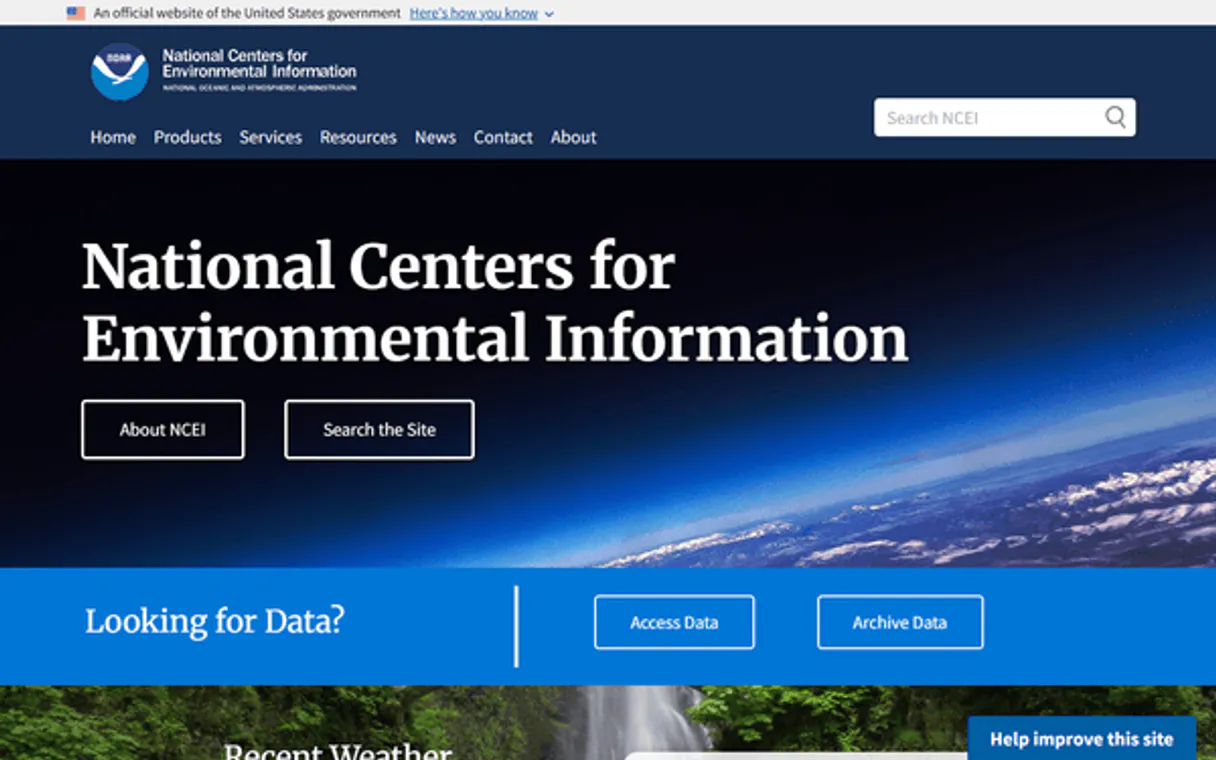
Independent Platform Disclaimer: Vinkius is an independent platform and is not affiliated with, endorsed by, sponsored by, verified by, or otherwise authorized by NCDC Climate Data Online. All third-party trademarks, logos, and brand names are the property of their respective owners. Their use on this website is strictly for informational purposes to identify service compatibility and interoperability.
VINKIUS INFRASTRUCTURE
Cloud Hosted
Managed infra
V8 Isolated
Sandboxed per request
Zero-Trust Proxy
No stored credentials
DLP Enforced
Policy on every call
GDPR Compliant
EU data residency
Token Compression
~60% cost reduction
Works with Claude, ChatGPT, Cursor, and more
The Model Context Protocol standardizes how applications expose capabilities to LLMs. Instead of operating in isolation, your AI gains direct access to external platforms, live data, and real-world actions through secure, standardized connections.
This server provides 10 capabilities that interface natively with Claude, ChatGPT, Cursor, and any MCP client. No middleware. No custom integration required.
Available Capabilities
Gathering historical weather data used to be a nightmare of manual lookups.
Before agents like this, if you wanted temperature data for Asheville in 2015, you were hitting multiple NOAA pages. You'd find the location ID here, check the station ID there, and then try to figure out which specific dataset held the daily summary—it was a multi-day process of copy/pasting IDs into different forms.
Now, your agent handles that whole chain. You just tell it: 'What was Asheville's average max temp in 2015?' It runs `list_locations`, finds the coordinates, uses `list_stations` to find active sites, and pulls the data with a single query execution.
NCDC Climate Data Online MCP Server: Get historical weather records
The manual steps that disappear are finding the right combination of IDs (Location ID + Station ID + Dataset Type) and then submitting them correctly to get the data. You used to spend more time managing the API structure than analyzing the results.
Now, you just talk to your agent. It does the heavy lifting—the discovery, validation, and retrieval—so you get straight to the analysis.
Common Questions About NCDC Climate Data Online MCP
How do I start by finding out what weather data is available using list_data_categories? +
Run list_data_categories to see the broad groupings, like Temperature or Precipitation. This gives you a starting point before you drill down into specific tools.
What do I use if I need to find all the weather stations in a city using list_stations? +
You must first run list_locations or list_location_categories to establish the location ID. Then, pass that ID into list_stations. This ensures the system knows exactly where you're looking.
Can I use get_climate_data for different years? Which tool manages dates? +
Yes, it handles date ranges. The server doesn't have a 'date manager' tool; the get_climate_data function accepts start and end dates as parameters when you run it.
I need to know what datasets exist for global summaries—do I use list_datasets? +
Yes, running list_datasets gives you the full catalog. This is how you confirm if GHCND or GSOD is available before querying any records.
How do I get specific station metadata using get_station? +
You must first run list_stations to find a valid Station ID. Then, passing that exact ID into get_station gives you all the associated technical details.
If I need data for monthly summaries, how do I use list_data_classes to check available timeframes? +
Use list_data_classes to see the full range of temporal options. This tool tells you if the system supports Hourly, Daily, or Monthly records, so you know what frequency to expect in your data pull.
I only want metrics like rainfall amounts; how do I use list_data_types to see specific measurements? +
list_data_types shows exactly which variables are tracked, such as Max Temperature or Snowfall. It lets you confirm the precise names of the data points before requesting records with get_climate_data.
Before listing specific cities, how do I use list_location_categories to understand the location hierarchy? +
list_location_categories maps out the geographical structure (like City, State, or Country). This helps you narrow your search scope and ensures you pass valid parameters when looking up a region.
Is the NCDC API Token free? +
Yes! You can request a free API token by providing your email address at https://www.ncdc.noaa.gov/cdo-web/token.
What is the GHCND dataset? +
GHCND stands for Global Historical Climatology Network - Daily. It is one of the most popular datasets, providing daily climate summaries (temperature, precipitation, etc.) from stations around the world.
How far back does the data go? +
NCDC archives contain data dating back to the 18th century for some locations, though the availability varies significantly by station and dataset.
Use it with your favorite AI tools
Connect this server to Cursor, Claude, VS Code, and more.
More in this category
EOSDA
Access satellite agriculture data via EOSDA — monitor crop health, vegetation indices, weather, soil moisture, and generate zoning maps from any AI agent.

PubChem
Search 116M+ chemical compounds with molecular properties, SMILES notation, formulas, and drug-like properties from the world's largest free chemistry database.

ENTSO-E
Access European electricity market data via ENTSO-E — track generation, load, prices, crossborder flows, and outages across European bidding zones from any AI agent.
You might also like
Clientjoy
Manage your entire client lifecycle from proposals and contracts through invoicing and payments in one streamlined platform.

Payload CMS Alternative
Manage your Payload CMS content directly from any AI agent — query collections, update documents, and manage globals via REST API.

Sendbird
Manage Sendbird chat infrastructure — orchestrate users, channels, and moderation directly from your AI agent.