
Nifty Gateway MCP. Audit Assets, List Collections, and Track NFT Data.
 Gemini
 Works with every AI agent you already use
…and any MCP-compatible client









Just plug in your AI agents and start using Vinkius.
The Nifty Gateway API connects your AI agent directly to the NFT marketplace data layer. You can list all available Nifties, retrieve detailed collection metadata, and audit your personal digital art portfolio without opening a web browser.
Use it to pull structured data about specific assets or browse entire collections using simple language queries.
What your AI agents can do
Get collection
Retrieves detailed metadata and information about one specific NFT collection.
Get nifty
Fetches all attributes and details for a single Nifty using its unique ID.
List collections
Lists the names and metadata for every collection on the platform.
Retrieves a list of every collection available on Nifty Gateway.
Fetches full metadata and information for one specified art collection.
Pulls a paginated list of every Nifty currently listed on the platform.
Retrieves full technical and descriptive data for a single, known Nifty ID.
Lists all the digital art assets currently held in your authenticated wallet.
Ask AI about this MCP
Supported MCP Clients
Gemini Waiting for input…
Nifty Gateway MCP Server: 5 Tools for Asset Query
Use these tools to list collections, get details on specific NFTs or entire groups of assets, and audit your personal digital art portfolio.
019e5d3bget collection
Retrieves detailed metadata and information about one specific NFT collection.
019e5d3bget nifty
Fetches all attributes and details for a single Nifty using its unique ID.
019e5d3blist collections
Lists the names and metadata for every collection on the platform.
019e5d3blist nifties
Retrieves a paginated list of all available NFT listings across the marketplace.
019e5d3blist user nifties
Generates an inventory report showing all Nifty assets owned by your connected account.
Choose How to Get Started
Build a custom MCP for your own tools, or connect a ready-made integration from our catalog.
Build Your Own
Turn any API into an MCP. Import a spec, define Agent Skills, or deploy with MCPFusion.
- Import from OpenAPI, Swagger, or YAML specs
- Create Agent Skills with progressive disclosure
- Deploy to edge with MCPFusion framework
- Built in DLP, auth, and compliance on every call
- Real time usage dashboard and cost metering
- Publish to catalog or keep private
Make Your AI Do More
Start with Nifty Gateway (NFT Marketplace API), then connect any of our 4,700+ other servers whenever your AI needs more. One click, no limits.
- Use this MCP plus 4,700+ others, all in one place
- Add new capabilities to your AI anytime you want
- Every connection is secured and compliant automatically
- Track usage and costs across all your servers
- Works with Claude, ChatGPT, Cursor, and more
- New servers added to the catalog every week
What you can do with this MCP connector
This server connects your AI agent straight into the Nifty Gateway data layer. You're not browsing a website; you’re treating the whole live marketplace like a structured database. You pull asset metadata, check inventory reports, and get details on entire collections using plain language queries.
Discovering Assets:
You can list every single collection available across the platform using list_collections to grab all the names and basic metadata right off the bat. Need to know what's currently for sale? You run list_nifties, which gives you a paginated list of literally every Nifty listed on the marketplace. This process lets you pull massive amounts of data about available assets, making sure you don’t miss any new drops.
Deep Dive Inspection:
Once you know where to look, you can dig into the goods. To see everything a specific artist or set has put out, use get_collection; this tool fetches detailed metadata and all the info for one entire collection. If you already have a Nifty's unique ID, you can get its full technical breakdown using get_nifty.
This gives you every single attribute and detail point about that specific piece of digital art.
Checking Your Books:
Want to audit what’s in your wallet? You run list_user_nifties to generate an inventory report. It pulls a complete list of all the Nifty assets currently held by your connected account, letting you see exactly what digital art you own without opening up a single browser tab.
How it Works Under the Hood:
When you send a query—like asking for 'all NFT collections created in 2023'—your AI client sends that natural language request to this server. The MCP Server translates that into specific tool calls, executing them against the live marketplace data. It doesn’t give you fluff; it spits out structured JSON results back to your agent.
You get clean, usable data every time.
You'll use list_collections for a broad overview of the platform's available art genres and categories. If you narrow down your focus, get_collection provides all the necessary metadata when you specify one particular set. For individual piece research, get_nifty is what you run; it pulls every attribute linked to a single asset ID.
To see everything currently on sale, remember list_nifties. This tool handles pagination automatically, meaning whether there are fifty listings or five thousand, you'll get the full list. And finally, for checking your personal holdings, list_user_nifties keeps an accurate ledger of every asset in your authenticated wallet.
This setup means you don't need to manually click through pages or filter data. You just tell your agent what you want—say, 'Show me the owner and attributes for Nifty ID X'—and it executes the precise tool call (get_nifty) to give you the answer instantly.
How Nifty Gateway MCP Works
- 1 Subscribe to this server on Vinkius and enter your Nifty Gateway API Key.
- 2 Your AI client sends a request (e.g., 'List all collections').
- 3 The MCP Server runs the appropriate tool function and returns structured data to your agent.
The bottom line is, you get live, structured NFT marketplace data without writing a single API call or leaving your chat window.
Who Is Nifty Gateway MCP For?
This tool targets Web3 Developers building crypto tools, Digital Art Analysts tracking market trends, and sophisticated NFT Collectors who need immediate data access. If you spend time manually checking web UIs just to get a list of assets or collection names, this is for you.
Integrates live market data into local code editors or pipelines by calling tools like get_nifty and list_collections.
Tracks marketplace trends and specific creator series by running bulk queries using list_nifties and get_collection.
Quickly audits asset ownership or checks for specific art pieces without navigating the main website UI, calling list_user_nifties.
What Changes When You Connect
- Full Inventory Audit: Use
list_user_niftiesto get a complete report of your owned assets instantly. You don't have to click through a dashboard; the data is presented right where you are working. - Market Discovery on Demand: The
list_niftiestool gives you paginated access to every available listing, making it simple to find rare drops or browse entire categories without leaving your chat interface. - Deep Metadata Inspection: Need to know if a piece is part of the 'Cyber City' series? Run
get_collectionorget_niftywith the ID. You get all the attributes and artist data you need, structured for immediate use. - Structured Data Output: Every tool returns clean, machine-readable JSON payloads. This means your agent doesn't just give you a summary; it gives you raw data ready to be piped into other scripts or databases.
- Centralized Market View:
list_collectionslets you map out the entire landscape of available digital art series with one simple query, giving you a clear view of market segments.
Real-World Use Cases
Checking portfolio value before a meeting
A collector needs to quickly summarize their assets for an investment call. Instead of logging into the web UI and taking screenshots, they ask their agent: 'Show me my Nifty holdings.' The agent runs list_user_nifties and provides a clean list, saving time and avoiding manual copy-pasting.
Tracking a specific art series
An analyst is researching the 'Retro Future' aesthetic. They use their agent to run get_collection('retro_future') multiple times across different IDs, compiling all necessary metadata points into one comprehensive report for later analysis.
Finding the latest market drops
A developer wants to build a front-end dashboard showing new listings. They use list_nifties with pagination enabled via their agent, pulling hundreds of records programmatically instead of manually scraping the public listing pages.
Verifying asset details for compliance
A user needs to verify the exact artist and attributes of an asset ID they found. They ask the agent to run get_nifty('xyz123'). The agent immediately returns a data payload confirming the owner, artist, and collection name.
The Tradeoffs
Treating it like a simple search engine
Asking: 'What's happening with NFTs?' This requires broad knowledge retrieval but gives no actionable data.
→
You must be specific. To see all available listings, use list_nifties. To check your holdings, run list_user_nifties.
Manually copying data from the website
Opening 5 different collection pages and manually writing down details for each one. Slow, error-prone, and time-consuming.
→
Use list_collections first to get all relevant IDs, then use get_collection(id) in a loop through your agent to pull structured data automatically.
Assuming one tool covers everything
Thinking that just calling 'Show me my NFTs' is enough. This doesn't help if you need the metadata.
→
Start with list_user_nifties to get the list of IDs, then immediately follow up with get_nifty(id) for each ID to pull deep attributes.
When It Fits, When It Doesn't
Use this server if your workflow requires structured data extraction from the Nifty Gateway marketplace. You need to query specific endpoints—like getting a collection's full metadata via get_collection or auditing holdings with list_user_nifties. Don't use it if you just want general market commentary; that's for an LLM alone. If your goal is simply to see the names of collections, run list_collections. However, if you need the full detail on a single asset, you must follow up with get_nifty using its unique ID.

Independent Platform Disclaimer: Vinkius is an independent platform and is not affiliated with, endorsed by, sponsored by, verified by, or otherwise authorized by Nifty Gateway. All third-party trademarks, logos, and brand names are the property of their respective owners. Their use on this website is strictly for informational purposes to identify service compatibility and interoperability.
VINKIUS INFRASTRUCTURE
Cloud Hosted
Managed infra
V8 Isolated
Sandboxed per request
Zero-Trust Proxy
No stored credentials
DLP Enforced
Policy on every call
GDPR Compliant
EU data residency
Token Compression
~60% cost reduction
Works with Claude, ChatGPT, Cursor, and more
The Model Context Protocol standardizes how applications expose capabilities to LLMs. Instead of operating in isolation, your AI gains direct access to external platforms, live data, and real-world actions through secure, standardized connections.
This server provides 5 capabilities that interface natively with Claude, ChatGPT, Cursor, and any MCP client. No middleware. No custom integration required.
Available Capabilities
Checking collection status means endless tabs and copy/pasting data points.
Today, checking market trends requires opening the Nifty Gateway website. You click on a collection, then you open the artist profile, and if you want to cross-reference an ID, you have to manually search for it—all while copying down names or attributes into a spreadsheet.
With this server, that manual process disappears. Your agent runs `get_collection` or `list_collections`, pulling all necessary data points immediately into your chat window. You get the structured JSON output right away.
List User Nifties: Audit your entire portfolio in one command.
Before, reviewing what you owned meant clicking through a complex dashboard and piecing together which assets were from which collections. It was slow, especially if you had hundreds of items to track.
Now, calling `list_user_nifties` provides an immediate inventory report. You see all your asset IDs and basic details instantly—no clicks required.
Common Questions About Nifty Gateway MCP
How do I list all available Nifty assets using the list_nifties tool? +
Run list_nifties via your agent. This function supports pagination, so it pulls a large set of records, allowing you to query deep into current market listings.
What data does get_collection provide for an NFT collection? +
It gives full metadata about the entire collection, including its name, artist, and defining attributes. This is better than just viewing the public landing page.
Does list_user_nifties show my purchase history? +
No. list_user_nifties shows what assets are currently owned in your authenticated wallet, but it doesn't provide a historical transaction log or audit trail.
Which tool should I use to check an asset by its ID? +
Use get_nifty(ID). This is the most direct way to pull all technical and descriptive metadata for one specific Nifty, assuming you have the unique identifier.
How do I use list_collections to find out which collections are available on the platform? +
You run list_collections to get a comprehensive directory of all existing NFT collections. The tool returns basic metadata for every collection, including its name and unique identifier so you know what's available.
What happens if I use get_nifty with an invalid Nifty ID? +
If the provided Nifty ID is bad or doesn't exist, get_nifty returns a specific error code and message. This tells your agent immediately that the asset lookup failed, so you don't waste time on bogus IDs.
Does list_user_nifties require special authentication or API keys? +
Yes, list_user_nifties requires your authenticated Nifty Gateway API Key to run. The tool uses this key to confirm ownership and pull only the assets tied to your wallet.
What is the pagination mechanism when I call list_nifties? +
The list_nifties tool supports pagination, meaning it doesn't dump thousands of results at once. It returns a cursor or next page token that you pass back to the tool to fetch the subsequent batch of listings.
Can I see the specific details of an NFT if I have its ID? +
Yes! Use the get_nifty tool with the unique Nifty ID. Your agent will return detailed metadata, artist information, and current attributes associated with that specific asset.
How do I check which NFTs I currently own on Nifty Gateway? +
Simply ask the agent to run the list_user_nifties action. It will retrieve a complete list of all digital assets currently held in your authenticated Nifty Gateway account.
Can I browse entire collections or drops instead of individual items? +
Yes, you can use list_collections to see all available collections on the platform, or get_collection with a specific ID to see the contents and details of a particular drop.
Use it with your favorite AI tools
Connect this server to Cursor, Claude, VS Code, and more.
More in this category
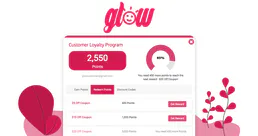
Glow Loyalty
Manage loyalty members, track point balances, and oversee rewards via AI agents with Glow Loyalty.
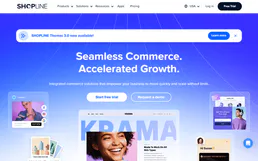
Shopline
Equip your AI agent to autonomously manage your Shopline store. Audit products, track order fulfillment, fetch customer profiles, and monitor store collections seamlessly.

Alipay Open Platform
Automate payment workflows via Alipay — create trades, process refunds, execute fund transfers, and reconcile billing ledgers natively from any AI agent.
You might also like

DeepSeek
Access powerful open-weight language models for reasoning, code generation, and complex problem solving at competitive cost.
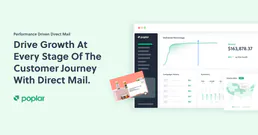
Poplar
Automate programmatic direct mail via Poplar — trigger mailers, standardize addresses, and manage audiences directly from any AI agent.
CData Connect Cloud
Universal Data Gateway mapping explicitly proxy structures parsing SQL schemas dynamically connecting APIs natively.