
Notesnook MCP. Manage private, encrypted notes without exposing data.
 Gemini
 Works with every AI agent you already use
…and any MCP-compatible client









Just plug in your AI agents and start using Vinkius.
Notesnook (Private Note Taking & E2EE) MCP Server connects your AI agent directly to your private, zero-knowledge note vault. You can securely list notes, inject new encrypted entries, audit metadata, and trigger full data syncs—all without exposing raw data to third parties.
What your AI agents can do
Create note
Creates a brand new encrypted note by pushing plaintext into the vault's persistent, secure storage layer.
Delete note
Irreversibly removes a specific encrypted note from the server and marks it for permanent erasure.
Get note
Retrieves the full, underlying encrypted cipher payload of an individual note ID.
Your agent can list all notes (list_notes), check high-priority favorites (list_favorites), or get the full encrypted text payload for a single note using get_note.
You can create new secure notes (create_note) by sending plaintext to be encrypted, modify existing content via update_note, or permanently delete entries with delete_note.
The system lets you navigate your vault structure by listing notebooks (list_notebooks), auditing tags (list_tags), or checking encapsulated binary attachments using list_attachments.
Run sync_items to force a full vault sync, ensuring your local copy matches the server. You can also validate your identity with get_user.
Ask AI about this MCP
Supported MCP Clients
Gemini Waiting for input…
Notesnook (Private Note Taking & E2EE) MCP Server: 12 Tools
These tools let you perform every operation needed to manage a private, encrypted note vault—from listing tags and notes to syncing the entire dataset.
019d75dfcreate note
Creates a brand new encrypted note by pushing plaintext into the vault's persistent, secure storage layer.
019d75dfdelete note
Irreversibly removes a specific encrypted note from the server and marks it for permanent erasure.
019d75dfget note
Retrieves the full, underlying encrypted cipher payload of an individual note ID.
019d75dfget user
Checks and validates your authenticated user security identity within Notesnook.
019d75dflist attachments
Lists all binary attachments (like PDFs or images) that are stored inside your encrypted notes.
019d75dflist favorites
Shows a list of specific, high-priority notes you have flagged as favorites in the vault.
019d75dflist notebooks
Lists the main notebook groupings that organize your entire vault structure.
019d75dflist notes
Returns a list of all encrypted note IDs currently stored in the Notesnook vault.
019d75dflist tags
Enumerates all cross-cutting categorical tags used to index and classify your notes.
019d75dflist trash
Lists records of nodes that have been marked for permanent deletion in the local waste bin.
019d75dfsync items
Triggers a full vault sync, fetching any encrypted binary objects or state changes since your last connection.
019d75dfupdate note
Modifies the partial strings of content in an existing note and forces re-encryption across that specific item payload.
Choose How to Get Started
Build a custom MCP for your own tools, or connect a ready-made integration from our catalog.
Build Your Own
Turn any API into an MCP. Import a spec, define Agent Skills, or deploy with MCPFusion.
- Import from OpenAPI, Swagger, or YAML specs
- Create Agent Skills with progressive disclosure
- Deploy to edge with MCPFusion framework
- Built in DLP, auth, and compliance on every call
- Real time usage dashboard and cost metering
- Publish to catalog or keep private
Make Your AI Do More
Start with Notesnook (Private Note Taking & E2EE), then connect any of our 4,700+ other servers whenever your AI needs more. One click, no limits.
- Use this MCP plus 4,700+ others, all in one place
- Add new capabilities to your AI anytime you want
- Every connection is secured and compliant automatically
- Track usage and costs across all your servers
- Works with Claude, ChatGPT, Cursor, and more
- New servers added to the catalog every week
What you can do with this MCP connector
Notesnook connects your agent directly to your private note vault. This isn't just another cloud storage bucket; you're dealing with zero-knowledge, end-to-end encrypted notes here. Your agent acts like an extension of your own memory, letting you interact with highly sensitive data—you never expose the raw text or payload to third parties.
You simply tell your AI client what you need, and it handles all the secure handshakes.
To get started, remember that every action runs through specialized tools. The get_user tool checks and confirms your authenticated security identity within Notesnook before anything else happens. This validates that you're who you say you are before you even check a single note.
Retrieving and Auditing Your Knowledge Base
You can start by mapping out the structure of your entire vault. The list_notebooks tool shows you the main groupings that organize everything, letting you see how you've structured your thoughts. If you want to see what concepts tie different notes together across the whole collection, run list_tags. This enumerates all cross-cutting categorical tags used for indexing.
To see what notes are stored overall, use list_notes; this returns a list of every encrypted note ID in the vault. You can narrow that down by checking out your high-priority items with list_favorites, or if you're cleaning house, you can review records of nodes marked for permanent deletion using list_trash.
When you need to read the actual content, get_note retrieves the full, underlying encrypted cipher payload for a specific note ID. You won't get plaintext—you get the sealed data. If that note has binary files attached, list_attachments shows you exactly what those attachments are; it lists all PDFs, images, or other binaries stored inside your vault.
Injecting and Modifying Content
When you have a new idea, you don't manually upload it. You use the create_note tool. It takes plaintext from your agent and pushes it into the vault’s persistent, secure storage layer, encrypting it immediately so it's safe. If an existing note needs tweaking—maybe you added some details or fixed a typo—you run update_note.
This modifies partial strings of content in that specific note and forces re-encryption across that item payload. It keeps the seal intact while letting you change the guts.
If you decide a whole entry is trash, you use delete_note. This irreversibly removes a specific encrypted note from the server and marks it for permanent erasure, so you know it’s gone for good.
Maintaining Data Integrity and State
The vault structure itself needs upkeep. If your local copy might be out of sync with the actual server data—maybe you checked notes on two different machines—you run sync_items. This triggers a full vault sync, fetching any encrypted binary objects or state changes that have happened since your last connection.
You'll know your local view matches the source of truth.
The system works by allowing granular control over every aspect: you list the structure (list_notebooks), check the metadata (list_tags), retrieve the content payload (get_note), manage attachments (list_attachments), and then push changes back through creation, modification, or deletion tools. You're in total command of your encrypted knowledge base.
How Notesnook MCP Works
- 1 Subscribe to this MCP Server and provide your Notesnook Sync URL and Auth Token.
- 2 Instruct your AI client (Claude, Cursor, etc.) to perform a task—for example: 'List all notes tagged 'Project X' and sync the vault.'
- 3 The agent uses
list_notesandsync_items, retrieves the raw data, processes it according to your request, and presents you with an actionable summary.
The bottom line is that your AI client treats your notesnook vault like a native extension of its memory, keeping all interaction secure and encrypted.
Who Is Notesnook MCP For?
This server is for the researcher or consultant who manages sensitive intellectual property. You're tired of pasting notes into general chat tools that log everything. You need to keep your knowledge base private, fully auditable, and accessible through natural language commands without compromising zero-knowledge security.
Retrieves rapid summaries from large collections of encrypted data using list_notes and auditing specific metadata via list_tags.
Manages technical documentation and project snippets, ensuring consistency by triggering full syncs with sync_items and injecting new structured notes via create_note.
Maintains an auditable trail of sensitive documents, checking note history using list_trash and validating user access permissions with get_user.
What Changes When You Connect
- Keep your research private. Instead of relying on third-party cloud tools, your agent interacts with Notesnook using
get_noteandlist_notes, ensuring zero exposure of raw data. - Maintain data structure integrity. Use
sync_itemsto resolve state changes across the vault whenever you need to guarantee local notes match the server's truth. - Organize complex ideas easily. The agent reads your metadata by calling
list_tagsandlist_notebooks, letting you find related info without manual searching. - Work with attachments natively. You can list all contained binaries using
list_attachments, so you never lose track of an embedded PDF or image inside a note. - Control the lifecycle. Need to correct something? Use
update_noteto modify partial strings, or usedelete_noteto wipe entries completely and securely.
Real-World Use Cases
Project handoff documentation
A project manager needs to offload a massive amount of sensitive meeting notes. They ask their agent: 'List all notes for Project X, and sync the vault.' The agent uses list_notes (filtering by tag/notebook) then runs sync_items. It gives the PM a clean summary that everything is up-to-date in one go.
Quick research audit
A student needs to prove they've captured key concepts from multiple sources. They prompt: 'Show me all my favorite notes related to AI ethics.' The agent calls list_favorites and then uses get_note on the top three results, giving instant access to encrypted payloads.
Cleaning up old data
An engineer is retiring a project and needs to purge all associated notes. They tell their agent: 'Delete everything tagged 'Legacy Beta' from my vault.' The agent uses list_tags first, identifies the relevant IDs, and executes delete_note on each one.
Attaching external data
A compliance officer receives a new report (a PDF) that must be permanently attached to an existing policy note. They tell their agent: 'Attach this new document to the Policy Handbook entry.' The agent handles the binary injection and updates the metadata using list_attachments.
The Tradeoffs
Assuming notes are always synced
The user reads a note, makes changes locally, but forgets to tell their agent to sync. The next time they connect, the old version of the data appears.
→
Always run sync_items before reading or writing critical information. This forces your agent to fetch the current vault state from Notesnook and resolve any discrepancies.
Reading deleted notes
A user tries to retrieve a note ID that was recently deleted, prompting their agent with the old ID.
→
First, check list_trash if you think it might be recoverable. If not, assume it's gone and use list_notes to get a fresh list of valid IDs.
Modifying content without tracking
The user manually edits text in the client interface instead of using an explicit update tool.
→
Always modify content through update_note. This ensures that the change is handled by Notesnook's encryption process and correctly updates the internal timestamps.
When It Fits, When It Doesn't
Use this server if your primary need is managing highly sensitive, zero-knowledge knowledge bases where data exposure is a risk. If you absolutely must keep notes encrypted from third parties (like general chat AI providers), this is necessary. Don't use it if you just need simple drafting or temporary scratchpad space; those tools are easier to set up. If your workflow relies heavily on real-time, transient collaboration (e.g., whiteboard brainstorming), you might be better off using a dedicated collaborative workspace that doesn't prioritize E2EE vault storage. Always check the list_notes and get_user tools first—they confirm what data is available and who has access.
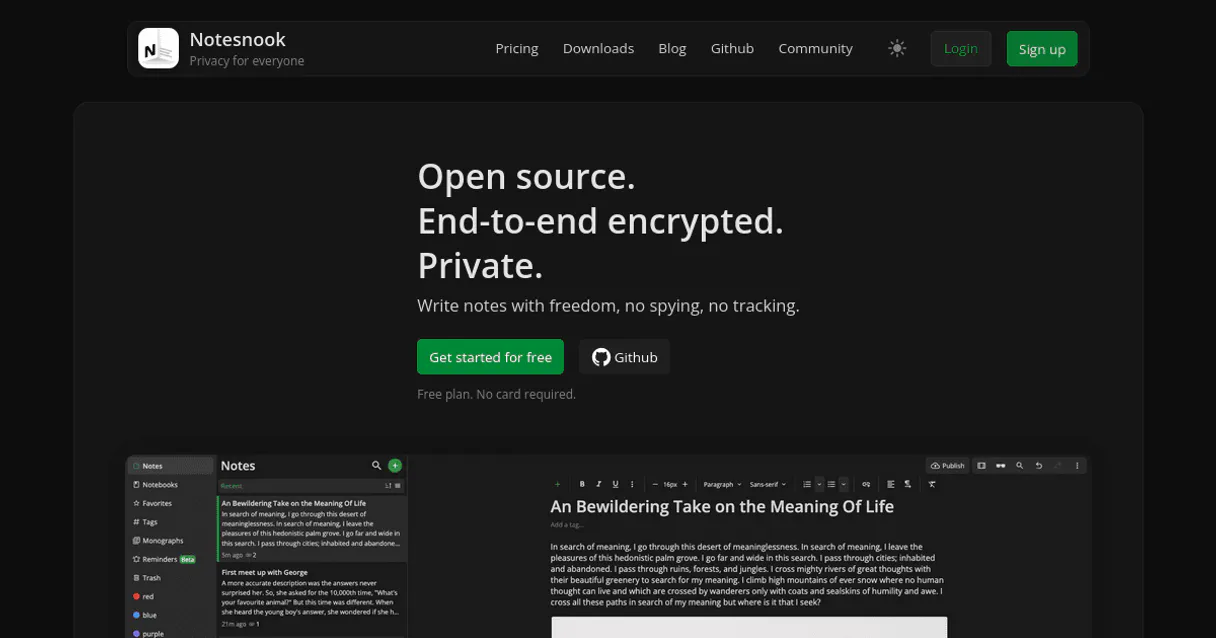
Independent Platform Disclaimer: Vinkius is an independent platform and is not affiliated with, endorsed by, sponsored by, verified by, or otherwise authorized by Notesnook. All third-party trademarks, logos, and brand names are the property of their respective owners. Their use on this website is strictly for informational purposes to identify service compatibility and interoperability.
VINKIUS INFRASTRUCTURE
Cloud Hosted
Managed infra
V8 Isolated
Sandboxed per request
Zero-Trust Proxy
No stored credentials
DLP Enforced
Policy on every call
GDPR Compliant
EU data residency
Token Compression
~60% cost reduction
Works with Claude, ChatGPT, Cursor, and more
The Model Context Protocol standardizes how applications expose capabilities to LLMs. Instead of operating in isolation, your AI gains direct access to external platforms, live data, and real-world actions through secure, standardized connections.
This server provides 12 capabilities that interface natively with Claude, ChatGPT, Cursor, and any MCP client. No middleware. No custom integration required.
Available Capabilities
The pain of siloed, unencrypted knowledge
Today, you manage sensitive research across five different platforms: a local markdown file for drafts, an email chain for meeting minutes, Google Docs for team specs, and a random cloud folder for binaries. Every platform is another potential leak point, and finding the 'true' current version of any single idea takes hours of clicking through tabs and checking timestamps.
With Notesnook, your agent centralizes this entire process. You ask it to pull everything related to 'Project Phoenix.' The server uses `list_notebooks` and `list_notes` to pull the IDs, then runs a targeted sync. What you get back is one coherent answer—the full context of your project—without ever letting the raw data leave its encrypted container.
Notesnook MCP Server: Managing Encrypted Notes
Manual processes involve listing notes, then getting each one individually using `get_note`, and finally asking a separate tool to list the attachments. This is slow, tedious, and prone to missing context.
Now, you just ask your agent: 'Show me the Project Alpha note, including all assets.' The server handles the sequence internally—calling `list_notes` for IDs, then calling `get_note`, and finally executing `list_attachments`—all in one seamless command. It’s immediate.
Common Questions About Notesnook MCP
How do I see all my notes in Notesnook using list_notes? +
Run the list_notes tool to get a full index of every encrypted note ID. This provides the necessary IDs before your agent can retrieve any specific payloads using get_note.
What is the best way to keep my Notesnook vault updated? Use sync_items? +
Yes, running sync_items is crucial. It forces the system to fetch all encrypted state changes since your last session, ensuring you don't work with stale data.
Can I attach images or PDFs using create_note? +
No, create_note only accepts plaintext. To handle files, first use list_attachments to confirm the attachment capability, and then the agent can inject binary data.
How do I check if my Notesnook vault is secure? +
You should always run get_user when connecting a new client. This validates your authentication token and confirms you have access to the correct, private user identity.
What does the `get_user` function tell me about my Notesnook account access? +
The get_user tool validates your current security identity. It confirms you're logged in and verifies the credentials tied to your encrypted vault state.
If I need to modify a specific note, how does `update_note` handle partial strings? +
update_note modifies only the specified text portion within an existing note. It forces re-encryption across that item payload, maintaining the integrity of the rest of your encrypted data.
Should I use `list_notebooks` or `list_notes` first when exploring a project area? +
You should run list_notebooks first. This shows the high-level, boundary organizing containers in your vault before you fetch specific note clusters inside them.
What does the `list_trash` tool track about notes slated for permanent erasure? +
list_trash identifies nodes that have been flagged for deletion. It provides a record of items moved to the local vault waste bin, allowing you to audit past removals.
How does Notesnook ensure my notes remain private through the agent? +
Notesnook uses end-to-end encryption (E2EE). When your agent uses the create_note or get_note tools, it handles encrypted envelopes. This ensures that only authorized clients with your keys can decrypt the actual text body, maintaining zero-knowledge security natively.
Can I see all my notebooks and tags using my agent? +
Yes. Use the list_notebooks and list_tags tools to retrieve the organizational hierarchy of your vault. Your agent will report the names and IDs, helping you understand how your encrypted information is classified across your account.
How do I trigger a synchronization between my vault and the server? +
The sync_items tool allows your agent to initiate a full or incremental state resolution. By providing a Unix timestamp, your agent can fetch only the most recent encrypted binary objects, ensuring your local environment matches the server's state.
Use it with your favorite AI tools
Connect this server to Cursor, Claude, VS Code, and more.
More in this category
STF Dados Abertos
Access open data from the Brazilian Supreme Federal Court (STF) — explore datasets, resources, and institutional organizations via AI.

GitBook
Manage technical documentation via GitBook — list organizations and spaces, handle document pages, search content, and audit collections directly from any AI agent.

Pokemon TCG
Search and browse the entire Pokemon Trading Card Game database — find specific cards, explore sets, and filter by types or rarities.
You might also like
Invoiced
Get paid faster with automated invoicing, smart payment reminders, and accounts receivable workflows that reduce DSO.
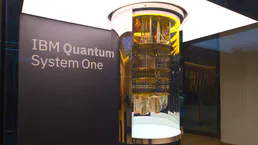
IBM Quantum
Connect IBM Quantum to any AI agent via MCP.
Namecheap
Manage your domains, DNS records, SSL certificates and account — check domain availability and configure nameservers.