
Notion Calendar MCP. Check team availability or book time in seconds.
 Gemini
 Works with every AI agent you already use
…and any MCP-compatible client









Just plug in your AI agents and start using Vinkius.
Notion Calendar MCP Server manages your entire schedule through natural language conversation. Your AI agent uses this server to create, read, update, and delete calendar events.
You can check team availability across multiple people, audit complex free/busy times, and retrieve active booking links—all without opening a single calendar app.
What your AI agents can do
Create event
Creates a new calendar event with specified details, generating a confirmed schedule bind.
Delete event
Permanently removes an explicit calendar event and its associated data.
Get availability
Runs an automated check to determine if a specific time slot is available for one or more users.
You check if multiple people are free for a specific time range using get_free_busy.
Your agent can schedule new meetings or update the details of existing ones with tools like create_event and update_event.
You pull a list of all scheduled events, filtering by date range or criteria using list_events.
The system retrieves the precise scheduling form link for your profile via get_scheduling_links.
Ask AI about this MCP
Supported MCP Clients
Gemini Waiting for input…
Notion Calendar (formerly Cron) MCP Server: 10 Tools for Scheduling Control
Use these ten specialized tools to programmatically schedule meetings, check availability across teams, and manage every aspect of your calendar data through natural language.
019d757ecreate event
Creates a new calendar event with specified details, generating a confirmed schedule bind.
019d757edelete event
Permanently removes an explicit calendar event and its associated data.
019d757eget availability
Runs an automated check to determine if a specific time slot is available for one or more users.
019d757eget event
Retrieves all properties and details associated with a single, active calendar event ID.
019d757eget free busy
Checks overlapping schedules across multiple users to see when everyone is genuinely available.
019d757eget profile
Inspects deep internal settings and preferences related to your overall calendar profile.
019d757eget scheduling links
Finds the specific, active URL for booking time on your calendar profile.
019d757elist calendars
Retrieves a list of all connected calendars and their unique IDs.
019d757elist events
Lists multiple scheduled events within the Notion calendar, supporting filtering by date or criteria.
019d757eupdate event
Changes details (title, time, attendees) for an existing event while preserving its history.
Choose How to Get Started
Build a custom MCP for your own tools, or connect a ready-made integration from our catalog.
Build Your Own
Turn any API into an MCP. Import a spec, define Agent Skills, or deploy with MCPFusion.
- Import from OpenAPI, Swagger, or YAML specs
- Create Agent Skills with progressive disclosure
- Deploy to edge with MCPFusion framework
- Built in DLP, auth, and compliance on every call
- Real time usage dashboard and cost metering
- Publish to catalog or keep private
Make Your AI Do More
Start with Notion Calendar (formerly Cron), then connect any of our 4,700+ other servers whenever your AI needs more. One click, no limits.
- Use this MCP plus 4,700+ others, all in one place
- Add new capabilities to your AI anytime you want
- Every connection is secured and compliant automatically
- Track usage and costs across all your servers
- Works with Claude, ChatGPT, Cursor, and more
- New servers added to the catalog every week
What you can do with this MCP connector
This server hooks your Notion Calendar account up to any AI agent, letting you manage your whole schedule just by talking to your client. You don't need to open a single calendar app; your agent handles everything.
Creating and Modifying Events
When you need to set up time, your agent uses create_event to generate brand-new calendar events, giving you an instantly confirmed schedule bind for the meeting. If you gotta change something later—maybe a title, a time slot, or who's attending—you use update_event. This tool changes all those details for an existing event while keeping a record of its history.
Checking Availability Across Teams
Dealing with multiple people is where this thing shines. You don’t guess if people are free; you run an automated check using get_free_busy, which cross-references the schedules of everyone involved to show exactly when they're genuinely available for a meeting. For checking availability on just one or more users, you can also use get_availability to pinpoint if a specific time slot actually works for your group.
Reading and Listing All Entries
If you need details, you’ve got options. To pull up all the info—the properties and specifics—for one single event using its ID, you use get_event. If you want a full rundown of scheduled meetings, supporting filters by date or specific criteria, run list_events to see multiple entries at once.
You can also check which calendars are connected to your account by calling list_calendars, which gives you all the unique IDs for every calendar associated with your profile.
Booking and Profile Details
Need people to book time with you? The system finds the precise, active URL—your scheduling form link—via get_scheduling_links. If you wanna know what's going on under the hood of your account setup, inspect deep internal settings and preferences using get_profile. You can also permanently remove any meeting or data entry by executing delete_event.
Your agent handles complex scheduling math and conflict checks automatically. It lets you manage full team coordination without ever having to open a calendar interface.
How Notion Calendar MCP Works
- 1 1. Subscribe to the server and enter your Notion Calendar API Key.
- 2 2. Your AI client sends a natural language request (e.g., 'Are John and Sarah free tomorrow morning?').
- 3 3. The agent maps that intent to the necessary tool calls (
get_free_busy) and returns clear, actionable schedule data.
The bottom line is you control your entire calendar stack through simple conversation, no logins or manual clicks required.
Who Is Notion Calendar MCP For?
This is for the Project Manager who gets sick of scheduling email chains. It's for the Executive Assistant tired of toggling between Google and Outlook just to find a 30-minute gap. If your job involves coordinating more than three people on a single meeting, you need this.
You use the server to check if four team members are free for a sprint planning session across different time zones.
You manage and verify the status of automated booking links, making sure they point to the right profile settings.
You book complex meetings on behalf of an executive, checking multiple calendars and setting hard schedule binds in one go.
What Changes When You Connect
- Stop guessing on scheduling. Use
get_free_busyto check multiple people's calendars at once, eliminating the painful 'Are you free Tuesday?' email chain. - Never miss a meeting detail again. If you only have an ID,
get_eventpulls all properties instantly, giving you the full context in one call. - Booking links are simple. The
get_scheduling_linkstool gives you your current, active URL for clients—no more needing to manually copy and paste complex URLs. - Manage conflicts with precision. When planning a large project meeting, running
get_free_busyprevents scheduling overlaps before they even happen. - Quickly clean up mess-ups. Need to cancel or change an old invite? Use
delete_eventorupdate_eventto manage the record directly. - You keep track of everything via the agent. The ability to run
list_eventsmeans you always have a single, verifiable list of what's coming up.
Real-World Use Cases
Setting up a Team Workshop
The PM needs to schedule 8 people for a half-day workshop. They ask their agent: 'When are all eight free next week?' The agent runs get_free_busy, analyzes the overlaps, and suggests three specific time slots, solving the coordination problem instantly.
Onboarding a New Client
The sales rep needs to book a discovery call. They ask their agent for the link: 'Give me my booking link for new clients.' The agent calls get_scheduling_links and returns the precise, shareable URL.
Rescheduling an Executive Meeting
The EA knows a meeting needs to move. They tell their agent: 'Update the Project Alpha sync to Thursday at 10 AM.' The agent runs update_event, changing the time and notifying all attendees.
Auditing Calendar Data
The manager suspects some old meetings were never formally logged. They ask: 'List all events in Q1 that are marked as completed.' The agent uses list_events to pull the necessary records for review.
The Tradeoffs
Searching multiple calendars manually
Opening Outlook, switching to Google Calendar, checking a shared team sheet—and then copying dates into an email chain.
→
Just ask your agent. Use get_free_busy and provide the names or emails of everyone involved. The system handles the cross-check logic for you.
Editing events via spreadsheets
Updating meeting times in a Notion database, but forgetting to update the actual calendar record.
→
Always use update_event. This ensures the event payload is modified directly in the source calendar data and all attendees get proper notifications.
Guessing availability
Assuming a coworker is free at 2 PM because they don't have an obvious meeting listed.
→
Run get_free_busy on the specific individuals and time window. This checks for all hard schedule binds, not just visible blocks.
When It Fits, When It Doesn't
Use this MCP Server if your core job function involves coordinating time across three or more people, or managing public booking slots. If you constantly find yourself sending emails like, 'Can we meet next week? Let me know what works for everyone,' this server is built to solve that friction.
Don't use it if all you need is basic personal scheduling and you rarely coordinate with others—a simple email client might suffice. However, if your process requires cross-checking multiple external calendars (Google, Outlook) or managing dedicated booking links, this specialized tool set provides the necessary depth through functions like get_free_busy and get_scheduling_links. It's designed for complex coordination, not basic logging.
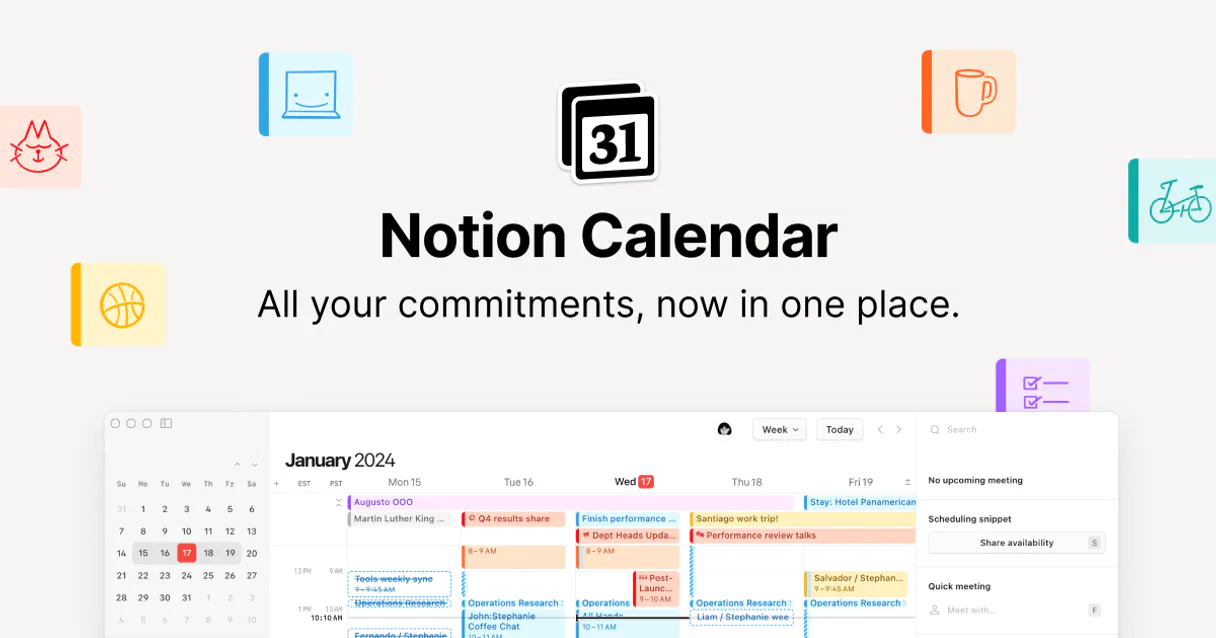
Independent Platform Disclaimer: Vinkius is an independent platform and is not affiliated with, endorsed by, sponsored by, verified by, or otherwise authorized by Notion Calendar. All third-party trademarks, logos, and brand names are the property of their respective owners. Their use on this website is strictly for informational purposes to identify service compatibility and interoperability.
VINKIUS INFRASTRUCTURE
Cloud Hosted
Managed infra
V8 Isolated
Sandboxed per request
Zero-Trust Proxy
No stored credentials
DLP Enforced
Policy on every call
GDPR Compliant
EU data residency
Token Compression
~60% cost reduction
Works with Claude, ChatGPT, Cursor, and more
The Model Context Protocol standardizes how applications expose capabilities to LLMs. Instead of operating in isolation, your AI gains direct access to external platforms, live data, and real-world actions through secure, standardized connections.
This server provides 10 capabilities that interface natively with Claude, ChatGPT, Cursor, and any MCP client. No middleware. No custom integration required.
Available Capabilities
Finding a meeting slot shouldn't feel like solving a logic puzzle.
Right now, finding time with three or more people is painful. You’re stuck in the cycle of back-and-forth emails: 'Does Tuesday work?' -> 'No, I have something.' -> 'How about Thursday at 2? Wait, Sarah is busy then...' It's a mess of manual checks and assumptions that wastes hours just getting an initial meeting scheduled.
With this MCP server, you eliminate the guessing. You tell your agent who you need to meet with and what time zone you’re in. The `get_free_busy` tool runs all the conflict math instantly across every connected calendar, giving you a clean list of available slots. It just works.
The Notion Calendar MCP Server gives you full control over your schedule.
Before this, changing an event meant logging into the specific calendar platform, finding the meeting by ID, clicking 'Edit,' and hoping all attendees saw the update. If you needed to know *why* it was booked or who owned the booking link, you were stuck.
Now, you use `get_event` to pull every detail—the owner, the description, the time zone, everything—in one go. It’s immediate data retrieval that lets your agent make informed changes using `update_event`, making the whole process atomic and reliable.
Common Questions About Notion Calendar MCP
How do I check if multiple people are available tomorrow with get_free_busy? +
You simply ask your AI agent. You give it a list of emails (e.g., 'John and Jane') and the date range, and the get_free_busy tool returns all mutual gaps in time.
Can I use get_scheduling_links to find my booking URL? +
Yes. The get_scheduling_links tool finds your current, active scheduling form link for you. It's perfect when you need to share a meeting signup page with clients.
What is the difference between list_events and get_event? +
list_events gives you a collection of multiple events based on criteria (like 'all meetings last month'). get_event requires a specific ID to pull all details for that single meeting.
Does create_event handle time zones automatically? +
Yes. The server provisions the event payload with time zone data, ensuring the hard schedule bind is accurate regardless of where you or your attendees are located.
If I use `update_event`, what should I do if the active state doesn't match the payload? +
The system returns an error code indicating a mismatch. You need to check the response payload for specific validation failures, which will tell you exactly why the update failed.
Are there rate limits when running `list_events`? What does the bounding mean? +
Yes, calling list_events hits bounded records. The API handles this by returning a paginated list of results, so you'll need to iterate through the pages until all CRM data is retrieved.
How does `get_profile` help me check my connection setup and preferences? +
get_profile inspects deep internal arrays holding your configuration. It gives you access to localized settings and details about which calendar providers are connected, letting you validate the credentials.
Is there any way to recover data after calling `delete_event`? +
No, deleting an event is irreversible. The tool vaporizes explicit validations, so if you run delete_event, make sure you've got the right schedule drop details first.
Can my agent create events on my synced Google or Outlook calendars? +
Yes. When you use the 'create_event' tool, the agent commands the Notion Calendar backend to generate the meeting overlay, which is then synchronized directly to your connected upstream provider logic.
How do I check if my team members are free for a meeting on a specific date? +
Use the 'get_free_busy' tool. Provide a JSON array of email addresses and the target date. Your agent will analyze the cross-references and identify available hourly slots, predicting any potential collision limits.
Can I retrieve my scheduling links via chat to share with clients? +
Absolutely. The 'get_scheduling_links' tool extracts the precise active booking forms tied directly to your Notion Calendar profile, allowing your agent to provide you with ready-to-share links instantly.
Use it with your favorite AI tools
Connect this server to Cursor, Claude, VS Code, and more.
More in this category
Pinecone
Equip your AI agent to manage your Pinecone vector databases. Query embeddings, fetch metrics, manage collections, and run stats natively via chat.
Conda (Anaconda.org)
Enable your AI agent to search packages, inspect metadata, and explore channels on Anaconda.org via the Conda API.

Railway
Equip your AI with direct access to your Railway infrastructure — manage projects, deployments, services, and environment variables.
You might also like

Spider
High-performance Rust-powered web scraping and crawling — scrape, crawl, and search up to 100K+ pages/second with built-in anti-bot protection.

Roblox Avatar & Catalog Intelligence
Universal Roblox marketplace intelligence — audit item prices, bundles, and user inventories via AI.

Make (Workflow Automation)
Manage workflow automation via Make — audit scenarios, track execution logs, and monitor data stores.