
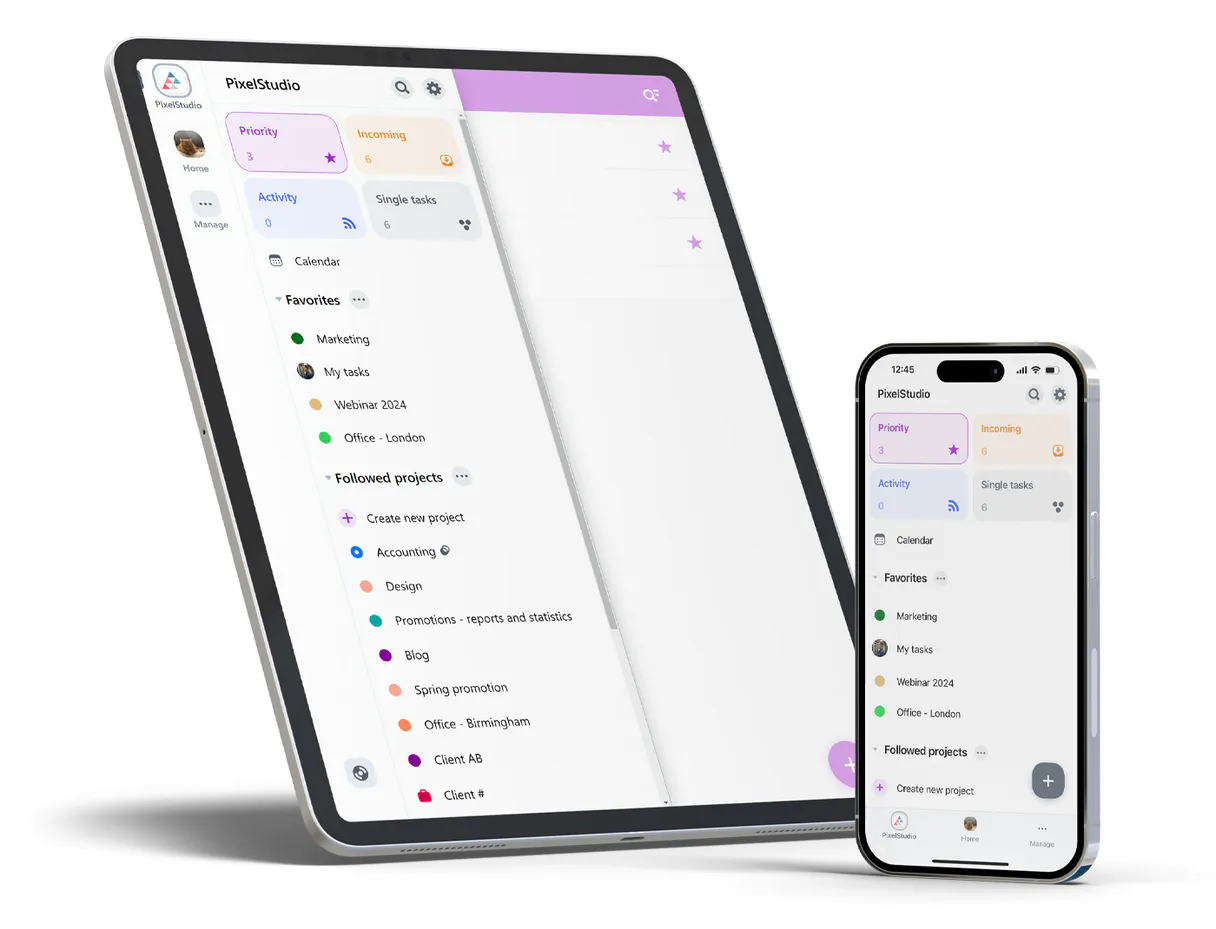
Nozbe MCP Server with 12 Tools Ready for AI Agents
 GDPR Free for Subscribers
Task management and team productivity. Unlock 12 tools ready out of the box. Connect this App Connector to instantly empower AI agents like Claude Code, Cursor, or any MCP-compatible client with advanced capabilities.
Ask AI about this App Connector
Vinkius delivers Streamable HTTP and SSE to any MCP client
* Every MCP server runs on Vinkius-managed infrastructure inside AWS - a purpose-built runtime with per-request V8 isolates, Ed25519 signed audit chains, and sub-40ms cold starts optimized for native MCP execution. See our infrastructure
What is the Nozbe MCP Server?
The Nozbe MCP Server gives AI agents like Claude, ChatGPT, and Cursor direct access to Nozbe via 12 tools. Task management and team productivity. Powered by the Vinkius - no API keys, no infrastructure, connect in under 2 minutes.
Built-in capabilities (12)
Tools for your AI Agents to operate Nozbe
Ask your AI agent "List all my priority tasks for today." and get the answer without opening a single dashboard. With 12 tools connected to real Nozbe data, your agents reason over live information, cross-reference it with other MCP servers, and deliver insights you would spend hours assembling manually.
Works with Claude, ChatGPT, Cursor, and any MCP-compatible client. Powered by the Vinkius - your credentials never touch the AI model, every request is auditable. Connect in under two minutes.
Why teams choose Vinkius
One subscription gives you access to thousands of MCP servers - and you can deploy your own to the Vinkius Edge. Your AI agents only access the data you authorize, with DLP that blocks sensitive information from ever reaching the model, kill switch for instant shutdown, and up to 60% token savings. Enterprise-grade infrastructure and security, zero maintenance.
Build your own MCP Server with our secure development framework →The Nozbe App Connector works with every AI agent you already use
…and any MCP-compatible client









Use all 12 Nozbe tools with your AI agents right now
Empower your AI agents to connect to Nozbe and securely perform advanced actions on Vinkius infrastructure. Beyond a simple connection, you gain an advanced AI Gateway that provides complete visibility into agent activity, ensuring maximum governance and optimized token usage.
Create a new project
Create a new task
Permanently remove a task
Check API connectivity and get current user context
Retrieve details for a specific project
Retrieve details for a specific task
Retrieve details for a specific team
Retrieve discussion comments for a task
List all accessible projects
List all accessible tasks
List teams you have access to
Edit a specific task
What the Nozbe MCP Server unlocks
The Nozbe MCP server brings your team's task management directly to your AI agent. List projects, assign tasks, update priorities, and track team collaboration fluidly without navigating away from your chat interface.
Frequently asked questions about the Nozbe MCP Server
Can I retrieve all tasks from a specific project?
Yes, just provide the project name or ID, and the agent will list all active and completed tasks within it.
How do I assign a task to a team member?
You can tell the AI to create a task and mention the assignee, and the integration will route the task to them in Nozbe.
Is it possible to complete a task directly?
Absolutely. By providing the task ID to the agent, you can mark it as completed instantly.
More in this category
Tray.io
6 toolsEquip your AI agent to orchestrate automations, track active workflows, and monitor data execution flows across Tray.io natively.
Insightful
10 toolsManage employee productivity, time tracking, and activity via Insightful API.

Harvest
11 toolsAutomate time tracking and invoicing via Harvest — manage clients, invoices, and time entries directly from any AI agent.
You might also like
Zoho CRM Sales
10 toolsDeep deal management with quotes, products, sales orders, and invoices — complete sales cycle in Zoho CRM.

Render
10 toolsEquip your AI to orchestrate cloud infrastructure, manage service deployments, and execute scaling operations natively on your Render platform.
Vertex AI Search
7 toolsSearch across your enterprise data using Google's semantic search and generative AI grounding.