
NumVerify MCP. Audit any phone number's status, carrier, and location.
 Gemini
 Works with every AI agent you already use
…and any MCP-compatible client









Just plug in your AI agents and start using Vinkius.
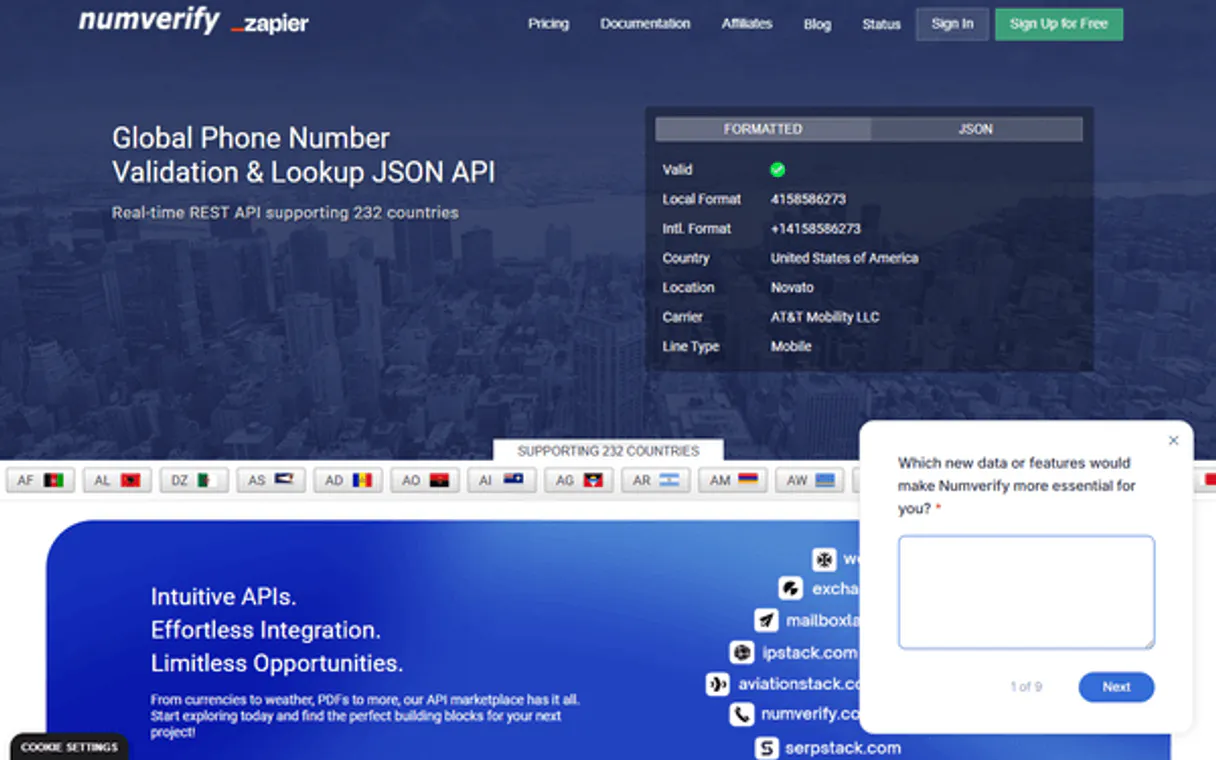
NumVerify validates phone numbers and audits their metadata using AI. It checks if a number is active, identifies its carrier (like AT&T or Vodafone), determines if it's a mobile or landline service, and pulls geographic location details instantly.
Stop guessing on contact data; let your agent verify complex international numbers against real-time records.
What your AI agents can do
Get phone carrier
Pulls carrier information for any given phone number, identifying the service provider.
Get phone line type
Checks if a number is mobile, landline, or VoIP by classifying its line type.
Get phone location
Retrieves the city and region associated with the phone number's area code.
Runs a full audit on any phone number, confirming if it's active and pulling essential metadata.
Finds out which company operates the number (the carrier), which is critical for targeting campaigns.
Classifies a phone number as mobile, landline, or VoIP to guide your communication strategy.
Retrieves the city and region tied to the phone number's area code.
Ask AI about this MCP
Supported MCP Clients
Gemini Waiting for input…
NumVerify: 4 Tools for Phone Data Auditing
These four tools let your AI client run full phone number audits. Use them to validate structure, identify carriers, determine line type, and find the geographic location.
019d8461get phone carrier
Pulls carrier information for any given phone number, identifying the service provider.
019d8461get phone line type
Checks if a number is mobile, landline, or VoIP by classifying its line type.
019d8461get phone location
Retrieves the city and region associated with the phone number's area code.
019d8461validate phone
Performs a comprehensive audit on a phone number to confirm if it is valid and retrieve core metadata.
Choose How to Get Started
Build a custom MCP for your own tools, or connect a ready-made integration from our catalog.
Build Your Own
Turn any API into an MCP. Import a spec, define Agent Skills, or deploy with MCPFusion.
- Import from OpenAPI, Swagger, or YAML specs
- Create Agent Skills with progressive disclosure
- Deploy to edge with MCPFusion framework
- Built in DLP, auth, and compliance on every call
- Real time usage dashboard and cost metering
- Publish to catalog or keep private
Make Your AI Do More
Start with NumVerify, then connect any of our 4,700+ other servers whenever your AI needs more. One click, no limits.
- Use this MCP plus 4,700+ others, all in one place
- Add new capabilities to your AI anytime you want
- Every connection is secured and compliant automatically
- Track usage and costs across all your servers
- Works with Claude, ChatGPT, Cursor, and more
- New servers added to the catalog every week
What you can do with this MCP connector
You know how messy contact lists get? You run into numbers that are dead, or you can't tell if a number belongs to a mobile phone or some old landline. NumVerify gives your agent the ability to audit global phone numbers and pull all the metadata needed to make sure your data is clean before you send out anything.
When your agent runs validate_phone, it performs a full, comprehensive audit on any number you feed it. This isn't just checking if the digits are right; it confirms activity status and pulls core identifying data that’s essential for keeping your records accurate. You get immediate confirmation whether the number is genuinely valid and useful.
If you need to know who owns the service, get_phone_carrier nails that down. It pulls specific carrier information, telling you exactly which company operates the line—whether it's AT&T, Vodafone, or some other local provider. Knowing the carrier helps you map out your entire network distribution and target campaigns precisely.
The system also handles classifying the type of service with get_phone_line_type. This tool tells you if a number is mobile, whether it’s a traditional landline, or if it's VoIP—Voice over Internet Protocol. That classification is huge because it dictates what kind of communication channel you should use; you don't want to send an SMS to a landline, right?
For geographic context, get_phone_location pulls the city and region tied directly to the area code. This means if your list has numbers from different parts of the world, you get instant location data for each one. It’s critical for making sure your outreach is targeted correctly.
Putting it all together, your agent can run these tools sequentially: first, validate_phone gives a quick pass to confirm validity; then, if that passes, you hit get_phone_carrier to identify the provider, followed by get_phone_line_type to understand the service. You can then use get_phone_location for geographic context. This process lets your AI client treat complex international number validation like a simple conversation—it doesn't need you opening up separate databases or running any kind of manual spreadsheet macro.
Whether you’re scrubbing massive lead lists or just confirming identity on a handful of numbers, NumVerify keeps your contact data reliable and actionable.
How NumVerify MCP Works
- 1 First, prompt your agent with a specific phone number. Your client runs
validate_phoneto confirm basic structural integrity. - 2 Next, tell the agent what details you need (e.g., 'What's the carrier?' or 'Where is this located?'). It calls the relevant tool (
get_phone_carrier,get_phone_location) with the validated number. - 3 The system returns structured data detailing the carrier, location, and line type—all ready for your next action.
The bottom line is: you give it a number and context; it gives you a full report.
Who Is NumVerify MCP For?
This is for anyone drowning in messy, unverified contact lists. If your job involves scrubbing data or launching targeted campaigns, this saves you hours of manual cross-referencing. You're the Ops Manager who needs to know if a lead number is actually usable before wasting an SMS credit.
Runs full data audits on incoming lead lists using validate_phone and get_phone_carrier to ensure every prospect has reachable, verified contact details.
Checks a batch of numbers before an SMS push. They use the agent to run get_phone_line_type to make sure they aren't sending marketing messages to landlines when they only want mobile contacts.
Performs rapid, natural language audits on user phone numbers during onboarding. They use the agent to run all four tools in sequence to confirm a number's origin and validity instantly.
What Changes When You Connect
- Stop guessing if a lead is good. By running
validate_phone, you get immediate confirmation of number validity before passing it to your workflow. - Target SMS campaigns better. Use
get_phone_line_typeto filter out numbers that aren't mobile, saving money and improving deliverability. - Map your clients precisely. If you need regional data, running
get_phone_locationgives you the city/region instantly—no guesswork needed. - Understand the network. Running
get_phone_carrierlets you know if a number is from AT&T or Verizon, which matters for specific business logic. - Orchestrate full checks easily. Your agent can run all four tools sequentially: validate first, then check carrier, location, and type—all in one prompt.
Real-World Use Cases
Cleaning a Cold Lead List
You get a spreadsheet of 500 numbers. Instead of manually checking each one, your agent runs validate_phone on the entire list. The result is a clean JSON output showing which numbers are dead ends and which ones actually belong to mobile lines.
Pre-Flight Campaign Check
Marketing needs to send an SMS campaign only in London, UK. They feed the agent 100 numbers and ask it to run get_phone_location. The agent filters out everything outside the desired geography before the sends are triggered.
Compliance Auditing
The security team needs to audit all internal employee contacts. They use their AI client to prompt for a number and ask the agent to run get_phone_carrier and get_phone_line_type, confirming that every user's primary contact is a mobile line.
Data Enrichment Pipeline
A new CRM record comes in with just an international number. The agent automatically runs the full set of tools (validate_phone, get_phone_carrier, etc.) to enrich the single data point into a fully verified, geo-located contact profile.
The Tradeoffs
Running checks in isolation
Calling only get_phone_location first. You might get a city name, but you won't know if the number is even valid or who owns it.
→
Always start by running validate_phone. This ensures the input data has basic integrity before asking for advanced details like carrier or location.
Assuming validity
Passing a random, unformatted number to any tool. The system fails silently or returns garbage data.
→
Use validate_phone first. It confirms the structure and format of international numbers before you proceed with carrier or location lookups.
Ignoring line type
Sending a mass SMS to a list containing landlines, thinking it's all mobile.
→
Run get_phone_line_type immediately after validation. This prevents you from wasting messages on non-SMS capable lines.
When It Fits, When It Doesn't
Use NumVerify if your core problem involves uncertainty about a phone number's status, location, or owner. If you need to know 'Is this number real?' or 'What type of service is this?', this tool set works for you.
Don't use it if all you need is simple formatting (e.g., adding dashes) or if you already have a perfectly clean database with zero required auditing. For those cases, standard regex checks are enough. If your problem is purely about how to store the data, not if the data is correct, look at basic validation libraries instead of this API suite.
However, remember: validate_phone handles structural integrity; get_phone_carrier and get_phone_line_type handle ownership details. You need all three to build a truly reliable contact record.
Independent Platform Disclaimer: Vinkius is an independent platform and is not affiliated with, endorsed by, sponsored by, verified by, or otherwise authorized by NumVerify. All third-party trademarks, logos, and brand names are the property of their respective owners. Their use on this website is strictly for informational purposes to identify service compatibility and interoperability.
VINKIUS INFRASTRUCTURE
Cloud Hosted
Managed infra
V8 Isolated
Sandboxed per request
Zero-Trust Proxy
No stored credentials
DLP Enforced
Policy on every call
GDPR Compliant
EU data residency
Token Compression
~60% cost reduction
Works with Claude, ChatGPT, Cursor, and more
The Model Context Protocol standardizes how applications expose capabilities to LLMs. Instead of operating in isolation, your AI gains direct access to external platforms, live data, and real-world actions through secure, standardized connections.
This server provides 4 capabilities that interface natively with Claude, ChatGPT, Cursor, and any MCP client. No middleware. No custom integration required.
Available Capabilities
Contact list auditing shouldn't require five different tabs and two hours of copy-pasting.
Today, cleaning up one batch of leads feels like detective work. You find a number; you have to open Google Maps to guess the location. Then, you switch to a carrier lookup tool to see who owns it. If that fails, you jump to another service just to check if it's mobile or landline. It’s slow, and half the time, you end up with conflicting data points.
With NumVerify MCP Server, your agent handles all of that in one prompt. You give it a number, and it returns everything: validity status, carrier, location, and line type—structured and ready to use. It's real-time intelligence without the manual clicks.
NumVerify MCP Server: Get verified phone data in natural conversation.
The biggest time suck is the handoff between tools. You copy a number from your CRM, paste it into Tool A, get one piece of info; then you have to manually take that output and feed it into Tool B for location data. It creates friction and makes mistakes inevitable.
Now, the agent orchestrates everything itself. The client speaks naturally: 'Audit this number.' And NumVerify runs all necessary checks—the validation, carrier check, and geo-lookup—and presents a single, unified answer. It just works.
Common Questions About NumVerify MCP
How do I use the validate_phone tool with an international number? +
You simply pass the full, formatted international number (e.g., +14158586273) to validate_phone. The tool confirms its structure and pulls essential metadata like country codes.
Is get_phone_carrier only for US numbers? +
No. You can run get_phone_carrier on any international number format, allowing you to identify the service provider anywhere in the world.
Can I use get_phone_line_type to differentiate between VoIP and mobile? +
Yes. This tool classifies numbers as mobile, landline, or VoIP. It’s essential if you need to ensure your communication efforts go through the right channel.
Which tools do I use for complete data enrichment? +
For maximum detail, run all four tools: validate_phone (for structure), followed by get_phone_carrier, get_phone_line_type, and finally get_phone_location.
What credentials do I need to use the validate_phone tool? +
You'll need a NumVerify Access Key. After subscribing, you input this key into your AI client configuration. This allows your agent to authenticate against our endpoints and run the validation checks.
If I use get_phone_location with a number that has no public data, what does it return? +
The tool returns a structured JSON object indicating 'No match found' or similar specific status codes. Your agent can read these failure signals to distinguish between an invalid format and genuinely unlisted numbers.
Are there rate limits when I use get_phone_carrier for bulk processing? +
Yes, usage is governed by your subscription plan's defined quota. For high-volume data audits, queue requests through your agent’s workflow manager to manage throughput and avoid hitting hard API limits.
What specific format must the phone number be in for get_phone_line_type? +
The number needs to follow E.164 international formatting (e.g., +CCXXXXXXXXX). Using this standardized structure ensures accurate parsing and reliable identification of the line type across all regions.
How do I find my NumVerify Access Key? +
Log in to your NumVerify dashboard, and you will find your Access Key on the main page. Copy and paste it below.
Does it support international numbers? +
Yes. NumVerify covers over 232 countries and provides detailed validation and metadata for global phone numbers.
Can the agent identify if a number is mobile or landline? +
Yes. The get_phone_line_type tool retrieves the line type (e.g., 'mobile', 'landline') allowing you to audit the nature of your contact data.
Use it with your favorite AI tools
Connect this server to Cursor, Claude, VS Code, and more.
More in this category

Telegram Bot Alternative
Control and manage your Telegram bots — send messages, photos, and audit chats via AI.

Weiban Assistant
Customer relationship management for WeCom — manage leads, customers, and group chats via AI.

Telegram Bot API
Connect your AI natively to Telegram. Read user messages, administrate chats, send push notifications, and automate media distribution directly from the prompt.
You might also like

HRBlade
Streamline recruitment with an ATS that manages job postings, candidate pipelines, and interview scheduling for growing teams.

Browserbear
Automate browser tasks via Browserbear — take screenshots, scrape data, and run multi-step automations directly from any AI agent.

Bandwidth
Automate telecom workflows via Bandwidth — send SMS/MMS, manage media, campaigns, and toll-free verification directly from any AI agent.