
Weiban Assistant MCP. Track WeCom customers, leads, and group chats with AI.
 Gemini
 Works with every AI agent you already use
…and any MCP-compatible client









Just plug in your AI agents and start using Vinkius.
Weiban Assistant provides AI-powered CRM for WeCom. Your agent connects directly to your business WeChat data, letting you manage leads, track customer activity, monitor group chats, and audit staff performance—all through natural conversation.
What your AI agents can do
Create lead
Adds a new prospect record into your sales pipeline.
Get customer details
Retrieves specific account information for an existing customer.
Get group chat
Pulls detailed activity and membership info for a WeCom group chat.
Retrieve detailed records for specific WeCom customers or external accounts.
List existing prospects or generate a new lead record in the system.
List active groups and pull activity summaries for any specific chat room.
Get behavior statistics on individual team members, including message counts and response times.
Generate a high-level summary of WeCom engagement across the entire company structure.
Retrieve a roster of all employees tracked in the system.
Ask AI about this MCP
Supported MCP Clients
Gemini Waiting for input…
Weiban Assistant MCP Server: 10 Tools for WeCom CRM
These tools let your AI agent interact with every part of your business WeChat data—from listing customers to creating leads and auditing staff performance.
019d849ccreate lead
Adds a new prospect record into your sales pipeline.
019d849cget customer details
Retrieves specific account information for an existing customer.
019d849cget group chat
Pulls detailed activity and membership info for a WeCom group chat.
019d849cget org summary
Gathers an overall summary of company-wide WeCom engagement metrics.
019d849cget staff stats
Calculates and returns specific performance statistics for any staff member.
019d849clist chat records
Retrieves a list of messages from a specific chat room within a time range.
019d849clist customers
Provides a paginated list of all registered WeCom customers.
019d849clist group chats
Lists every group chat that the organization is involved in.
019d849clist leads
Retrieves a list of all currently tracked sales leads.
019d849clist staff
Gets a comprehensive list of every staff member in the organization.
Choose How to Get Started
Build a custom MCP for your own tools, or connect a ready-made integration from our catalog.
Build Your Own
Turn any API into an MCP. Import a spec, define Agent Skills, or deploy with MCPFusion.
- Import from OpenAPI, Swagger, or YAML specs
- Create Agent Skills with progressive disclosure
- Deploy to edge with MCPFusion framework
- Built in DLP, auth, and compliance on every call
- Real time usage dashboard and cost metering
- Publish to catalog or keep private
Make Your AI Do More
Start with Weiban Assistant, then connect any of our 4,700+ other servers whenever your AI needs more. One click, no limits.
- Use this MCP plus 4,700+ others, all in one place
- Add new capabilities to your AI anytime you want
- Every connection is secured and compliant automatically
- Track usage and costs across all your servers
- Works with Claude, ChatGPT, Cursor, and more
- New servers added to the catalog every week
What you can do with this MCP connector
You wanna manage your whole WeCom operation without clicking through fifteen different tabs? Your agent hooks up directly to your business WeChat data. It lets you act like a full-time sales and service rep, letting you handle everything—from tracking down old customer records to auditing what the team's been up to—all by just chatting with it.
Managing Clients & Leads
Need to know who you’re dealing with? You can pull a paginated list of every registered WeCom client using list_customers. If you need deeper intel on one specific account, you get that data right away with get_customer_details, letting you check their full history. For sales, ya gotta track those prospects: use list_leads to see every lead currently in the pipeline.
When someone new shows up, don't forget to build a record; just run create_lead and it adds that prospect straight into your sales flow.
Monitoring Conversations & Groups
Your team uses WeCom for everything, so you need visibility on those chats. You can first list every single group chat the organization’s involved in using list_group_chats. Once you know which groups there are, you can drill down into any specific one using get_group_chat to pull detailed activity reports and membership lists for that room.
If you need to check message history—say, what was said last Tuesday between 10 AM and noon—you use list_chat_records, which retrieves messages from a defined chat room within a specified time range.
Auditing the Team & Organization
You gotta know if your people are actually working. You can pull a full roster of everyone at the company using list_staff to get every staff member tracked in the system. To check performance, you use get_staff_stats, which calculates and returns specific metrics for any individual employee—you'll see things like message counts and average response times.
For a big-picture view, if you need an overall snapshot of company engagement across all WeCom channels, run get_org_summary. This gives you the high-level data on how the whole structure is performing.
This setup lets your AI client pull together complex operations—like checking a customer’s history and simultaneously listing current leads—without you having to juggle multiple interfaces. You just tell it what you need, and it gets the data straight from WeCom, keeping everything accurate so you can focus on closing deals.
How Weiban Assistant MCP Works
- 1 Subscribe to this server and enter your Weiban Corp ID and Secret.
- 2 Connect your preferred AI client (Claude, Cursor, etc.) using the MCP standard.
- 3 Ask your agent a natural language question. It calls the appropriate tool (
list_customers,get_staff_stats, etc.), pulls the data, and answers you.
The bottom line is that your AI client runs all the complicated API calls for you, making it feel like one simple conversation.
Who Is Weiban Assistant MCP For?
Sales Managers who hate manually tracking lead handoffs. Customer Success teams tired of jumping between chats and spreadsheets to get a customer history. Operations Leads who need an instant overview of staff performance across multiple WeCom groups.
Uses list_leads and get_customer_details to check if a prospect needs a follow-up or if their lead status is stuck.
Runs list_chat_records and get_group_chat to pull the full context of a client issue from multiple chats, rather than reading through endless messages.
Calls get_org_summary and list_staff to get an instant performance snapshot for the whole team without logging into separate dashboards.
What Changes When You Connect
- Stop digging through chat logs. Using
list_chat_recordslets your agent pull a specific time frame of conversation history for any group or customer, instantly giving you the full context you need. - Never lose track of a prospect again. The
create_leadtool lets your AI client capture and log new leads immediately when they come in, so no one forgets to update the pipeline. - Know how your team is doing without asking. Running
get_staff_statsprovides hard numbers on message handling and response time for any employee, making performance reviews fast. - Get a 360-degree view of the client. You can run
list_customersthen follow up withget_customer_detailsto pull everything—contact info, status, and history—in one prompt. - See how your whole organization is communicating. The
get_org_summarytool gives you a macro-level report on company engagement that would take hours to compile manually.
Real-World Use Cases
A sales manager needs lead status.
A sales manager realizes several leads are going cold. Instead of calling people or searching multiple tabs, they ask their agent: 'Show me all leads created in the last week that haven't been assigned to a rep.' The agent uses list_leads and filters them down instantly.
Support team needs chat context.
A support agent receives a complaint about an issue discussed over three weeks. They ask the agent: 'What was said in the 'VIP Clients' group last Tuesday?' The agent runs list_chat_records for that specific group and date, giving the full conversation history.
Ops lead needs team health check.
The operations lead needs to know if the support team is overworked. They ask: 'Show me staff performance stats for all reps today.' The agent uses get_staff_stats across multiple users, giving a quick view of average response times.
Sales rep needs new prospect entry.
A sales rep meets someone at a conference. They tell their AI client: 'Log this person as a new lead.' The agent uses create_lead immediately, logging the details and adding them to the active pipeline.
The Tradeoffs
Searching manually in the web portal
Trying to build a performance report by clicking through individual staff profiles, copying response times, and pasting them into Excel. This takes 30 minutes per week.
→
Just ask your agent: 'Get me the behavior statistics for all sales reps.' The agent calls get_staff_stats and delivers the aggregated data right in the chat window.
Relying on memory
Forgetting which group chat discussed a key client requirement, forcing you to call your team later just to remember details. You lose time and trust.
→
Use list_group_chats to see all active groups, then run get_group_chat on the right one. The agent pulls up the context for you.
Generic data logging
Writing down a lead's name and phone number in your personal notebook instead of adding them to the official record.
→
Run create_lead immediately when you get new contact info. It logs it correctly into the WeCom CRM so everyone can see it.
When It Fits, When It Doesn't
Use this server if your primary pain point is tracking complex, multi-stage customer interactions within the WeCom ecosystem. You need to answer questions like 'What did we say about X last month?' or 'How many leads are stuck in stage Y?' If you primarily use WeCom for simple announcements or internal file sharing (like a basic chat log), this might be overkill. However, if your business relies on detailed lead tracking, staff performance metrics, and accurate customer history across multiple group chats—then you need the full suite of tools here. Don't rely on just list_customers; use get_customer_details to get actionable data.
If all you ever do is read messages, a simple chat logging tool might suffice. But because this server handles creation (create_lead) and analysis (get_staff_stats), it's built for active sales operations, not just passive reading.
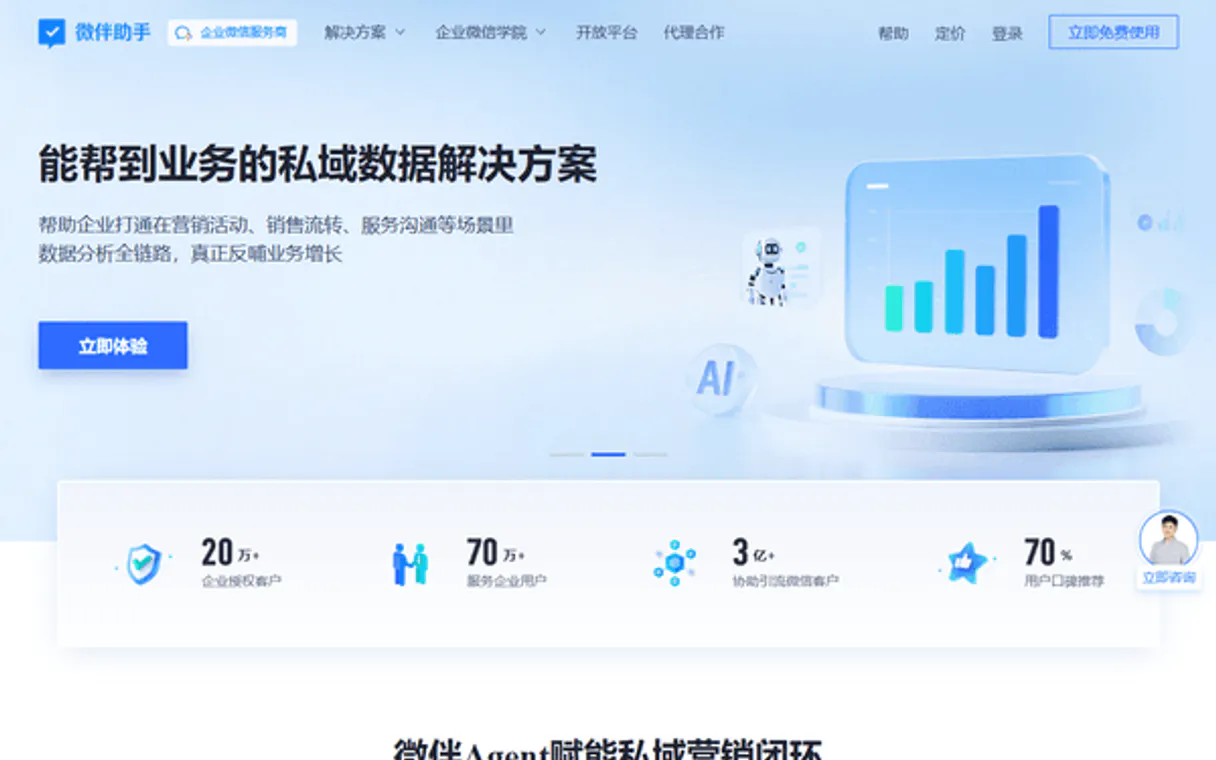
Independent Platform Disclaimer: Vinkius is an independent platform and is not affiliated with, endorsed by, sponsored by, verified by, or otherwise authorized by Weiban Assistant. All third-party trademarks, logos, and brand names are the property of their respective owners. Their use on this website is strictly for informational purposes to identify service compatibility and interoperability.
VINKIUS INFRASTRUCTURE
Cloud Hosted
Managed infra
V8 Isolated
Sandboxed per request
Zero-Trust Proxy
No stored credentials
DLP Enforced
Policy on every call
GDPR Compliant
EU data residency
Token Compression
~60% cost reduction
Works with Claude, ChatGPT, Cursor, and more
The Model Context Protocol standardizes how applications expose capabilities to LLMs. Instead of operating in isolation, your AI gains direct access to external platforms, live data, and real-world actions through secure, standardized connections.
This server provides 10 capabilities that interface natively with Claude, ChatGPT, Cursor, and any MCP client. No middleware. No custom integration required.
Available Capabilities
Finding the full customer context shouldn't take three different tabs.
Today, if you need to know why a client is frustrated, you open their profile in CRM A. Then you switch over to your chat history and manually scroll back months looking for keywords in Chat B. You copy the details into Sheet C because no single place has it all.
With Weiban Assistant, your agent does that work instantly. Just ask: 'What's the background on Client X?' The agent runs `get_customer_details` and pulls the full history from all necessary sources—all in one response.
Weiban Assistant MCP Server helps you track leads, customers & chats
Before this, checking staff performance meant logging into a separate analytics dashboard, waiting for the data to load, and then comparing numbers manually. It was slow and often incomplete.
Now, you just prompt: 'How did John do today?' The agent calls `get_staff_stats` and gives you the specific metrics right away. You get real-time, actionable team performance without leaving your chat window.
Common Questions About Weiban Assistant MCP
How does the Weiban Assistant MCP Server use the list_customers tool? +
The list_customers tool gives you a paginated overview of every customer in your system. You can then follow up with get_customer_details to pull specific information about any single account.
Can I use the get_org_summary tool for team metrics? +
Yes, get_org_summary aggregates high-level activity across your whole organization. It gives a quick overview of WeCom engagement that is harder to piece together from individual staff reports.
What does the create_lead tool actually do? +
The create_lead tool takes new contact information and logs it as a fresh prospect in your sales pipeline. It makes sure the lead is properly tracked for follow-up by the team.
Is list_chat_records good enough for finding old conversations? +
It's great, but remember list_chat_records requires you to specify a time range. If you don't give it dates or group names, the tool won't find anything.
How does the server handle authentication when I use the `get_customer_details` tool? +
The server uses your Weiban Corp ID and Secret for authentication. Vinkius manages these credentials securely, ensuring your AI client connects using authorized tokens. You never have to worry about managing API keys directly.
If I run `list_group_chats` repeatedly in a short time span, will there be rate limits? +
Yes, all external APIs enforce rate limits. If you exceed the allowed calls, the server handles it by pausing execution and retrying the request automatically. This keeps your workflow running smoothly without manual intervention.
Does the `get_staff_stats` tool allow me to filter performance metrics for specific staff members? +
Absolutely. You can specify a user's ID or name when calling get_staff_stats. This lets you narrow down the performance data immediately, giving you focused insight into one person’s daily activity.
What kind of information does `list_leads` provide by default? +
When you run list_leads, it returns core sales tracking data. This includes the lead's current status, their assigned representative, and the source channel they came from. It gives a quick overview for pipeline review.
How do I find my Weiban Corp ID and Secret? +
Log in to your Weiban administration backend, go to [App Center] → [Open Platform], and you will find your Corp ID and Secret there. Ensure you have the necessary permissions enabled.
Can I see chat records through this server? +
Yes. Use the list_chat_records tool to retrieve historical chat between staff members and customers. This is essential for auditing service quality and tracking sales conversations.
Is it possible to monitor group chat activity? +
Yes! You can use the list_group_chats tool to see all active groups and get_group_chat with a specific ID to retrieve detailed information about participation and engagement levels.
Use it with your favorite AI tools
Connect this server to Cursor, Claude, VS Code, and more.
More in this category

Telegram Bot Notifier
This MCP does exactly one thing: it sends messages to your Telegram chats. That's its only function, and nothing else. Incredible for giving your AI agents a voice on mobile.
Courier
Equip your AI agent to send multi-channel notifications and monitor delivery status through the Courier API.
Slack Webhook Notifier
This MCP does exactly one thing: it sends messages to your Slack channels. That's its only function, and nothing else. Zero bloat, incredible for giving your AI agents a voice.
You might also like

Axonaut
All-in-one ERP and CRM automation — manage invoices, quotes, tasks, and company relationships via AI.

PandaDoc
Create, send, and track documents, proposals, and e-signatures via PandaDoc — manage the entire document lifecycle from any AI agent.

Onboard.io Implementation
Automate and manage customer onboarding via Onboard.io — track launch plans, tasks, and progress directly from your AI agent.