
OceanBase MCP. Audit, monitor, and map your entire distributed database infrastructure.
 Gemini
 Works with every AI agent you already use
…and any MCP-compatible client









Just plug in your AI agents and start using Vinkius.
OceanBase MCP Server connects your AI agent directly to an enterprise distributed relational database. It lets you manage complex, multi-tiered data environments—including clusters, tenants, instances, and projects—using natural language conversation.
Instead of navigating the OceanBase Cloud console or writing verbose SQL scripts for basic checks, your agent runs specific commands like `list_clusters` or pulls resource metrics via `get_resource_stats`.
It provides a single interface to audit databases and check capacity across global deployments.
What your AI agents can do
Get cluster details
Retrieves the specific configuration and operational status data for one named OceanBase cluster.
Get instance details
Pulls detailed metrics and setup information for a single database instance (OB instance).
Get resource stats
Gathers aggregate usage statistics across the entire organization's allocated CPU, memory, and storage.
The server runs the list_clusters tool to return a list of every active cluster in your account.
It executes get_cluster_details to pull deep configuration and operational status data for a specific, named cluster.
Using get_resource_stats, it retrieves aggregate metrics on CPU, memory, and storage utilization for your entire organization.
The agent runs list_tenants to pull metadata listing all logical tenants associated with the current scope.
It uses get_tenant_details to retrieve resource allocation and specific configuration data tied to one identified tenant.
Ask AI about this MCP
Supported MCP Clients
Gemini Waiting for input…
OceanBase MCP Server: 10 Tools for Database Management
These tools allow your AI client to interact with every core function of OceanBase—from listing clusters to checking resource statistics—all through a single, conversational interface.
019d8462get cluster details
Retrieves the specific configuration and operational status data for one named OceanBase cluster.
019d8462get instance details
Pulls detailed metrics and setup information for a single database instance (OB instance).
019d8462get resource stats
Gathers aggregate usage statistics across the entire organization's allocated CPU, memory, and storage.
019d8462get tenant details
Fetches specific resource allocation metadata for a single logical tenant within a cluster.
019d8462get workspaces
Lists and retrieves details for all available organizational workspaces in your account.
019d8462list clusters
Returns a list of every active database cluster deployed in the OceanBase environment.
019d8462list databases
Provides an enumeration of all logical databases that exist within a specified tenant.
019d8462list instances
Lists every database instance (OB instance) across the configured projects.
019d8462list projects
Returns a list of all organizational projects managed under OceanBase.
019d8462list tenants
Lists every logical tenant that is configured within the database clusters.
Choose How to Get Started
Build a custom MCP for your own tools, or connect a ready-made integration from our catalog.
Build Your Own
Turn any API into an MCP. Import a spec, define Agent Skills, or deploy with MCPFusion.
- Import from OpenAPI, Swagger, or YAML specs
- Create Agent Skills with progressive disclosure
- Deploy to edge with MCPFusion framework
- Built in DLP, auth, and compliance on every call
- Real time usage dashboard and cost metering
- Publish to catalog or keep private
Make Your AI Do More
Start with OceanBase, then connect any of our 4,700+ other servers whenever your AI needs more. One click, no limits.
- Use this MCP plus 4,700+ others, all in one place
- Add new capabilities to your AI anytime you want
- Every connection is secured and compliant automatically
- Track usage and costs across all your servers
- Works with Claude, ChatGPT, Cursor, and more
- New servers added to the catalog every week
What you can do with this MCP connector
The OceanBase MCP Server hooks your AI agent right into an enterprise distributed relational database, letting you handle complex data environments without ever touching the OceanBase Cloud console or writing long SQL scripts. You manage clusters, tenants, instances, and projects using natural language conversation. Instead of clicking through menus or running basic checks, your agent runs specific commands like list_clusters or pulls resource metrics via get_resource_stats.
It gives you a single interface to audit databases and check capacity across global deployments.
When you need to understand the overall health of your system, you start big. You'll use get_resource_stats to pull aggregate usage statistics covering CPU, memory, and storage utilization for your entire organization. For higher-level visibility, you can run list_projects to get a list of every organizational project managed in OceanBase.
If you need details on any specific cluster, the agent executes get_cluster_details, which retrieves deep configuration and operational status data for one named cluster. You can first see everything by calling list_clusters; this returns a complete roster of every active database cluster deployed in your account.
To drill down into resource allocation, you'll use the tenant tools. The agent runs list_tenants to pull metadata listing all logical tenants associated with the current scope. If you need specifics on one group, it uses get_tenant_details to retrieve that specific resource allocation and configuration data tied to a single identified tenant.
This structure lets your AI client check capacity for groups of users or business units instantly.
For cataloging and auditing specific database components, you'll interact with the instance and database tools. You can see every logical database within a specified group by running list_databases against a single tenant. To get an inventory of all deployed services, the agent runs list_instances, which lists every OB instance across your configured projects.
If you need deep metrics on one particular service, it executes get_instance_details, pulling detailed setup information and usage data for that individual database instance. You can also find a list of all organizational workspaces in your account using get_workspaces.
The entire process means you don't have to jump between different interfaces or remember complex syntax; your agent handles the translation. It takes a request—like 'What is the memory usage across the staging environment?'—and translates it into the necessary tool calls (list_tenants, get_resource_stats) and presents you with structured, actionable data every time.
You're auditing system performance, checking for capacity limits, or just cataloging what exists in your multi-tiered database setup without leaving your conversation window.
How OceanBase MCP Works
- 1 Subscribe to the server and supply your OceanBase Access Key ID and Secret credentials.
- 2 Your AI client sends a natural language query to the MCP endpoint, which maps it to one or more required tools (e.g.,
list_clustersthenget_resource_stats). - 3 The agent executes the tool calls, retrieves the structured data from OceanBase, and presents you with the summarized results.
The bottom line is that your AI client handles all the API orchestration; you just talk to it like a human talking to another human.
Who Is OceanBase MCP For?
This server is built for infrastructure experts and data governance roles. It solves the problem of context switching—where checking cluster status requires jumping between 5 different admin tabs. If you spend your day manually validating resource limits or auditing tenant boundaries, this saves you hours.
You use it to automate complex audits. Instead of running scripts against ten endpoints, you ask the agent: "Show me all clusters with CPU usage over 80%." It handles the list_clusters and get_resource_stats calls.
You manage resource capacity. You check for potential bottlenecks by combining list_projects with get_instance_details to validate if any single project is nearing its allocation limit across the organization.
You design data boundaries and governance. You use it to map out the entire system by running list_tenants followed by list_databases, giving you a unified view of every logical structure.
What Changes When You Connect
- Eliminate manual console hopping. Instead of clicking through cluster lists, then going to tenant tabs, and finally checking resource graphs, you just ask the agent. It combines
list_clusters,list_tenants, andget_resource_statsinto one conversational query. - Validate capacity on demand. You can't wait for a quarterly review. Use
get_resource_statsto instantly see if CPU or memory usage is hitting thresholds across the entire organization, flagging immediate risks. - Deep dive into specific assets. Need to know why Tenant X is slow? The agent pulls data via
list_tenants, then usesget_tenant_detailsandlist_databasesto pinpoint resource allocation issues down to the individual schema level. - Project and Instance Mapping. It links high-level organization structure (
list_projects) down to specific resources usinglist_instances. This gives you a clean path from 'where the data lives' to 'what is consuming it.' - Streamlined Auditing. Running a compliance check used to mean pulling dozens of reports. Now, your agent can run structured checks by listing everything (
list_clusters,list_tenants) and then gathering details using specific getters likeget_cluster_details. - Unified View of Everything. The ability to cross-reference projects (
list_projects), tenants (list_tenants), and databases (list_databases) from a single AI prompt makes the entire system observable.
Real-World Use Cases
Capacity Planning Review
A manager needs to know if their infrastructure can handle 30% growth next year. They ask the agent to run get_resource_stats and correlate that data with list_projects. The agent returns a report showing current utilization percentages and flags which projects are running near maximum capacity, allowing immediate budget discussions.
Security Audit of Data Boundaries
The security team suspects unauthorized access to sensitive records. They ask the agent to run list_tenants and then use get_tenant_details for each one. This systematically checks resource ownership metadata, ensuring every tenant adheres to current compliance boundaries.
Troubleshooting Slow Service
A customer complains that the Customer Portal is slow. The engineer asks the agent to check get_instance_details for the relevant instance and combine it with a call to list_databases. This immediately isolates whether the issue is resource contention (CPU) or an improperly structured database schema.
Onboarding New Department
A new department needs dedicated resources. Instead of manually creating everything, they ask the agent to first check list_projects for available space and then use get_workspaces to reserve a clean environment, ensuring resource isolation from day one.
The Tradeoffs
Manual console navigation
You open the OceanBase Cloud dashboard. First, you click 'Clusters' (to run list_clusters). Then, for each cluster, you click into the 'Tenants' tab to see resource usage, then switch tabs again to check 'Databases'. This is slow and error-prone.
→
Just ask your agent: "Show me all clusters that have more than five tenants." The agent runs list_clusters and filters it using list_tenants, giving you the targeted list immediately without clicking any tabs.
Running isolated scripts
Writing a Python script that calls get_resource_stats() and then writing a separate SQL query to run against list_databases(). You lose context when combining the two results.
→
Ask your agent: "Compare the current resource utilization (get_resource_stats) against the database catalog structure for Tenant X. Find any discrepancies." The agent correlates both data streams in one response.
Over-reliance on single views
Assuming that list_instances gives you enough information, but then realizing the instance is failing due to a project-level quota limit. You have to start over.
→
Always ask your agent for context: "Check the resource usage (get_resource_stats) and link it to the containing project using list_projects." This prevents you from missing critical, higher-level constraints.
When It Fits, When It Doesn't
Use this server if your core operational need is cross-domain visibility within the OceanBase platform. If you need to audit how resources are allocated (e.g., 'How much memory does Project A use in Tenant B?'), this toolset is mandatory because it connects list_projects data with get_resource_stats. Don't use it if your problem is external: for example, if the bottleneck is a network issue outside of OceanBase or a faulty application layer. In those cases, you need dedicated observability tools (like APM). If you only need to write simple SQL queries against one known database, standard client connectivity works just fine—you don't need this complex orchestration layer.
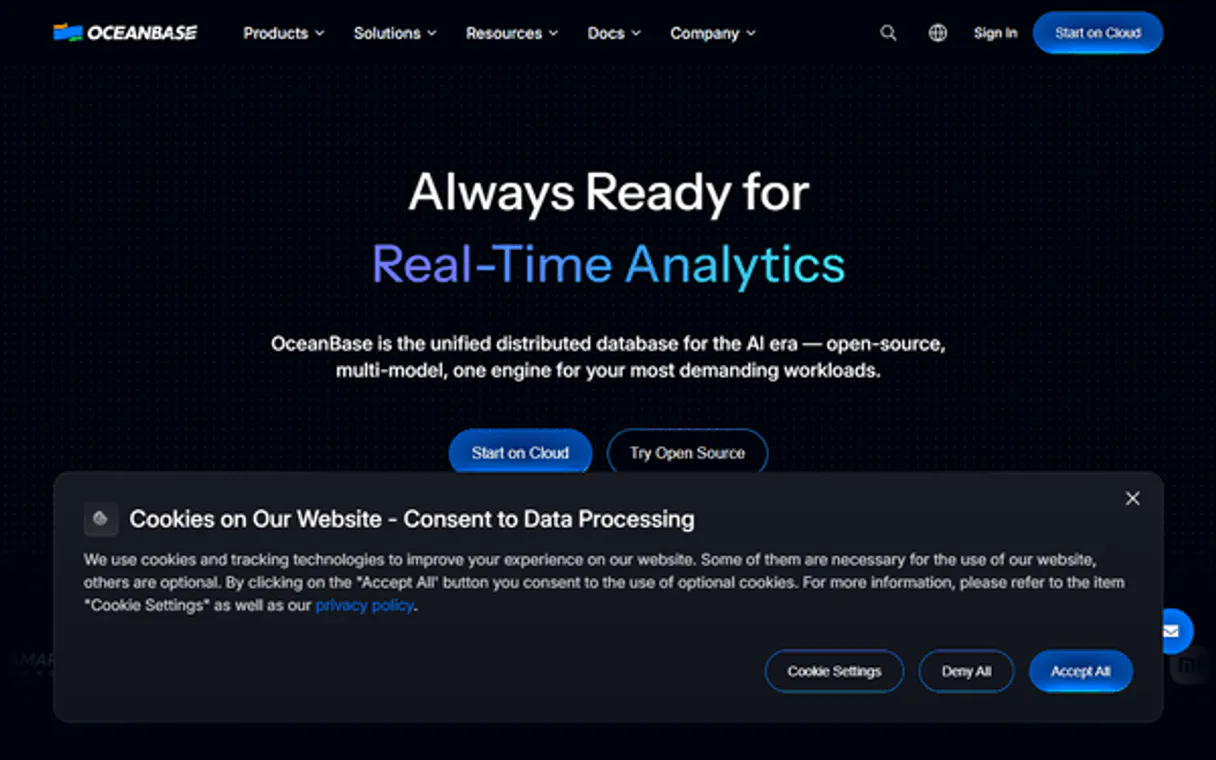
Independent Platform Disclaimer: Vinkius is an independent platform and is not affiliated with, endorsed by, sponsored by, verified by, or otherwise authorized by OceanBase. All third-party trademarks, logos, and brand names are the property of their respective owners. Their use on this website is strictly for informational purposes to identify service compatibility and interoperability.
VINKIUS INFRASTRUCTURE
Cloud Hosted
Managed infra
V8 Isolated
Sandboxed per request
Zero-Trust Proxy
No stored credentials
DLP Enforced
Policy on every call
GDPR Compliant
EU data residency
Token Compression
~60% cost reduction
Works with Claude, ChatGPT, Cursor, and more
The Model Context Protocol standardizes how applications expose capabilities to LLMs. Instead of operating in isolation, your AI gains direct access to external platforms, live data, and real-world actions through secure, standardized connections.
This server provides 10 capabilities that interface natively with Claude, ChatGPT, Cursor, and any MCP client. No middleware. No custom integration required.
Available Capabilities
Auditing an enterprise database used to mean a week of clicking through dashboards.
Today, finding resource contention requires jumping between five different admin tabs: the Cluster view shows high load. You then have to click into the Tenant tab to see which group is responsible. After that, you switch to the Project view just to check quotas. Finally, if you find nothing, you run a database audit via SQL.
With OceanBase MCP Server, your agent handles all those hops. You simply ask: "Which tenant is hitting its resource limit?" The agent coordinates `list_tenants`, checks their boundaries using `get_tenant_details`, and reports the exact constraint violation—all in one reply.
OceanBase MCP Server gives you a single view of all your data assets.
Manual tasks involved separately running `list_clusters` (to see what exists), then running `list_tenants` (to find the boundaries), and finally using `get_resource_stats` to figure out if there's a problem. The results never spoke to each other.
Now, you ask for 'a full view of all active resource constraints.' The agent combines these tools into one logical workflow, giving you correlated data that shows the entire system's health status instantly.
Common Questions About OceanBase MCP
How do I use OceanBase MCP Server to check overall system capacity? +
Run get_resource_stats. This tool pulls aggregate metrics (CPU, memory, storage) across the entire organization's allocated resources, giving you a high-level view of potential bottlenecks.
What is the difference between using list_clusters and get_cluster_details? +
list_clusters just gives you names. If you need to know if a cluster is currently running or what its specific configuration parameters are, you must use get_cluster_details.
Can I find all databases for one client using list_databases? +
Yes, but you have to specify the tenant first. Use list_tenants to find the correct ID, then use list_databases against that specific tenant.
Is get_tenant_details enough for an audit? +
No. While it gives resource metadata, combine it with get_resource_stats. This ensures you are checking the actual utilization numbers (metrics) and not just the allocated limits (metadata).
Do I need to use list_projects before other tools? +
It's best practice. Running list_projects first gives you a clear scope, which helps guide subsequent calls like get_instance_details so your agent knows exactly where to look.
When I run `get_tenant_details`, do I need to provide specific IDs? +
Yes, you must supply the parent cluster ID and tenant name for successful execution. The tool requires these parameters to scope the search, ensuring your agent only retrieves metadata for a precise resource group.
If I use `list_projects`, what dictates the projects my AI client can access? +
Visibility is determined by the service account credentials linked to your connection. Your agent will only retrieve project metadata for which your user role has explicit read permission.
What specific performance data does `get_instance_details` provide? +
It returns core operational metrics like allocated CPU capacity, current memory usage, and connection counts. This gives you a real-time view of the instance's immediate resource strain.
How do I find my OceanBase Access Key and Secret? +
Log in to your OceanBase Cloud console, go to [Security] → [Access Keys], and you will find your unique Access Key ID and Secret Key there. Ensure you keep them confidential.
Can I list databases for a specific tenant through this server? +
Yes. Use the list_databases tool with the cluster ID and tenant ID. Your agent will retrieve the full list of logical databases belonging to that specific resource pool.
Is it possible to check organization-wide resource usage? +
Yes! Use the get_resource_stats tool to retrieve aggregate statistics across your OceanBase account, helping you monitor total CPU, memory, and storage consumption.
Use it with your favorite AI tools
Connect this server to Cursor, Claude, VS Code, and more.
More in this category

Cloudflare Stream
Manage video infrastructure via Cloudflare Stream—list videos, manage live inputs, and handle uploads directly from any AI agent.

Travelport
Access Travelport's Global Distribution System to search and book flights, hotels, and manage travel reservations directly through AI.

Marketo
Automate marketing workflows via Marketo — manage leads, lists, campaigns, and programs.
You might also like

Fidelizador
Build customer loyalty programs with points, rewards, and engagement campaigns that keep shoppers coming back.

TOTVS
Orchestrate TOTVS ERP services — manage employees, handle financials, and monitor BPM workflows directly from any AI agent.
Zoho CRM Admin
Manage Zoho CRM users, roles, profiles, layouts, territories, and tags — complete admin control through conversation.