
Omni BI Intelligence MCP. Query, inspect, and export metrics from Omni BI.
 Gemini
 Works with every AI agent you already use
…and any MCP-compatible client









Just plug in your AI agents and start using Vinkius.
Omni BI Intelligence MCP Server connects your AI agent directly to Omni BI dashboards, data models, and underlying metrics. Use this server to run ad-hoc queries, inspect field logic, list available workspaces, and export results in CSV or JSON format—all without opening the main UI.
It gives your agent deep read access to your organization's semantic layer.
What your AI agents can do
Export query results
Generates temporary download links for query results in CSV, JSON, or Excel formats.
Get dashboard details
Retrieves the full metadata and component layout for a specific BI dashboard ID.
Get field details
Fetches detailed information, including calculation logic, for a single data field.
The agent retrieves a list of dashboard names and IDs within your Omni BI instance.
You execute custom, programmatic SQL-like queries against specified data models and fields, receiving the resulting record set.
The agent fetches detailed metadata for a single field, including its data type, description, and underlying calculation logic.
You browse the BI structure by listing top-level workspaces, folders, or connected databases to map out your data sources.
The agent processes a successful query and generates a secure link allowing you to download the resulting data as CSV, JSON, or Excel files.
Ask AI about this MCP
Supported MCP Clients
Gemini Waiting for input…
Omni BI Intelligence: 10 Tools for Data Analytics
These tools let your AI agent navigate every aspect of Omni BI—from listing dashboards to running complex queries and exporting data.
019d75e4export query results
Generates temporary download links for query results in CSV, JSON, or Excel formats.
019d75e4get dashboard details
Retrieves the full metadata and component layout for a specific BI dashboard ID.
019d75e4get field details
Fetches detailed information, including calculation logic, for a single data field.
019d75e4get model details
Retrieves the schema and metadata structure for an entire Omni BI data model.
019d75e4list bi workspaces
Returns a list of all high-level workspaces or project containers available in your account.
019d75e4list dashboards
Retrieves the names and IDs for every dashboard currently hosted in Omni BI.
019d75e4list data connections
Shows all external databases or sources that are connected to Omni BI.
019d75e4list data models
Lists the core, reusable data models available in your environment.
019d75e4list resource folders
Browses and lists organizational folders that group related dashboards or resources.
019d75e4run omni query
Executes a custom query against your data models and returns the resulting record set directly to the chat.
Choose How to Get Started
Build a custom MCP for your own tools, or connect a ready-made integration from our catalog.
Build Your Own
Turn any API into an MCP. Import a spec, define Agent Skills, or deploy with MCPFusion.
- Import from OpenAPI, Swagger, or YAML specs
- Create Agent Skills with progressive disclosure
- Deploy to edge with MCPFusion framework
- Built in DLP, auth, and compliance on every call
- Real time usage dashboard and cost metering
- Publish to catalog or keep private
Make Your AI Do More
Start with Omni BI Intelligence, then connect any of our 4,700+ other servers whenever your AI needs more. One click, no limits.
- Use this MCP plus 4,700+ others, all in one place
- Add new capabilities to your AI anytime you want
- Every connection is secured and compliant automatically
- Track usage and costs across all your servers
- Works with Claude, ChatGPT, Cursor, and more
- New servers added to the catalog every week
What you can do with this MCP connector
Omni BI Intelligence MCP Server hooks your AI agent right into Omni BI's back end. You get deep read access to all of your data models, metrics, and dashboard logic—all without having to open up the main user interface. This server lets your agent run ad-hoc queries and inspect every detail like a pro.
Navigation and Discovery:
- You can map out your whole setup by running
list_bi_workspaces, which returns all high-level project containers in your account, or listing connected sources usinglist_data_connections. You'll also see where things are organized withlist_resource_foldersand get a rundown of every dashboard ID and name currently hosted vialist_dashboards. - When you need to know the full details on one specific view, calling
get_dashboard_detailsretrieves all the metadata and component layouts for that BI dashboard.
Data Structure Inspection:
- To understand what data you're working with, run
list_data_modelsto see a list of core, reusable models in your environment. You can then get the full schema and metadata structure for any model usingget_model_details. - For granular details on specific metrics, calling
get_field_detailsfetches detailed information for a single data field; this includes its data type, description, and crucially, the underlying calculation logic.
Execution and Output:
- Running queries is straightforward: use
run_omni_queryto execute custom, SQL-like queries directly against your specified data models and fields, sending the resulting record set straight back to your chat window. - After a successful query, you don't have to copy anything; calling
export_query_resultsgenerates temporary download links that let you pull the results as CSV, JSON, or Excel files.
How Omni BI Intelligence MCP Works
- 1 You tell your AI client exactly what data you need—for example, 'Show me sales metrics for Q3' or 'What are the fields in the Orders model?'
- 2 The agent maps your request to the correct tool (e.g.,
list_data_modelsthenget_field_details) and executes the call against Omni BI. - 3 You get a structured response in chat—either the raw data set, the field definition metadata, or an export link you can click.
The bottom line is: it turns complex dashboard navigation into simple conversation with your agent.
Who Is Omni BI Intelligence MCP For?
This server is for data professionals who spend too much time clicking through UIs just to answer a single question. It's for the Data Analyst stuck in manual lookups, the Business Lead needing quick metric checks, or the Ops Team automating report preparation.
Uses get_field_details to check model logic and runs ad-hoc queries (run_omni_query) when a dashboard doesn't show the precise calculation they need.
Monitors key metrics across different organizational workspaces using natural language, avoiding manual navigation through many dashboards.
Automates the retrieval of structured data exports for regulatory reporting or sends model metadata to other systems via export_query_results.
What Changes When You Connect
- Stop clicking through tabs. Instead of manually navigating to a dashboard just to find one metric, ask your agent directly using
list_dashboardsorrun_omni_query. It finds the data point instantly. - Understand the numbers without guessing. When a metric seems wrong, use
get_field_details. This tool fetches the exact calculation logic for any field in a model—no more assumptions about how metrics are derived. - Automate reporting exports. Instead of copying data from a dashboard and pasting it into Excel, run your query using
run_omni_queryand then useexport_query_resultsto get a clean, downloadable file link (CSV/JSON). - Map out your entire data structure instantly. Need to know where the 'Customer' model lives? Use
list_data_models. Want to see what databases feed it? Runlist_data_connectionsand map the dependencies. - Save time on resource management. Don't waste minutes searching for a folder or project. Use
list_bi_workspacesandlist_resource_foldersto browse your entire BI setup by name.
Real-World Use Cases
Checking the source of a questionable metric
The Business Lead sees a revenue number on a dashboard that looks off. Instead of emailing the Data Analyst, they ask their agent: 'What is the field definition for Revenue?' The agent runs get_field_details and reports back the exact calculation logic (e.g., 'Revenue minus tax rate'). Problem solved in seconds.
Pulling data for a quick, ad-hoc report
The Operations Team needs to see the top 50 records from the 'Orders' model that were shipped last week. They ask their agent to run a query. The agent uses run_omni_query, gets the results, and then runs export_query_results to deliver an immediate CSV link for filing.
Understanding cross-system dependencies
The Data Analyst is building a new dashboard but isn't sure which data source is correct. They ask the agent to list all connected systems. The agent runs list_data_connections, allowing the analyst to confirm they are pulling from the correct, active database.
Comparing model structures
The Business Lead wants to compare two different data models (e.g., 'Sales' vs. 'Marketing'). They ask the agent to list both (list_data_models), then use get_model_details on each one side-by-side to verify that they are tracking similar fields.
The Tradeoffs
Assuming dashboard details are enough
A user sees a metric in the UI and assumes it's correct, but doesn't know how to verify the underlying calculation. They try to guess which tool to use.
→
Never rely on visual data alone. Always check the source logic by using get_field_details first. This confirms the calculation used for that specific metric.
Copy/pasting query results
The user runs a successful query, copies 50 rows of data into a spreadsheet, and then has to manually format it or clean up headers.
→
Don't copy. Immediately ask the agent to create an export link using export_query_results. This delivers perfectly formatted files (CSV/JSON) ready for use.
Getting lost in resource structure
The user knows they need a dashboard but can't remember if it’s under 'Sales' or 'Q1 Reports'. They spend 15 minutes clicking through the UI folders.
→
Use list_bi_workspaces and list_resource_folders first. This lets your agent list all containers, helping you pinpoint the exact location of the data you need.
When It Fits, When It Doesn't
You should use this server if your workflow requires reading, inspecting, or exporting data from Omni BI without opening a browser window. It's perfect for Data Analysts and Operations Engineers who need to verify metrics or pull specific datasets programmatically.
Don't use it if you are trying to build dashboards (that’s UI work) or if the data source is completely external and not connected through Omni BI. If your primary goal is simply listing available services, using list_data_connections helps map out what exists before you try running a query with run_omni_query. This server specializes in read access and metadata discovery; it doesn't modify data.
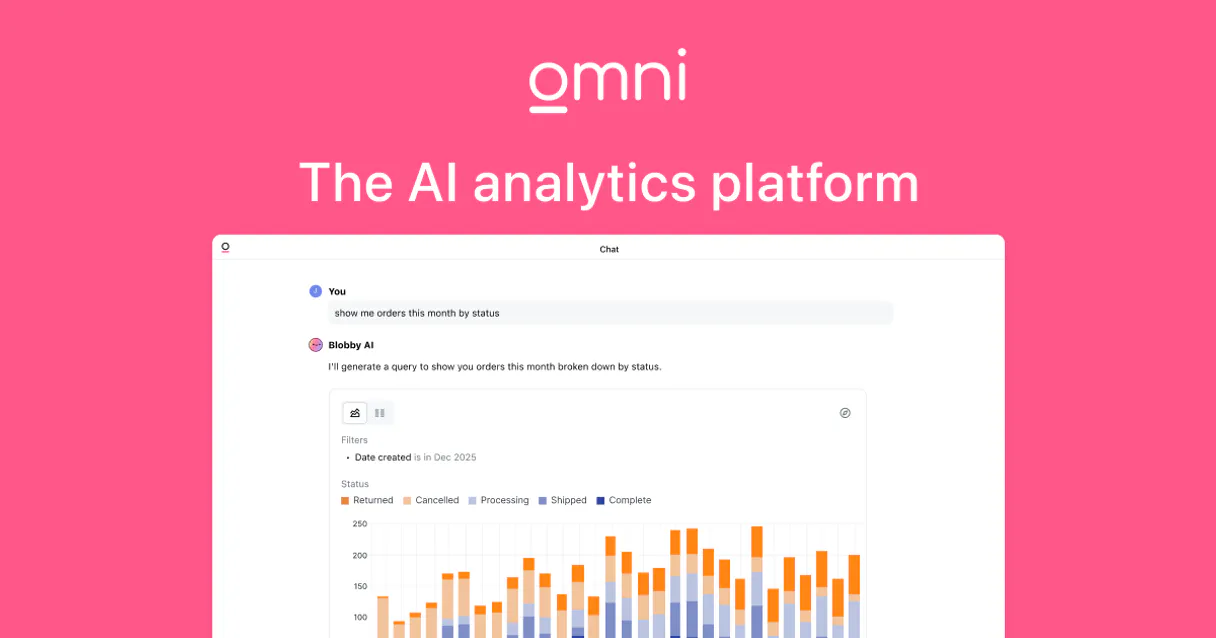
Independent Platform Disclaimer: Vinkius is an independent platform and is not affiliated with, endorsed by, sponsored by, verified by, or otherwise authorized by Omni BI. All third-party trademarks, logos, and brand names are the property of their respective owners. Their use on this website is strictly for informational purposes to identify service compatibility and interoperability.
VINKIUS INFRASTRUCTURE
Cloud Hosted
Managed infra
V8 Isolated
Sandboxed per request
Zero-Trust Proxy
No stored credentials
DLP Enforced
Policy on every call
GDPR Compliant
EU data residency
Token Compression
~60% cost reduction
Works with Claude, ChatGPT, Cursor, and more
The Model Context Protocol standardizes how applications expose capabilities to LLMs. Instead of operating in isolation, your AI gains direct access to external platforms, live data, and real-world actions through secure, standardized connections.
This server provides 10 capabilities that interface natively with Claude, ChatGPT, Cursor, and any MCP client. No middleware. No custom integration required.
Available Capabilities
Manual BI exploration takes way too long.
Today, if you need to verify a metric or run an ad-hoc report, you have to click through three different tabs: navigate the workspace, find the correct dashboard, filter by date range, and then—if that's not enough—you might have to copy dozens of data points into a separate spreadsheet. It’s slow, error-prone, and kills momentum.
With this MCP server, you skip all those clicks. You just tell your agent: 'What was the total revenue for Q3 in California?' The agent handles finding the right dashboard, running the query via `run_omni_query`, and delivering a clean answer—or better yet, an export link—in seconds.
Omni BI Intelligence MCP Server: Run queries and export data.
Previously, if you wanted to know *why* a metric was calculated the way it was, you were stuck. You’d have to hunt down documentation or interrupt an expert just to ask for the calculation logic behind 'Active User Count.'
Now, simply ask your agent: 'What is the field definition for Active User Count?' The server uses `get_field_details` and gives you the precise formula immediately. It's that direct insight into model logic that changes everything.
Common Questions About Omni BI Intelligence MCP
How do I list all available dashboards using list_dashboards? +
You simply ask your agent to run list_dashboards. The server returns a clean list of every dashboard ID and name in your Omni BI instance. This is the first step if you don't know what data exists.
Can I query data models using run_omni_query? +
Yes, run_omni_query executes custom queries against your defined data models. You provide the model and field names, and the agent fetches the latest record set directly for you to review.
What is the purpose of get_field_details? +
The get_field_details tool retrieves the detailed metadata for a specific field. It tells you not only what the field measures but also the exact calculation or logic used to generate that number.
How do I export data after running an Omni query? +
After run_omni_query succeeds, follow up by asking the agent to use export_query_results. This generates a temporary link that lets you download the results in CSV, JSON, or Excel format.
Does list_data_connections show all my data sources? +
Yes. Running list_data_connections provides a comprehensive view of every external database and source that Omni BI is currently linked to, helping you audit your connected systems.
What permissions do I need to run queries using `get_model_details`? +
You must provide a valid Bearer Token with read-only access to the Omni BI instance. This token needs permission to view the semantic layer, allowing your agent to fetch metadata for data models and fields.
What does `list_bi_workspaces` tell me about my organization's structure? +
This tool maps out your BI environment by listing all available workspaces. It helps you understand the project hierarchy, letting you navigate between different business units or teams within Omni.
When I use `get_model_details`, does it show me field calculation logic? +
Yes, when calling this function, the agent returns comprehensive metadata for the model. This includes the specific logic and definitions for individual fields, going beyond just the name.
How do I get an Omni BI API Key? +
Log in to your Omni instance, navigate to user settings or organization settings, and look for the API Tokens section to generate a new token.
Can I run raw SQL queries? +
This implementation uses the run_omni_query tool which interacts with your defined data models (semantic layer). Raw SQL access depends on your specific model configuration in Omni.
What formats are supported for data export? +
The export_query_results tool supports CSV, JSON, and XLSX formats. You will receive a temporary URL to download the requested file.
Use it with your favorite AI tools
Connect this server to Cursor, Claude, VS Code, and more.
More in this category

Aracaju
Access Aracaju's transparency data—revenues, expenses, bids, contracts, and payroll—directly from your AI agent.
ON24
Host enterprise webinars and virtual events that generate pipeline with interactive engagement tools and first-party intent data.

LLM ROUGE & BLEU Evaluator
Evaluate AI text generation quality. Compute exact mathematical BLEU and ROUGE scores comparing generated text to reference documents.
You might also like
CData Connect Cloud
Universal Data Gateway mapping explicitly proxy structures parsing SQL schemas dynamically connecting APIs natively.

Zingtree
Analyze decision trees, workflows, and user session data via the Zingtree API.
Metrc
Cannabis track-and-trace via Metrc — track facilities, items, plants, and harvests.